


-
Nathan Explosion replied to FeigelInc's topic in Invision Community 5: Beta Testing's Beta DiscussionOK - I'll be the guy, now that you've stated something that would have helped from the start... A search for "Marquee" on here doesn't yield much in relation to a 'plugin' that may exist, which gives an indication that it may not have existed here on the marketplace (no support topic, see). So how about more information on what exactly this "marquee plugin" is? Is that its actuall name, or is that what you refer to it as (if so, what is its name?) Who developed it? Was it a v4 plugin, or was it maybe a REALLY old plugin that existed back with v3? More details...better answers.
-
Nathan Explosion replied to FeigelInc's topic in Invision Community 5: Beta Testing's Beta DiscussionHow to do it without using a deprecated tag <!DOCTYPE html> <html> <head> <style> .marquee { white-space: nowrap; animation: scroll-right-left 10s linear infinite; } @keyframes scroll-right-left { from { transform: translateX(400px); } to { transform: translateX(-1600px); } } </style> </head> <body> <div class="marquee">this is a marquee done without using the deprecated marquee tag.</div> </body> </html>
-
Pretty sure that PNG is the requirement for PWA, so Invision are adhering to it.
-
Should be </font></strong>
-
Feel free to nick it, delete these posts and claim it as your own 😉
-
And the idea of "Boota" didn't once cross your mind?
-
Didn't see it mentioned so started at the obvious place. Don't overthink it...
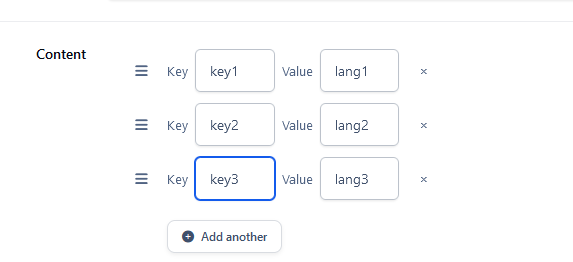
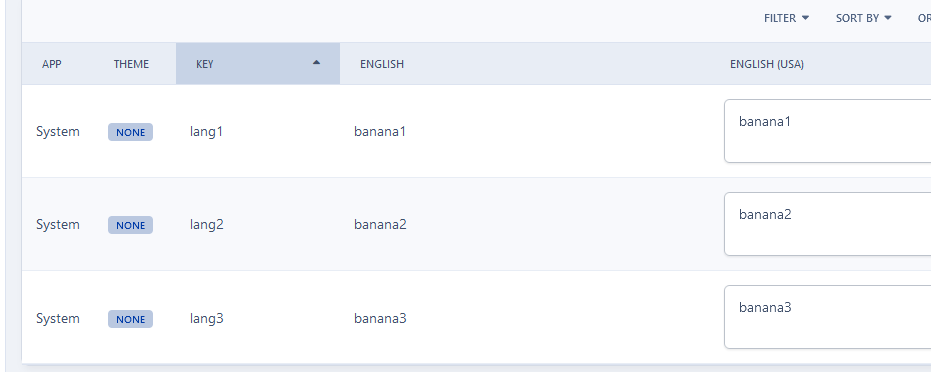
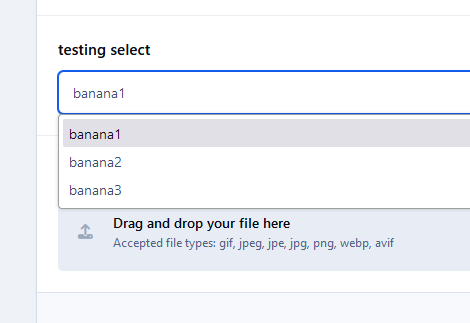
-
You go to your languages section and create your strings there:
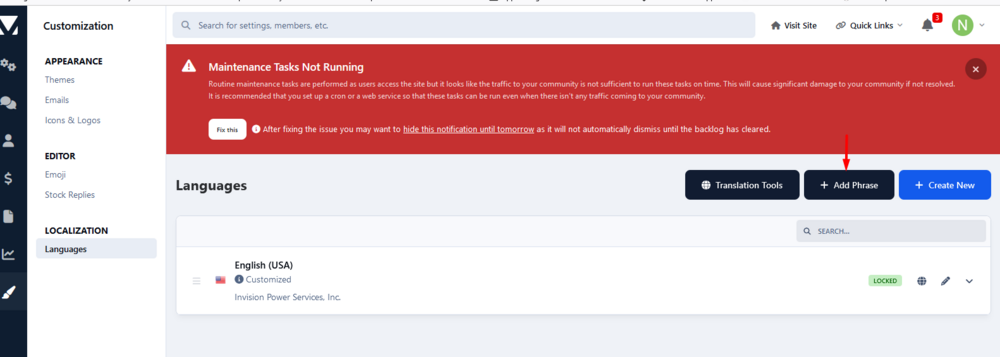
-
Which works as expected in Beta 1: And ceases to work in Beta 2: A behaviour that leads to:
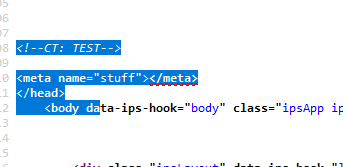
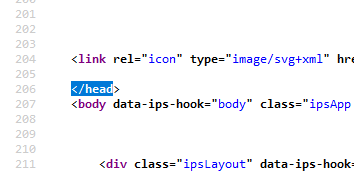
-
Nathan Explosion replied to Jimi Wikman's topic in Invision Community 5: Beta Testing's Beta DiscussionOK - your actual issue has now been fleshed out to be clearer. Good luck - sounds to me like you may have an issue with static\templates\core_front_global.php not containing the correct template information for beta 1. If I was you, I'd ensure that all of your files are replaced with the ones in the current beta 1 download package.And you're on beta 1, yes? Are you using IN_DEV? Yes or no.So maybe you could actually provide a screenshot of what you DO see, so people don't have to guess what you are seeing? Anyway...here it is, in all it's glory, in the listing of available hooks for System on a test installation of Beta 1
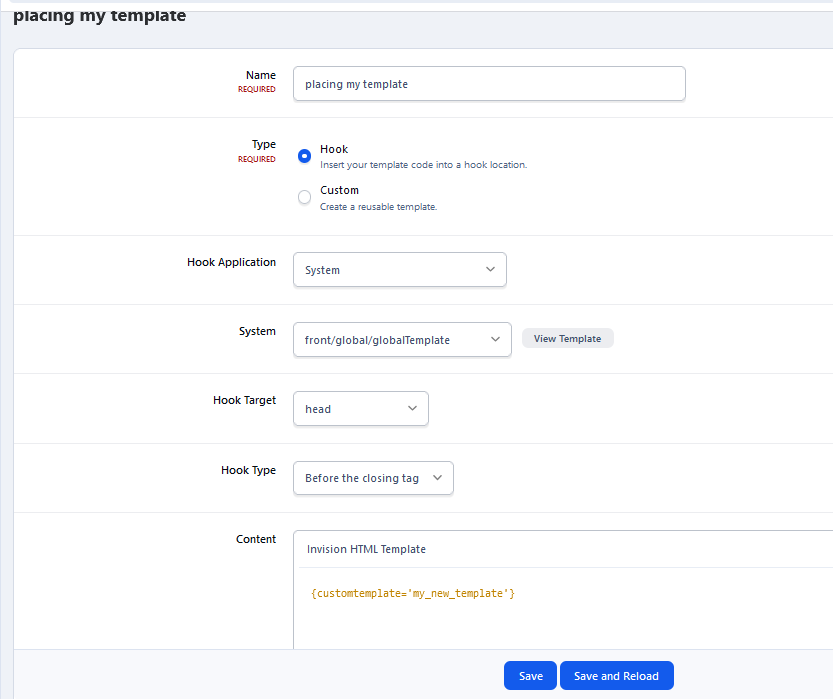
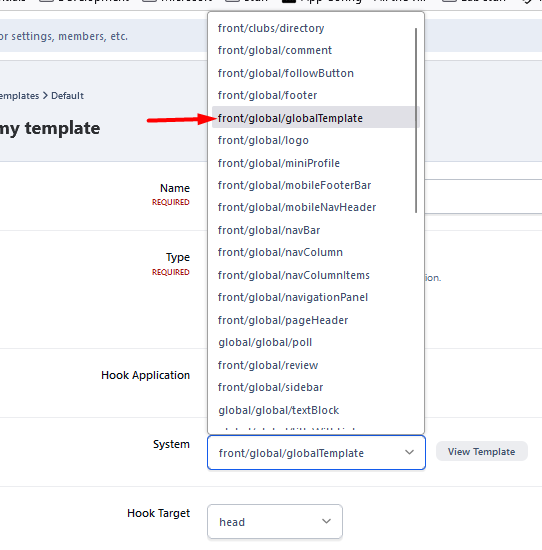 I'll add in the 2 steps, if you wish to use a custom template. But you really only need to do one, which is adding your code in as a HOOK directly in the place you want it. Anyway... Step 1: custom template Step 2: adding it in before the </head>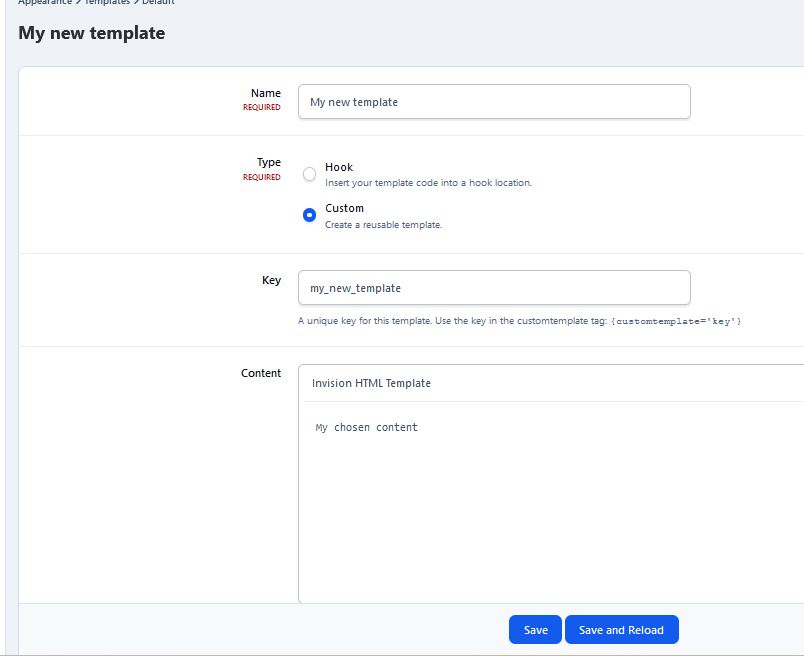
 It's not a widget. It's called "Topic Summary" on v4, "Topic Overview" in v5, and the settings for it are in the ACP via admin/?app=forums&module=forums&controller=settings&searchResult=forums_topic_activity_desktop

View in the app
A better way to browse. Learn more.





