peter.schaefer
Clients
-
Joined
-
Last visited
-
-
GDPR forces us not to allow any cookies, if we don't have the explicit consent of the reader. Now members tend to link everything all at once and you have a lot of embedded youtube.com links, which - you can guess ... - bring a whole bunch of cookies and problems in your nice little home. Even, if they are not allowed by the reader, because he didn't consent. Wordpress and other fancy stuff fix this with special insert tools and techniques not to allow youtube to set any cookies. Invision doesn't have anything like that. So i need a way to do so too and i need it fast, because we are forced by law to do so. Here is the info for youtube: https://support.google.com/youtube/answer/171780?hl=en
-
-
But we could do this on searches and we would like to do that again. It's much easier to find, what i was looking for in 20 threads instead of 200 posts.
-
-
I remember a search, where the search results could be shown as threads. So one didn't had to read through a hundred posts in one thread, but could see only the threads and read them or not. A search which gives su many results, that one reads them, looks quite unproductive to me.
-
-
-
-
Using images from magazine require us to use the alt text for copyright notes. Since the editor in V5 can't do such simple standard, we are out of business with those articles, which doesn't make me happy. I would very much appreciate, if it comes back soon and any blind guy trying to understand a v5 page with images will be thankfull.
-
Damn, that's a good one! Never saw this little greyish button. Thanks! 🙏
-
-
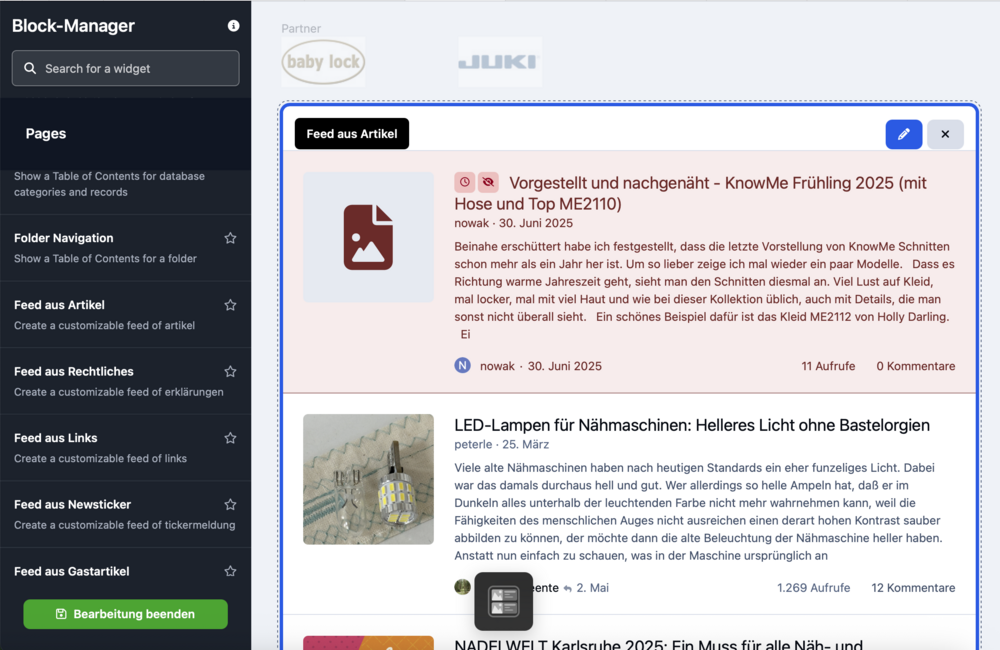
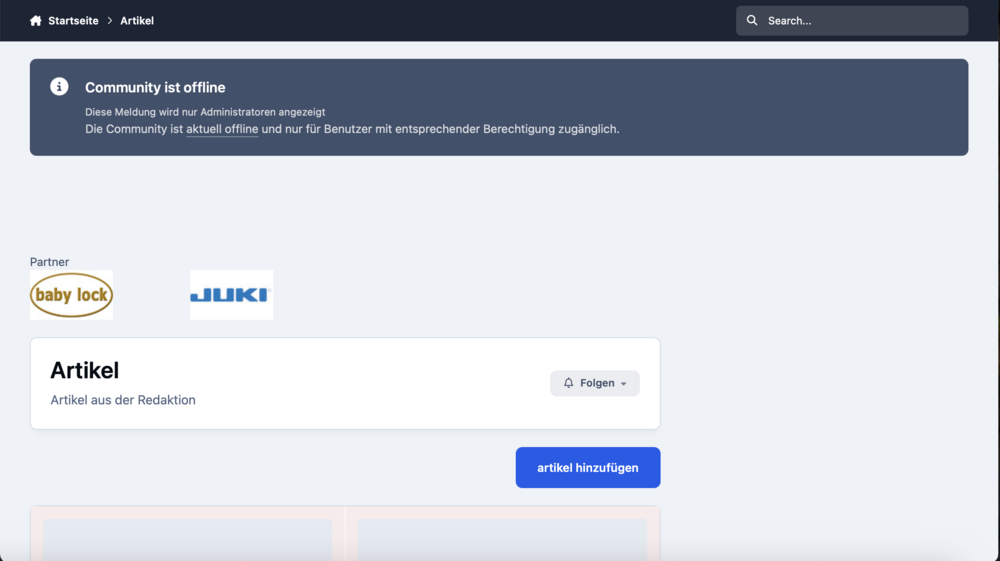
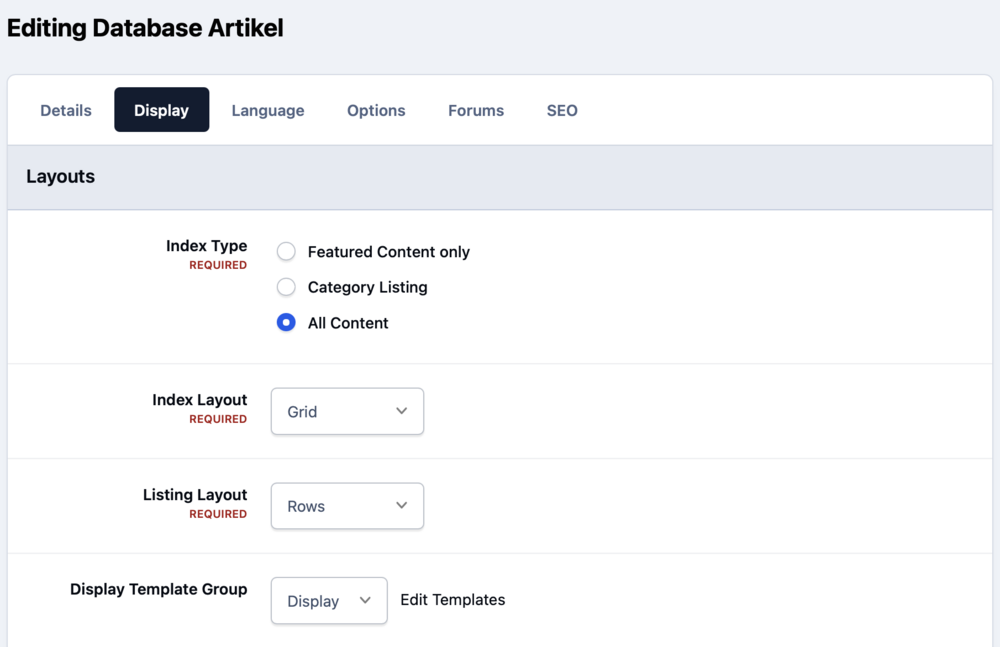
Here is a picture from the new installation: I would like to have a grid view instead of the rows. The page with the database itself shows the grids, i would like to have on the staring page, which you can take a glimpse on the lower end of this picture:
-
The standard view for any feed from a database seem to be a a classic row. Is there any way to change that to grid and all the other fancy stuff we have to display databases itself?
-
Better picture including reasoning:
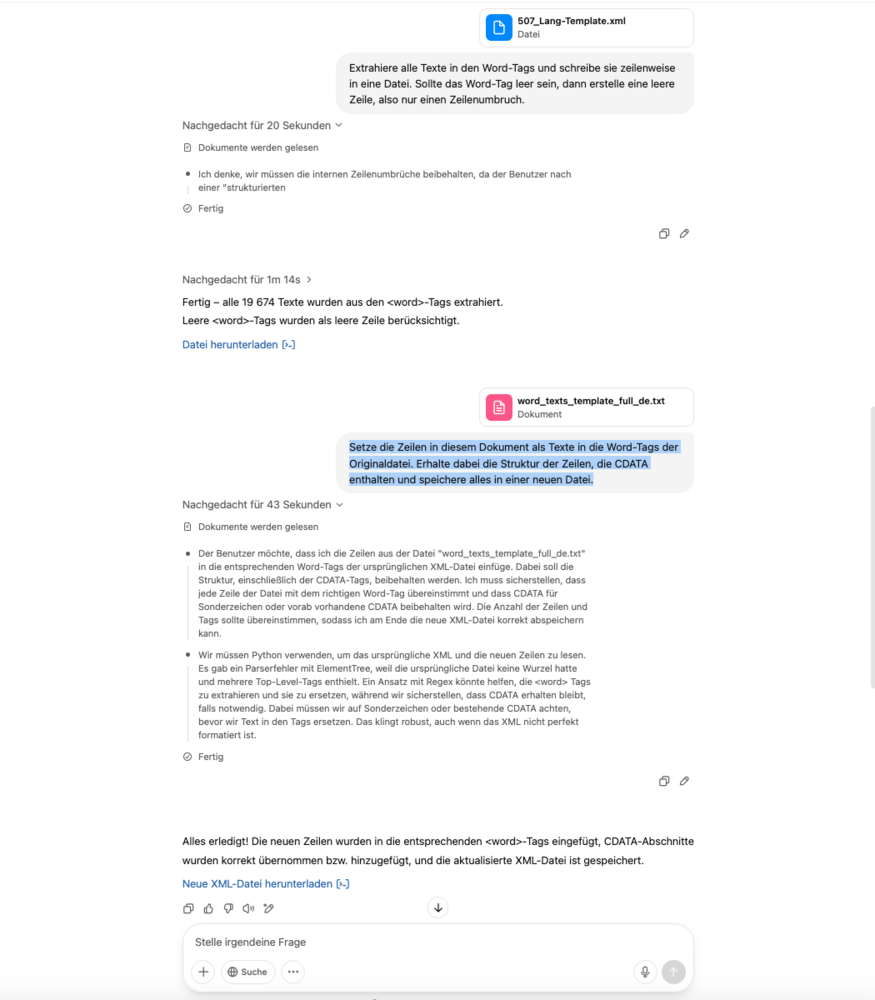
-
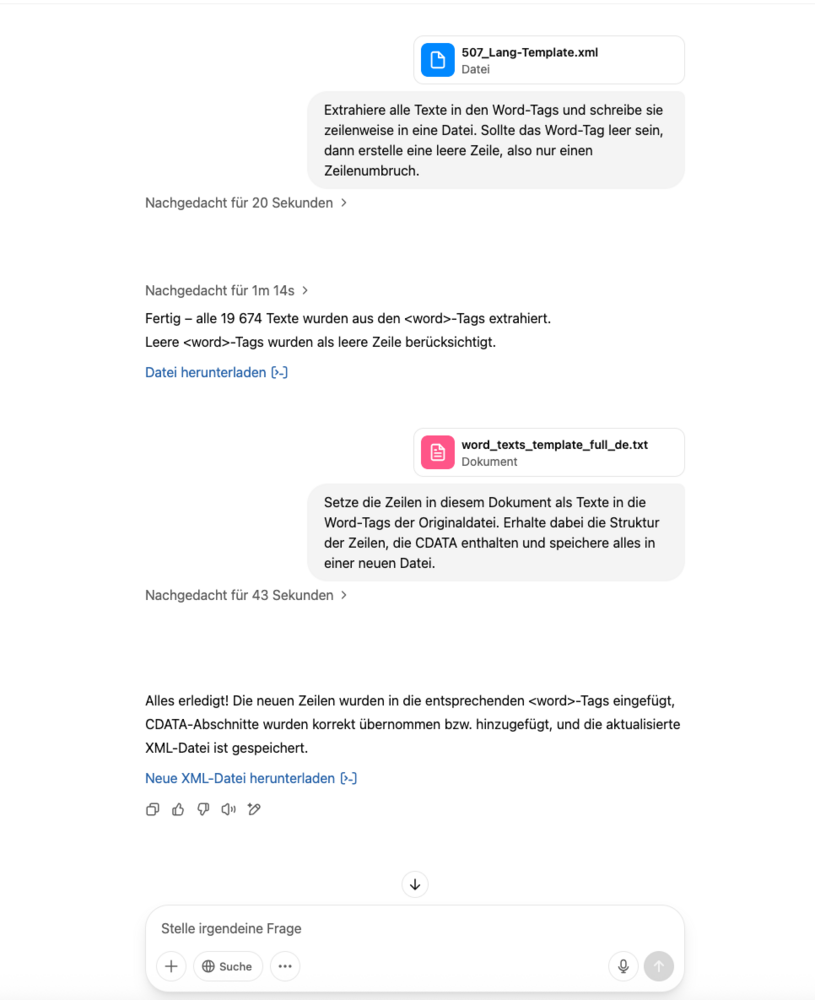
Sounds easy, ain't it? As a matter of fact it wasn't, but it works. What you need: Standard Language File OpenAI as paid service DeepL as paid service How to do it: The Standard Language File is an xml File with word tags. Within the word tags, there are phrases, which can be empty, have standard characters as text or HTML-code. OpenAI, Gemini and Grok tell you, that they can give you script written in python, because they don't want to translate a file that long. If you try to argue them to translate the file, all AI will tell you a whole lot of nonsense, give you only parts of what you want and give you a pack of lies and excuses. The scripts they write won't work, because they will crash the structure of the XML, mainly the CDATA and HTML tags will be broken. After fiddeling with some examples it looks like you can give OpenAI the standard language xml and tell it to extract all phrases in the word tags - even the empty ones and wrote each of it in a line of a new file. You now have a text file standard_language_extracted.txt. Next step is to open it in LibreOffice and save it as an Microsoft 365 docx. Now you upload the standard_language_extracted.docx to DeepL and translate it to the language you like, which gives you standard_language_extracted_lang.docx. We open this in LibreOffice too and save it as a standard txt file. Last step - at least we think it is - is to tell OpenAI to insert each line of the standard_language_extracted_lang.txt into the original file and save it as a new file. You remember about the last step? It wasn't, because you have to double check, if OpenAI lost the first three and the last two lines of the original file and be smart and check a few lines with HTML, special characters and empty phrases and repair all broken parts of your new language file. Now upload it and test it! The two commands to OpenAI were: Extract all the texts in the Word tags and write them line by line in a file. If the Word tag is empty, then create an empty line, so only a line break. Put the lines in this document as text in the Word tags of the original file. Get the structure of the lines that contain CDATA and save everything in a new file. Of course there are some inconsistencies in the translation. Some phrases will be translated correctly, but will not fit the setting it will be in and sound crude. Nevertheless - the translation into German i did that way, works like a charme. Wanted to do something like that for many many years.