


-
-
-
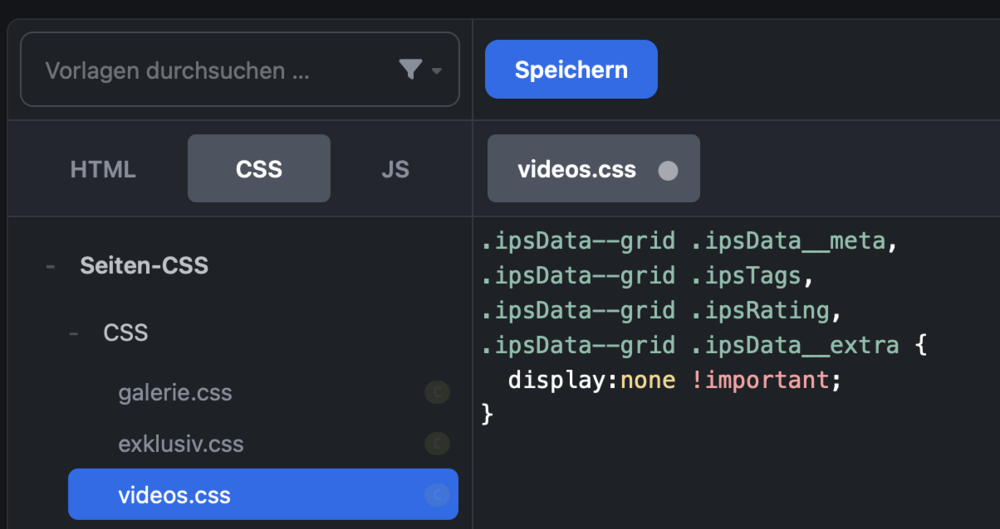
Probably a permission problem, as it appears empty (not missing) for us.There is no “grid template“. You would have to add a custom template, and then set it to grid mode in the template itself. I don’t really recommend it unless you really know what you are doing there. Custom fields can just be shown be activating them for the listing view in the field settings. No code changes necessary. To just hide content, which I also do a lot for these views, add a CSS file and activate it for the specific page with the grid view. Then you can pick what you want to hide through the CSS classes. Result:

 When I click links (pagination, filter, sort by …) while translating a language, the loading notification keeps staying on the page:
 It’s something that most webhosters offer to access the MySQL database, if your community is self-hosted. It would certainly allow you to export a Pages database and open it in Excel.There is no feature for that. But a Pages database is just a flat table. You can download it via phpMyAdmin as MySQL dump or CSV depending on your needs.That’s what the download button is for.
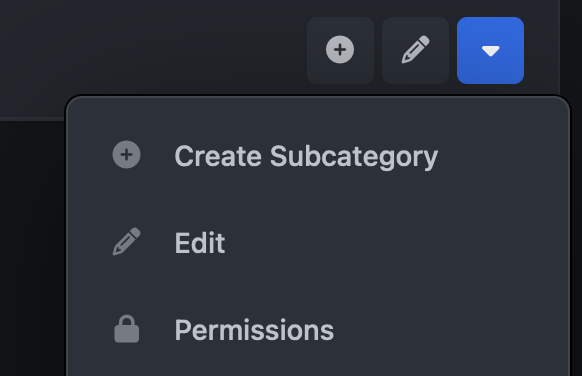
 You need to allow custom permissions on the database level, then activate custom permissions for the category and then a link for the permissions appears in the category drop-down menu.
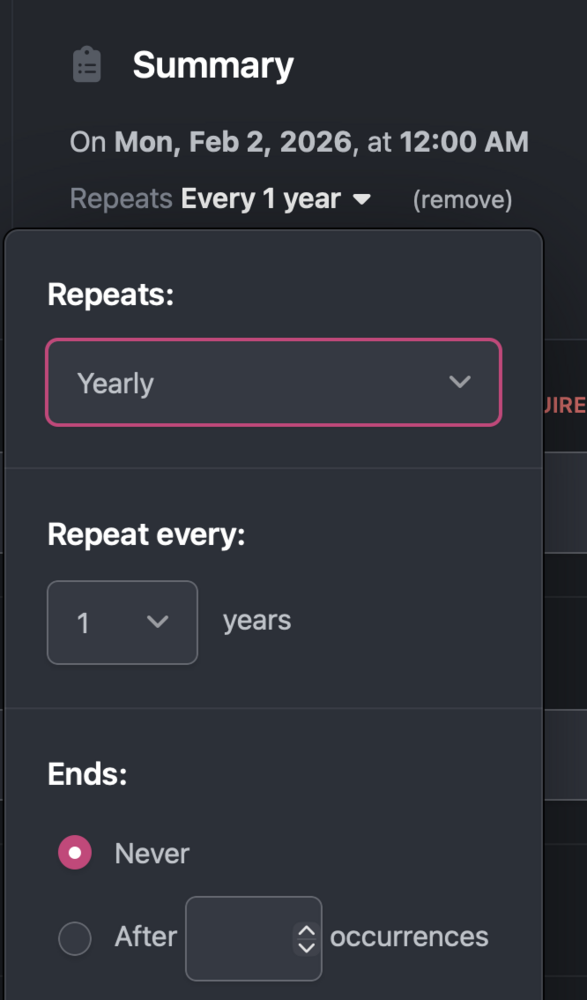
 Yes to all. I have instructions here how to additionally create a “paywall“ so the exclusive articles aren’t just hidden entirely if a user has no access: Creating exclusive articles with Pages databasesIn this bonus lesson I explain how I built this very section on opentype.space, where database records can be accessed by anyone, but only paying members will see the actual course content and everyonEach feed block on the page has a unique identifier (like data-blockid="something"). If necessary, you can use that to narrow down CSS declarations to just a specific block.The page builder can switch between the stock templates. You can’t select the information being shown. Custom templates might be a bit over the top for just removing content. Almost everything can be targeted with CSS however and you can include a CSS file per Pages page to strip content from each page/database. The code would depend the specific template though. Here is a random example, targeting a specific view (”featured listing”) and then the meta data and the description are removed. .ipsData--featured .ipsData__meta, .ipsData--featured .ipsData__desc, .ipsData--featured .ipsData__extra { display:none !important; }I can’t think of a native way. Probably needs an API trigger e.g. through Zapier. Also not too hard as a custom app for a developer. “turn description for recurring event in a specific calendar into forum topic in forum [X] when event is happening today“You can have events appear yearly, yes. Is there anything specific you need in addition to that?
 You are on the front end. I said ACP (admin control panel):You could just add it to the menu as link. Something like: https://invisioncommunity.com/forums/startTopic/ If it really should be a clearly visible button, you would create a custom Pages block in the ACP with the link styled as primary button. Something like this: <div class="i-padding_1"> <a class="ipsButton--wide ipsButton ipsButton--primary" href="/forums/startTopic/">New Topic</a> </div>This is a code example for a sidebar button in 5.x I use.






