Everything posted by Charles
-
We are sending an email to everyone now with all the details (may take through tomorrow for all to send) but short version: Existing active, self-hosted licenses will have email support until 1 January 2022 or their current renewal date, whichever is later. After that, it will be community support only. We will of course still always help you and if we cannot sort out issue here on our community, we will take your post to email and work with you in private. You have probably seen a lot of us saying "I will submit a ticket for you." We have an integration between our community here and our help desk (via our Zapier integration) so we can quickly do that. So think of it as support starts on the community but email support is still there if we cannot help you in public. Of course billing/account questions can always be done in private by email. Actually you went from $85/6 months or $170/year to $250/year. That's an increase of $6.67/month. As you can see from the other post I quoted here, 6-month renewals sort of confuse people 🙂. Annual is pretty industry standard. Many clients will add account credits regularly throughout the year to smooth out the costs if they like.
-
There is no change there. It's all email based as it has been.
-
I will submit a ticket for you 🙂
-
Only if you have betas enabled. Check your constants.php file for use dev builds constant.
-
That is a cache bust key unique to you. Normal browsing would not see that but since you are doing something "odd" it is putting that in to ensure you are not seeing a cached page.
-
Apparently photos add congeniality to me.
-
He had an actual Polaroid camera for reasons I still do not understand.
-
Yes. He made me do it.
-
I'm not sure what you mean about mobile viewing. Achievements should also show on mobile. Are you not seeing things?
-
We always have a long internal list. Right now we want to review our new cache rules. They will greatly improve performance but, if not done right, could cause lots of odd behaviors. There is also going to be a bulletin going out to all AdminCPs soon to remind people about features deprecated in 4.5 that will actually be removed in 4.6. We announced those over a year ago but just need to remind people. But right now the big thing is refining Achievements. Since this is only the second site that has any real content using it, we are working on both bug fixes and general improvements. That is coming together nicely now.
-
Thanks... we support our beta releases so please do use them as you can submit support requests with issues. Just be sure to have backups and a willingness to work around issues as they are still betas!
-
The process will be the same this time other than we did not do an alpha site and instead are doing the alpha on this site. We release several betas until we are no longer receiving any bug reports then do the full release. It is perfectly normal that the full release is quickly followed by maintenance updates. I cannot think of a single bit of software I use that is not followed by maintenance releases soon after the full release. I encourage you to participate in the beta releases.
-
We always release betas for big releases. Have been doing so for years 🙂
-
Monetizing the Achievements system is something we plan to look into. As you might imagine, turning community engagement into something equivalent to money is an area you have to be very careful with so we decided not to do it for the first iteration of Achievements.
-
This is a maintenance release to fix security reports since 4.4.9.
-
This is a maintenance release to fix reported issues. This release also contains a critical security update for Commerce.
-
Version 4.3.1 is a small maintenance update to fix issues reported since 4.3.0. **IMPORTANT UPGRADE NOTICE**Please note that not all third party applications and themes are yet compatible with Invision Community 4.3. If you have customizations to your community, including SSO / custom login integration, third party modifications such as themes plugins and applications, please ensure they have been declared compatible with this update or your site may be non-functional after upgrade. There is a new compatibility field on all marketplace resource listings. If this field is missing or does not specifically list 4.3, it is likely not yet compatible.
-
Welcome to Invision Community 4.3.0! This release brings numerous improvements and several new features, so be sure to read our announcement for everything new! **IMPORTANT UPGRADE NOTICE** Please note that not all third party applications and themes are yet compatible with Invision Community 4.3. If you utilize third party resources, including custom themes, please ensure they have been declared compatible by their respective authors or your site may be non-functional after upgrade. There is a new compatibility field on all marketplace resource listings. If this field is missing or does not specifically list 4.3, it is likely not yet compatible.
-
 Often it's the smaller changes that can make a big improvement in the day to day use of your community. We have made quite a few updates that will make your community flow better for you and your members. Update files in Pages Media Manager Previously when you wanted to update a file in the Pages Media Manager you actually had to upload a new file and then change the references to that file to the new one. This was obviously not so great. When you select a file there is now a replace option. We're not sure why we didn't do this earlier but as they say: better late than never! Tag Input when Optional On communities with tagging enabled, we have often noticed that people tend to feel the need to tag everything even when it's not really necessary. If your site is about cars you don't really need everything people post to be tagged "car" as that's sort of obvious. So to make it a bit clearer that tags are not required we have hidden the input field behind a Choose link so people have to actively choose to tag if they really think it's necessary. We hope this cuts down on tag noise. If tagging is required then the normal input box will always show. Google Invisible reCAPTCHA The new Google Invisible reCAPTCHA allows you to prevent bot registrations without the need for all users to fill out the normal captcha process. As often as possible your members will never notice there is even a captcha happening on the page. It's another way to make the flow from guest to member easier. Whitelist for Spam Service The spam defense service Invision Community provides works very well at combatting spam signups automatically. The issue is sometimes it works too well! Let's say you are at work and all your colleagues share the same public IP. You are excited about your new community (of course you are) and your whole office tries to register at once. Our spam service would probably see your office IP as suspicious with that sudden influx of traffic and may even block it. The new whitelist tool allows you to specify IPs and email addresses to always allow on your community regardless of what score our spam defense gives it. Reply as Hidden Sometimes it would be nice if your moderators could reply to an item with a hidden reply. You might want to leave a note for other moderators or perhaps you have a database and want some replies public and some private. If you have permission you will now see a hide toggle when replying. This works in all apps anywhere you can reply to a content item and have hide permission. Exclude Groups in Leaderboard You can now exclude certain groups from being ranked in the Leaderboard. This is very useful if your staff or RSS bot tend to get all the reputation points. By excluding those groups you can focus on your actual member participation which is a better reward to encourage engagement. On a personal note this will make me very sad as I usually win reputation counts on our site. But, being such a great person, I am willing to make this sacrifice for you. Complete Your Profile Order The Complete Your Profile feature introduced in version 4.2 has been a great success for clients. We have heard many reports of increased engagement as the system can walk people through the sign up process. Not having a big, scary registration form is always a huge plus. For 4.3 we added the new ability to change the order of completion for your members. This will allow you to stress the items you really want them to complete first and move your less important profile options later in the steps. Mapbox Support Mapping has been a feature of Invision Community for quite some time but up until now has been limited to Google Maps integration. For 4.3 we have added support for Mapbox which is based on OpenStreetMap data. The maps are beautifully designed and bring greater flexibility with an alternative look. The groundwork is now laid for some exciting new features still to come! Some of our existing customers also found Google policies and pricing structure incompatible with their own internal policies which this addition addresses.
-
 We are happy to announce the new Invision Community 4.3 is available! Some highlights in Invision Community 4.3 include... Improved Search We now support Elasticsearch for scalable and accurate searching that MySQL alone cannot provided. There are also enhancements to the overall search interfaces based on your feedback. Emoji Express yourself with native emoji support in all editors. You can also keep your custom emoticons as you have now. Member Management The AdminCP interface to manage your members is all new allowing you easier control and management of your membership. Automatic Community Moderation You as the administrator set up rules to define how many unique member reports a piece of content needs to receive before it's automatically hidden from view and moderators notified. Clubs The new Clubs feature has been a huge hit with Invision Community users and we are expanding it to include invite-only options, notifications, exposure on the main community pages, paid memberships, and more. Custom Email Footers Your community generates a lot of email and you can now include dynamic content in the footer to help drive engagement and content discovery. New Gallery Interface We have reworked our Gallery system with a simplified upload process and more streamlined image viewing. The full list follows. Enjoy! Content Discovery We now support Elasticsearch which is a search utility that allows for much faster and more reliable searching. The REST API now supports search functions. Both MySQL and Elasticsearch have new settings for the admin to use to set search-defaults and default content weighting to better customize search logic to your community. Visitors can now search for Content Pages and Commerce Products. When entering a search term, members now see a more clear interface so they know what areas they are searching in and the method of search. Member Engagement Commerce can now send a customizable account welcome email after checkout. You can whitelist emails in the spam service to stop false-positives. REST API has many enhancements to mange members. Ability to join any OAuth service for login management. Invision Community can now be an OAuth endpoint. Wordpress OAuth login method built in. Support for Google's Invisible ReCaptcha. Groups can be excluded from Leaderboard (such as admins or bot groups). All emails generated by Invision Community can now contain admin-defined extra promotional text in the footer such as Our Picks, and Social Links. Admins can now define the order of Complete Your Profile to better control user experience. Clubs Option to make a Club visible but invite-only Admins can set an option so any Club a member is part of will also show in the parent application. So if you are in a Club that has a Gallery tab then those image will show both in the Club and in the main Gallery section of the community. Club members can now follow an entire Club rather than just each content section. There is a new option on the Club directory page for a list view which is useful for communities with many Clubs. If you have Commerce you can now enable paid memberships to Clubs. Admins can set limits on number of Clubs per group. If a group has delete permission in their Club, they can now delete empty containers as well. Members can ignore invitations. Moderation and Administration Unrestricted moderator or administrator permission sets in the AdminCP are visually flagged. This prevents administrator confusion when they cannot do something as they will be able to quickly see if their account has restrictions. You can choose to be notified with a new Club is created. Moderators can now reply to any content item with a hidden reply. Download screenshot/watermarks can now be rebuilt if you change settings. Support for Facebook Pixel to easily track visitors. Moderators can now delete Gallery albums. Automatic moderation tools with rules to define when content should auto-hide based on user reports. Totally new member management view in AdminCP. More areas are mass-selectable like comments and AdminCP functions for easier management. New Features Commerce now has full Stripe support including fraud tools, Apple Pay, and other Stripe features. Commerce packages can now have various custom email events configured (expiring soon, purchased, expired). Full Emojii support in the editor. Complete overhaul of the Gallery upload and image views. Announcements system overhaul. Now global on all pages (not via widget) and new modes including dismissible announcements and top-header floating bar option. Many new reports on traffic and engagement in the AdminCP. Blog has new view modes to offer options for a traditional site blog or a community multi-member blog platform. The content-starter can now leave one reply to Reviews on their item. Commerce now makes it much easier to do basic account-subscriptions when there is no product attached. Useful Improvements Forums has a new widget where you can filter by tags. If tags are not required, the tag input box now indicates this so the member knows they do not have to put in tags. Member cover photos can now be clicked to see the full image. Any item with a poll now has a symbol on the list view. Twitch.tv embed support. You can now update/overwrite media in the Pages Media Manager. Mapbox as an additional map provider to Google Maps. Technical Changes Direct support for Sparkpost has been removed. Anyone currently using Sparkpost will automatically have their settings converted to the Sparkpost SMTP mode so your email will still work. Your cache engines (like Redis) will be checked on upgrade and in the support tool to ensure they are reachable. Third-party applications will now be visually labeled to distinguish them from Invision Community official applications. The queued tasks list in the AdminCP is now collapsed by default as queued tasks are not something people need to pay much attention to during normal operations. When upgrading from version 3 series you must convert your database to UTF8 and the system saves your original data in tables prefixed with orig. The AdminCP now alerts you these are still present and allows you to remove them to reclaim storage space. On new installs there are now reasonable defaults for upload limits to keep people from eating up storage space. Categories in all apps (forums, gallery albums, databases, etc.) no longer allow HTML in their titles. This has been a concern both in terms of security and usability so we were forced to restrict it. Large improvements to the Redis cache engine including use for sessions. The login with HTTPS option has been removed and those who were using it will be given instructions to convert their entire community to HTTPS. Images loaded through the proxy system now honor image limits for normal uploads. We now consider BBCode deprecated. We are not removing support but will not fix any future issues that may come up. There's a lot to talk about here so we are going to lock this entry to comments so things do not get confusing. Feel free to comment on upcoming feature-specific entries or start a topic in our Feedback forum.
-
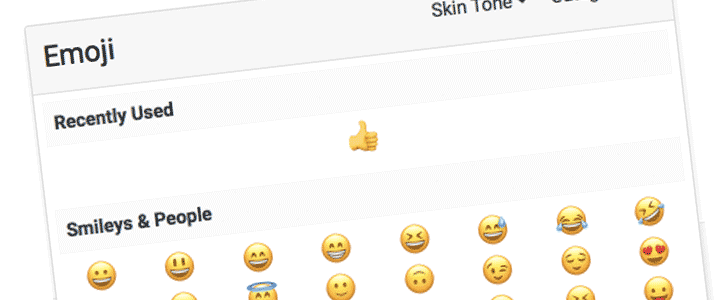 Our recent release of Invision Community 4.2 was the most well-received version ever! The feedback we received on new features like Clubs, Reactions, and Promotes was better than we could have hoped and we really enjoyed seeing all the creative uses as people implemented them on their own communities. We have been hard at work on version 4.3 with a goal of improving on all the great new features. It is well under way and we are happy to able to start announcing what's new over the next few weeks. Invision Community 4.3 will not only contain new features but also have a core focus on refinement from 4.2's new features. You will see many improvements to Clubs, new integration options, large application improvements, new promotional features, and more changes large and small. You can expect to see news posts about new features and changes very soon with a release date in early 2018. Follow our news section or subscribe to our newsletter to receive updates.
-
This is a maintenance release to fix reported bugs. Other changes include: RSS feeds now use guest page caching system Analytic tracking code has been moved to inside head tag Ad code placement has a new setting to clarify how sidebar display should be handled Various enhancements to Redis engine including data stored encrypted at rest Search result improvements
-
Search Engine Optimization (SEO) ensures your community is as friendly as it can be for search engines to both index and rank properly when people search for things that match your Community focus. It is not an exact science. Opinions vary on best practices and the "rules" that search engines use change all the time. Invision Community does all the best supported and universally recognized approaches. We are always updating SEO with new releases to ensure things stay on track. Automatic Features There are quite a few things that happen behind the scenes in regard to SEO that you do not have to do anything about. Converter Redirects If you converted to Invision Community from another product, in most cases the system will automatically redirect links from your old software to the new locations. This uses an HTTP 301 redirect to ensure that the search engine knows to update to the new location. You can install our converters if you have not already converted, by using the instructions in the following guide JSON-LD Markup This markup is automatically generated and creates "micro data" that search engines and other systems use to get more information about what they are seeing. Things like dates, titles, images, snippets, etc. can be included so other systems know what they are seeing when they come across a link to your content. Proper HTTP Codes When you visit a page that is not found or not allowed you get a 404, those areas restricted get a 403, upgrade in progress returns a 503, and so on. These response codes properly inform search engine spiders what is going on with your site so they can act accordingly. Site Map Your site map is an XML-formatted document that search engines use to get a full index of pages on your Community. Normally you would not need to change these settings as the recommended settings work fine for nearly all sites. There are more advanced settings if you are interested in changing weighting, limiting results, and other options for the site map. Visit Search Engine Optimization to see advanced options. Friendly URLs Friendly URLs (FURLs) convert links on your site from something like this: http://example.com/?app=forums&module=forums&controller=topic&id=1 to something more like: http://example.com/topic/1-my-latest-hobbies/ This is important as search engines will index your community based on items such as the URL, and so the example above would be more likely to be ranked under key words such as "hobbies" and phrases such as "latest hobbies". FURLs are already setup automatically on our Cloud services. Applies to self-hosted customers only To setup FURLs on your own service, we assume you are running Apache web server. You can setup on other servers but these instructions assume Apache. You will need mod_rewrite an ability to upload .htaccess to rewrite URLs. Please contact your host to ensure you can do this. Go to Search Engine Optimization, enable FURLs, and download the generated .htaccess file. Upload to the root directory where Invision Community is installed and then click continue. Your Community will check to see if FURLs are working. Meta Tags Meta tags are an item of text which describes the content on a page. We provide you with the ability to add meta tags to any area of the site, either on an individual basis, a type basis, or site wide. Meta tags are used by all major search engines to index your site in a more correct manner. Keywords, descriptions etc will be used to ensure that your site is shown in the results that are relevant for your site. For example, here on the community we may want our downloads area to be indexed by search engines under the description 'Marketplace' with tags such as plugin, and application. Consider this more of an advanced, optional feature as the JSON-LD system does take care of quite a bit of meta data exposure to search engines. You can add meta tags by visiting Search Engine Optimization then clicking on the "Meta Tags" tab. You can add a new tag by selecting the "Add Meta Tags" option and filling in the details as appropriate. You can currently add the following meta tag types to any page, by adding the page address, page title, then adding as many meta tags as you need. Keywords = words which describe the topic of your page Description = A description of the page (you often see these shown in search engine results) Robots = Allows you to specify robot related tags for search engines such as NOINDEX and NOFOLLOW Other = There are many other types of tag you can add such as author, copyright, language and more You can use * as a wildcard to include multiple pages for your meta tags. You can see this in the example image below. Meta tag editor In addition to the manual tag editor, we also have available a live meta tag editor available where you can edit meta tags directly from the page. The use of this is shown below, and can be accessed via the "launch Live Media Editor" link. Live Editor Things to Check Be sure to check a few other areas to ensure your Community is setup how you want it: Browse your community as a Guest (not logged in) so you can see what a search engine spider would see. If you cannot view an area then it cannot be indexed. Similarly, if you can view an area you want private then check your permissions. Several apps allow you to customize error messages. Rather than seeing a generic "Permission Denied" message when visiting an area they cannot view, you can put in more friendly text prompting the user to join your Community. Enabling HTTPS can help with some search engine rankings and show fewer security warnings to visitors. Advanced FURL Configuration A feature that is both powerful and potentially harmful, advanced FURL configuration should only be used if you are comfortable changing the URL structure of your Community. For nearly all sites it is not necessary. Here we show an example use case of advanced FURL customization. Say you have a previous system that used the url /oldLogin for your login page. By adding a FURL configuration here this would automatically load the actual Invision Community login page when visiting that URL. Other uses cases might be renaming certain URLs if you use your Community in a unique way, adding aliases, or capturing older links that might need redirection.
-
4.2.2 is a maintenance release that fixes issues identified in 4.2.1 and: A new extraction process to make auto-upgrades more robust The upgrade system will do a check of all files to ensure they are up to date before proceeding Security Notice This release also contains security enhancements to prevent possible XSS and increase protections on account management functions. It is recommended you upgrade to ensure the security on your Community. Thanks to @newbie LAC and Raja uzair Abdullah for reporting security issues. Version 4.2 is the next large release for Invision Community! We are very excited to introduce all the new features and improvements. Full information on 4.2.0 ...
-
We are working hard to get Invision Community 4.2 ready to go! If you have not been following this upcoming version, check out the details: Over the last month we have released several beta versions and feedback from those that have chosen to jump in on the beta has been great. We really could not be happier. Feedback has included amazement over how stable the beta is to reactions from community members enjoying all the new features. Everyone here at IPS is very excited to get the full release out so everyone can enjoy it. Not everyone is comfortable using beta releases . Back in March when we first announced 4.2 was coming soon we said that it would be out in mid-2017 and we are still on track for that. Be sure to keep an eye on announcements for the full release expected in the next 3 - 4 weeks. We really hope everyone is as excited as we are about 4.2's full release. Based on the feedback from those already using 4.2 beta on their live sites we really think this will be a huge hit with your community.