
Everything posted by DawPi
-
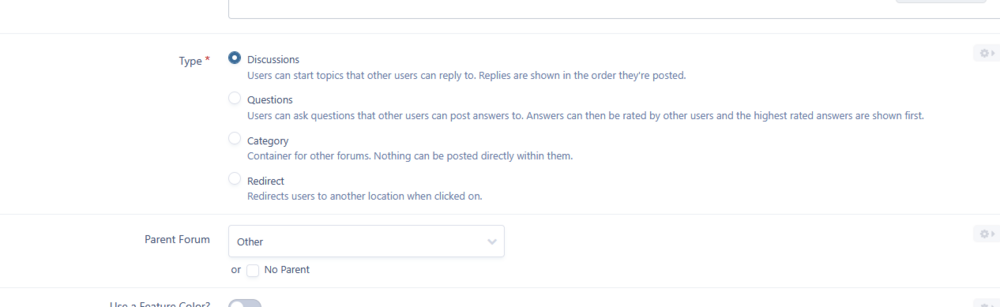
Did you set that forum as a Discussions type? Worth try. ;)
 Interested. Send me more details about this project. :)Hi, check this out maybe - BYPASS_ACP_IP_CHECK https://invisioncommunity.com/4guides/advanced-options/configuration-options/using-constantsphp-r25/Can't download this (and all other versions): (Account is mine).
 See:Works! Thanks! Can I ask a question? What if I or other developers use it more frequently to maintain different types of mods? Will it slow IC5 down too much?Woah, totally forgot it. I'll give it a chance, thanks!Did you managed it or got a reply?Hi, I do not need to touch the database itself. I need only change few words in the posts content. It's doable? UIComment does not support it I suppose?What? It was:
 Wohoo! This is something truly valuable for so many communities!Hello, it was discussed a lot my friend. Read this entry first: https://invisioncommunity.com/developers/devblog/blog/ic5-introduction-to-listeners-r8/ Best regards and good luck! IC5 isn’t as bad as it might seem at first. 😉Hm, https://invisioncommunity.com/forums/forum/533-invision-community-5-modification-questions/Count me in!Nice! 😮 Available for both types (Cloud / Self-Hosted)?Not this topic but the blog entry with the same title.That's an amazing feature and will be one of my favorites! For sure!Why everyone speaking about exploits form 3rd party developers still? When someone did something like this? This is a definite exaggeration and I ask you to stop such claims.Interesting. Available for both lines (self/cloud) versions?Looking for an experienced IPS4 / Invision Community 5 developer who can build custom add-ons and advanced community solutions? You’re in the right place. I specialize in custom IPS development, helping communities extend their functionality, improve performance, and implement features that are not available out-of-the-box. With many years of experience working with IP.Board, IPS4 and now IC5, I deliver reliable and well-designed solutions tailored to each project. I focus on clean code, performance, and long-term maintainability. I also stay up to date with the latest IPS changes and best practices to ensure that every solution works smoothly with current and future versions. Services I Provide• Custom IPS4 / IC5 applications and plugins • Community customization and feature development • Platform migrations and upgrades (IP.Board 3.x → IPS4 / IC5) • Theme modifications and UI improvements • Troubleshooting, performance optimization, and plugin fixes • Ongoing maintenance and technical support Whether you need a small feature, bug fix, or a complex custom application, I can help. Have a specific idea or requirement? Feel free to reach out - I’m always happy to discuss new projects.Publicly released. Are you aware of private, custom mods? 🙂How that newly added item forms will be parsed and saved? It's up to us (devs) or you have ready system for that also?Only add? What about modify/replace/adjust/update/remove? To be clear, we can't do anything from this list, right? I mean that list: