


kmk
Clients
-
Joined
-
Last visited
-
I have last v5 updated too, but from the v5 0 the avatar and anothers images of covers or profile are broken, there any way to fix all at once and avoid to change the picture all people and one by one?
-
Yes the private messages….
-
-
Playing more this V5, I can see the Message Box is so on front, just curious if I can set that Messages feature only available member to admin staff and not members to members?
-
Can I request the upgrade to v5 self-host? I am fine with that open beta phase.
-
Hi, I did it, bug reported. By now could you tell me how to resolve the current issue? I just would like to upgrade to v5, already have all v5 files upload and replace on my current ips intallation....it show login page to run the upgrade, but afte click on login it show http 500 error. Before that already have all 3party apps and plugins disabled.
-
I use Filezilla to upload the v5 files to the directory, it warm about if I want to replace the file, I did it....so suppose all files uploaded are replacing to the files with same name....I missed something more?
-
Now I am reviewing my case again, in case if I install v5 in a new directory, yes I can abandone all 3party apps and plugins, but how about my articles or topis, how can I pass the these content to the new v5?
-
Can I rename the current ips install folder (/html), create another folder placing the name as html, then in that new folder install the v5 version? In that case additional of the v5 files download from ips, which files need to be transfered from the old folder?
-
[Sat Nov 30 14:48:11.675035 2024] [proxy_fcgi:error] [pid 1412225:tid 139858412557888] [client 38.87.209.251:0] AH01071: Got error 'PHP message: PHP Fatal error: Type of IPS\\nexus\\extensions\\core\\AdminNotifications\\_Support::$group must be string (as in class IPS\\core\\AdminNotification) in /home/admin/web/laopan.online/public_html/applications/nexus/extensions/core/AdminNotifications/Support.php on line 0', referer: https://laopan.online/admin/upgrade/?sessionCheck=1 [Sat Nov 30 14:48:15.776472 2024] [proxy_fcgi:error] [pid 1412226:tid 139858387379776] [client 38.87.209.251:0] AH01071: Got error 'PHP message: PHP Fatal error: Type of IPS\\nexus\\extensions\\core\\AdminNotifications\\_Support::$group must be string (as in class IPS\\core\\AdminNotification) in /home/admin/web/laopan.online/public_html/applications/nexus/extensions/core/AdminNotifications/Support.php on line 0', referer: https://laopan.online/admin/upgrade/?sessionCheck=1 [Sat Nov 30 14:48:31.148538 2024] [proxy_fcgi:error] [pid 1412225:tid 139858018297408] [client 38.87.209.251:0] AH01071: Got error 'PHP message: PHP Fatal error: Type of IPS\\nexus\\extensions\\core\\AdminNotifications\\_Support::$group must be string (as in class IPS\\core\\AdminNotification) in /home/admin/web/laopan.online/public_html/applications/nexus/extensions/core/AdminNotifications/Support.php on line 0', referer: https://laopan.online/admin/upgrade/?sessionCheck=1
-
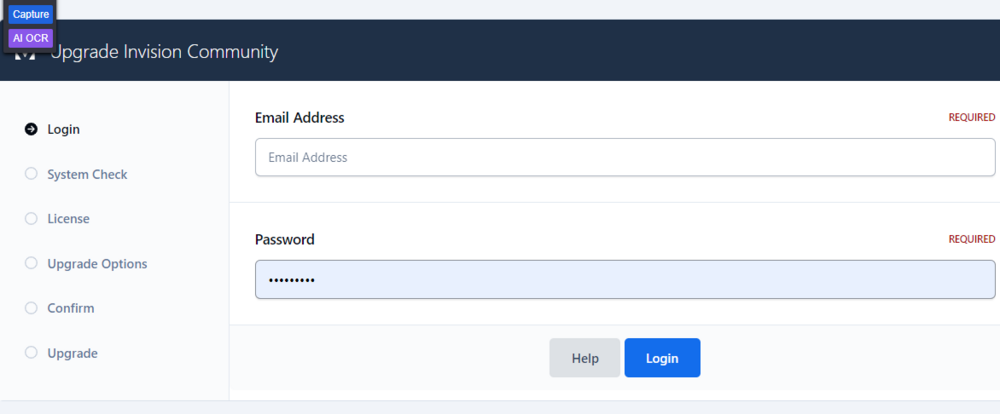
After place credential and login, it bring me a HTTP ERROR 500, I missed some configuration steps?
-
I did it exactly, but not respond anything
-
Could you tell me how to run the upgrader?
-
After replacing all files extracted from the zip, now visiting the page it say HTTP ERROR 500, I am missing some steps?
-
Hi @Marc, just want to know if the public release will means we (self host) can upgrade to v5 automatically like currently we upgrade v4 versions?
-
@Gary I have some apps that I don't need more, example Forms of DevFuse, now I try to delete the app it show me http 500 error page, but the dev it seems no more active here and their page does not respond, website down...how can I process in this case?



