TSP
Clients
-
Joined
-
Last visited
-
I personally don't see a reason for such a confirmation box in that case, it's easy enough to just change the status again if you did a mistake. Guess I'll try to make a hook to remove it if no notifications are set up.
-
-
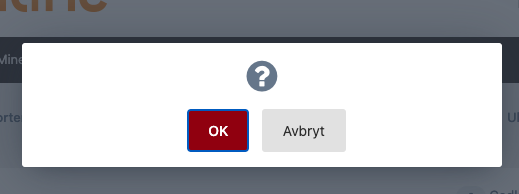
Cool, but if you don't want to set up notifications or use that system, it seems unneccessary to get a popup like this each time you want to mark a report complete or rejected. Hope this is a bug that can be corrected.
-
A long time ago I think I remember it being mentioned, when you first said display name logins would be removed, that you would have some system in place before that to ensure that people were aware of their registered email address, and be sure to keep it updated. Will something like that come to the 4.x line?
-
-
-
I assume any tables installed by the plugin will remain in place? And you are just speaking about the table listing the plugins?
-
-
Yeah, I have to say I'm also worried about ad placement. We need a lot of control over how and where they are included. For example we have some ads which should display as a "horseshoe" around the content. To achieve this currently we have our own wrapper class around the necessary elements etc. Also, from looking in the video from Ehren there is a lot of settings to control and clicking into all sorts of menus with settings. Will there be some way to control it by editing a json file instead for example? That would make it easier and faster for many of us frontend and backend programmers to copy theme settings between different installations etc. Essentially what I'm asking for would be a "source mode" for the theme editor settings view on the frontend.
-
A few questions at the top of my mind, I'll probably have some later too. Currently I've made a shared core theme where all our customizations for five different forum installations are. So the HTML, Javascript and CSS is kept the same, but some different output, logic and elements are displayed or utilized based on logic that depends on the value in custom theme variables. I assume there is still some tool to export and import/upgrade custom templates and template hooks? Having to log in to each admin panel and define all these custom templates and hooks would be a pain. Is custom theme variables still a thing and accessible within these templates? And will theme variables that have been modified on the installation be reset or kept upon upgrade/import of a theme? Will the same variables and functions we have available to us when making a template hook today be available to us from these new custom templates and hooks? I realize the names of methods, how you may invoke them, template logic etc., will be different, but my point is; will all the variables and functions that can be used in the template we hook into be available to us?
-
The "Geolocation based registration filtering" sounds good, but maybe you could also provide an option to flip it to a whitelist? So you can choose a global setting that'll apply when a geolocation filter entry for the country is not present, and then you'll add the countries that should be treated differently/whitelisted instead.
-
Is it disabled only if the installations uses PHP 8 or is it disabled on 7.4 too? Is the next version 4.7.2 requiring PHP 8 already, or does that come later?