




Matt
Management
-
Joined
-
Last visited
Everything posted by Matt
-
If in doubt, delete it out. *Don't do this, it's a joke.
-
You can delete /home/hwzone/public_html/community_dev/applications/core/sources/Statuses/Status.php. We're thinking about what to do to avoid old files causing issues in future versions.
-
I'm watching it intently and it's so good. Full credit to @Ehren, @Esther E. and @Matt Finger for their hard work on v5; and your video elevates it really well.Like it? I love it! It's a brilliant walk through of all the functions of v5, and you managed it all in one take. It takes me 48 takes to get through a small intro.Jimi, this is INCREDIBLE! I'm watching it now and it's slicker than an oil spill at a glass factory. I'd love to feature this on our social media channels and also our blog. Give me a day or so and I'll DM you.You can PM, that's fine.Can you try again and expand this error please?
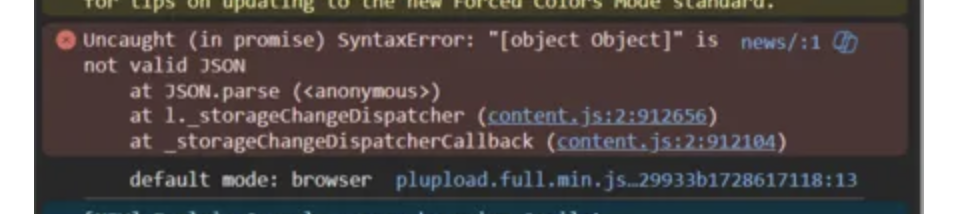 It may never be possible to do an ACP upgrade for v5. Unpacking v5 files onto v4 will just cause more errors that ChatGPT trying to do basic math. We may write something totally new to do it once v4 has reached EOL and is no longer an option. If you're using Mac, then ditch MAMP and get Herd (don't worry, it's not Laravel only). I had nothing but trouble with MAMP, but I now use Herd locally with Dngin and my life has been so much better.Best to contact sales, and we can talk you through it in more detail. I've had a look at your account and I can see only one usage. I can generate a new key if you'd like, but you'd also need to update your live site with the new key.Anything in your browser's console? Or perhaps in system logs?We thought that but it's a bit squishy and annoying to edit in that box.It should be compatible with s3 compatible vendors. We’d need to debug the endpoint to see what’s going on. It doesn’t mean the issue is with Invision Community.Ill tag in @Ehren who can offer some advice. You really don't want my CSS code. 😅What sort of changes do you want to the log in form, and why? As this is a beta, we're still adding hook points, but we can add more if they make sense. Generally, you'd consider CSS as the primary way of adapting the layout.Unfortunately not as it is now not possible to pick and choose apps in v5. As we move forward with v5, we'll be removing the barriers between apps and possibly even merging a lot of first party app code to avoid duplication, etc. We can't do that if we have to keep offering a way to remove app code from the download. We’re working on a way to clone your real site for proper testing. On cloud an upgrade is pretty much a one way street so we don’t really want to offer it on production sites until we’re a bit further along in testing.To do that, you'll need to go into the AdminCP and create a new theme. With that theme active (selected from the bottom), open the theme editor and make your changes, then save. Then you will have two themes you can switch between.
 You'll need to go to the theme editor, and select the side panel layout. Safari.mp4Is this in your own site, or on our preview site?It will, you'll just be changing the license terms of the payments, not the product. Step 1 will be the ability to clone your production site to test it. We're unsure when we'll enable cloud upgrades, just because it's not very easy to downgrade. It's likely to be a lot further along.Yep, this is fine.Yeah, we're rolling it out very soon. I wanted to get a head start getting the club together. Should be ready in about an hour.Changed Current Release to NoThis is the latest version of Invision Community 5.





