


Hatsu
Clients
-
Joined
-
Last visited
-
-
-
-
This is an awesome addition. Thank you.
-
-
I got this error while upgrading: The log entry was triggered by a guest (Guests) 2 minutes ago The URL of page the error occurred on was https://domain-here.org/admin/upgrade/?controller=upgrade&key=f1e4940614126e9773f110246f2825b1&mr=1&run_anyway=1&_=1783447364740 Type: upgrade_error Error (1061) Duplicate key name 'index_search_created': addColumnsAndIndexes ["core_search_index",[],[{"type":"key","name":"index_search_created","columns":["index_hidden","index_date_created"],"length":[null,null]}]]The upgrade went through, though.
-
-
-
Okay. First time I hear about this. We were just told it's removed for v5. 🤷♂️
-
The Template Block already exists in 5.0.18. Actually, it was released with it. The Blog entry is kinda late. The Manual PHP doesn't and I don't think it will come back.
-
-
If you are on self-hosted you have to do a manual upgrade. There is no automatic updater. On cloud I think IPS can help you.
-
It's called Classic for a very long time now. This isn't something new.
-
First, I like the new look which is by far more v5 than the old one 🙂 I understand the separation of the support forums for Cloud/Clasic. But why did you split the Feedback forum? We should post suggestions for improvements and new features there and I think both would benefit from having access and discuss suggestions for new features / improvements, don't you think?
-
From my understanding the limit comes from the underlying database and not Invision. The default limit is 3 characters. You would have to change it in the database config. https://dev.mysql.com/doc/refman/8.4/en/fulltext-fine-tuning.html
-
I'm glad that it's now marked at all. In the beginning you had to read the whole text to get this information. I like that Pages gets some love now. The new reusable template block and field templates come in very handy. 😊
-
Yes, there is. Works both when using the mobile app and in Safari.
-
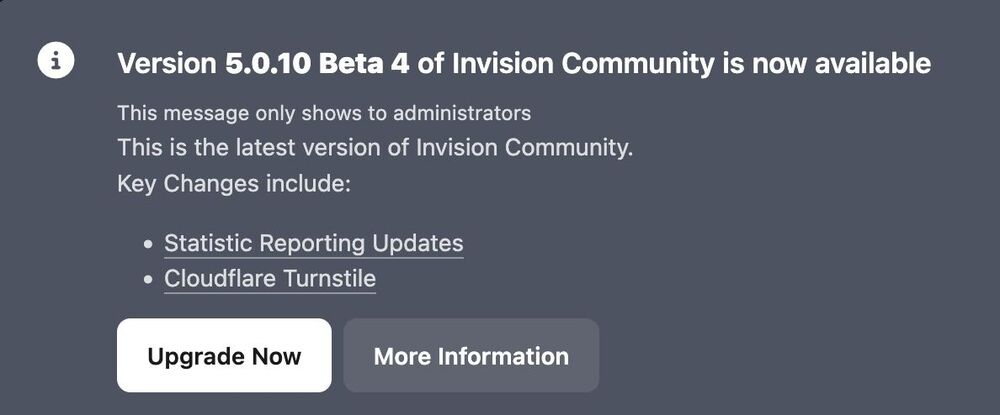
I just got on my non IN_DEV site the message to update to the Beta 4. Seems wrong to me :) The changes are from 5.0.9.
-
No, the menu for Tags is in ACP -> System -> Content Discovery. You need to have IPS version 5, though.
-
I can confirm this, too. Got update email and notification in ACP.
-
Once every day.
-
Yes, it did.



