David N.
Clients
-
Joined
-
Last visited
Everything posted by David N.
-
I use source mode all the time, mostly for Pages article. There are things that are easier to me to edit in HTML in a code editor like BBedit and then paste in the text editor in source mode. I would really, really miss source mode if it wasn't present in v5!!
-
So my first thought when I watched this video was: "looks nifty and sleek, and I'm sure this will be super useful to a lot of website, but I don't see how I would use it." Now all of a sudden I realized, this could be a way for me to 'bookmark' topics I know I intend to respond to but not right now, only later when I have the time. It would also send the signal to the person who posted the topic that I have taken note of their question and intend to answer it later. Interesting. Can't wait to play with it.
-
_
-
Thank you, and yes I saw that, however I'm curious to hear what the "more" part is - to determine if it's worth a $80/month upgrade from my current plan.
-
What is the difference in features between the "nobbled version of Courses" and the full enhanced version? I couldn't find that info anywhere. Thanks!
-
Can't wait to see those! 🙂
-
That looks amazing. Can't wait to play with it. 🙂
-
Question about that gif animation: while Olivia is typing her answer, we're not seeing "Olivia is typing" in the top window, is that because her post is too short to trigger the Real time Who's Typing feature? I suppose that ideally, if I'm watching a thread, I should see that someone is typing something, wait, and when the answer is submitted, I end up seeing the answer pop up without having to refresh.
-
This is GREAT!!! I was wondering if we were going to get a little Xmas V5 video, and you delivered. Love it!! 😄
-
I truly appreciate all the effort that was made to simplify the code to keep it lightweight, while in the meantime modernizing the UI. It looks very sleek.
-
Thanks for sharing all those preview videos! I really enjoy the insight into these new features. I really like the direction it's taking so far. 🙂 I personally don't care for A.I. or LLMs, I feel like they are not part of what a community is: a group of human beings sharing a common interest, supporting and helping each other through social interactions. I'm not interested in talking to a machine or reading text that was generated by a machine. As for waiting, there's no point releasing a beta if it isn't ready to be released. I don't mind being patient and waiting a little longer - especially if it means ending up with a better, more reliable product.
-
I really can't wait to hear about it, that sounds great! 🙂
-
I just wanted to add that the video production starting @1:11 is on a whole 'nother level!! 😄
-
Great! You're welcome! 🙂
-
Incredible!! This is great, only problem is that I can see myself spending way too much time toying with the custom icon making features instead of getting some work done. 🤣 @Ehren I see a couple of .mov videos in your original post. These are automatically embedded in Safari, but not in Chrome. If you want them embedded in Chrome as well, you can just change the file extension from .mov to mp4 and ... voilà. 😃 For example your icon-creator.mov does not embed in Chrome, but this icon-creator.mp4 does: icon-creator.mp4
-
This looks like a great feature, I can't wait to have it live. 🙂 About that sentence in the email: Shouldn't it be .... Community experts are calculated based on many metrics including etc... ?

-
Ok that's great thank you!
-
@Ehren Will it be possible to include other data (than what's visible on your video) in the mini profile strip? Two things that would greatly benefit my community are: Add the member signature in the mini profile (so that basically the signature would be hidden by default but people who need to see it would know where to look for it). Add a short bio in the mini profile (so you can know what credentials that member has). Thanks! Can't wait. 🙂

-
This is remarkable. Will there be a way to adjust the length of the snippets? I like the idea, but I wouldn't want them to be too long. Trying to strike a balance between enough content visible to get people interested in the conversation, but not too much so that they still have to open the topic to read more. I was going to watch a Netflix movie but I think I'll watch that video 6 times in a row instead. 😍 @Ehren for the win!!
-
I agree, this looks great!! Can't wait. 😃
-
Apparently its no longer a huge priority: “If you don’t have anything better to do on your site, go do Core Web Vitals. Most sites won’t see benefit playing around with it,” (Gary Illyes, Analyst on the Google Search team) Source: https://searchengineland.com/ama-google-gary-illyes-seo-takeaways-432325?
-
This looks like a great update, I can't wait. 😃
-
Ok I understand. However in my opinion that's an issue for visitors who are seeing this and wondering where it's coming from and whether or not it's legit.
-
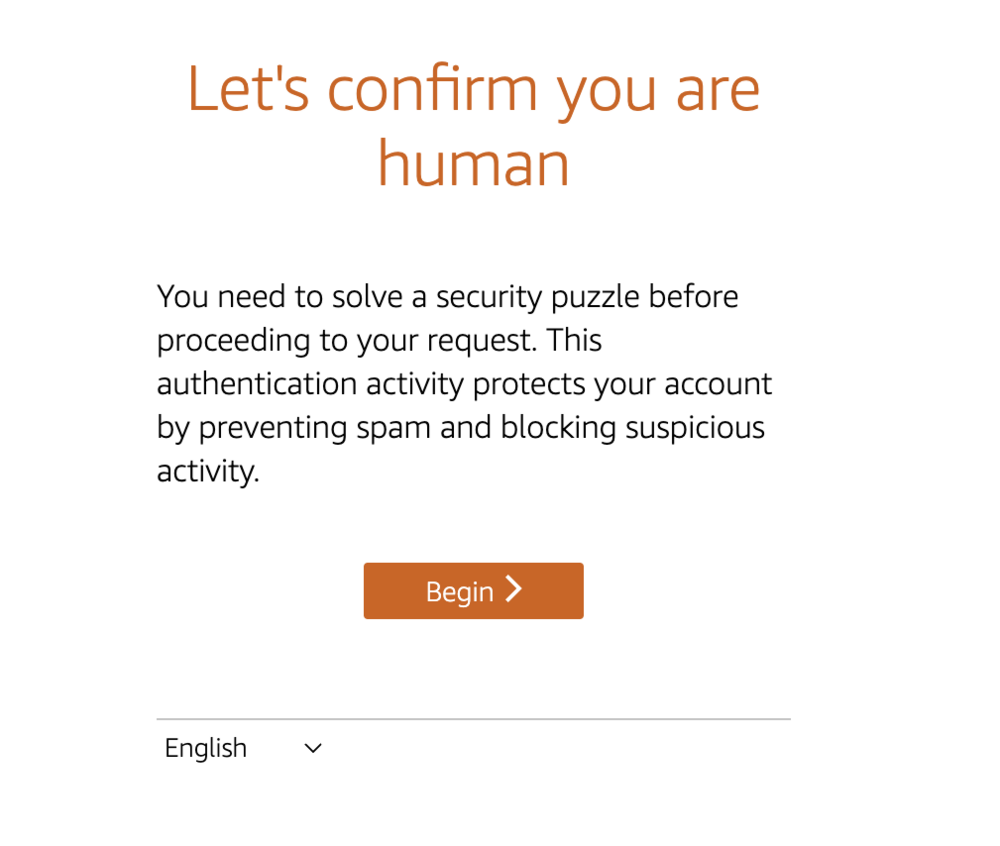
That's fine, however I was first confused when I saw that and thought I was victim of a hack or a phishing scam (the black line at the bottom looks like a text field). The problem is that the look of that form is completely unfamiliar, and it looks like one of those fake ads that have fake buttons like "Submit" or "Verify" etc to make you click them by mistake. I feel like that the look of that form should match the branding of my site: keep the site header, use the same font I'm using on the rest of the site, same button as in the forum etc... just like the Invision Community Alert pop-ups.
-
I just saw the following after I clicked on member's avatar to see his profile. Is this part of the new spam prevention system?