


David N.
Clients
-
Joined
-
Last visited
Everything posted by David N.
-
Wow thanks a lot! It sounds like that would work for me. I'd love the link to see it in action. Thanks!
-
Unfortunately so far I still see the same behavior: the dropdowns open below the page content.
-
Thank you, I'll do that.
-
There's no "unfeature" choice since the posts are not featured. Instead there's a "feature" choice. So I can feature the post, then unfeature it, but the recommended post still appears as a "Featured reply" at the top of the topic. I can send you links if you want?
-
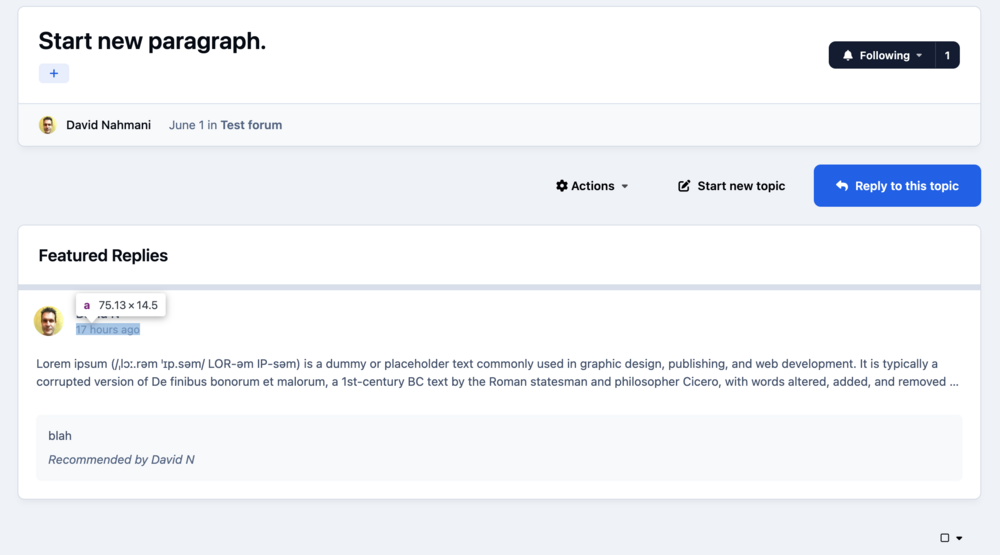
In a topic, when featuring a reply and selecting "Display featured reply above all other replies", a short summary of the post appears at the top of a topic. The only link to the complete post is the datestamp, which is very easy to miss. Instead, I wish we could have a visible button that links to the post, like in v4 where there was a button that looked something like this:
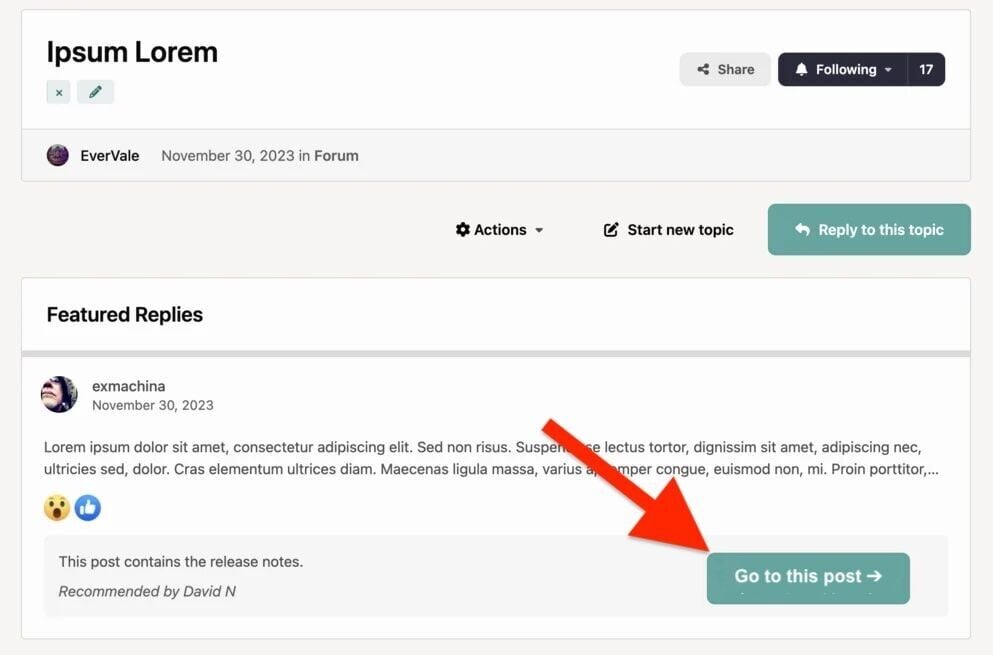
-
Ok, that's fine. Oh wow, that's so unconspicuous that I completely overlooked it, as I'm sure most users would. Note that it doesn't show the whole content, only a short summary, so yes, I'll provide feedback to add a large button like we had in v4. There's another issue though, I can't find anyway to un-recommend the post? I tried to feature it, then unfeature it, but it's still there. The way it looks now is quite awkward IMO and I'd rather remove them, but I can't see how to. Thanks!
-
Great! Thank you Marc.
-
I'm not sure what the best way is to design pages (Pages app) so they look good in light and dark mode. I found out that I can target dark mode with CSS by adding html[data-ips-scheme-active="dark"] to my CSS selector, for example: html[data-ips-scheme-active="dark"] .column { background-color: transparent !important; border: 1px solid rgba(255, 255, 255, 0.08); border-radius: 8px; }Is that the proper way to do it or is there a better way? For example if I want a specific background or text color in a certain section of the page, do I have to declare two colors, one by default (for the light mode) and one with html[data-ips-scheme-active="dark"] (for the dark mode)? Or are there variables I can use that automatically switch between light and dark modes? Are there some resources on this topic? Thank you!
-
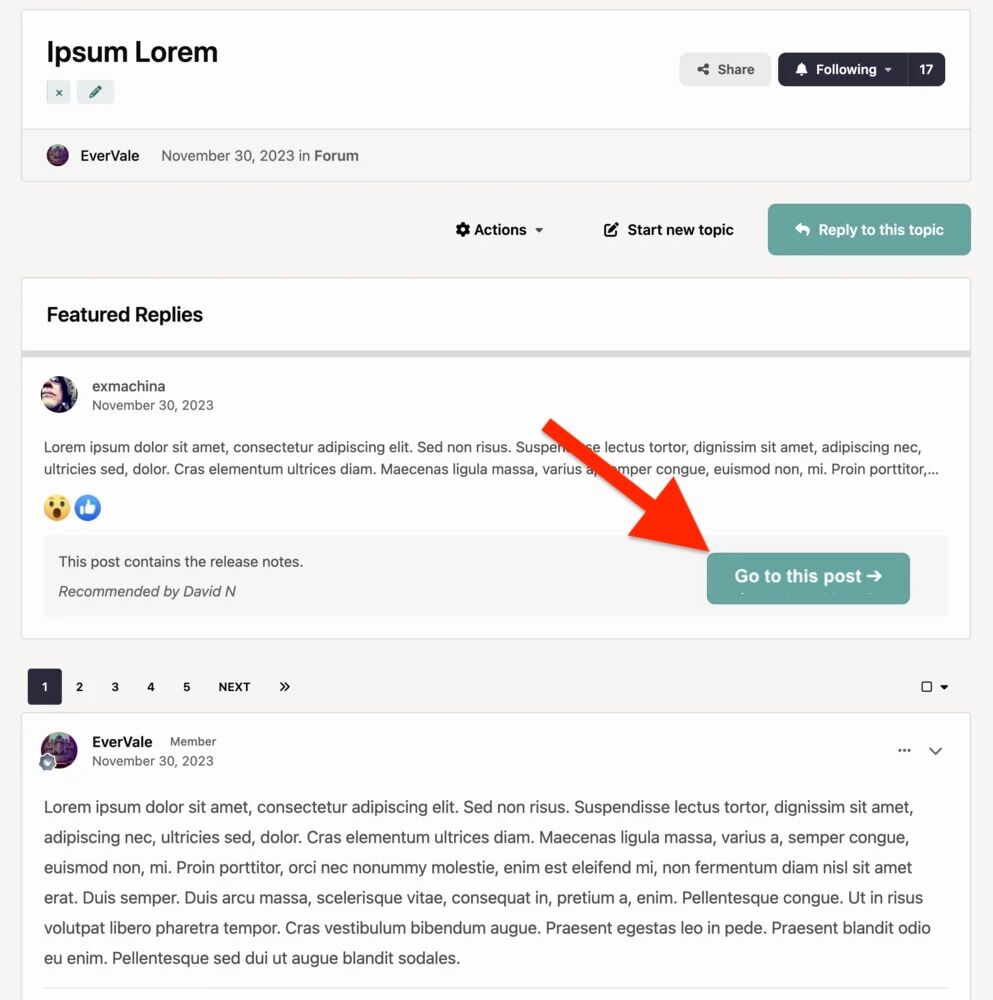
My apologies if I wasn't clear. No posts were removed, no problem on that end. This isn't about featured posts, but about recommended posts. All the posts I have recommended while I was in v4 are now listed at the top of the topic under the header "Featured Replies" even though they are not featured - which is okay I guess, at least this is not a problem right now. The problem is that if you look at my screenshot, you can see that there's no link to the post. The full post is somewhere in one of the pages of the topic (I ended up finding it so I know it's there). In v4 there used to be a button that you could click to go to that post, now in v5 that button is gone. Here's a mockup of the missing button:
-
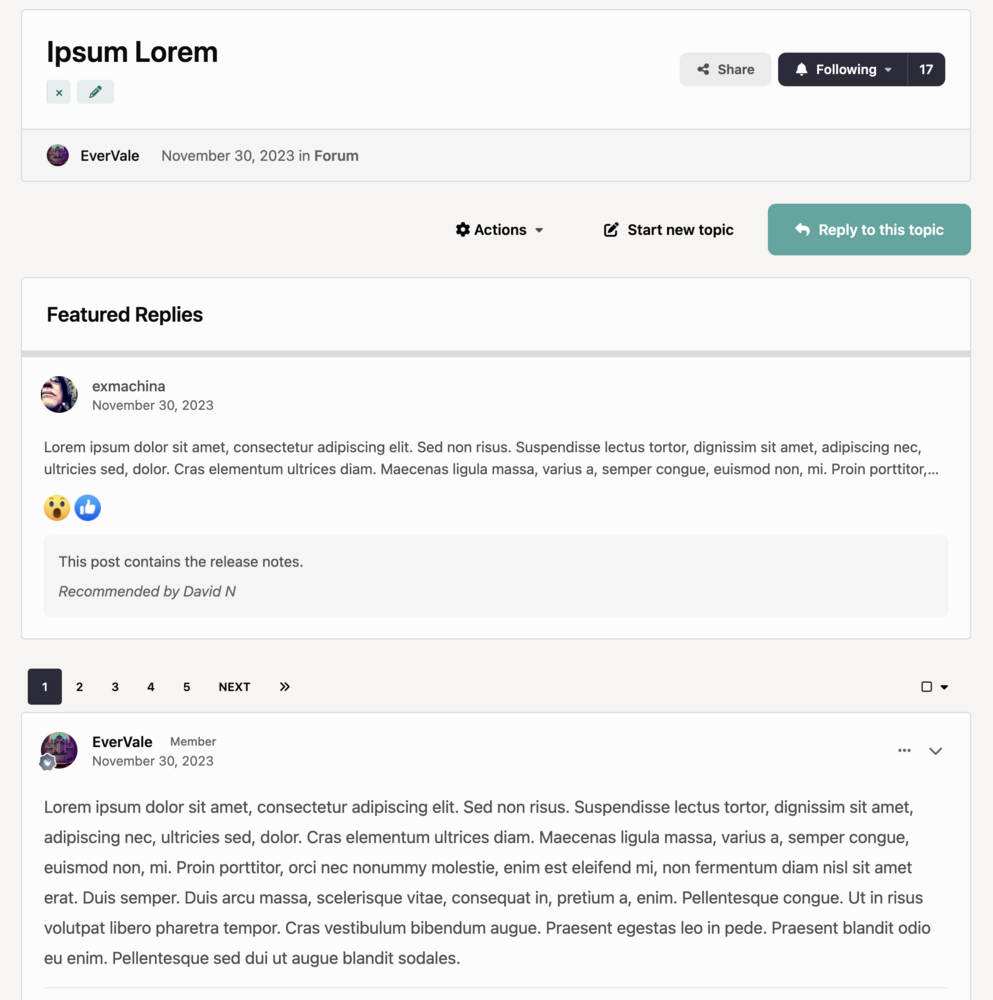
The issue is that the link to the post (that was there in v4) is now missing in v5. We see a summary of the post with a comment on why it was recommended, with no way to access that post. Also while the recommended post is now under a header "Featured Replies", that post is not featured.
-
In v4, we could recommend posts in a topic. A summary would appear at the top of all pages in that topic, along with a comment (optional) and a link to the recommended post. This allowed members to quickly find the information they were looking for when opening any page of the topic. In v5, it appears that recommended posts have been deprecated. I can no longer find a way to recommend a post, and my existing recommendations no longer include a link to the post. I also can't edit or remove the "Featured Replies". I now have messages at the top of topics referring to useful posts, but with no indication of where those posts are located or even which page they are on. Same behavior with the default IPS theme, no customizations.
-
Great! Thanks a lot Marc, I appreciate it. 😀
-
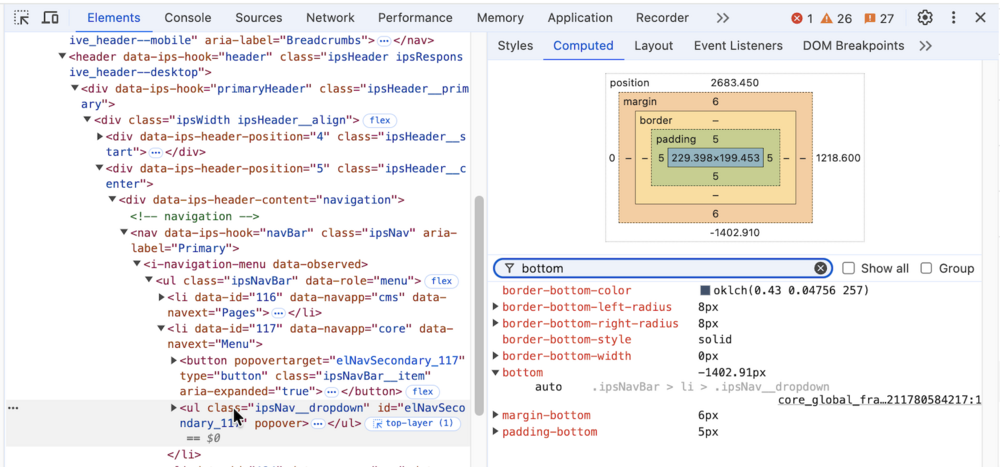
Yes I hear you. Here's what I see in the Console: I also inspected the dropdown menu and noticed this large negative bottom value (-1402.91px). Thank you!

-
Thanks! The Macs themselves are not that old, some members have 2019 Macs that they haven't updated from macOS 10.15 because they're using apps that aren't compatible with newer OS versions. But I hear you, in computer years, even a 2019 machine that hasn't been updated is still considered quite old. I'll have a look in the Chrome 128 console, and will report here.
-
Thank you!
-
I can confirm that they're definitely showing on new items, on the default theme. I'll PM you the links.
-
I understand your support policy regarding older versions, but in this case the issue is quite severe, as it prevents login and breaks core navigation. And the OS and Chrome versions used are less than 2 year old, which may still represent a significant portion of our members. Could you try to reproduce it and see if it might be a quick fix? I completely understand if it turns out to require more time and is not something you can prioritize, but if it is easily reproducible and straightforward to resolve, it could be worth addressing given the impact.
-
As far as I know, yes. I don't see any background task listed at the bottom of ACP > System > Support > Get Support.
-
This bug was reported to me by one of our long time members, and I was able to reproduce it on my Mac. It appears when using an older version of Chrome, released in September 2024: Chrome 128. Some of our members still rely on that version because some of the apps they're using require a version of macOS that can only support that specific version of Chrome. In that version of Chrome, on this site invisioncommunity.com, as well as on my site with the default IPS theme (no customization), the dropdown menus aren't working as expected. For example on this site, clicking 'Solutions', 'Resources' or the Sign In button appear to not open any menus, until you scroll all the way down and you see the dropdown menus are below the footer, at the very bottom of the viewport. To download Chrome 128: Go to https://www.google.com/chrome/other-platforms/ Operating system = Mac Version = macOS 10.15 bug2.mp4
-
Default IPS theme, no customizations. After updating to v5, all attachments that were posted in v5 no longer have a gray background. New attachments posted since the update to v5 to have a gray background as expected. With the old attachments, the gray background does show up on hover, it's just missing by default. screenshot.mp4
-
Thank you Marc.
-
Ok thank you for having a look, as I have definitely not deleted any forum, let alone that many forums.
-
The screenshot is a list of experts, and 'Content deleted' is in the FORUM column, which normally lists the forums where the member is an expert. No forums were deleted, so I'm not sure which content exactly it's referring to? Also we don't delete much content at all on my forum (if any except for new spammers), and there's quite a lot of those 'Content Deleted' entries in the FORUM column of the View Expert page, so I have no idea what it is referring to.
-
In the list of experts, in the screenshot I posted in my original post.
-
Is there any way to know what 'Content deleted' means?





