-
I solved the problem thanks to @Jimi Wikman! There was an announcement 🙂
-
I figured as much, but I was hoping I was wrong 😄 Thank you anyway!
-
Yes, but I already tried, and I tried again before replying to the post: the forum layout changes apply across mobile, desktop, and tablet, and there’s no way to adjust this specifically from the theme editor.
-
...Ah! My mistake, I misunderstood 🤦♀️🤦♀️🤦♀️ Thank you so much!
-
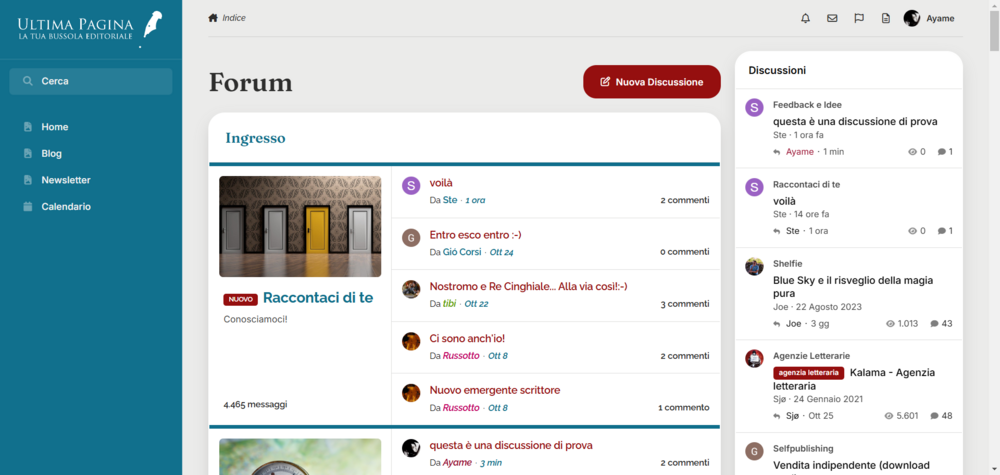
This is the code that I used: .ipsBlockSpacer .ipsPull .ipsCategoryWithFeed__item{ border-top-color:#106f8c; } and this is the result:
-
Thank you very much! Uhm, no, it isn't the same thing. Thank you anyway 🙂
-
Hello again, I’d love to be able to set a Feed view for desktop and a Grid view for mobile. Is this currently possible, or would it require extensive customization? Thank you so much 🙂
-
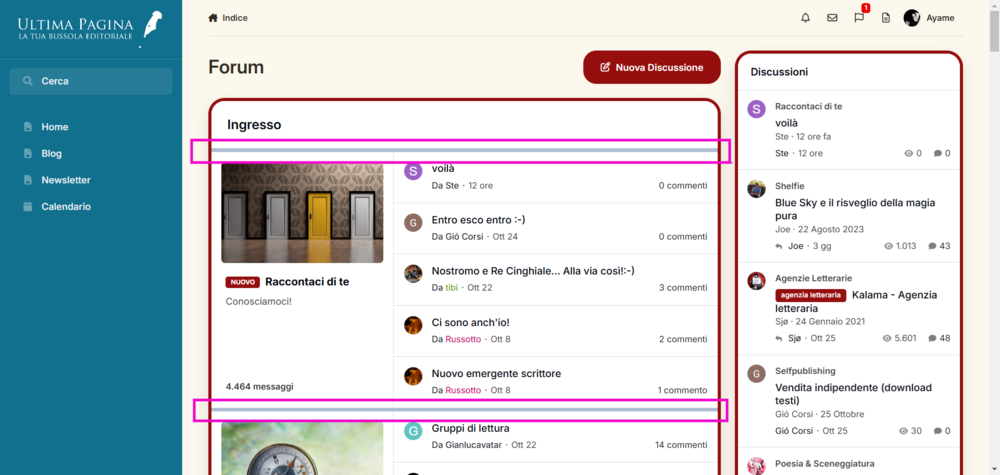
Hi, how can I modify this border using CSS? I tried inspecting the element, but I just can’t find the relevant class 🫠 Thank you very much!
-
I've already checked, it was at 1500 px and now 1930, but it's the same... You’re very kind, thank you—I’ve messaged you!
-
I don't use Pages, I have just one page and it's not the homepage. I checked it anyway, just for sure, but there isn't that option
-
I checked before opening the topic, but I can't see anything 👀
-
I’m joining this request too 🙂
-
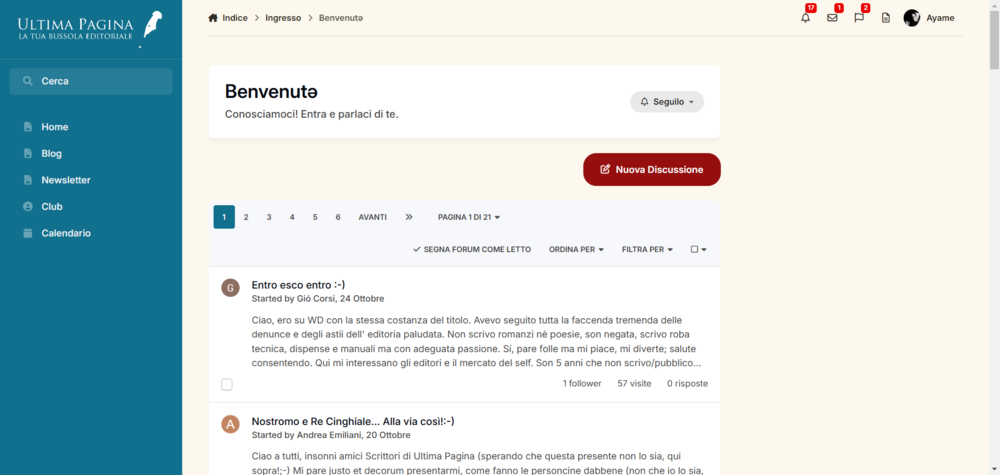
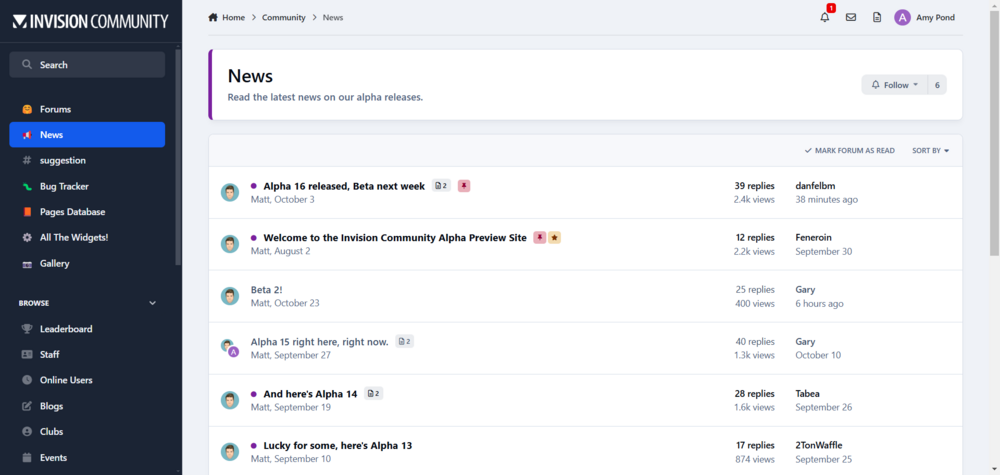
Hi, I’d like to set up the view within the section as it is in the alpha version, but mine appears in a two-column layout. Where can I disable the two-column setting? Thank you very much.
-
I have deleted it and now the forum works 🙂
-
I don't even remember that was a 3rd party item! Thank you, then can I delete it?