-
Alright, the update started and then, this.... There’s a spinning icon with a “d” underneath – Something seems to have frozen. Is it worth waiting a bit longer, or should I restore a backup? Or do something else? This is the first time an update has caused problems in all the years we’ve had automatic updates. 😬 Update: I went back to the upgrade start page, had to log in again, and it worked as it should! Was quite stressed there for a moment! 😅

-
-
-
-
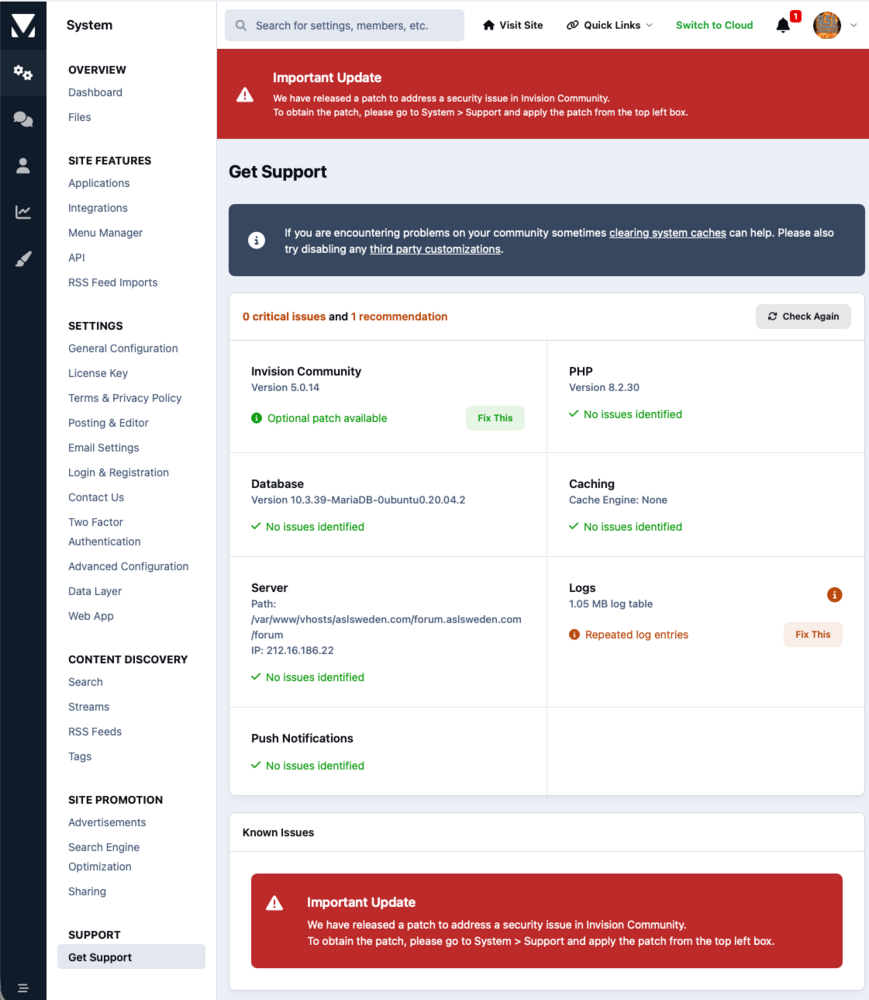
Aha, so I am blind then! 🙈 (and maybe stupid as well) I blame it on the button being green. 😆 Thanks! 🤗
-
I must be stupid and/or blind, but I don't understand how I can apply this patch. I am logged in as admin, and the only thing I can see about Support is "Get Support", and in here I don't see any top left box that should be clicked...? 🤔

View in the app
A better way to browse. Learn more.