


SC36DC
Clients
-
Joined
-
Last visited
-
-
-
I recently upgraded to IC5, and someone commented how they no longer see a 'recently used' set of emojis in the editor, they said they use to be able to view these on IC4. I did search on the forum for mention of this, and didn't see anything. So consider this my vote for adding this option/feature back if at all possible.
-
Quick question: Is a beta version safe to install, or how long until 5.0.4 official is released? I need that "Powered by Giphy" in this beta update to get my api key.
-
Updated with no issues. 👍🏼 Went straight to see if we can disable and/or reorder emoji groups in the toolbar .... not yet. I think it's coming soon though.
-
Updated with no issues.
-
LOVE seeing that when a YouTube video is embedded in a post, it now displays full width!!! 👏👏 👏👏
-
Just so I understand correctly, are tags only to be used by the admin? Can mods use them? Do forum members have the ability to select a tag to use when creating a post? Thank you. I am just starting to build a brand new community now.
-
This is where @Ehren custom themes will come in handy when released!!!
-
@Ehren I'm assuming with how incredibly busy you are putting the final touches on V5, the thoughts of you even thinking about creating custom themes for V5 must be far off. So I'd like to present to you an idea. Would it be at all possible for you to create a plugin for V5 of the 'Background Picker' feature that you have in your themes featured on IPSFOCUS.COM? I'm assuming this would be somewhat easier and faster to accomplish than creating a whole new theme? Not sure if you are allowed to do such a thing as creating a paid plugin for V5, but I would be more than happy to pay pretty much whatever you'd charge for this as a standalone paid addon. I plan on creating a fandom forum based on a musical group, and would love to offer a different background based on each member of the group for users to choose from as their background. Most people do have a bias when it comes to groups like these. Thank you Ehren for all your hard work with V5. I am looking forward to starting to build this new community once V5 officially launches.
-
ChatGPT never fails:
-
Great job, looks incredible.
-
I appreciate the reply and info.
-
@Ehren Could something like this be possible? To use GRID for a section of the forum and TABLE for the rest or another part? I appreciate your response and suggestions and ideas. Thank you Jimi.
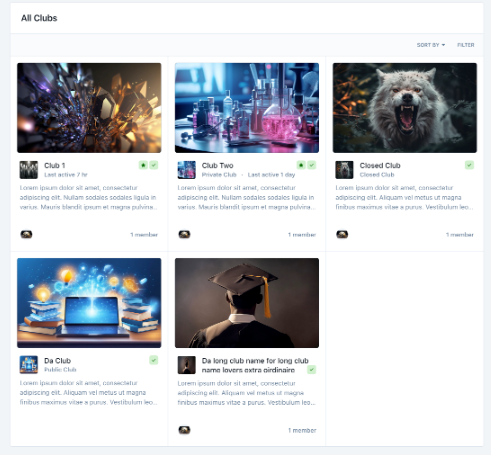
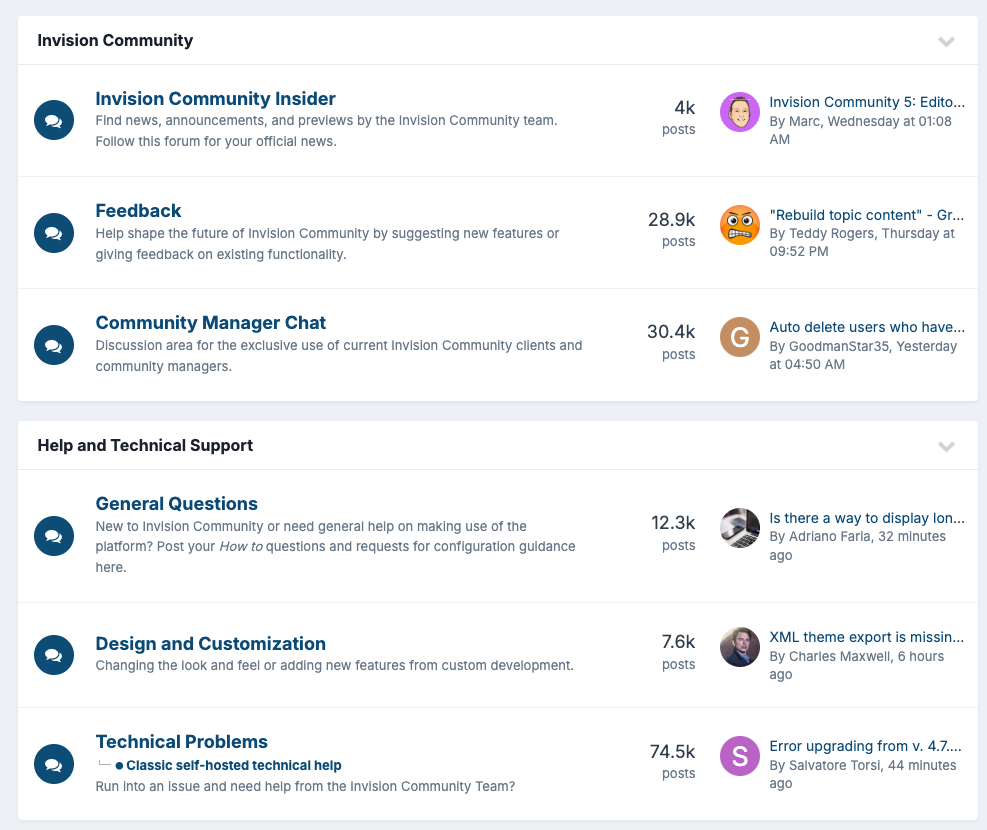
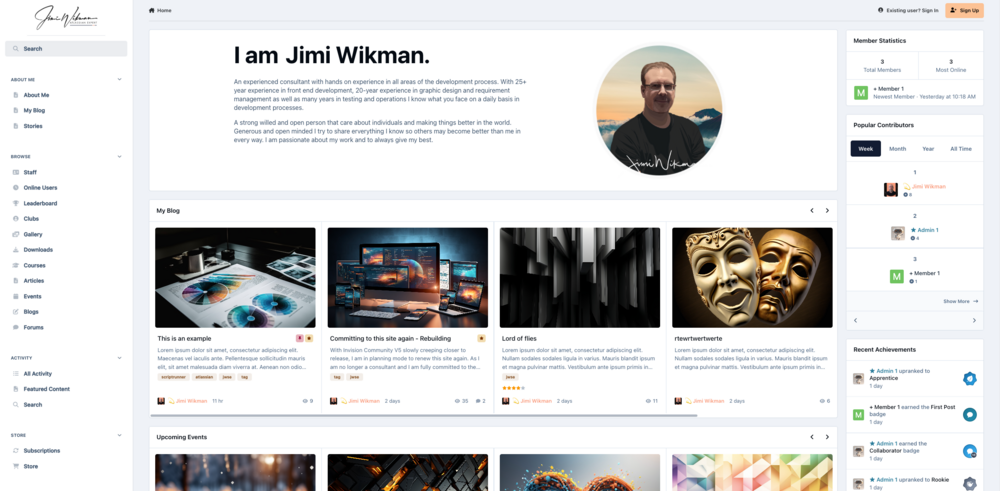
-
Now that I know the proper terminology, basically, is it possible to show part of the forum in GRID view and the rest in TABLE view? I'm assuming not.
-
My question is regarding Forums. I want to create a community for a music group that has 7 members. The first part of the forum I want it to be called MEMBERS, and in this section I would like to create 7 subforums named after each member, but displayed with boxes with their pic in each one, similar to your set up here (but there will be 7, possibly 8 if I have to create an extra one for it to display properly). But then below the MEMBERS section, the grid of boxes, I would like the rest of the FORUMS displayed normally, like this. I was just curious if this type of setup is possible. Thanks for your help Jimi or anyone else that can help answer this. BTW, I wasn't sure if I wanted to go with the menu on the side or at the top, but after seeing your layout, I think I will go with the side setup, it does look really nice.
-
Looks incredible. Great layout. Would you mind answering a question I have regarding if a certain layout I want to do is possible?



