


-
 Chris59 reacted to a post in a topic:
Spring Update: Changes coming to Invision Community this month
Chris59 reacted to a post in a topic:
Spring Update: Changes coming to Invision Community this month
-
-
constants.php My constants file EDIT: i can zip the site and download the database if it helps, is also two other members who have same problems as me . one with laravel and another with xampps . we all use macs @Matt PM you to download the files , i hope it helps , thank you
-
Only way i can see if you have a mac and i share desktop i guess 😀
-
Only to show the process of upgrade ips in localhost environments , laravel, mamp pro etc all same upgradebeta3.mov
-
Happend to me once when i was heavely config new setup of ips, i cleared all browser history and it start work again , maybe a longshot but try
-
@Matt @Marc None of this helped unfortenly, tested new setup on Laravel Herd and still same issue there Also addeddefine( 'UPGRADE_MD5_CHECK', false ); to constants. without success Only so you know Cheers Have now tested this on three platforms , mamp pro , laravel herd and @Drewfus on xampp , this start happend i think after 5.0.6
-
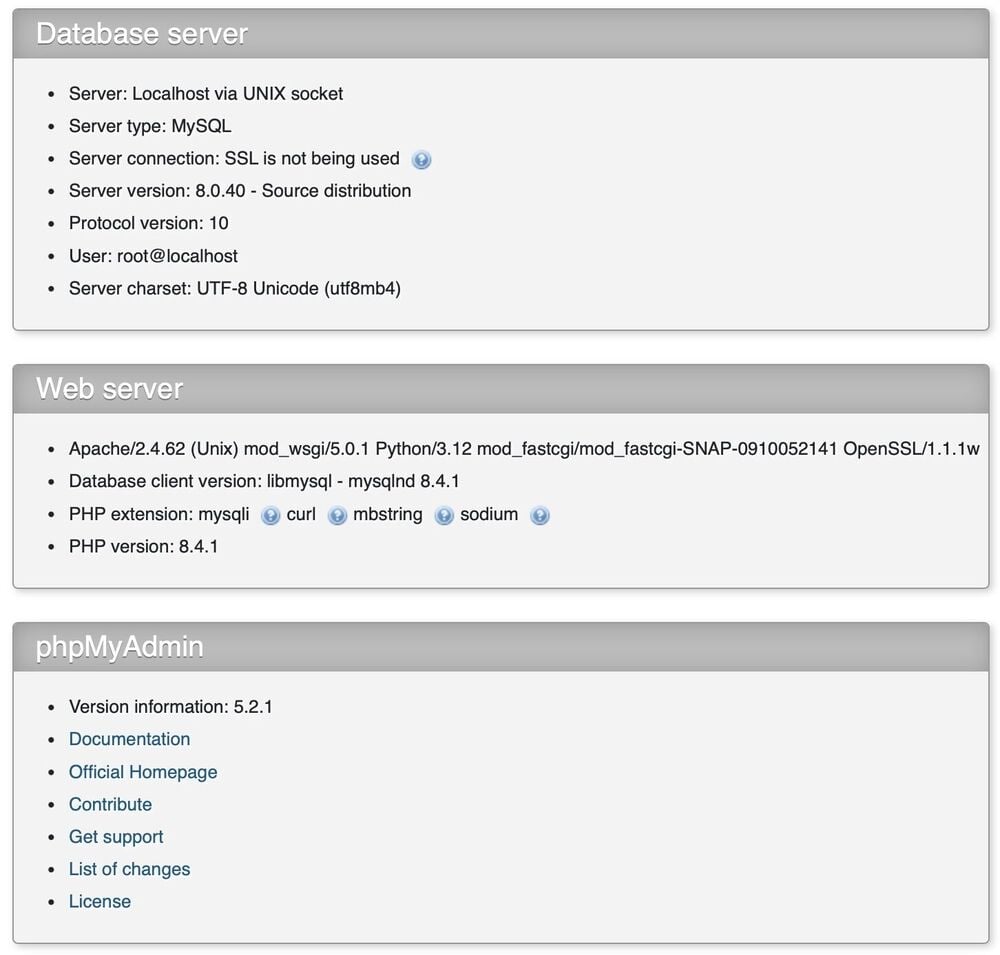
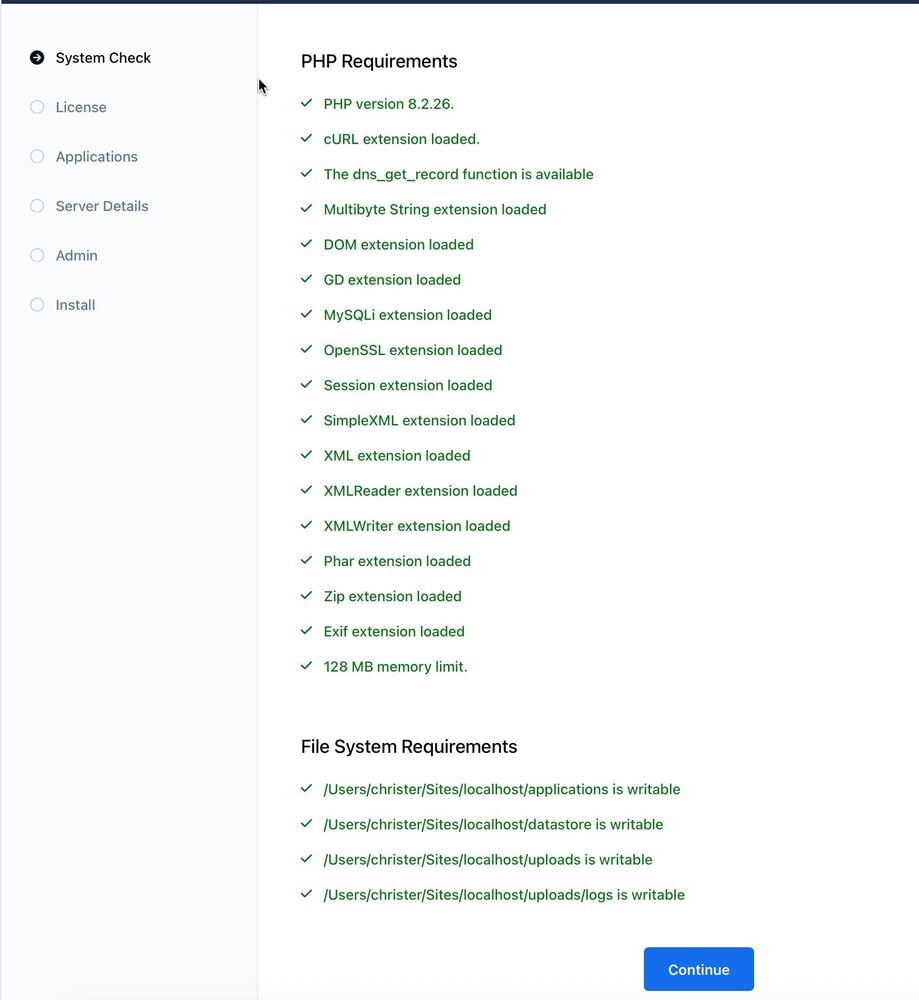
I tried clean install again 2025-05-14_16-20-31.mp4
-
Same issue with mamp pro as server localhost . Reported bug on this a while ago https://invisioncommunity.com/invision-community-5-bug-tracker/507-self-hostedupgrading-since-506-have-this-issue-r1024/?&tab=comments#comment-271832
-
think I have mix all up anyway haha if there is no patch I guess all is fine then
-
See my earlier updated post
-
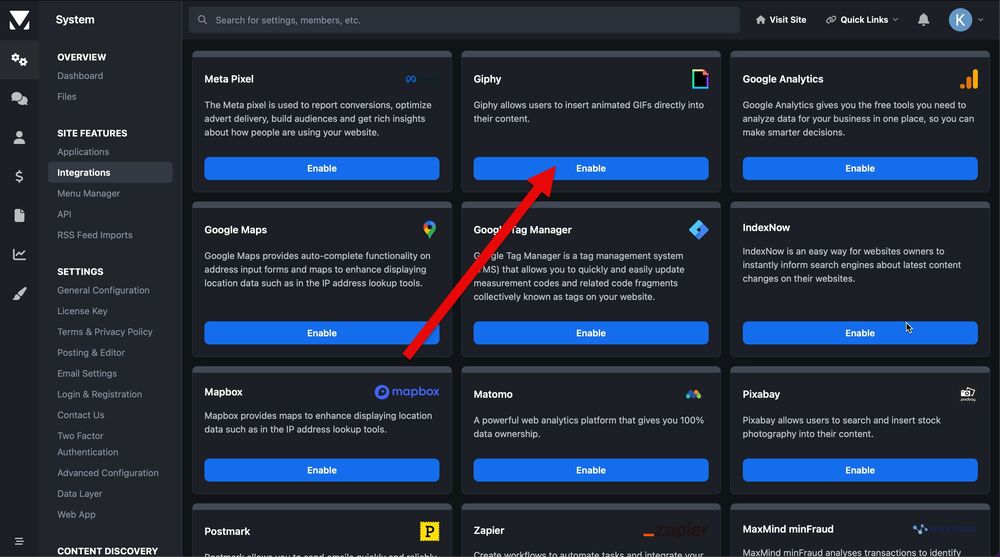
I only show where to find from my 5.0.3 testsite . Patches is for 5.0.4 beta 1 installations I guess Patch was for Giphy , do you have it enabled ?
-
Download v5.04 beta 1 downloads in client area wrong . its version 4Is this suppose to work in this beta 5 @Marc ? but i still have to ftp up my files old fashion way
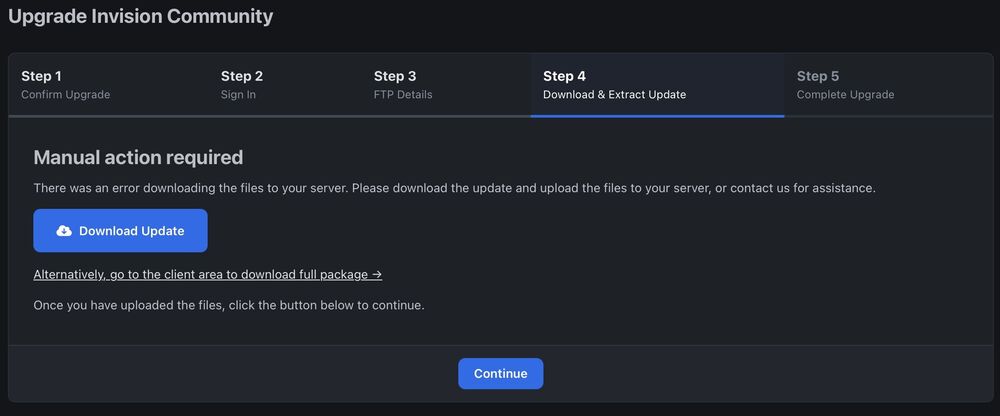 no its v5 beta 5 Self hostedyou got me there 🤪 🫡 😂



