


beats23
Clients
-
Joined
-
Last visited
Everything posted by beats23
-
Can I have the time for when it will be checked?
-
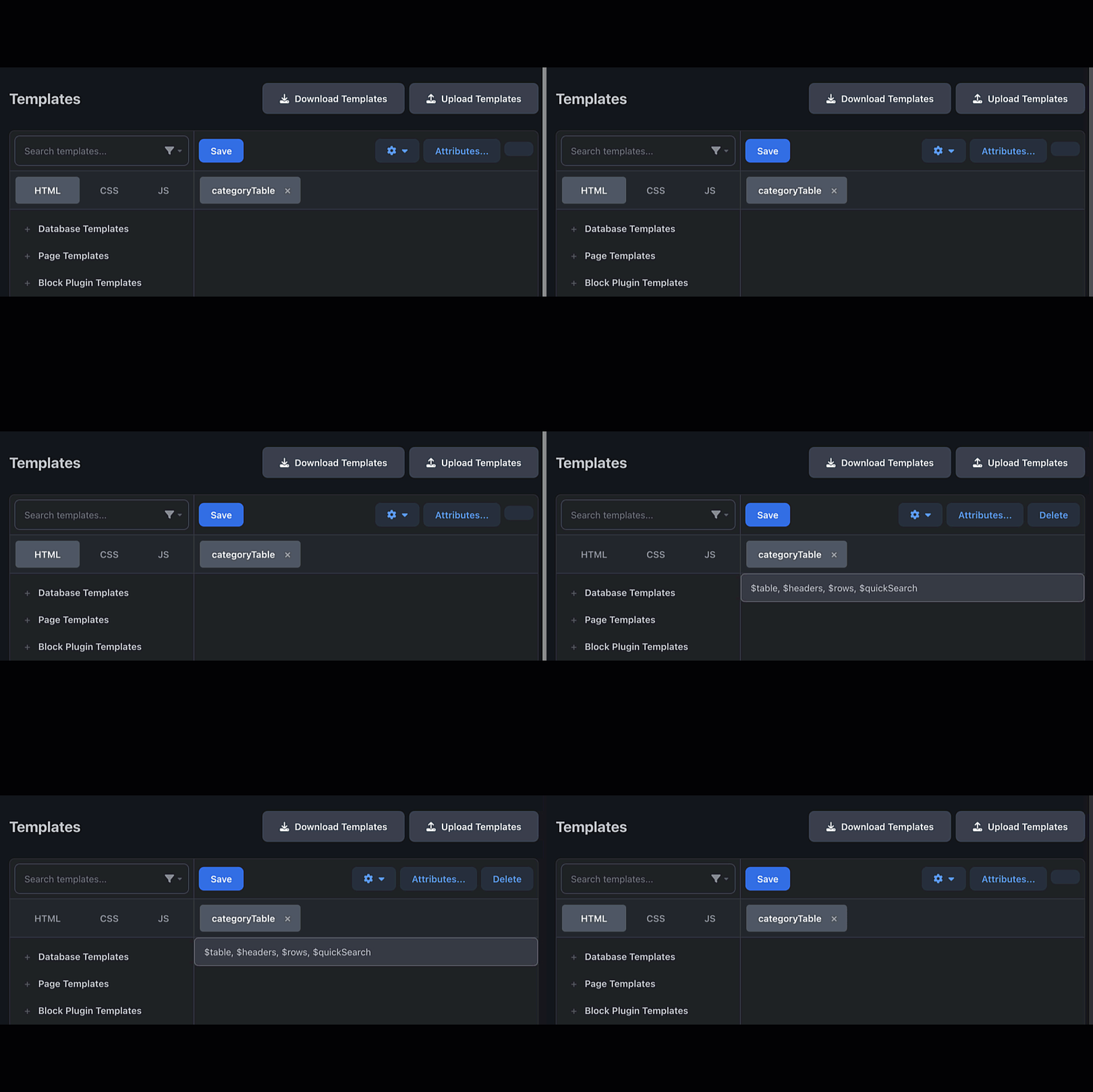
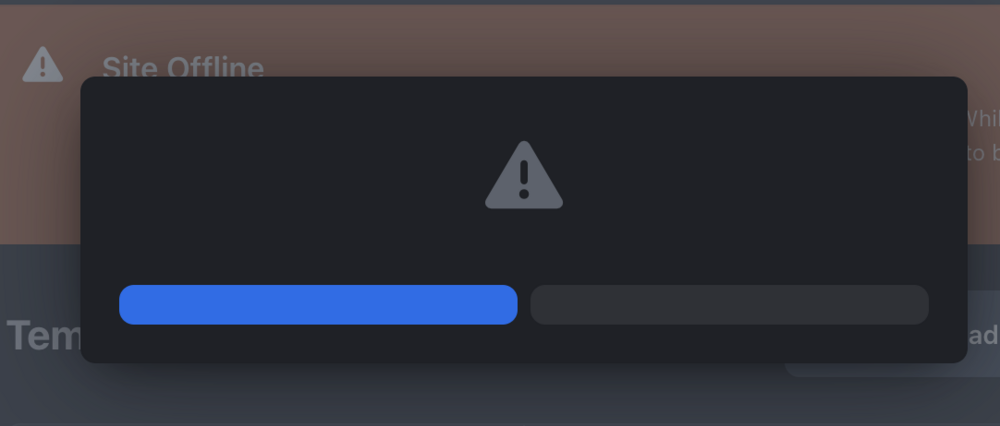
The issue with the missing delete button and languages in the ACP is back. When the page is refreshed very fast, that's what happens.
-
I disabled mod_security, but I still have an issue with the email settings. I found this error in the PHP logs. /home/beats23/beta.mysite.com/system/Email/Email.php(1027) : eval()'d code:310 Stack trace: #0 /home/beats23/beta.mysite.com/system/Email/Email.php(1030): IPS\Theme\email_plaintext_core_activity_stream_subscription(Object(IPS\core\Stream), Array, Object(IPS\Member), Array, false, Object(IPS\Email\Outgoing\Php)) #1 /home/beats23/beta.mysite.com/system/Email/Email.php(434): IPS\Email::template('core', 'activity_stream...', 'plaintext', Array) #2 /home/beats23/beta.mysite.com/system/Email/Email.php(744): IPS\Email->compileContent('plaintext', Object(IPS\Member)) #3 /home/beats23/beta.mysite.com/system/Email/Outgoing/Php.php(66): IPS\Email->_compileMessage(Object(IPS\Member), '--==_mimepart_3...', '\r\n', 68) #4 /home/beats23/beta.mysite.com/system/Email/Email.php(808): IPS\Email\Outgoing\Php->_send(Object(IPS\Member), Array, Array, NULL, NULL, Array) #5 /home/beats23/beta.mysite.com/applications/core/sources/Stream/Subscription.php(82): IPS\Email->send(Object(IPS\Member)) #6 /home/beats23/beta.mysite.com/applications/core/sources/Stream/Subscription.php(128): IPS\core\Stream\Subscription->send(Array, Object(IPS\core\Stream), Object(IPS\Member), Array, false) #7 /home/beats23/beta.mysite.com/applications/core/tasks/dailyStreamSubscriptions.php(57): IPS\core\Stream\Subscription::sendBatch('daily') #8 /home/beats23/beta.mysite.com/system/Task/Task.php(444): IPS\core\tasks\dailyStreamSubscriptions->IPS\core\tasks\{closure}() #9 /home/beats23/beta.mysite.com/applications/core/tasks/dailyStreamSubscriptions.php(55): IPS\Task->runUntilTimeout(Object(Closure)) #10 /home/beats23/beta.mysite.com/system/Task/Task.php(343): IPS\core\tasks\dailyStreamSubscriptions->execute() #11 /home/beats23/beta.mysite.com/system/Task/Task.php(306): IPS\Task->run() #12 /home/beats23/beta.mysite.com/system/Dispatcher/Standard.php(355): IPS\Task->runAndLog() #13 [internal function]: IPS\Dispatcher\Standard->__destruct() #14 {main} thrown in /home/beats23/beta.mysite.com/system/Email/Email.php(1027) : eval()'d code on line 310
-
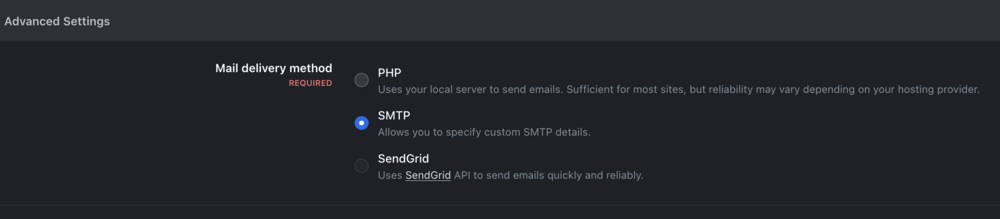
Also, there is an issue with mail settings. The page will go blank if I change it from PHP to SMTP and click save.
-
I reverted the test site from backup to this morning when it had the issue. The template errors are on the member's profile. My client area info is up to date. I can also provide control panel access if you need to check the database.
-
Not all were properly disabled by the update process in these betas. I posted a bug in the old bug tracker where the notification or the message drop-down panel would not load. The issue was due to the upgrade process not entirely disabling third-party plugins data. That issue was solved by either deleting the plugin before upgrading or running this SQL query below. There could be some bugs in there messing up core files when upgrading. delete from 'core_reputation_index' where rep_class='IPS\core\Messenger\Message'; delete from 'core_notifications' where item_class='IPS\core\Messenger\Message';
-
Yes, I encountered a few issues due to v4 resources. I see the safest way to upgrade to v5 is to delete all apps, plugins, and themes and return IPS to its default state before the upgrade.
-
After trying many different things, I figured out and solved the issue. I no longer have this v5 template error. I created a new theme, set it to default, deleted all other themes, and then upgraded from v4 to v5. Maybe the upgrade process corrupts itself when converting v4 theme files to v5.
-
One of the reasons why I participate in the beta testing is to ensure that when v5 is release and I upgrade my live website, I don’t have any surprises of things not working properly.
-
The missing APC language issue is gone. I think updating to beta 12 solve that issue. However, I still have the Template error whenever the $member $author parameter is called issue. I’m hoping IPS support or beta team can give my issue a lil attention in helping me to fix it. Everyone is all happy with their working v4 to v5 beta upgrade except for me. It’s now six days since I seek some help. Can I have some help with my issue please?

-
Is there a link that tells what was fixed?
-
That's good news 👍.
-
Sorry, I post that comment in the wrong topic.
-
Unfortunately the issue is still there. I can login but when I click a tab it logs me out.
-
Further inspection of the V5 online status code, revealed this in the CSS code file. /* ONLINE/OFFLINE */ .ipsOnlineStatus, .ipsOnlineStatus_online { color: #249168; } .ipsOnlineStatus_anonymous { color: #616161; } .ipsOnlineStatus_offline { color: #c7c7c7; } .ƒ { color: #bd9e22; } .ipsOnlineStatus_busy { color: #a03223; } This indicates that V5 has a much more advanced online status feature which will utilise different icon colours to indicate when a user is online, online anonymous, offline and busy. This feature is great, Is this a feature that was abandoned in v5 or is it a feature that we will receive later on in the future? You can use this code below and template hook settings instead of the one posted above when creating the app to activate the round online status indicator beside the user avatar and not at the top left corner of the comment message box. {{if $comment->author()->isOnline() AND ( !$comment->author()->isOnlineAnonymously() OR ( $comment->author()->isOnlineAnonymously() AND \IPS\Member::loggedIn()->isAdmin() ) )}} <span class='ipsOnlineStatus' data-ipsTooltip title='{{if $comment->author()->isOnlineAnonymously()}}{lang="online_now_anon" sprintf="$comment->author()->name"}{{elseif $comment->author()->isOnline()}}{lang="online_now" sprintf="$comment->author()->name"}{{endif}}'></span> {{endif}}


-
Does this mean those on IPSv4 can automatically upgrade to IPSv5 via the ACP when "\define( 'USE_DEVELOPMENT_BUILDS', true );" is set in the constant file?
-
Nice 👌.
-
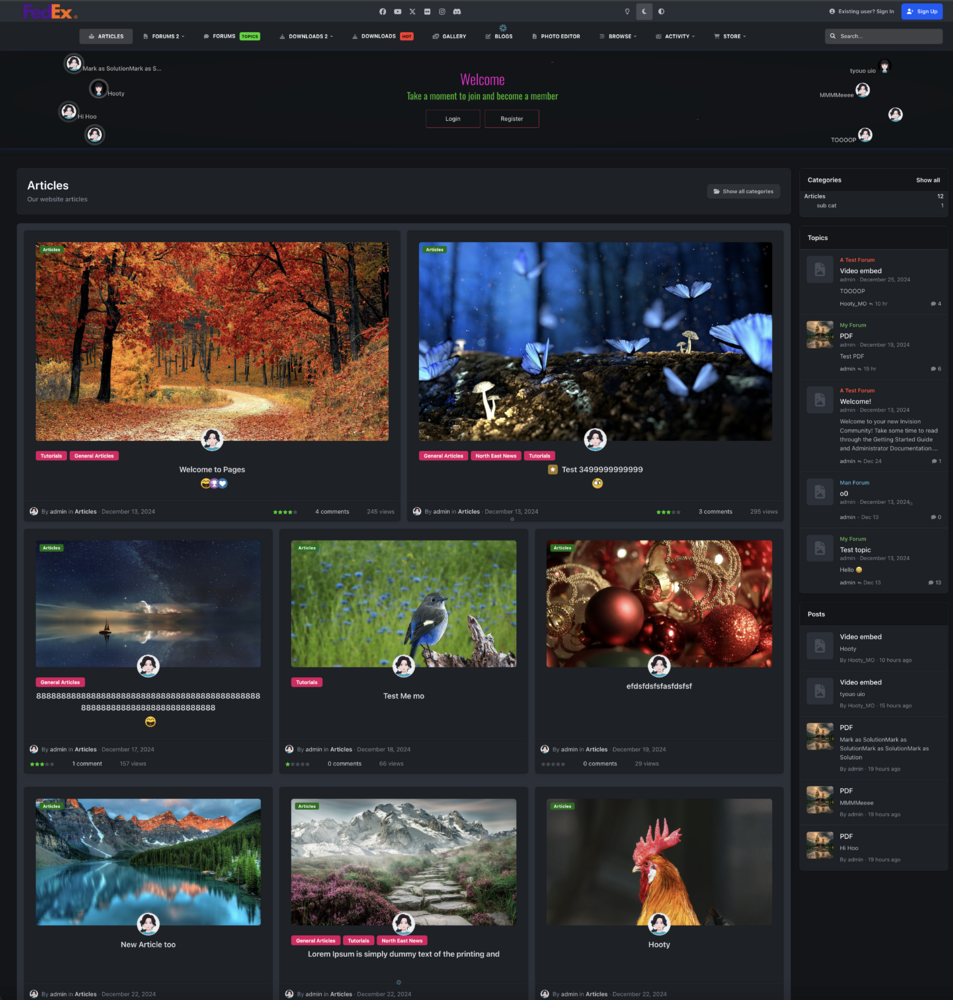
With a bit of default template code rearrangement and some CSS edits I have my Pages article page displaying like this.
-
You can have the online status showing in the whole IPSv5 suite, in the forums, private messages and all the location where members comments. This is pretty cool, such a great feature shouldn't be hidden 🤗. You only need to create a simple app to hook the default author online status code to the comment wrapper template. Activate IPSv5 dev mode and use the code below to hook into the commentWrap {{if $comment->author()->isOnline() AND ( !$comment->author()->isOnlineAnonymously() OR ( $comment->author()->isOnlineAnonymously() AND \IPS\Member::loggedIn()->isAdmin() ) )}} <span class='ipsEntry__author-online' data-ipsTooltip title='{{if $comment->author()->isOnlineAnonymously()}}{lang="online_now_anon" sprintf="$comment->author()->name"}{{elseif $comment->author()->isOnline()}}{lang="online_now" sprintf="$comment->author()->name"}{{endif}}'></span> {{endif}} Settings to use in dev mode app creation. Online status on all the comment areas and in the private messages.


-
The CSS code will make the online status pulse/flash like the hover card online status. /* Author Online Status */ .ipsEntry__author-online { border: 1.1em solid hsl(113deg 76.22% 37.79%); animation: ipsOnlineStatus 1s infinite; border-bottom-color: transparent; border-inline-end-color: transparent; display: block; }
-
Looking through the online status code, I see that V5 has a build in online status for the forum post but the feature is disabled by default. This is a cool feature, I'm wondering why it was hidden with CSS? It can be activated with this CSS code. /* Author Online Status */ .ipsEntry__author-online { display: block; }

-
It was posted that the TipTop editor has only seven different font colours because not all font colours display clearly in both light and dark modes. If regular members could select font colours incompatible with light and dark modes, this could cause page viewing issues. This is true. However, the admin or a content publisher should have the option to choose any colours they need. Besides the seven available colours in the editor, many more colours can be used in both light and dark modes. Colours are essential for illustration and content creation. My content creation is now restricted by only having seven different colours in the editor with which to create. The colour picker palette option can be assigned to the ACP editor permission settings, giving access to a chosen group. Other customers also mentioned the issue of only having seven font colours in the editor. I hope you can reconsider your stance and give us the option to have a colour picker palette from which users can create any colour they need. Example. This pop-up dialogue was created in IPSv4 Ckeditor using the standard red colour. The bright red text "Restricted Access!" clearly illustrates the message's purpose. The brighter red font looks much better than a pale red colour and displays clearly in light and dark mode. This pop-up dialogue was created in the IPSv5 TipTop editor using the one red colour available. As you can see, this red colour is pale and not vibrant, and it does not correctly illustrate the message's purpose as I Intended. I see on the TipTop website that the editor's font colour list can have colour swatches and a colour picker palette, from which users can create any colour they need.


-
I see this Table of Contents extension on the Tiptop site. Can this feature be implemented in a forum Post or Pages app article to have a Table of Contents on the page? TipTop Creating a table of contents in a Pages article would be cool and helpful.

-
Can I push it as well 😍. Can we also have a theme template hook target for the Blog template "Section class, i-padding_3"? I would like to add the "Add message green box" below the blog post and not at the top of page, then hide the original message box with CSS.

-
Ignore this post, embedding an mp4 video link from the base URL does work, but I can't extend the HTM5 player width past a small size. I will submit this as a bug.









