


beats23
Clients
-
Joined
-
Last visited
Everything posted by beats23
-
Is it possible to embed video links, for example https://My-Website.com/uploads/videos/my_vidio.mp4 via the Tiptop editor? If not, can this be added to the editor?
-
On the user profile page and in Pages articles, we have the option to "Reposition cover photo". Can we also have this option to reposition the Blog app cover photos? This option is needed for correctly/evenly displaying the cover photos on blog entries. Pages app articles can reposition cover photo. Blog app entries cannot reposition cover photo.


-
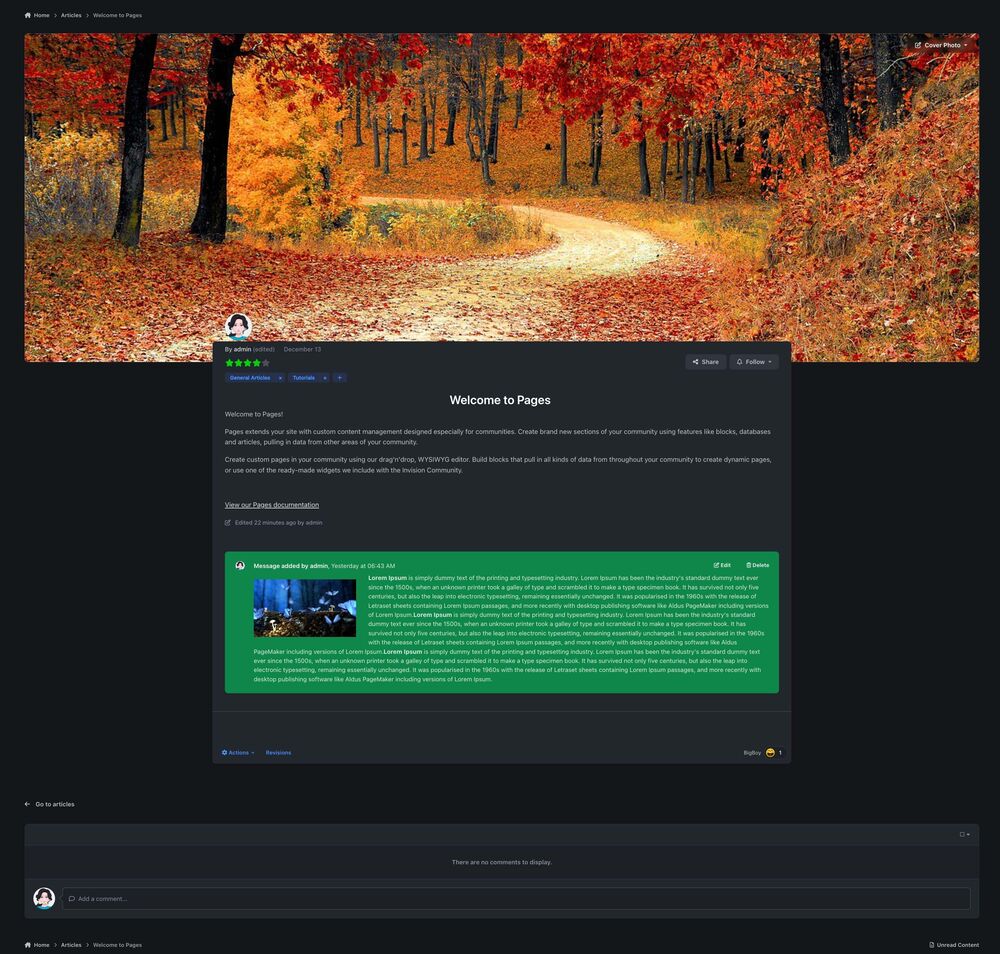
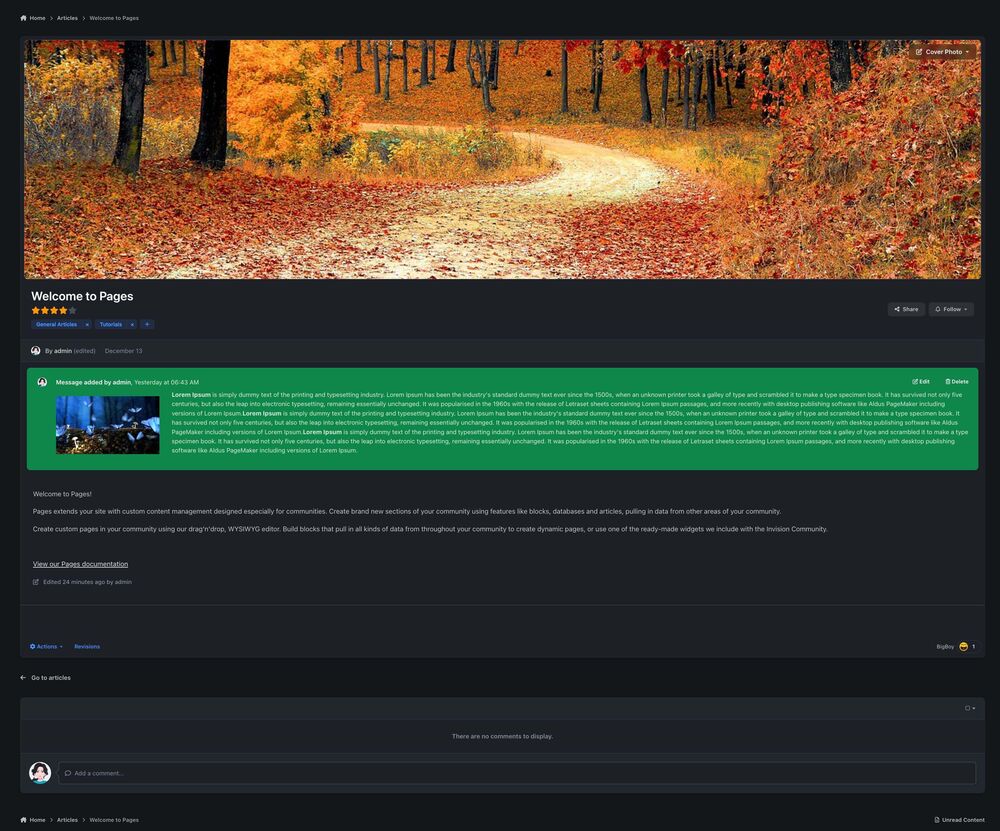
I like the new IPSv5 Pages record display template, it works very nicely with some of my Pages databases, but I wanted a unique in your face looks for another database, I reorganise the Pages display template code to fit my needs. I like the new "Add message" option that was added to the record action setting in IPSv5, which adds that green message box to the article record, it looks very nice 👍. My Pages display template edits. Default Pages display template.
-
Is there a settings that can allow rich style paste in the new IPSv5 Tiptop editor?
-
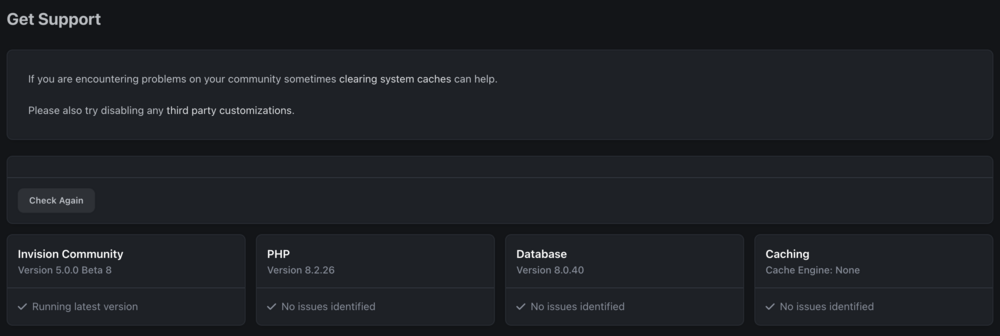
My install wasn't installed or updated today.
-
The patch not showing up.
-
This beta-8 seems to have a lot of things that were working now broken.
-
Maximum embedded content width has a bug, embed size doesn't update properly when that settings is set. Fix should come in next release I think.
-
That would great. Imagine waking up early on Christmas morning to find that Santa has left IPSv5 present under the Christmas tree 🎄.
-
Nice 😊.
-
Thanks, that fixed the first error. No luck with the other error.
-
I install Beta6 on a copy of my live website. When I try to display a Pages App article, the web page is blank and gives these two errors. Do you have any idea if the issue is a bug? [[Template core/front/global/widgetArea is throwing an error. This theme may be out of date. Run the support tool in the AdminCP to restore the default theme.]] [[Template core/front/global/sidebar is throwing an error. This theme may be out of date. Run the support tool in the AdminCP to restore the default theme.]] Error logs.
-
The pay-to-view (pay-to-access areas in the forum and page app) feature was mentioned a few times by @Charles. I can't find the threads. In the April release live chat, I asked if the feature was coming to IPSv4, and Charles said it's part of a commerce update you're working on for IPSv5. You can see Charles's response in the YouTube video.
-
True. It takes 100 cents to make a dollar, which means every cent counts, no matter how small. I'm 100% sure your company would make extra income by offering extra features, such as your course app, to classic customers.
-
Great stuff. Thanks 🙏.
-
The new dark mode, mobile theme, front-end theme builder, menu system, and all the other new features in the classic package are excellent. Imagine if those features were for cloud-only 😃. It was stated in the beginning that IPSv5 would have features like paying to view a forum topic. I don't see any pay-to-view features announced. Are those features still coming in the classic package?
-
The default user nav looks like this. I want the user nav to look like this. I think I can do it by hooking a rearranged user nav code to the user nav template in Dev mode and then using CSS to hide the original user nav. Is there another method I can use to achieve this mod?


-
Ok I add it to the bug report section.
-
Also "Maximum embedded content width" settings in the ACP is now working properly. The size does not update for iframe when the settings is saved.

-
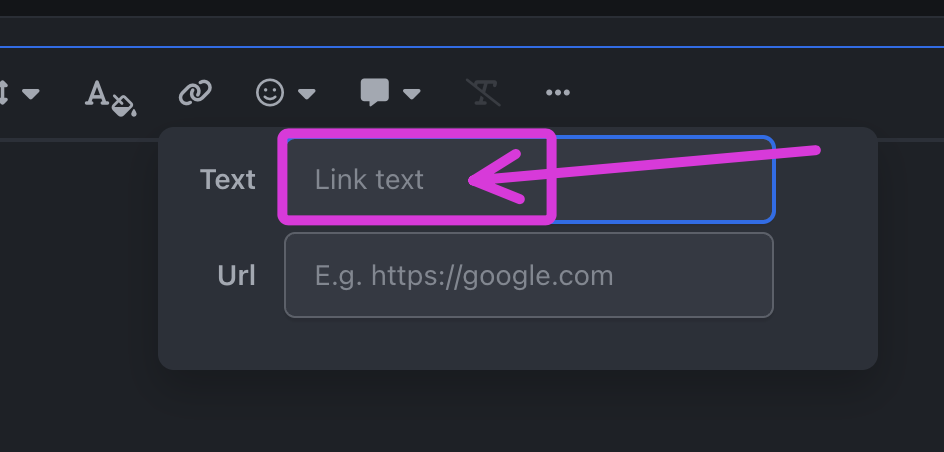
OK, so this could be a bug. Yes I had that too issue too. That error happened if no text is typed in the "link text" tab.
-
When I try to iframe this web link below, it displays in the editor. When I save the comment, the link does not save to the post. See attached images below. Can someone check if they can iframe this web link? https://www.calculator.net/hex-calculator.html?number1=68cf&c2op=%2B&number2=1&calctype=op&x=66&y=22 The iframe weblink shows in the editor. When I save the forum post, the iframe is not saved. The iframe domain is set to allowed in ACP.


-
Many font colours that is not in the editor can work fine with light and dark mode. Fonts can be set to bold to display lighter font colours. We should be able to choose whichever font colours we need and not limited to the few. Brown in dark mode.

-
Please add more colour options to the editor. I need my Pinks, Blues and Greens to be brighter. Also there is no brown. More_Colors_Needed.
-
I get this same error too for beta 6 update for beta 5.

-
The car I bought and will drive until it expires is the classic bright red self-hosting convertible. I used to want every new paintbrush on the scene, but over the years, I realised I didn't need them, as all my old paintbrushes can still do an excellent job of creating beautiful paintings 🙂.













