


Everything posted by beats23
-
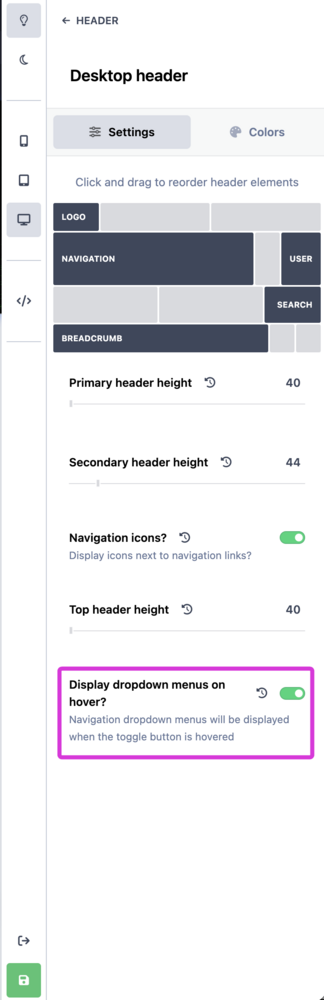
Do third-party apps created for 5.0.20 stop working in 5.1.0?This is a great feature that I will be trying out. One thing I need to know is: Does the matrix also work for the guest user group? Will I also be able to limit and display the allowance "topic remaining" tab and the limit reached mesage for the guest user group?I, too, prefer the 5.0 hover to display the mini profile and reaction tab on a desktop. In the year 2026, 99% of people prefer to do less clicking to achieve things. Hopefully, a third-party dev will create an app that restores hover to display mini profiles and the reaction tab. All the other new features are nice.May also need the option to add the event ticket purchased from the IPS to the Apple Wallet. Make possible, or possible make?Will it be possible to use a mobile app to scan and validate an event ticket purchased from the IPS store at the event's gates?Where do I go to change the navigation drop down settings to hover? Ok, I found it.
 Apparently, the cover photo is much easier to change with this CSS. .ipsFallbackImage::before { background-image: url('https://yoursite.com'); mix-blend-mode: inherit; }Hi, @Ehren is it possible to get the CSS code to also change the default profile cover photo? I modified your code above as shown below, but I can't get it to work. Thanks /* Replace default_photo.png avatar */.ipsCoverPhoto__container:has([src$="default_photo.png"]){ background-image: url("https://site.com/avatar.png"); background-size: cover; } .ipsCoverPhoto__container:has([src$="default_photo.png"]) img{ display: none; }I did think about that, changing the file permission to read only. But I don't know if doing that would cause any issues with the IPS installer during an update.How did it happen? Did your forum members post over 1,000 comments with iFramely embeds in 24 hours?I'm just wondering. If for any reason Iframely change their stance in the future and stop offering this service, say for example, like that "Photo bucket" company, will all the Iframely links posted on the website become dead links like "Photo bucket"?Iframely Integration is nice.Thank you very much. I truly appreciate it 👍.This is what I've been doing for the past months. The only issue with this method is that every time I update the IPS software, my custom avatar image gets overwritten again with the default one by the IPS software installer. The default guest avatar file is: core_84c1e40ea0e759e3f1505eb1788ddf3c_default_photo.png and located in this folder: public_html/static/resources/84c1e40ea0e759e3f1505eb1788ddf3c_default_photo.png I tried to figure out the CSS from the code above, but I can't get it to work. Does anyone with CCS knowledge have the CSS code to change the default guest avatar to a custom photo? Can you post the exact CCS code I can use to achieve this? Maybe @Ehren can help with the needed CSS code?Can you give an example of the CSS code that can be used to achieve this?I too have the same issue, and I want to add a new photo to be shown for the guest avatar. The info posted by Gary does not do this.I do not have a setting in the constant.php file to use beta on my live website. However, I get a notification in the ACP telling me to install this beta.
 Yes. Do grant the admin the ability and authority to override the PDF file iframe restrictions, accompanied by a clear warning about the implications of this action. I'll wait some more for a solution👍.Embeing a PDF file, for example, https://my-site.com/uploads/pdf_files/radio-manual.pdf in the editor. The PDF file will not display due to default sandbox restrictions set my IPS dev for PDF files. It was mentioned that IPS was looking into it. Five releases have passed, and I see no mention of this issue or a solution. Having an update from IPS about embedding PDF files with the editor would be nice. This issue restriction is causing a lot of grief on my website. This is what the PDF file looks like in the web browser when embedded with the editor.
 Bump.Will the option to embed PDF files with the editor be released soon?Ok Thanks 👍.I see this in v5.0.1 update: #3539: Better iframe allow attribute handling However, I still cannot embed PDF files and Apple Music share links. I do not see any changes made to the iframe sandbox allow attribute. It looks the same as before. <p></p><div class="ipsEmbeddedOther" data-og-user_text="f"><iframe src="/uploads/pdf_files/radio.pdf" class="ipsRawIframe" sandbox="allow-scripts allow-same-origin" allowfullscreen="" loading="lazy"></iframe></div>





