


beats23
Clients
-
Joined
-
Last visited
Everything posted by beats23
-
The plan is to put all the best new features in the more expensive cloud package.
-
Yes, modern and professional looking reports. Thanks
-
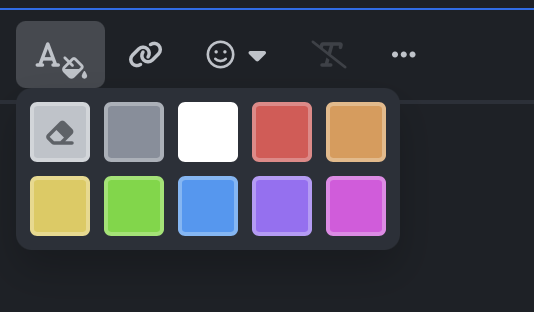
How do I add more text colours?
-
No, I meant when will we be able to use \define( 'USE_DEVELOPMENT_BUILDS', true ); in the constant.php file, so v5 beta version can be automatically installed from the ACP.
-
Pasting the upgrade files to my local MAMP folder gives issues on Apple Mac. When I paste the files I get an option to merge folders which I chose, then I chose overwrite files, but some files get deleted in the process.
-
I'll wait until the beta can be installed for the ACP. Any idea when will the v5 beta can install from the ACP with automatic upgrade?
-
No luck with manual update. I get this error. [14-Oct-2024 07:45:14 UTC] PHP Warning: require_once(../init.php): Failed to open stream: No such file or directory in /Users/booty/Sites/test45/admin/upgrade/index.php on line 14 [14-Oct-2024 07:45:14 UTC] PHP Fatal error: Uncaught Error: Failed opening required '../init.php' (include_path='.:/Applications/MAMP/bin/php/php8.2.20/lib/php') in /Users/booty/Sites/test45/admin/upgrade/index.php:14 Stack trace: #0 {main} thrown in /Users/booty/Sites/test45/admin/upgrade/index.php on line 14
-
Hi, I want to update to v5 beta on a backup of my website. I add \define( 'USE_DEVELOPMENT_BUILDS', true ); to the constant.php file, but the beta is not showing in the ACP. How do I update my website copy?
-
Yes the new page builder looks very nice. I really want to take a slice. Without rolling the dice. IPS v5 is my first choice. Well done folks. Love the new page builder 😍😍😍😍😍😍.
-
The ability to resize the Iframe externally to my liking is a nice touch, thanks 🤩🤩🤩🤩🤩🤩. Keep up the great works.



