Daniel F
Clients
-
Joined
Everything posted by Daniel F
-
Yes, the same bug affected several areas
-
Thanks for the confirmation.
-
Make sure that following setting. in your ACP => Community => Calendar - Settings is disabled That said, we have fixed/improved this for 5.0.9 :D

-
Thanks, I've located the issue and have created an internal bug report for this.
-
Have you uploaded the files manually or via the ACP?
-
There's an invite members link in the menu

-
Which method are you using for tasks?

-
Thanks, this should be removed with the next upgrade.
-
You can download the dev files from the same modal where you can download IC5

-
It was already said in the topic, but it seems some missed it:D Just to clarify something because you've mentioned "contact us" several times => the built in CONTACT US option which sends an email to the admin or to predefined email addresses is still here, only the support ticket requests which were part of IPS4 Commerce were removed in IC5! (Edit: Just a hint: We're using here an external URL as target, but you can try it on https://ic-essentials.com where it will open the contact us form


-
It's safe to ignore this.
-
onCreateOrEdit works here too \IPS\downloads\File::processAfterNewVersion $this->ui( 'formPostSave', array( $values ) ); /* Fire event for listeners */ Event::fire( 'onCreateOrEdit', $this, array( $values ) ); Webhook::fire( 'downloads_new_version', array( $this ) );
-
Yeah, your vkid 3rd party login handler isn't compatible with the current version.
-
Do you see any errors in your system log / server log? From my last days experience it's caused by old v4 applications which have left some deprecated extensions on your filesystem.
-
IN_DEV is not available on cloud, which we already answered here, and for self hosted you would download the files from your client area and then upload them to the same directory where your community is.
-
Had you any custom redirects in place, or did you just leave all the dead links which returned only a 404 response?
-
That's probably not possible at the moment. Can you clarify what you're trying to achieve, maybe we can come up with a solution?
-
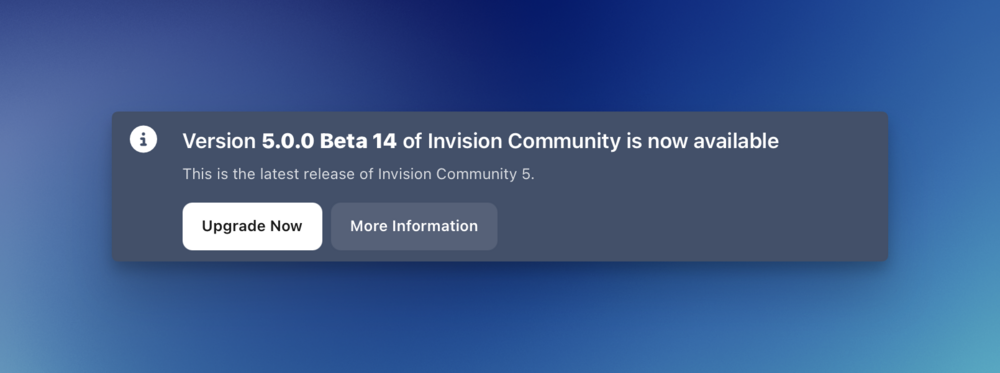
What's wrong with visiting your ACP just clicking on "Upgrade Now" ?
-
Have you probably translated some language strings recently? Does it happen with a new language?
-
Are you meaning plugins or applications? If you’re really talking about plugins, where are you seeing them? I’m now aware of any place where they would appear in IC5! Outdated applications are still little bit WIP and we have an open bug report for this issue, because they trying to delete them results in an error.
-
Daniel F replied to ClawOfWinterfell's topic in Invision Community 5: Beta Testing's Beta DiscussionTo fix this without disabling REDIS, just add following to the constants.php file of your dev instance and then clear the system caches via the ACP => System => Support site const SUITE_UNIQUE_KEY = 'FooDanielFe243dasdsadsai32'; I have reported this as bug, so that we improve this for a future version.
-
Daniel F replied to ClawOfWinterfell's topic in Invision Community 5: Beta Testing's Beta DiscussionAre you probably using Redis? Maybe your SUITE_UNIQUE_KEY is the same on both instances, I've seen this happening few times when people use the same downloaded file package.
-
Couldn't you use the HTML widget in combination with the code posted in ?
-
This really shouldn't make any difference. An upgraded site won't load anything different to a new installation. The same templates and same JS & CSS files will be returned, it may have some slower DB queries on really really big communities compared to a new, empty installation, but that's all
-
This was answered already in another topic, but leaving the link here too