


Marc
Invision Community Team
-
Joined
-
Last visited
Everything posted by Marc
-
We have had suggestions for this feature. We dont tend to announce roadmaps however.
-
This is what you are looking for I believe 2025-02-10_08-12-53.mp4
-
The use of tags can be by anyone who has the permission set within their group. The creation of tags can be done only by admin.
-
And your site looks good for it, I must say
-
You should always be doing "merge". So overwriting only files which already exist. It shouldnt be deleting any files/folders They will come eventually, but in the meantime, you may find these helpful in getting started https://invisioncommunity.com/developers/devblog/blog/
-
There is really no need
-
You are currently using a legacy package. In your client area, under your licence, you will have the option to convert to community classic. This allows version 5.
-
It would be the same as any other manual upgrade. So upload a fresh set of v5 files over what you have, and then run the upgrader from /admin/upgrade. Of course, you should fully backup database and files before you begin
-
You need to upgrade manually to version 5 if you wish to get the v5 release :)We would not announce in advance a roadmap, as these are often subject to change. We hear your feedback though, and have many plans for changes in these kinds of areas in coming releasesYou would need a classic self hosted license in order to build applications, yesThe topics you are looking at are from version 4. Version 5 has a widget which you can add, named "folder navigation" it would be worth you looking atDev is not available on the cloud platform.Please ensure you have converted to community classic within your client area in order to download version 5 I have answered your ticket there, but this is the image scanner. Try switching that off to get them uploaded. I will get a bug report in for that though As with above, lease ensure you have converted to community classic within your client area in order to download version 5Damn... Ryan beat me..... Again
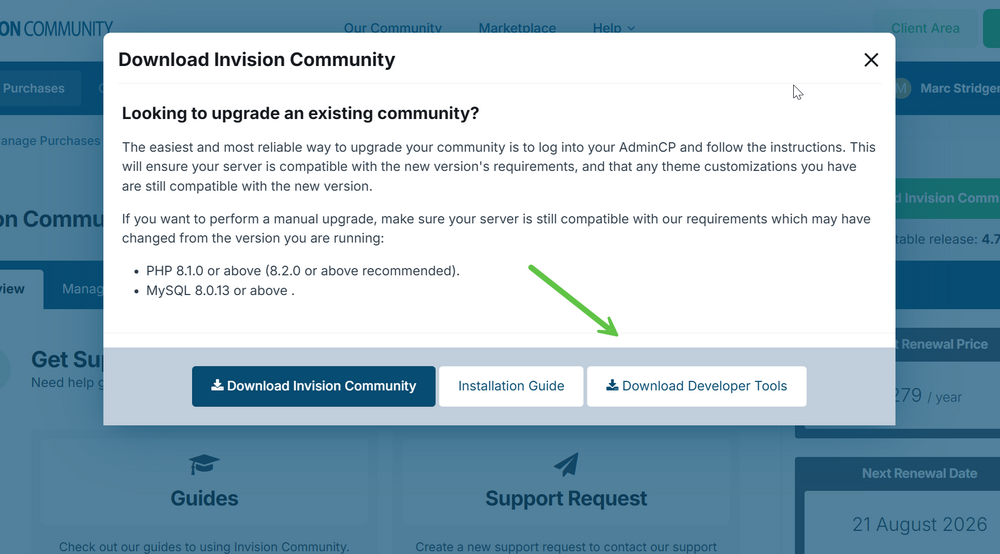 When you click, you will get to read through the details of what is involved. If you are happy, check the box and click go. At that point, it will apply the files and you will go to /admin/upgrade to complete the upgrade as normalI started that wayIts a different number, if that counts?We have it on our list, thanksTaking a look, you dont look to have reverted to the backup done prior to your original upgrade. You need to restore to that backup first of all. If thats then not working, we need to look from thereIf you were doing something like that, you would actually use forums with those names, along with fluid view. If you only wanted to use tags, I guess you could dump everything in one forum if you wanted to do so. But they have to belong somewhereWe would need to look further into this for you, however the access details on file appear to be incorrect or missing. Could you please update these details by visiting your client area, selecting the relevant purchase, then clicking "Review/Update Access Information" under the "Stored Access Information" section. We look forward to further assisting you.Excellent. Thank you for letting us knowIf you attempt again, are you getting the same issue?





