




Matt
Management
-
Joined
-
Last visited
Everything posted by Matt
-
 There are many different reasons to build a community. It might be based on your business or a hobby. It may be to talk about your favourite sports team. Whatever the content, the key to success is to engage your community. We've been helping successful communities for over 15 years. During that time, we've picked up a handful of tips that we are going to share with you today. Pick one to try this week and let us know how you get on. Welcome every single member A great way to make members feel welcome at your community is to post a daily or weekly topic welcoming your new members. Post a short message asking them to introduce themselves and tag new members. This will encourage them to start a discussion that others can get involved with. It won't be long before friends are made and what may have been a passing member will be part of your core community. Host a "lurker week" Every few months, host a "Lurker week" where you encourage non-posting members to join in. You can explain the benefits of the community and encourage them to say hello. It's a great way to get people to introduce themselves. Suzi Nelson pioneered this over at Digital Marketer. She created a lurker themed week and was able to activate 44% of her previously inactive members in only five days! Spotlight members you want others to model Often you will see a member do something amazing in the community. Maybe they posted a really good question or perhaps they have been very active and helped many other members. Create a topic about it. Highlight how and why they are an asset they are to the community. This sends a positive message to other members that these kinds of actions will be celebrated. You can even turn this into a weekly or monthly ritual where you celebrate the member of the week or month. Educate about notifications The notifications system in Invision Community is the best way to get return visits. Why not put up a pinned topic in a visible area reminding your members how to get the best from the notification system, and asking them to enable them and follow any interesting forums or topics. This way they won't miss out of any discussion while they're away and as a bonus, they're more likely to return to catch up. Regular Interaction This is a very simple but often overlooked tip. As the community manager your purpose is to facilitate discussion. Make sure you show up regularly and create new discussions as well as reply to existing ones. People are more likely to post if they feel they will get a reply. Often your reply will send off a cascade of more interaction as different facets of the conversions come out. Ask for feedback Members love to be involved in brainstorms and to share their thoughts. Asking for feedback works on two levels. You get great ideas on how to improve your community. It is also a great tactic to get discussion going. Taking action on feedback makes that person feel more invested in your community and will champion it to others. Try and be specific when asking for feedback. Try "How can I increase the level of activity" or "Do you need any articles or topics written on specific subjects". The more specific, the easier it will be for your members to narrow down their thoughts. Be persistent These tips might give your community a short burst of engagement. To build a long lasting and highly engaged community, you have to be persistent and keep at it. The key to building a community is simple: put in the work and care about your members. If your members see how much you care and that you are showing up every day, they are more likely to show up too. Which of these tips are you going to try this week?
 -
 We've recently spoken about how we've brought our Gallery and Blog apps up to date with interface overhauls to bring them inline with the high standards our customers expect. Keeping this in mind, we're thrilled to announce that we've taken Commerce right back to 2009. This needs an explanation. Way back in 2009, Obama was inaugurated as the 44th President. Minecraft was put into beta, Slumdog Millionaire was released to critical praise and we had a product called IP.Subscriptions. IP.Subscriptions was a lightweight member subscriptions manager that allowed members to purchase elevated permissions via a user group upgrade. It was a fine little app. However, on the horizon we had a brand new eCommerce app in development. Then called Nexus, now called Commerce (we took months to come up with that). It made sense for us to merge the products into one app given they both had overlapping functionality. They both could create packages to promote members to a new user group. Commerce was much more developed as an invoicing and billing system. Everyone was happy. Almost. Commerce has grown to be an incredibly powerful app. It can sell anything from physical products like t-shirts, to digital products such as license keys and it can even manage your hosting set-up. We use it for our support and billing systems, so we know how robust it is. While it's an incredibly powerful commerce system, setting up basic subscriptions packages became a little more complex. Over the past few years we've received a lot of feedback on this. We've listened. Commerce Member Subscriptions We've built a brand new section into Commerce specifically for membership subscriptions. Let's take a look at this in more detail. On the front end, there's a very clear and easy to understand page for membership subscriptions. The main subscriptions interface Here you can see all the available packages, which one you're currently subscribed to and the upgrade and downgrade options. A simple way to upgrade There's several choices for costing upgrades in the Admin CP, here we have chosen to charge the difference between packages. Get to your subscriptions easily Your subscriptions are easily found in the user menu. If the Admin allows, the package you're subscribed to appears as a badge on your profile. There's also a little widget showing the packages which you can drag and drop to the sidebar for an additional prompt for non-subscribers. This gives Invision Community a very clear and easy to understand interface for subscriptions which lives outside of the Commerce store and its packages. Now, let's dive into the Admin CP The main engine for this feature is the package list. This is in a separate area within Commerce. The list also shows the number of currently active and inactive subscribers. This links to the list of subscribers. Other than Bob having a total nightmare, you can easily view which members are currently active. The buttons link you to the Commerce invoice and purchase. If you wish to add a member to a subscription without charging them (you generous soul, you), then that is easily possible. Creating a new subscription package is very straight forward. We've built a new form which is stripped down to the fundamental items you'll need for a subscription. As you would expect, there are several settings to control the system. A few things worth mentioning here: You can force new members to purchase a subscription on sign-up You can show or hide the profile badge indicating which package they purchased. You can choose to allow upgrades or downgrades. You can choose how you'd like to charge for upgrades or downgrades Thank you to everyone who has provided feedback over the years. We're really pleased to present this new feature and hope that it'll make your daily lives just a little easier. Let us know what you think!
 -
 This month, we turn sweet sixteen! We made our own card this year. I know, it's hard to believe with our youthful looks and energetic personalities, but it's true. Charles and I have known each other longer than I've known my own children and we still make each other laugh on a daily basis. Over the past 16 years we've seen a lot of trends come and go. When we started, AOL dial-up was the preferred method of choice (and probably the only method of choice). Compuserve were flying high and I think I'll stop this walk down memory lane before I turn into my own grandfather and start talking about how things were better in my day. A lot has changed. We've seen the rise of social media and how it disrupted habits. We've seen MP3 players become iPods, and iPods become iPhones and iPhones become iPads (other digital devices are also available). It's crazy to think that our company pre-dates Facebook, Twitter and Youtube. Click on this image to see it unless you have excellent eyesight We're still here because we are always innovating and adapting. The software we're working on right now is vastly different from the one we started out with. And that is how it should be. We listen to our customers and we implement the great ideas. Of course, we'd not have lasted a year without our customers. We're genuinely thrilled to still be doing a job we love and serving customers who have trusted their community with us. Thank you all for choosing us and we're looking forward to the next 16 years.
 -
 Social media promotion should be a part of any marketing strategy. Curating interesting content from your community and sharing to social media channels like Facebook and Twitter is a great way to drive traffic to your site. Invision Community 4.2 introduced Social Media Promotions to allow this. You hit the promote button, fill out the text to share with each service, click which photos to include and schedule the promotion or send it immediately. We use this feature almost every single day to share highlights to our Invision Community Facebook page and Twitter. This feature has had a significant impact in attracting visitors to our blog. This is now a core part of our marketing strategy. So what's new in Invision Community 4.3? Facebook Groups and Pages A popular feature request was to allow sharing to Facebook groups that you are an administrator of, as well as Pages you own. Not only that, but we now allow you to share to many places at once. When setting up Facebook, you can choose which Facebook properties to be used when promoting. When sharing content, you can choose where to share it to right on the dialog. Here you can see that we're sharing to two of three possible places. "It's a secret" is a Facebook Group (which makes it a pretty poor secret). The "Lindy Throgmartin Fan Club" is my favourite page on all of Facebook. What it lacks in members, it makes up for in enthusiasm. You may also notice that the Facebook box is empty. Facebook have very strict guidelines on sharing content. They prefer that you do not auto-populate the content. You can always access the item's original content on the promote dialog, so you can refer to it. Setting a custom page title When you share to social media channels, you also have the opportunity to add to the 'Our Picks' page. We've made it possible to add a custom title for the Our Picks page so you don't have to use the content item title, although this is still the default. Editing an Our Pick When editing an item shared to 'Our Picks', you now have the option of editing all the data, including the title and the images attached. The Our Picks page showing the custom title Thanks to your feedback, we saw several places that we can improve this already popular feature. We hope you enjoy these changes which makes your social promotion strategy even easier to execute. I know we'll be making good use of them!
 -
 What an exciting month we've had! The big news is that it's all systems go on Invision Community 4.3, our big update to our apps. We've already talked about Automatic Community Moderation, Emoji, Sign in from other sites using OAuth, blog updates, Scaleable search and interface improvements, Apple Pay (and more) support, Paid club memberships, and other club improvements and massive gallery updates. Our team take a short breather to discuss their hidden talents, including the ability to solve a Rubik's cube in under two minutes. In our community management series, we look at how you can brand your Invision Community in just a few minutes without knowing how to code. This month's featured articles are: You can see our full newsletter here.
 -
 We're a cool bunch here at Invision Community. You'll see us around answering support tickets, posting in our community and writing cool new features and hilarious blogs. But, you won't see what we get up to in our spare time. This month, we asked the question "What is your secret talent?" To which Andy replied "I can't tell you, it's a secret" making me rephrase the question immediately. Without further ado, lets dive in. Andy Millne (Developer and owner of quick comebacks) I can fly a plane, a desire that started as a child being allowed to occasionally take the controls of my parent’s light aircraft. This was then rekindled when the same aircraft fell into disrepair and was in need of restoration and I had the disposable income to take lessons. Unfortunately this is a very expensive hobby and not really one I can still justify though I occasionally fly with friends when possible. I can also fly model planes and helicopters but I’m almost as talented at crashing them as I am flying them. Luckily that skill hasn’t transferred to the real thing. Editor: Andy lives in a different league to the rest of us. Mark Wade (VIP Developer and owner of scathing put-downs) I can solve a Rubik's cube in under two minutes. Editor: Pfft. Depending on how well the stickers are adhered, I can solve one in under a minute. Brandon Farber (Developer and owner of impressive tools) I don't know if I'd call it a talent, but I enjoy woodworking when I have time. I built a swinging day bed for my wife out of a couple of pallets and some misc wood and hardware, I screened in my back patio last year, I built a coffin for a Halloween party, and I built a desk two days before Christmas for my daughter as some recent examples. Right now I'm in the middle of building some planter boxes for our front porch. Editor: I made an ash tray for my mum in school once. She loved it, even though she has never once smoked. Desk v1.0 Daniel (Developer, T2 Support and Banksy protege) My secret is art. I used to paint art in the streets of Vienna in summer. Editor: If Daniel needs to work the streets to make ends meet, we should probably give him a pay rise. Daniel painting One of Daniel's creations Jennifer (Designer and owner of cool costumes) I do custom cosplay for myself and my family and I like to make digital space scenes in photoshop. Batman was not created by Jennifer Editor: Our legal department would like to point out that Batman was co-created by Bob Kane. Ryan (Developer and owner of short hair) I have an old one I can't really do anymore - I used to be able to do a pretty close Donald Duck impression. I've forgotten how to do it properly, though. Editor: Interesting thing to share. Ryan has many talents. He can play guitar and bass. He looks a bit like Ethan Hawke. Yet he chose to share the fact he can do a Donald Duck impression. Marc (Support and owner of things on wheels) I'm very good on skates (quad skates, not this inline stuff people do now). Me and my cousin used to do freestyle speed skating and half pipe. Stopped doing so once I got to an age whereby I was breaking things more than bouncing. Something I miss doing, so much so that I still have my skates, even though I haven't been on them in about 20 years. Editor: This is probably not Marc. That's enough from us. To be honest we were all blown away when we learned that Daniel was a secret street artist and he paints amazing pictures. We'd love to hear what your hidden talents are. Let us know below!
 -
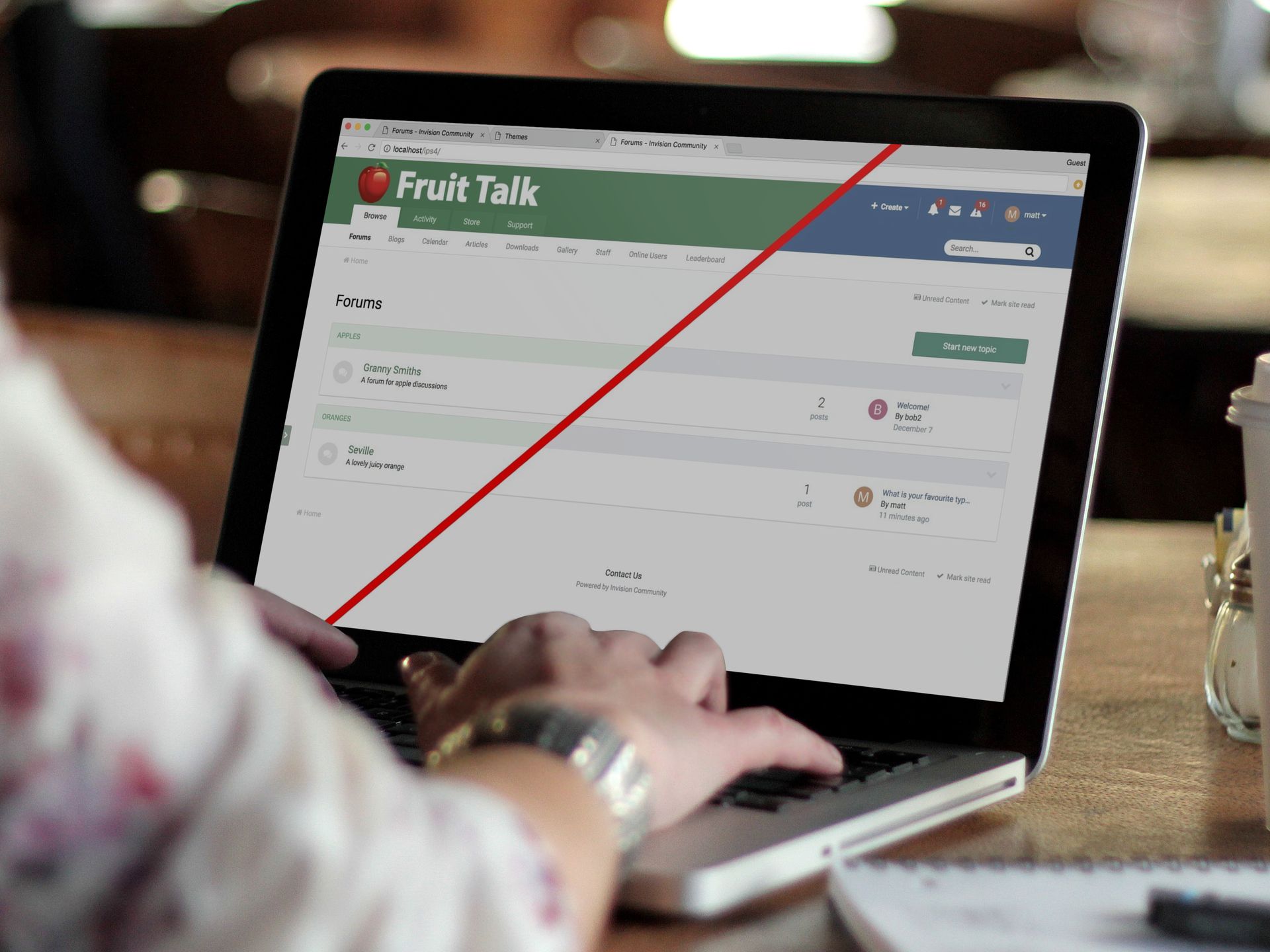 One of the advantages of running your own community is that you get to control the branding. Branding is important as it defines and re-enforces your customer's experience. Branding also promotes recognition, it sets you apart from your competition and it provides motivation and direction for your staff. Invision Community has many built in tools to change the look and feel of the community. If you are a savvy coder, you can dive right into the HTML and CSS templates to create truly unique themes. You might also look at an off-the-shelf theme from our marketplace. There are some great themes you can use as a base for your branding. Easy Mode Editor One tool that is often overlooked is the Easy Mode Editor. It's a great way to make some simple changes to reflect your brand's identity. It offers a great deal of control, but I want to show you how you can brand your community in just a few short minutes without knowing a line of code. The presentation below takes you through creating a new Easy Mode theme, and using the Easy Mode Editor on the front end to dynamically change the colours. You'll also learn how to upload your logo. How to brand your community presentation Email Branding Another area to consider is outgoing emails. Invision Community leverages emails for notifications, as well as the bulk email system in the Admin CP. These emails look fine by default, but adding your logo and primary color re-enforces your branding. The presentation below shows you the few simple steps needed to brand your emails. How to brand your emails presentation As you can see, Invision Community offers simple tools to change the look of your community without knowing how to code. We hope you find this useful. If you have any questions, please let us know below!
 -
 Good news! We've taken Invision Community's Blog app by the scruff of the neck and dragged it into 2018! There has been a growing trend for imagery to play a very important part of a blog entry. This update reflects that. Introducing Grid View We have added a new view that shows your blog entries as cards with space for a cover photo. We've very visual creatures, and a good photograph can entice readers into your blogs to read more. As you would expect, you can disable this mode from the Admin CP for purists that prefer the traditional list format. For those who's sense of adventure runs deep, the new grid mode allows you to show a list of latest blog entries as the blog home page. This puts valuable and engaging content right in front of your audience. This list view persists when you view a blog's entries giving a consistent feel. Viewing an entry We've given the blog entry page a little make-over by featuring the cover photo above the content. The slimmed down blog details bar allows your audience to focus on the content. Default Cover Photos You may have spotted that entries without a cover photo have a rather fetching geometric pattern in different colors. This is a new micro-feature of Invision Community 4.3. Currently, if you do not have a cover photo on a blog, profile or event, the bar is a rather sad shade of black. The new default cover photo feature makes it much more cheerful. Here's what a profile looks like. Much better. Here's a few technical details for those that love to know all the things. The grid view feature can be turned off in the ACP (but doing so will make me very sad) You can choose the default home page view: Latest Entries or List of Blogs. You can still view a list of blogs when you're on the latest entries page. This choice is stored in a little cookie (GDPR friendly, it doesn't contain any identifying data) so navigating back gets you the last view you chose. Let us know what you think! We love it, and hope you do too.
 -
 One huge benefit of running your own Invision Community is the moderation tools. Out of the box, Invision Community allows you to turn members into moderators. Better still, you can define what these moderators have permission to do. Part of this moderation suite is the report system. The report system allows your members to flag posts that need a moderator's attention. There comes a time when your community is so successful that it can be a little tough to keep up with all the content and reports. Community Moderation This new feature leverages your member reports to automatically remove objectionable content from public view. You as the admin will define thresholds for the content. For example, you may say that to hide content, a post needs 5 reports. This reduces the workload for your moderators and enables you to crowd source moderation. Let's take a look at this feature in a little more detail. Reporting Content When a member reports a piece of content, they now have the option to set a type, such as "Spam" or "Offensive". These options can count towards the threshold. Once the threshold has been passed the item is hidden. The threshold can be set up by creating rules in the Admin CP. Admin Set Up At its heart of the system are the rules. You can create custom rules in the Admin CP to determine the thresholds. For example, you may decide that: A member with less than 10 posts only needs 5 reports to hide the content. But you may want to give more experienced members a higher threshold as there is more trust. You simply add a new rule: A member who joined over a year ago with over 500 posts needs 10 reports to hide content. You can do that easily with the rules system as it will scan them all and pick the one most suitable for this member. It's as simple as that. Notifications Once an item has received enough reports to match the threshold, it is automatically hidden from view. A notification is sent to all moderators who opt in for notifications. This notification shows inline in the notifications center. It can also optionally be sent via email for those who want to know without checking the site. Restoring the content Of course, a moderator may decide that the content is fine and un-hide it. Once a piece of content has been un-hidden, automatic moderation will not hide it again. Report Types Depending on your community, the default types may not be suitable or relevant. You may also want to set up other report types. You can do this via the Admin CP. Preventing Abuse Your first thought may be that a single member can report a single item multiple times to force content to be hidden. The system will only count a unique member as one point towards the threshold. This means a single member can report an item 5 times, but they are only counted once towards the threshold. You can also set a time limit between reporting the same item. This will prevent a member reporting a single item multiple times in succession. Of course, the member can delete their report if it was in error. Report Center The Report Center is the hub for all reported content. Invision Community 4.3 adds a filter to view a specific report type. The reports themselves also show the type of report. We hope that this new feature will be a huge help and time saver for you and your moderators. We'd love to hear your thoughts, please let us know what you think and if you have any questions.
 -
 When I started creating communities close to two decades ago, getting new members was easy. All you had to do was put up a script, create some "Chat here" forums and email your friends. It didn't take long for word to spread and you had a healthy forum buzzing with conversation. Now, it's different. The internet is a crowded space. No matter what your niche, you will be competing with other businesses for visitors. You need a solid strategy to succeed, and I want to help you. Before you open the doors to your new community, consider the following questions. What is your vision? Your community must have a strong reason to attract visitors. Write down your community's purpose and bullet point how you will achieve it. When you configure and set up your community, keep asking yourself "does this fit my vision". For example. Consider a fitness professional who is launching a community. The vision is to educate your audience on good nutrition and exercise. You then have subscription based packages for one-to-one coaching. This is a very focused vision. You will create one or two forums for the public areas. You will leverage clubs for the paid memberships. You wouldn't create forums for non-fitness areas such as technology or movies. You will strip the complexity back to encourage interaction as your target market may not be very technical. What is your voice? You will lead your community and set the tone. If you are handling investment portfolios then you will want the tone to be friendly, but professional. If you are creating a forum for marathon runners, you'd want to use a lot of running "lingo" and be informal and fun. Consider your target audience. Think about how they would like to be treated. How would they like your interactions to be? Once you have found your voice, keep it consistent. Your members will follow your lead and keep your community positive. How are you going to onboard new members? If you want people to join in with your new community, you need to hold their hand and show them why they are important to you. They will want to feel comfortable and valued in your community. When you are starting out, take the time to welcome each new member and point them to any welcome guides you may have. You can create and pin a topic that explains how to get started. When a new member joins, link them to that topic. You should also use profile completion to politely enforce the use of a user photo. A photo personalises a user's profile and reminds that you are speaking to a human! Remind them to set up email notifications so they won't miss any exciting updates or new topics. What is your promotion strategy? No matter how great your content is, it needs promoting. There are several great ways to do this. You can create a monthly email sent to all members. You can outline any important topics or articles. You can list upcoming events. You can promote your articles to Facebook and Twitter. Make the headlines interesting to encourage clicks into your content. By driving traffic back to your site, you will increase your membership. How often are you going to contribute to your own community? In the early days of your new community, you will have to be very active. You will want to welcome new members and keep conversations alive. You will be creating new conversations for others to contribute in. You must budget time for this and be consistent. Show up every day. I recommend setting aside two blocks of 30 minutes each day. Use that time to reply to any new topics and to kick off a few of your own. Visit early in the morning, and again in the evening. How are you going to reward active members? Once you community gets going, some individuals will stand out as leaders. These leaders are well respected and encourage others to take part. Create a special member group with better privileges such as increased storage space, or the ability to create post signatures. Give them a special badge and member title. It will show that you respect and appreciate their contributions. Having a small number of community leaders will save you time. They will always have their fingers on the pulse and can feedback any issues before they develop into something serious. Are you going to funnel discussion into your community? Your community is one part of your site. If you have pages and articles up elsewhere, I recommend you encourage posting in the forums. At the end of each article, link to a related forum and ask for their thoughts. People love sharing their thoughts and opinions. Summary Taking the time to create a strategy will pay dividends later. Getting into a professional and focused mindset will make you stand out from the crowd. Knowing the exact purpose of your community and how to execute it is key for success. Thinking about the questions posed above is a great start. It should make you think about your target audience and how to serve them. It may even create more questions. I'd love to help you answer them. Let me know what your plans are for your community.
 -
 As we make our final commits, merge in the last of our branches and wait for Charles to move more tasks to the development list, we pause to reflect on our year together as a company. Pour some egg nog, grab some snacks and lets take a look at our journey this year. Our year in numbers In 2017 we made 72 Invision Community releases, 6584 code commits, read 157,203 customer replies and made an average of 177 staff replies to tickets per day. Our year in dates We were certainly busy this year. We launched Invision Community 4.2, started work on Invision Community 4.3, started two new blog series and a newsletter. Lets take a look at the key dates. March 10th We started talking about our upcoming release, Invision Community 4.2 which saw us drop "Invision Power Services" in favour of the sleeker and less awkward "Invision Community". March 28 - 30th During our series of blogs on 4.2, we launch a triple whammy of blog entries outlining reactions, clubs and social media promotions. Three new tent-pole features that drove 4.2 to be our most successful release. July 19th We release Invision Community 4.2 to deafening applause (most of it was our own, but it still counts). We give the development team a 15 minute break and then drop the 4.3 task list internally. September 15th We start a new blog series "Team Talk". The idea is to show that we're not a bunch of code writing robots, but we're real people with personalities, hopes and dreams. So far, it's proved that we're mostly a bunch of code writing robots without personalities. The irony. October 18th Not content to just talk about silly things in Team Talk, we launched our new long form blog series "Community Management". Here we give our many years of community building insight to help you become successful in running your communities. We've tackled a number of subjects from SEO to security so far with many more planned for 2018. October 30th Our development team have been busy working on Invision Community 4.3 and we announce it to the world. And being the huge tease we are, we've said nothing since. Rest assured, we've got a lot done and its shaping up to be another great release. We'll be talking about it in more detail next year. It's all about you Of course, we couldn't finish without saying a massive THANK YOU to all our customers. We are so lucky to do something we love for a living and that is only possible because you choose to use us to build your community. We are committed to keep moving forward to ensure that we serve you in the best way possible. We'll keep innovating to give you the tools you need to succeed and we'll keep posting blogs packed full of tips and advice. Here's to 2018 and all the adventures it brings.
 -
 The Christmas lights are twinkling, the mince pies baked and the egg nog has been poured. With Christmas just around the corner, we turn our thoughts to what 2018 may bring. Marc Stridgen (Tech support and kettlebell enthusiast) I'm just looking forward to 2018 being less of a mixed year, as 2017 has been a bit of a bad one on the side of family, yet good with regards work and personal achievements. So here goes for my 2018: Looking forward to 4.3 and beyond. 4.2 I feel has been a great release for people, and will be nice to expand on the 4.x platform over the next year. Getting my wife and daughter to a happier place in life. Various things this year have meant they really haven't been. I have 3 events so far this year that I'm attending. 1 x 5k obstacle course, 1 x 10k obstacle course, and a 60 mile ride from Manchester to Blackpool. I always look forward to these, as its always a good sense of achievement when they are done, and a good excuse to get that little more in shape. Dev, dev, dev!! Whilst I am currently tier 1 support here at IPS, I'm actually a developer by trade. Currently I write .NET windows applications/services, and vast experience with TSQL. My aim this year is to update my own skillsets to web based development, and mysql. Something I have already started to do, but I'm going to be pushing myself more on over the coming year. It's fun to learn new things! (Editor: Marc is a highly skilled SQL specialist. Even Wade has been known to ask Marc for advice) Ryan Ashbrook (Developer, T3 specialist and guitar collector) My life is actually pretty boring (Editor: nope, it's not) - I don't have a whole lot planned going into 2018, though I am looking forward to my 30th birthday in March. People think I'm weird for that. I plan on getting back into music, though, as I've actually stopped playing throughout all of 2017 (aside from a few rare instances here and there), so it'll be nice to pick that up again as a healthy hobby. I also wouldn't mind traveling more, and make a return trip to New Hampshire with my friends, which I haven't done in four-ish years now. For IPS, I'm looking forward to seeing how 4.3 evolves and matures, as well as the new Community in the Cloud infrastructure. Mark Wade (Senior Developer and praise withholder) Obviously 4.3 and onwards ? I have some cool stuff (at least by my standards) planned, including weekends in Edinburgh and Berlin at the beginning of the year, and Country To Country Festival at the O2 in March ? and, best of all... Shania Twain at the O2 in October ? Prides! ?️? This year I only did Manchester... a terrible effort. I need to get at least 2 in in 2018 New TV seasons, especially Black Mirror and GBBO. (Editor: That's Great British Bake Off, the most British television show on the planet. People make cakes and then discuss cakes while drinking tea) Brandon Farber (Developer) For 2018 I'm most looking forward to: Watching my beautiful baby daughter grow. Even with 6 kids, the baby phase is always such a special and enjoyable time. Wrapping up some various challenges in real life that are finally coming to an end. Watching my eldest son start college in the fall (UNC most likely) Taking one big family vacation. We're hoping Disney World but we'll wait and see what's in store as the year gets going. Probably the cutest pictures you'll see today. Stuart Silvester (Developer and property mogul) I'm looking forward to 2018 being a better all around year for my close family, 2017 wasn't the best. I'm definitely looking forward to taking some more trips abroad, most like back to Italy and Madeira (Where my Wife and I spent Christmas 2016). I'm also looking forward to hopefully finding some spare time to work on other things such as renovating my home and putting my classic car back on the road. Learning new things is always useful, I've been wanting to start working on something such as an App or Node.JS (I've used it a little in the past, but not a lot), the issue however is the lack of spare time this year. Mark Higgins (Tech Support and part-time Phil) For 2018, I am hoping for an early warm Spring, then a mild Summer. Also hopeful that I can get my pop-up camper fixed so I can have a relaxing vacation in the Fall somewhere "up north" in one of our fantastic State Parks. That, and good health for me and my relatives. (Editor's Tip: if you hear banjo music, get in your car and get out of there) Jennifer Merriman (Designer and owner of the only pink avatar in chat) What do I have to look forward to in 2018? Well this one was difficult because I prefer to live pretty spontaneously. However, I thought about the things in my life that I know will transpire this year. My youngest child will turn 10 and my eldest 13... I'm terrified but excited to see them as they grow more independent. Loosening up the mom reigns by letting my kids start to do things a little more out of my control more regularly. A few million new movies like Aquaman, Jurassic World, Deadpool 2 and Incredibles 2. Otherwise just improved situations for myself and those around me. Both health and whatever else needs improved upon. Daniel Fatkic (Developer and owner of a store with sauna) 2018 is going to be a very busy year with my 3 jobs ( IPS, Dad and Handyman renovating a lot in the house) where I look forward in getting better in all 3 of them. Right now I'm working on my new home-office which will hopefully be finished soon, in spring I want to start the work on the outdoor area and create a patio and a rooftop terrace and the next winter project is the gym/spa area which won't leave much spare time or money for anything else. So what I really really look forward to is 2019 where I can then finally relax and enjoy the stuff which was built in 2018. (Editor: If you're wondering where your spare money went, look at your two LG 27" 5K monitors) Rhett Buck (Hosting expert who needs a ladder to get into his car) I'm looking forward to some time off and a trip to Texas with just the wife and I, top down, no phones, and a few days on the road to get there via Las Vegas, Arizona and a few other stops along the way. Spending a few days with friends relaxing watching MotoGP in Austin Texas, then a few days of relaxing on the open road on the way home. We had planned to go last year, but due to nasty weather, torrential rains, and flooding locally, we were displaced for a couple weeks which ruined our plans. Andy Millne (Developer and international man of mystery) Continued learning mostly. I’m looking forward to further improving my basic Italian language knowledge that I started taking a lot more seriously (It’s not just about waving your arms around). I would also like to fit in some more travel and to visit some old friends I haven’t seen in a while. There’s still so much of the world left to see though! Where to start? On an IPS related theme, I’m of course looking forward to 4.3 and seeing new features we’ve been working on released into the wild, and the stuff that hasn’t even been dreamt of yet. Matt Mecham (Senior Developer, social media stuff and object of ridicule) I'm really looking forward to 2018, personally and professionally. I'm really excited about launching Invision Community 4.3 which is shaping up to build on the great foundation that 4.2 built and add some cool functionality. (Editor: yes, that's enough of the sales pitch, people want to read about the team). As a dad of two, I enjoy watching my kids grow. My nine year old is becoming more independent and my two year old is getting more confident with speech. I love watching them grow up. We've also booked to take them to Disneyland in Paris in April which we're all looking forward to. Disneyland Paris. Like the ones in America but colder and nearer to the UK. We would love to hear what you're looking forward to in 2018. Let us know in the comments below!
 -
 The General Data Protection Regulation (GDPR) is a regulation (EU 2016/679) that is intended to strengthen and unify data protection for EU residents from 25th May 2018. How can Invision Community help? While Invision Community enables you to collect and store information, it's important to note that you as the site owner are the data controller. If your site can collect data from EU citizens, then we recommend that you research your responsibilities. We have introduced several new tools in Invision Community 4.2.7 to help you with compliance, and we'll run through them and the relevant sections of the regulation in this blog. Individual Rights (More information) Right to be informed Invision Community has an area for you to edit your own privacy policy. This is found in the Admin CP > Settings > Terms & Privacy Policy. Guidance on what the policy should contain can be found here. Right to erasure (More information) Invision Community allows you to delete a member from the Admin CP. If the member has left posts or comments on your community, you can elect to delete the content, or keep it but remove the author's details thereby making the content anonymous. Lawful bases for processing (More information) Consent (More information) Invision Community now features a setting to not automatically opt in to administrator emails such as those sent by the bulk email system often used for newsletters when registering a new account on your community. This feature is found in the ACP > Members > Registration Settings Part of the consent regulation is to record when consent was given. The consent to opt-in for administrator emails such as bulk emails sent via the Admin CP is recorded at registration, and each time they change the setting. This record can be found in the member history log when viewing a member in the Admin CP. If you change the Terms & Conditions, or the Privacy Policy, you can request that members accept these changes when they next log in thus giving their consent for those changes. Cookies (More information) Invision Community stores a small amount of data in cookies. These are used to authorize you when you re-visit a community. Other cookies are used to provide a service at the user's request, such as changing a theme or using Commerce's cart. We have added additional features for Invision Community 4.2.7 to permit acknolwedgement that cookies will be set, and a brief page outlining the types of cookies that are set. Invision Community has a feature that shows a small message to new visitors to the community. This is found in the Admin CP > Terms & Privacy Policy page. We have pre-configured a cookie acknowledgement message using the short-tags {cookies}. This will display as follows: This links to a new page showing brief information about the types of cookies that Invision Community stores. Although at the time of writing this blog entry, the regulation states that there is no exact information that you need to show on the cookie page, you can edit it to add more detail if you wish. Summary We hope these new tools available with Invision Community 4.2.7 make it easier for you to seek compliance with GDPR if you choose to do so. It's worth pointing out that we are awesome at making community software and know a huge amount about making communities successful, but we are not experts in EU regulation. We offer this blog entry as a way to assist you in seeking compliance but you must do your own research and are responsible for your own community. Invision Community 4.2.7 is currently in beta testing. We're aiming to release it early next week. We hope this is a good starting point for you!
 -
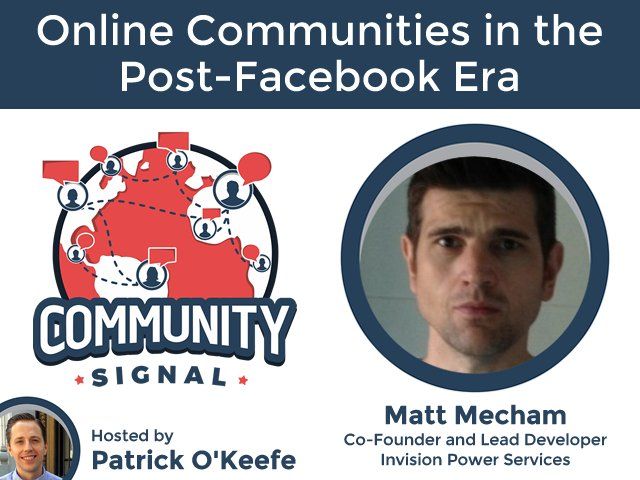 Matt was recently invited onto the Community Signal Podcast, where he spoke with host Patrick O'Keefe. Everything from how Matt got started with online communities right up to the possibility of a post Facebook era was covered in their 45 minute chat. Matt also gives a little insight into how Invision Community works behind the scenes. From Community Signal: Check out the podcast now!
 -
 Despite your best efforts, is engagement a problem for your community? You have your site promotion running well and you are seeing plenty of traffic but it doesn't convert into comments, posts or reactions? Invision Community is a powerful platform that offers layers of complexity for the many sites it powers. When you are struggling to convert page views into comments, it's worth taking a step back and evaluating your site from a new user's point of view. We'll take you through our 6 best tips to simplify your site and increase engagement using built in tools. #1 Use Social Sign In with at least Facebook and Twitter enabled. Social sign in makes it easy for causal visitors to become content contributors by creating an account. Social sign in removes the complex registration form that may put some off. It's a fact that most people visiting your site will have either a Facebook account or a Twitter account. Use that to your advantage! #2 Use Profile Completion One of the biggest reasons sites fail to convert visitors into members is because of large or complex forms. If you have many required profile fields, your potential member is likely to abandon the form. Use the Profile Completion system with fewer fields where possible for a simpler registration form. The Profile Completion system allows new members to complete their profile in their own time. Of course, you can still enforce vital fields before members can contribute. #3 Use Fluid View Traditional forums can be a little daunting to site visitors used to Facebook. The top down categorisation is a strength for separating conversations. Yet, it can be confusing for a first time visitor to navigate. Fluid view breaks down these boundaries by presenting your conversations in one simple list. By removing the need to jump between forum containers, new visitors are encourage to keep diving deeper into your conversations. An engaged visitor is more likely to contribute. #4 Keep your forum structure simple Even with fluid view enabled, complex forum structures can confuse. Consider a brand new forum with a hundred different conversation areas. Would a new user know where to go and post? Would they be put off thinking they are posting in the wrong area? The best advice is always start off with as few forum containers as possible and increase them as your community grows. #5 Use Reactions One of the simplest ways to increase engagement is to turn on Reactions. Reactions allow other members to leave feedback on a post in a few clicks. The default reactions allow one to like, give thanks, express confusion, sadness or happiness. You can add your own reactions to tailor the platform to your niche and personality. Non-verbal engagement is important for your active posters. If they receive reactions to their posts, they are more likely to reply more and return often to see what feedback they have received. #6 Use the Sign In/Sign Up widget A very simple way to increase visitor to member conversion is to just ask them to register. Invision Community ships with a drag and drop widget that you can use to outline what your site is about and encourage registration. In one very simple but prominent box, you can see what the site is about and how to join in. Summary New and existing communities should take a moment to see their site through a new visitor's eyes. Consider how easy your structure is to navigate and how many barriers to registration there are. You can streamline both registration and conversation presentation with our built in tools. The key to increasing engagement is to make it a simple as possible to join your community. Make sure your barriers or entry are set low. Not using Invision Community? We can convert you from other platforms preserving your data. Our migration page has more information on the platforms we can convert you from.
 -
4.2.7 is a maintenance release that fixes issues identified in 4.2.6 and also adds settings to help with GDPR compliance. This release also contains several security updates.
-
 It's hard to believe that we're close to wrapping up 2017 already. It seems like only yesterday we were putting the finishing touches to Clubs, Fluid View, Profile Completion and all the other new features added this year. We're not resting though, Invision Community 4.3 is well underway and we'll be releasing news of its new features soon. Our developers have been busy squashing bugs and release Invision Community 4.2.6. Regular visitors to our own community may have noticed that we've been running several search tests to improve the results search brings. Our latest community articles continue to be well received. This month's highlights are: In team talk we post a simple question that proved hard to answer. As always, we'd love to hear what you think of our articles. If there's anything you'd like covered, just let us know below! Thanks!
 -
 It's that time of year again! Have you been thinking about starting your Invision Community? Or perhaps you're currently using another service and want to take advantage of our modern, mobile ready and social media equipped platform? This has been a great year for Invision Community. We've added many new features including Clubs, Fluid View, Profile Completion and more. We've been adding useful articles such as the benefits of owning your own community versus a Facebook Group, how to optimize your community's SEO, and how to stop spam. And we're already working on our next major release due out early 2018. To celebrate, we have two new coupon codes for you! 20% OFF ALL CLOUD PACKAGES Start with Invision Community today with our hassle free cloud packages. There's nothing to upload and nothing to install. You don't need to know your FTP from your MySQL. We do all that for you! Use coupon code during checkout: CICBF2017 15% OFF SELF HOSTED LICENSES Prefer to manage your own hosting? No problem. Grab your downloadable license today. Use coupon code during checkout: SHBF2017 The small print These coupons are valid from today right through to midnight Monday 27th November (EST). Note, the self hosted coupon is not valid for renewals. Thanks and happy shopping!
 -
 This month we ask a very simple question that got our team thinking hard. “If you could only keep five possessions, what would they be?” Now, this doesn't assume that there is a disaster, so you don't need to think about things like food and water. It also doesn't need to include humans or pets. This is also not a "Desert Island" question so survival tools are not required. This got us really thinking about what material possessions are important to us. It also made us realise how much technology has made a lot of things redundant. We might have said "CD collection and my favourite books" ten years ago, but with a phone, that's no longer the case as so much is handled on the device. Ryan (Developer & Guitar showroom owner) In terms of just packing up and moving on, I actually don't own a lot that I would consider critical / prized / irreplaceable. My dad's 50 year old acoustic guitar is all I would take with me, as it's the only thing that *isn't* directly replaceable. Maybe include iMac and iPhone to have some sort of connection to the outside world at all times, but I really don't need anything else I own. Brandon (Developer & Jet ski owner) I guess if I were to pick five things I couldn't live without I'd have to narrow down the list to my phone, my wallet, my TV (I unwind by zoning out on movies or home repair shows), my car (I can't walk to anything but the ICW here which wouldn't do me much good), and coffee (with International Delights Cold Stone Creamery creamer). Brandon neglected to mention that he owns a Jet Ski Marc S (Support technician & cycle injury enthusiast) Top 5 is hard, and makes you realise that despite living in a world of material possession, we actually rely on very few things. Albeit tending to be expensive things. So here goes. Mobile Phone - Despite the calls (which I could do without), and facebook (which I probably should do without), I have a problem with sleeping. For years now I have been using the audible app on my phone to listen to audiobooks. Usually factual stuff, so it doesnt really matter if I lose position. It helps me with my sleep, and therefore my sanity. Computer - This isn't just because I work on one. I tend to spend a lot of hours at it, even when I am not working. Whilst I do support here at IPS, I do a lot of development in my spare time, on my own projects, and quiet enjoy it. Currently working on an app for my brother which tracks horse racing points for a game that he runs, which is just something a bit different to do of an evening. Kettlebells - I'm trying to get a little fitter than I am at the moment. I spent a long time being a very unfit person, and sitting at a computer 24/7. Never a good thing to do, and it eventually starts to catch up with your wasteline (honestly. You in your 20s reading this, it does!). I joined a gym before I moved house, and got quite into working out with kettlebells, so when I moved, I bought some to use myself. I now have a PT who creates sessions for me each week. We're unsure who took the photo Bike - Whilst I havent used it half as much as I would like lately, I trained for, and completed, a 100 mile bike ride earlier this year, along with a few friends, including Andy Milne. This made be realise just how much I enjoy riding a bike. To the degree we're now planning our next bike challenge. Kettle - I'm pretty sure I would die without coffee. There is little else to say about that! Andy (Developer and Support technician) I realise I have far too much clutter in my life answering this question but I managed to come up with 4 things; Running Shoes Bike Watch Laptop Andy finishing the Reykjavik marathon, 19 August 2017 I’m going to make a conscious effort to be a bit more minimalist now and switch to a standing desk and a Paleo diet or go barefoot or whatever other healthy lifestyle choice @Matt recommends this week. Mark W (The Senior Developer) To answer this question I opened up my travel checklist - having taken off the things you said are excluded like clothes and toiletries, the only thing I have is my meditation stool, my laptop, my iPad, my phone, and my watch... so I guess that's my 5! Matt (Developer and object of ridicule) It's a hard one to answer. Years ago, before the internet, I could have listed many things but digital devices and "The Cloud" replaces so much. Here's my five. Macbook Pro. This is my daily work machine and uses iCloud to sync up my work and personal items like photos, etc. I'd have this packed first. iPhone. It's never far from my hands and with Netflix, Amazon, Audible, iTunes and Kindle contains books, music, favourite TV shows and more. I use Audible most nights to help me switch off and get to sleep. Sleepphones. I like to look really cool while sleeping, so a grey fleece headband is a must. Fortunately, they also double as bluetooth headphones designed to not dig into your ears while you sleep. I couldn't be without these. Air Pods. Yes, another pair of headphones. But these little beauties fit in my pocket and I use them when out and about. The lack of cable is a real plus although they're easy to lose. Concept 2 Rower: Ok, so it's not really going to fit in my hand luggage but I thought about which bit of fitness equipment I'd keep. It's a tough one between kettlebells, weights, the treadmill and the rower but I think the rower wins as it can be used many ways for a good workout. Mark H (Support Technician and part-time Phil) Macbook, iPhone, E-cig, suspenders, and my .357 Magnum. (Editors note: I'm genuinely not sure if this is a joke answer or not but didn't like to ask. Either way it's the best list of things I've ever seen.) Daniel (Support Technician and Developer) My five are: Phone, watch, laptop and 1000kg of headache medicine. That's it, i don't need a fifth item since it's only about "stuff" and not family. (Editors note: I'm hoping that 1000kg is just a guess. I'm starting to regret asking this question.) Jennifer (Designer) Computer - This is my work, play, entertainment, and more device. Plus it's a beast. Mobile Phone - When I'm not on my PC I'm on my phone. It keeps me connected to my communities when I'm out. Plus Zombies, Run is on it. High heels - If I had to choose a specific pair it would one of these two. Bed - It is wonderful and has all of my blankets. I couldn't live without my blankets. Dix It - Because I really couldn't think of another thing and this game is hilarious and fun. This really got us thinking about what is important to us and how much "stuff" we have. What would your five things be?
 -
 We all know what a pain spam can be. We deal with it daily in our inboxes often relying on clever software to filter it out for us. Even worse, some spam is so well disguised that it can fool you into thinking it is a genuine message. You've put in the hard work with your community. You've used the built in social promotion tools and SEO features to get it noticed. Now that it's indexing well with Google, you've become a target. Invision Community has several tools in its arsenal to deal with spam leaving you free to concentrate on your members and content. We'll take a look at these tools in more detail. First, it's important to know that there are two main types of spam. Computer generated and human generated. Computer generated spam is malicious software that throws millions of messages out and hopes some sticks to high profile communities. Human generated spam is more pernicious as it can often bypass automated measures. Human spammers often register accounts and post as members on your community. The first line of defense Invision Community comes equipped with Spam Defense. This is free with all cloud and licensed plans. Spam Defense harnesses the combined knowledge of thousands of Invision Communities. It will assess the potential threat of each new user and stop them before they can cause any problems. To date, Spam Defense has blocked over 3,000,000 spam accounts. Spam Defense works by evaluating the registering member against its database. It will score the account from 1 (not a spammer) to 4 (a known spammer) allowing you to decide what to do with each level. If a spammer gets past the Spam Defense, flag them as a spammer using the built in tools. This will clear up all their posts in a single action and report back to Spam Defense that this account has spammed your site. These community led reports allow Spam Defense to learn and adapt. Preventing spammers from registering The CAPTCHA ("Completely Automated Public Turing test to tell Computers and Humans Apart") is a well tested and robust method to defeat computerised spammers. It is usually a small widget on a sign up form that asks you to re-enter words shown in an image. Invision Community supports Recaptcha2 by Google, meaning that in most cases your users don't even have to type in random letters. Instead, Google algorithms determine if the user is human or otherwise. Invision Community supports KeyCaptcha. This requires guests to solve a simple problem before they can contribute. The Question and Answer challenge works on its own or in conjunction with a CAPTCHA. This system allows you to create simple question and answer challenges unique to your community. As these answers are unique, computerized spammers cannot solve them. Also, human spammers not knowledable with your niche are often unable to solve them too. While the above are great for reducing the number of computerized spammers, we need to be especially clever to weed out human spammers. Dealing with human spammers Smart configuration of your community will also help in defeating spammers. Invision Community supports posting without registering. This feature allows for fast engagement but use it with caution. It works best if you only allow it for specific forums. Invision Community's membership promotion system also has tools which you can leverage. To make your site less appealing to human spammers, you can configure two membership groups. Let us look at an example which uses "New Members" and "Members". "New Members" is the default group for new registrations. In this group you can remove the ability to add a signature to each post. Often spammers use signatures to earn referrals on links. You can also define a limit for posts per day. This will throttle the number of spam posts a member can make. Now that you have your "New Members" group set up to build trust, you can promote them using Group Promotions. A good strategy is to promote them to "Members" when they have reached a certain level of reputation. This shows that they have become a trusted member of the community. You may wish to promote them a week after joining knowing that spammers usually leave after a day or so. There are many different criteria you can use allowing you to tailor it for your own needs. Summary Dealing with spam is a reality for every successful community. Invision Community has several features to mitigate its impact. Through leveraging its built in tools to smart configuration, you can make your community a fortress against spam. In addition, our exclusive Spam Defense system grows and learns every day stopping spammers from registering. To learn how to configure Invision Community's spam prevention tools, please see our help guide. Not using Invision Community? We can convert you from other platforms preserving your data. Our migration page has more information on the platforms we can convert you from.
 -
 This week, we were inspired to discuss home automation after @Joel R raised the question in a topic. With so many commercial options available now, such as Alexa, Siri and Google Home, we started discussing what automation we have in our homes. This week we'll focus on the a few team members who have heavily automated teams. Although @bfarber's answer "I have kids to help automate the home" was a clear winner. Marc S (Support technician & cycle injury enthusiast) For me I just have Hive, which is automation for my central heating system, and an Echo. So I can tell my heating to switch on and off by speaking to the echo if I wish, but to be honest its very rare that I do so. I tend to just use my phone, as it would rely on me being in the same room as my echo. I have some lights which are on sensors in my en-suite, and in my entrance hall. I have thought about getting bulbs I can switch on and off with voice control, but I'm honestly not sure how much they would be used in comparison to what they cost to buy. Because of the way my lights are configured, it would cost a fortune to do (for example my living room would need 5 bulbs for the main light). If I decided to go down that route, I would be looking for lightswitch adaptations, rather than bulbs. Andy (Developer and Support technician) This is a hobby of mine so might be a long answer! When I fully renovated my apartment I took the opportunity to go wild and put structured cabling and do all the prep work for a complete system. I use a system designed and manufactured by a company in my local area (Idratek.com) as the “controller” which handles heating, lighting, presence detection, intercoms, door locks etc and binds everything together. I installed everything myself and in total used about 2km worth of cat5e wiring with hidden magnetic reed switches recessed in door and window jams. I’ve then extended this by adding integrations with other things such as Hue lighting, automated curtains, zoned heating, a smart kettle and cameras etc. A particular favourite of mine is the integration with Logitech Squeezebox. If somebody rings the doorbell or calls me on Skype then the volume automatically decreases in the room I’m in so I can take the call. This system goes beyond the mainstream ad hoc automation kits such as Hue and other retail “smart” products in that it’s not just motion detection but presence. So for example if you’re in a room and the doors and windows are closed the system knows you are in that room until the door is opened. So if you’re sat still reading the light won’t turn off on you but it will still turn off automatically as soon as you leave. There’s no relying on extended 10 minute time outs. Lighting is controlled using internal and external light level sensors too so there’s no messing about adjusting the on/off times with seasonal changes. The system has all the usual smartphone controls but the idea is that it is truly “smart” in that once set up there is little intervention required. Heating is weather compensated for example and although curtains open automatically once the sun comes up, they won’t do so if you’re still in the room to prevent inadvertent flashing to neighbours. If you open a window in a room then the radiators in that room and connecting rooms are automatically switched off so you’re not wasting money heating the outside. I like to kid myself that I’m saving money but in reality the money I have spent probably exceeds any savings I will make in two lifetimes. So if I’m not saving money at least I’m being eco friendly whilst having some fun seeing how far I can push the tech. Mark W (The Senior Developer) I'm not as crazy as Andy, but I do have quite a bit of stuff: All the lights in the house are Hue. These are coupled with motion sensors (Hue motion sensors which also handily double as temperature and light sensors) but for completeness, I took all of the light switches off the walls, replaced the switches with a blank plate which I then added Hue Dimmer Switches on top of - this means that I can still use "normal" light switches when I want to. I have a Hive thermostat, and wrote a Homebridge plugin (https://github.com/mark-wade/homebridge-hive) to allow me to control it with Homekit, which is what I use to tie all my stuff together (Homebridge itself is running on a Raspberry Pi) I have a coffee machine and kettle from Smarter, which I also have Homebridge plugins for. Every room has a Sonos (Play:1 in bedroom and bathroom, Play:3 in office, kitchen and living room), again with Homebridge plugins I have automation set up to: Turns the lights and music on and off as I move throughout the house Turn the coffee machine on after I go into my office in the morning Turn everything off and turn the thermostat down once everyone has left the house But, because I use Homekit to tie it all together, I also use Siri quite a lot. "Hey Siri, turn the coffee machine on" literally never gets old. I'd really like to get a smart door lock and window blinds, but I'm still waiting for products that are actually decent to arrive on the market (there's a lot of US-centric stuff available, but here in the UK we normally need to wait a bit longer). Mark H (Support Technician and part-time Phil) I use an ISY-994i by Universal Devices, which controls *almost* all lights in the house, the door locks (Schlage Z-wave), and is integrated with my: Elk security system OneLink fire/CO alarms 3 Raspberry PI's with temperature sensors (DS2482-100 I2C to 1-Wire IC) Logitech Harmony Davis weather station (Vantage Pro 2) The mobile App I use to control this all, is Orchestrated Mobilinc. Daniel (Support Technician and Developer) A Raspberry Pis running HomeBridge 2 Amazon Dots + 3 Logitech Harmony Hubs & Elite Controllers allow me to control everything via remote controls, phone or voice. Lights: Hue Sound: Sonos in all rooms I have also dozen of homekit compatible sockets to control some none smart devices via the system. The Harmony Hub but also the Raspberry allow me also to control Dyson Fans. Since I moved to a Samsung Phone it's quite a mess because I had to find an alternative to control the homekit stuff Quite clearly, giving developers a box of gadgets and some spare time can lead to very creative things. Do you have any home automation? Do you prefer Alexa to Google Home? Do you also want to move into Andy's house? Let us know.
 -
 What is the one thing you'd like to do in life, but haven't got around to yet? This week, we get introspective and look at the things we'd love to do but haven't found the time to do yet. Brandon (Senior tech support and development) Travel more. I've traveled a little bit, but there are still many many places I'd like to visit. Something tells me I'll need to wait for some of the kids to get older and move out first however. Mark H (Tech support) Take a vacation in Hawaii, as that will complete a goal I set in my youth: Visit all 50 States of the US. Have vacationed, usually camping, in 49 of them so far. Marc S (Tech Support) I have a friend who I have spoken to in the US since I was about 13, through originally chatrooms, then ICQ, and these days Facebook. We have always said one day we will meet up, and thats something I certainly intend to do one day, but havent gotten around to it. Rhett (Cloud Support) A week in Phillip Island, Australia for the MotoGP Race. It's still on my todo list! Matt (Senior Developer) Write a book. Unlike my colleagues, I have no strong desire to travel. I've always wanted to write a book though. In my early teens I used to spend time in front of a mechanical typewriter (through choice, I'm not THAT old) and knocked out a few short stories. They were awful, obviously, but I do love the written word and have a few stories I'd like to get down. Andy (Senior tech support and development) Over the years I’ve started learning a few languages and know just enough French and Italian to be dangerous. I’ve never really focused on either though. I would definitely like to get around to becoming a proficient speaker in at least one other non native language. Mark W (Senior Developer) I'm going to go with everyone else and say more travel. Since I get to work from home I often get a niggling feeling that I could be doing this anywhere in the world rather than in my little office in Colchester. I've made some strides in that direction this year: I spent New Years Eve in Sydney, a somewhat interesting series of events led me to spend some time in Washington DC (but that's a story for another time), plus I visited Berlin and Krakow. 4 countries in one year isn't too bad I think, hopefully next year I can break it though! Jennifer (Designer) Visiting my Irish friend in the UK and attempting to go drink for drink with him to see what sort of shenanigans/trouble he gets me into. Daniel (Senior tech support and development) I want to sail around the world for at least one year (but preferable much longer) and visit as many countries as possible on this trip. I would really love to spent my whole retirement on a sailing ship cruising around the world till i get bankrupt! Stuart (Senior tech support and development) I think quite a few people may have a similar answer, but travelling more is something I would really love to do but haven't got to it yet. I've been to USA many times. There are many places on the list I'd like to go at some point like Peru (Machu Picchu), Austraila, Dubai, Indonesia, Bali... Endless list really. A more realistic answer would be to finish some of my project cars that have been sat in a barn for years. We'd love to hear what you would like to do, but don't have time for just yet. Let us know below!
 -
 This week's question is inspired by liquidfractals's reply to last weeks question. What is your favorite music and which bands would you have loved to see live? We learned many things; mostly that our team have poor taste in music. Brandon (Senior tech support and development) I like a lot of different genres. I grew up with rap and pop, but I like R&B, country, electronic and rock too. Krayzie Bone of Bone Thugs n Harmony is probably my favorite rapper (and I've seen the group perform live), with Chamillionaire being a close second (and I've actually met him and talked to him one on one). I'd love to see Pentatonix live, that's on my bucket list I'd say. Mark H (Tech support) My tastes in music are quite eclectic. Given my age, "Rock & Roll" is at the top of the list, but after that it's "anything except Rap and Country". Who I'd like to see? Well.... I did have an invite from an older friend to attend Woodstock with him and his even older brother. Problem being, I was still very much a minor. Dad put the kibosh on that idea. I do wish I had gone. Marc S (Tech Support) I have lots of different genres of music that I listen to. Pretty much everything from Classical to hard trance, Whitney Houston to Marilyn Manson. I think if I was forced to pick just one, then it would likely be Progressive, or uplifting Trance. I could listen to this all day and night, and have produced some tracks, alongside one of my friends in the past. Rhett (Cloud Support) That's a hard one for me, I have kids, and a wife, we listen to all sorts of music, I'm not often in control of the station ? Matt (Senior Developer) Music is a huge part of my life. I listen to music all day while I work and I always have a pair of headphones in my pocket. My tastes change considerably depending on my mood but Sigur Ros, Radiohead, The National and Metallica are often on repeat. I quite like Apple Music as it often suggests bands that I've not heard of. I used to be a guitarist in a Metallica cover band in school. Thankfully it was before the internet existed so no shameful footage exists of those days. Mark W (Senior Developer) <looks over to now playing... "Miley Cyrus"> Maybe I won't take part this week... Jennifer (Designer) I listen to a lot of different genres and artists. Honestly my music tastes depend on my mood and what I'm focusing on. Thank god for Spotify. I listen to nearly everything except for Death Metal and Country (although I'm sure there are exceptions to the rule for both of them). I tend to lean to female voices over male voices most of the time. I have a special love for Five Nights At Freddys Fan songs, Portal Music and Pink Fluffy Unicorns (dancing on rainbows). I'd say some of my top artist loves would be: Amanda Palmer, Janelle Monae, Lily Allen, Nicki Minaj, The Pretty Reckless, Muse, Black Veil Brides, Fall Out Boy, Maroon 5 and Skillet Daniel (Senior tech support and development) All kind of electronic music (DnB, Electro, Frenchcore... literally everything) Stuart (Senior tech support and development) I listen mostly to classical music (being married to an Opera singer does that to you). I do also enjoy listening to rock and metal. One band I would have loved to see live is Queen, but unfortunately that was a little (not much) before my time. Drop us a line and let us know what your favorite music is. If you have any questions for the team that you'd like to be featured, let us know and we'll queue them up!
 -
 This week, the team have been discussing the one thing they can not live without. Some found this a hard question to answer. What is the one thing you cannot live without? A tricky question for some. Could you pick just one thing? Brandon (Senior tech support and development) My family is my saving grace and escape, and even though they're (collectively) the ones typically causing me the most work I wouldn't trade them for anything. Mark H (Tech support) I believe my choice would have to be "good coffee". I can deal with no phone, even deal with no credit card. But no coffee? The horror.... the horror. (2 points for naming the reference). Marc S (Tech Support) For me, no matter how much I like my computer, and look around for my phone before I do so much as make a coffee, it would have to be speakers. Not because I have a decent set of speakers, and don't even have to be my own speakers, but something that can play music. Whether I'm doing tickets, developing, cleaning, driving, sat in my office or sat in a bar, its the one thing I cant do without. Rhett (Cloud Support) The question really has two answers, On the tech side, it would be my iPhone, I can do anything from it you can think of really and my go to device for communication of all sorts. In life in general, that's an easy one, "My children, they are the center of my life, and really all that matters is I have them by my side!" Matt (Senior Developer) The one "thing" means I don't have to say family or kids! So I definitely think it has to be my MacBook Pro. I switched from a traditional desktop set-up earlier in the year and haven't looked back. I like being able to pick up my MacBook and carry on working while out and about. When I'm home, I plug it up to my two external monitors and it performs as well as any desktop. Jennifer (Designer) My iPhone. There is no worse thing than leaving my house without being able to check my chat programs or to be able to play Pokemon Go. Daniel (Senior tech support and development) The nerd in me can't live without alfredapp to automate all the things! ( check out their great forum https://www.alfredforum.com ) And the two hours a day of free time I get, I couldn't be without my son and bike. Stuart (Senior tech support and development) I pretty much couldn't be without my laptop, I use it for everything from Gaming, Films to Work. Is there one thing that you can't be without? Let us know below!
 -
4.2.5 is a maintenance release that fixes issues identified in 4.2.4.





