bradl
Clients
-
Joined
-
Last visited
-
It would be sweet if so. I used Raw HTML blocks for group-aware mixed content as they accept IPS logic. If there's a simpler way I'm all ears!
-
I'd like to replace (v5) the "Bio" language bit in the staff directory listing. It's not responsive to Quick Translate selection nor in the language bits if I search. Possible or no?

-
-
-
-
-
This is feedback even if not a feature request. I use a fair number of blocks on our club site and it has always been my terror that I would work for ages on something and then carelessly, inadvertently delete a block. In my nightmare I am never able to recreate that block which was, in hindsight, sheer perfection. <sob> Last night I was tinkering endlessly with formatting a raw html block and must have pasted in a chunk with an unclosed tag or other error and not only did my block corrupt it took out my page footer and worse, made the Page Editor stop working. Could not even launch it. I could not even delete the offending block to start over. I hastily threw together a replacement page from what I could remember and made it my front page default and went to bed thinking I'll start over in the morning when I'm not so panicked. And then it hit me ... Page revisions exist now! So this morning, poof I put my front page back to before the evil paste and carried on like nothing ever happened. I recall the Pages the app already had revisions, but thank you for bringing revisions to us Creator plain plan folk. There's a lot I love about version 5 but that feature is a lifesaver.
-
Not required. I noticed that it will clear (as in let you proceed) if you just ignore the error and refresh the page. I edited the language string for the error to suggest refreshing despite the error but not the greatest user experience. A template that outputs a label if the field is not empty keeps including the label after the field is cleared (as if there were content) but that's a third party template so probably not for IPS to sort.
-
I love the autocomplete Address field as a time-saver. Is there any way when filling out an Address fieldtype to insert a placeholder or obviously fake address? A geo-equivalent to "example.com" ? Also regarding the Address field, if a person has entered an address but later changes their mind and would prefer to leave that field black, they get an "all fields must be filled out" error if they delete the autocompleted portions of the field (I assume because the State select box is never empty).
-
-
Heh, reply notification included a few features from time-traveling Matt ...

-
Excellent, thank you. The items were featured by me. I went in and un-featured then re-featured them and now they show as expected. I'll take that as my cue to be vigilant in proofing that area of content along with my personally introduced typos :)
-
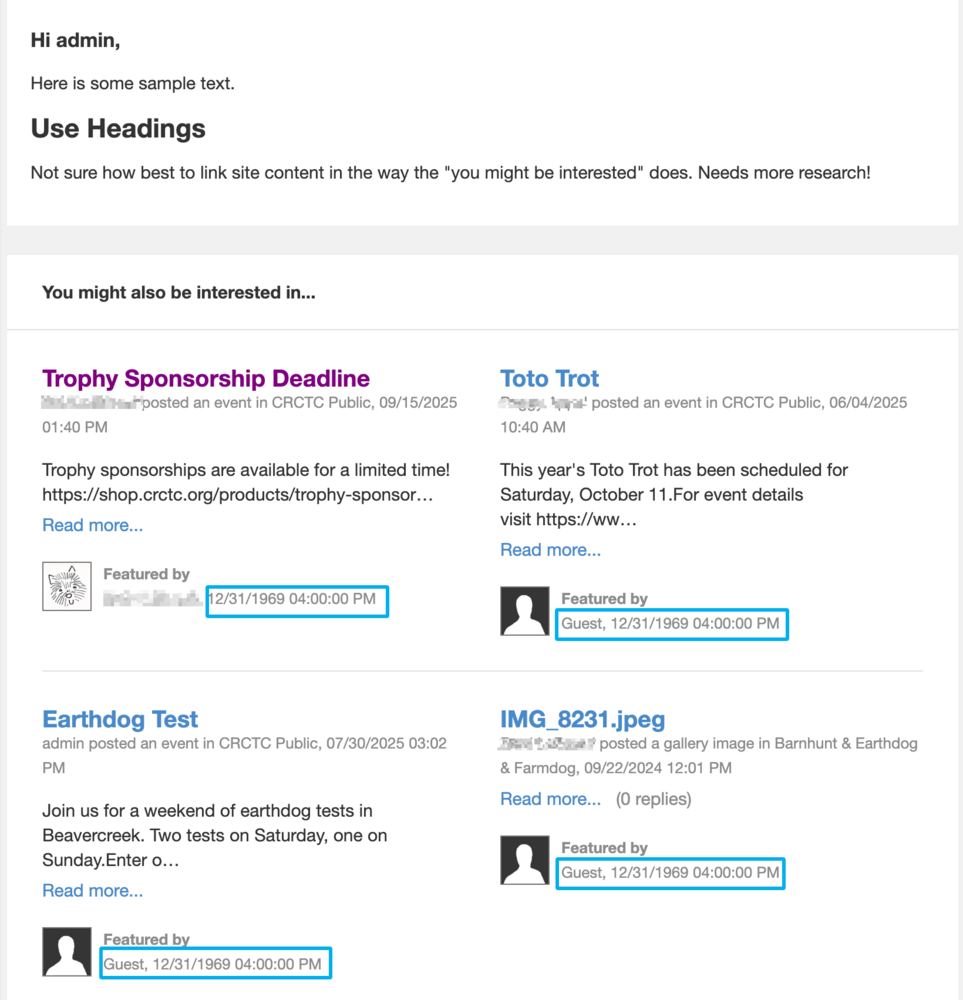
Just taking a look a the bulk mail tool as I have been too chicken to use it in the past. Is there (are there) any guides to do's and don'ts of assembling bulk mail messages so they look right and aren't broken when delivered? I think the last time (years ago) my test message looked swell in the preview but none of the embedded topics appeared in the sent mail. Looking at it now I see some cool "you might be interested in ..." topics are appended in a pleasing and useful way. Do I have control over what shows there? Where do I learn how? Speaking of which, I sent myself a sample message and note a Guest was apparently busy in 1969 featuring content that wouldn't be posted until 56 years later 🤣
-
-
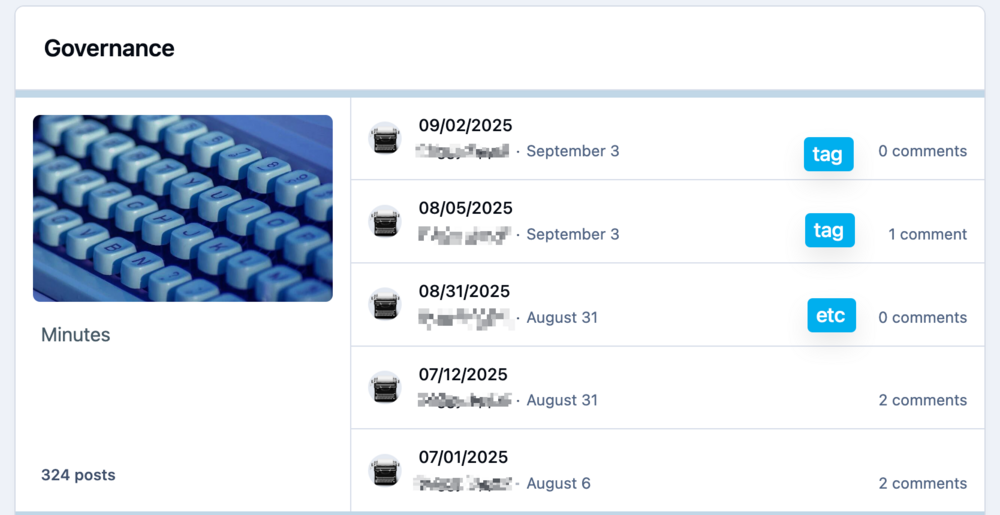
Possible to display tags on the topic list in feed view?
-
-
Update: things appear to be fine, whew!
-
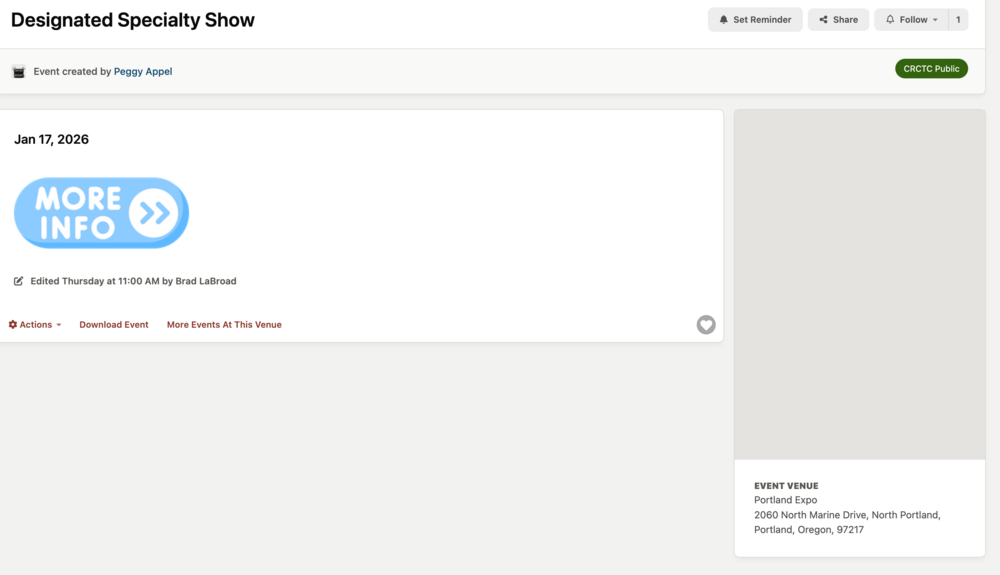
Thanks for taking a look. Here's a representative event with a venue with interactive maps on. That's entirely fair. I got to the point of wanting to nuke the blocks because they literally never display anything and makes the site feel broken to users when it doesn't do what it says it should be doing (showing me local events). Would I feel differently if it worked? I honestly have no idea.
-
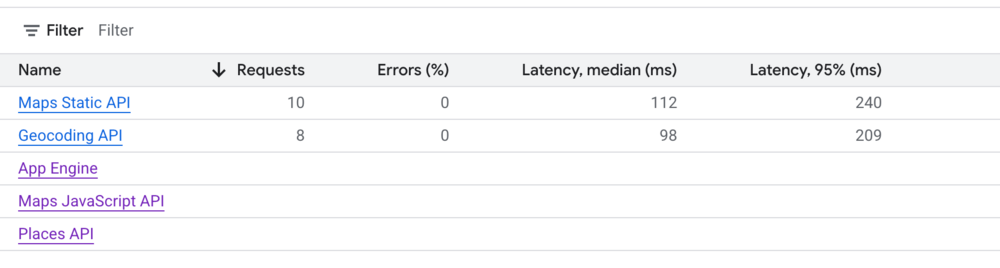
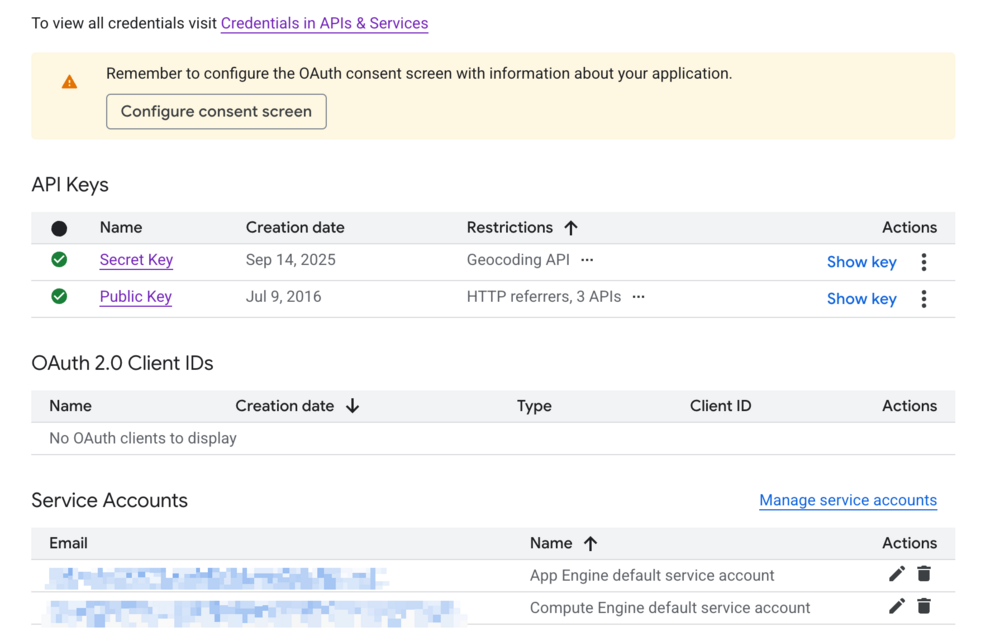
This is low-stakes for me but I am puzzled by how the whole events-by-me thing is supposed to look and work. I feel like my integration must be wrongly configured but I'm not exactly sure where or how. I previously imagined it was correct because we use Venues a lot and the events always include the map in the listing. I use static maps; if I set to dynamic the map is replaced with a gray box and no map displays. But I have never seen a map displayed in our events overview page, and enabling "my location" never shows anything with or without actively searching. My main site is a local dog club so almost all our events are within a 40 mile radius yet none ever appear in overview. No map appears at all. I looked at the Google Maps Integration configuration and found that my keys were not named correctly in the google console and was missing the geocoding API so generated that and edited the names to match the instructions. Looking at the console and refreshing the events overview page I'm not seeing errors; the static API count increments requests with each reload. Still no joy. Google mentions new setups take five minutes or so to work. I made these changes an hour or more ago. As mentioned, we really have no particular need for the events-near-me functionality but before I nuke it with CSS I feel like I should at least ensure it worked as intended in case I'm causing myself issues elsewhere I just haven't noticed yet 😬. Any Google Maps integration troubleshooting tips appreciated.
-
-
Thank you sir. Fair enough! One less theme to maintain is the bright side :)
-
I'm certain this has been asked and answered but my google-fu is letting me down. I know I can set a theme override for a given forum. I'd like to set that override for the entire forum module i.e. /forums Our dog club site is mostly a few simple pages with a top menu on the landing page and public side. No public access to forums. The member side is heavily forum-based. I'd like to use a sidebar menu page layout for the member content as a visual indicator that they are in the member zone (and to accommodate a stuffed menu of resources that aren't visible on the public side).
-
I'm probably confused (so often the case) but I seem to have a one-click spoiler option now (under the + dropdown) rather than having to craft one out of a box. Did I add a mod somewhere and forget?