


Everything posted by opentype
-
I have to agree with SoloInter: There needs to be a way to keep the strategically(!) created tags, independent from fitting in a most-used basket or low numerical limits. There is of course the noise of user-generated forum tags, which might have little value or even do more harm than good. But the strategically created tags need to be kept, independent from any hard limit. In fact, in the new system they can finally shine and be more useful than ever, but they need to be there to begin with. The alternative of dropping the tags and having the admins go through years of content to add them back in, isn’t really a viable option.
-
I also use source mode all the time. Sometimes to inspect and clean up user posts, but like Sonya mostly for Pages articles. Custom classes, custom embeds …
-
Another question while we are at it: are club database records supposed to show in feeds? Like the Club overview feed? Because I can’t see that at the moment. Intentional or connected to the permission issues that are still present?
-
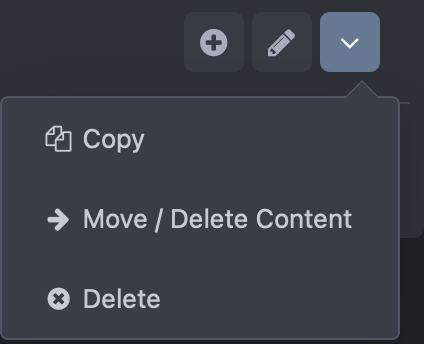
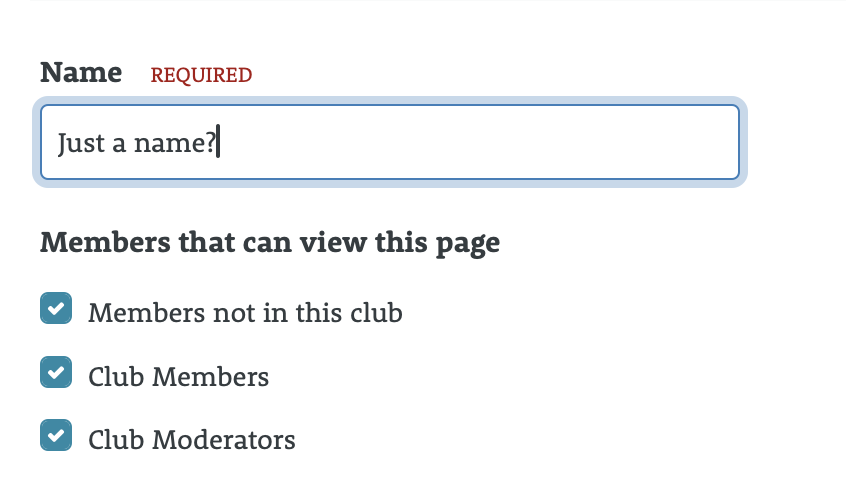
Is it intentional that turning on Club categories for a database turns off the possibility to set custom permissions for (existing) database categories? I can still set “Set Custom Permissions” for my existing categories, but once I activate the club functionality for the database, the link to edit the category permissions disappears. I wouldn’t expect the clubs function to change parts of the regular usage of Pages databases. Use-case example: Let’s say I have an article database with categories where I publish admin news and now I want to allow clubs to post their own club news in this database. I would allow members to post on the database level, but set custom permissions for the existing admin categories outside the clubs so only admins can post there. Doesn’t seem possible at the moment. I can’t access the permissions anymore once I turned on the clubs functionality for the database. P.S. Also, why do Pages categories in Clubs don’t have the Description field like forums do? Seems reasonable to describe what one is supposed to post and see in those categories and Pages categories normally have that field. I suppose it’s even in the MySQL table by default, but not in the form when creating/editing the Pages category in clubs.

-
How exactly are permissions handled? So far, we have ACP page permissions, database permissions, category permissions and even field permissions. What of that is honored or ignored? For example, can I have clubs-only database or do I need to make the database available to members globally in order for it to show up in clubs?
-
Real-world example: for my many Pages databases, the output of the database relationship field as comma-separated list is usually insufficient, so I would replace what’s in cms -> front -> global -> basicRelationship and add record images, grid views and so on. How would I do that now? From what I understand from the article, I would only be able to add stuff at dedicated locations, not replace anything.
-
Some nice ideas there. I’m not a fan of minimizing the user info in the topic view though. The personal touch of clearly seeing who you are interacting with is getting more important these days, not less. If anything, this view should only be triggered if there is not enough space, not in full desktop view. As a typographer, the example screenshot is painful to look at. 3 posts with just one or two lines each that are waaaaaaaay too long for comfortable reading. This was always a problem with a default IPS installations but now it was made worse, not better. If the user info remains to the side, it also improves the readability of the post content.
-
It never really was. Google just follows the user. If a site offers the most relevant content for a search query, then it’s what the user wants to see, whether it takes 500 milliseconds longer to load or not. Only if different sites have exactly the same ranking otherwise, then maybe your ranking position changes a bit. But in general, search results are not ordered by speed. That would be ridiculous. Optimizations are still useful of course, but there is no reason to obsess about them. There are much more impactful changes to be made on the site itself, e.g. how to name pages/forums/topics, how to structure a menu and so on.
-
I work as professional graphic & web designer since 1999. I can help with visual customizations of Invision Community websites, especially in regards to the Pages app. Typical jobs include: —Setting up custom landing/home pages —Setting up Pages databases and creating custom templates for them —Improving the overall look of a community (colors, fonts, images)
-
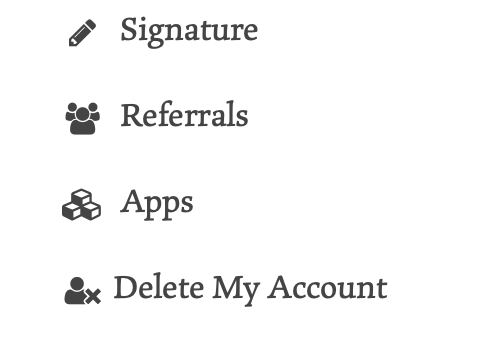
For my taste, “account deletion” is too well hidden under “security and privacy”. I would suggest to either change the tab name or to give this function its own tab, like this third-party solution does it.
-
Can we have a help guide how to phase out deprecated payment systems like Braintree? Does it need manual actions like cancelling all subscriptions on Braintree’s side?(Jump to the answer in the video)
-
It has moved to System -> Web App. IPS should probably change the ACP search. Searching for “manifest” still points to Icons & Logos, where it has been removed from.
-
Yeah, this seems to work. Seems to also require regenerator on the user side.
-
Sure. But it’s still not working. I also tried deleting and recreating the home-screen app just to be sure. Still nothing. The manifest data is set up.
-
Is this cloud-only? I have it working for this community, but all of my own communities still say “Push not supported” after the 4.7.9 update.
-
Feedback: I missed the start and then moved in the YouTube video to the start. But when the live topic ended, I got kicked out of playing the beginning. Maybe it would be possible to not force one out of the video.
-
We had this discussion before. It was never going to be YouTube, Vimeo and the likes. They are NOT video/streaming storage providers. They are content platforms for individual content creators on those platform and viewers on those platforms. Other systems like Cloudlflare Stream would have been possible, but now that IPS is building its system around AWS, of course it makes perfect sense to include video encoding there. Everything else would be a bad idea with tons of disadvantages. While I am very critical about the shift to the cloud offers in general, the upcoming video solution does make perfect sense as a cloud feature. I can easily accept that it will be limited to that.
-
Feature request regarding that “pay for RSVP” feature that keeps getting mentioned: Please make it member-group specific. For example: I would love to create regular community Zoom events that are free for my paying VIP member group, but require a participation fee for regular members. That way, I could nudge people to become VIP members or at least get a one-time fee for the participation. @Charles
-
Sure, you can embed a YouTube live video like any other video. It’s just one link, from a planned stream to the recording.
-
I don’t think that discussions going in circles is something that would require moderation. I only step in when things escalate, because that can be very damaging for a community.
-
Sure, and I am not asking for a drip campaign checkbox. I am asking how to have a proper workflow for everyone involved. The technical ability alone to push an email through Zapier isn’t enough.
-
There needs to be freely given, specific, informed consent. That is why I have an opt-in checkbox for bulk mails during sign-ups, but there is no checkbox for a drip campaign or similar uses. So, as a user, I have not freely given consent, I have not given specific consent to the drip campaign, nor am a properly informed about having my personal data processes by third-party providers (like Zapier/Mailchimp…), which is certainly relevant in regards to GDPR. Google got a $50 million fine a while ago because of this. They did ask for consent, but the kept it too vague. The distinction between ads and “helpful information” also doesn’t exist this way. If I run a website as a business, then everything I do is a business activity. If I try to keep my users active with drip campaigns, that a business activity. It doesn’t matter if the specific email tried to sell something or not.
-
As mentioned before, I don’t see how these options can be implemented legally. How do these methods ask for consent to receive multiple emails in the future? How do we get consent to have the email (i.e. personal data) routed through multiple 3rd-party services in the background? What happens if users turn off notifications/bulk mail in their account? How do we stop the drip campaigns then? What happens if the user deletes their account entirely? It’s 2022. This approach of “you registered, now we can shower you with emails” luckily ended when GDPR became legally binding. I don’t like to be on the receiving end of such unwanted emails and therefore I also don’t want to send them out unless it is legal and there is proper consent.
-
Then you can probably convince IPS to add that feature natively, because I am not aware of such a feature in Invision Community. 😉 I replace the language strings “email_reg_complete” with a long welcome message. The default “Welcome to %s and thank you for joining” is rather pointless but it goes out anyway. So I make use of that.
-
Such claims need to be tested scientifically. There is no way to test this for yourself and actually come to useful conclusion. Any effect of such a change, positive or negative, will be subtle and there is no way to assess the difference yourself. You will be “primed” to perceive the supposedly improved text as better and possibly come to that conclusion just because of this priming. That’s why science uses double-blind tests, where you don’t know what is actually being tested. And reading speed isn’t reading comprehension. Even if the method would actually make you faster, it doesn’t mean you actually understand the text just as well as when you would read a normal text. There are also confounding variables, like the font weight. The website shows a very light text and then the “bionic” text with some letters being bold(er). Maybe the problem with the light text is that it is just too light and the reading improvement comes from the bolder letters – not their “bionic” distribution. Such things must be taken into account and tested for. And from my experience with reading research, the entire premise is highly questionable. The focus points we use while reading depend on many things: personal reading experience personal understanding of the specific sentence you are reading the text layout (typeface, length of line …) the reading conditions (reading distance, lighting …) This “bionic” approach tries to force focus points on all readers of a text, independent of their reading experience and how good they understand the text. I don’t see how that can work. If the focus points don’t match what one personally needs, there can’t be a positive effect and it is actually more likely to see a negative effect caused by forcing focus points in the wrong locations. But I guess the makers of that product don’t really care as long as they can sell their API access. If they would care, they would have started with proper scientific testing, not with sensational claims distributed through general media outlets.





