Como
Clients
-
Joined
-
Last visited
Everything posted by Como
-
Fair enough. Thanks.
-
Thanks. But as you hinted/surmised, that would cause more problems than it would solve. I think the admin has already worked through it - though, it took some time. I wonder if this occurs often enough for Invision to develop an unhide process!?
-
Hi. A member of our team mistakenly flagged an account as that of a spammer - all the content was hidden. The account has now been un-flagged - is there a way to un-hide all the content en masse? Thanks.
-
You are welcome. I've sent you a link.
-
I've managed to adapt the Invision Contact Page, so that it is an actual page and not a popup. (I can PM you a link if you wish to see it in use). I then used the Page Editor to add custom content. Do not use the CSS in the above. Instead, use what I suggest below. I managed to get the CSS working reliably since the above post. What I originally used would sometimes cause problems because the items in the footer menu would sometimes change, depending upon the usergroup, etc. (guests, or the usergroup having access to the theme selector, etc.) The CCS I now use manages to reliably target the original, default Contact link, and only that link, using the following: /* Hide redundant popup 'Contact Us' footer link */ .ipsFooterLinks li:has([data-ipsdialog-title="Contact Us"]) { display: none; }
-
@Kyle_H In case you need it (dark mode): https://invisioncommunity.com/forums/topic/487325-best-practices-to-design-for-light-and-dark-mode/
-
Damn. I wish I knew of that six months ago - I had to hunt around for for a JS solution to achieve what's exampled in your archive link. And the JS I installed is clunky / a bit slow. I'd change over to what's in the archived page, but I am probably soon making changes again which will remove the need for this. Having said this, why is good, useful information like this removed by Invision? I can see I might have use for that again in the future. Thank you for posting your solution.
-
Hi Kyle, I fully expect there are better ways to achieve this, but this works. If it is what you seek is another matter. /* Breadcrum container padding */ .ipsLayout__primary-column { padding-top: 65px; } /* Sticky breadcrum menu */ .ipsHeaderExtra__start div nav.ipsBreadcrumb.ipsBreadcrumb--top { padding: 4px 12px; border-radius: 8px; border: 1px solid grey; position: fixed; top: 210px; background: #ddd; z-index: 10; }I have not attempted to make this compatible with light/dark mode. But I expect I can if you need this - but probably not today - I need to hunt around. You will need change the numbers there to suit your situation. And if you have multiple themes, you will definitely need a more robust solution (or edit the CSS for each theme).
-
I think it is still there, @Vero Pepperrell. It is just that now it is now generally unreliable for some reason. (As evidenced in my attempt there to tag you). Including the above empty quote in place of the tag. I agree that contextual tagging of usernames is very useful.
-
Will do. I first brought this here because I expected there would be a simple solution.
-
Ho @Marc I have an old URL for my forums from before I migrated to Invision. The old URL would redirect to new forum location (home page) after I migrated to Invision. There was an issue some months ago where Invision removed one of my rules and broke this important redirect (the redirect had been working fine for more than two years previously). There was supposed to be some kind of update in the next release to resolve the problem. I am working from memory - and I never properly understood the problem anyway - I'll dig up the old support ticket/email tomorrow and will detail this properly.
-
I receive the error 1S160/2 for missing pages. How do add a 404 redirect to my home page? Thanks.
-
Urgh. It is disappointing to see this is still occurring. I reported problems with this a year ago. It was the unpredictable nature of how experts are appointed which caused my to abandon use of the system shortly after I reported the problems. One thing I discovered is that marking a post as the solution seems very heavily weighted. I had one new member (nine posts) post to our Contact the Team forum and marked his response as the 'solution' (we used Solutions to indicate that the topic was closed). We subsequently dropped its use in case we wished to re-enable Experts and this errant behavior was not fixed. Well, it seems that it is not fixed. Anyway, if you have 'Mark as Solution' (or whatever it called) enabled, could this be the cause for some new members being elevated to Experts? Were the deleted posts marked as the 'solution' for these deleted topics? Speculation: if so, someone might be gaming the Expert system against you by using a second account to indicate posts by the Expert account as the solution (/speculation). Is it unusual to have that many Expert posts deleted? Do these types of deletions only occur where the account holder should not be labelled as an Expert? https://invisioncommunity.com/forums/topic/483407-community-experts-overview/
-
Hi @tmcom ACP > Members > Members > Groups > (in each group) Social (tab) > Allow animated profile photos? You will need to set this for each Group. And the setting is NOT retroactive.
-
I can search for new members via the search page. The URL for the search results page: mywebsite.com/search/?&type=core_members&joinedDate=day&group[11]=1 This works fine. But unlike content search results, I cannot use this URL as a link - these are only temporary search results; the link does not trigger a search. Is it possible to create a non-search link to a page listing members of particular usergroup and who joined within a particular time frame? Even better, is there a way to actually list the results within a Pages container? Thanks.
-
Hi @Chris027 Members can create their own streams: My Activity Streams > Create New Stream Select: Content Type (Topics); Read Status (Content I Haven't Read) There is also the ability to create new default streams in the ACP. Unfortunately, the options are more limited: https://your-website.com/admin/?app=core&module=discovery&controller=streams&do=form As far as I know, our members make little use of Activity Streams, but I can see that your suggestion makes sense for those communities which make more use of them. The search system suffers from a similar problem: search for a topic title and it returns all the individual posts within a topic.
-
It also might be useful to en masse add of tags/prefixes to returned search results.
-
It's in the moderation control panel.
-
-
Hi. A member informs me that she keeps receiving this error when she logs in. There is no match in the logs for that error or her username, and I can find no mention of the error code here.
-
I just logged in using a private window - same result.
-
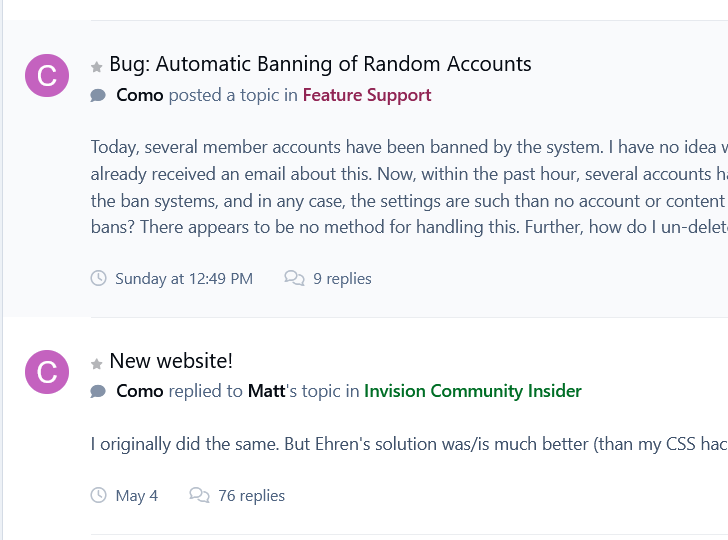
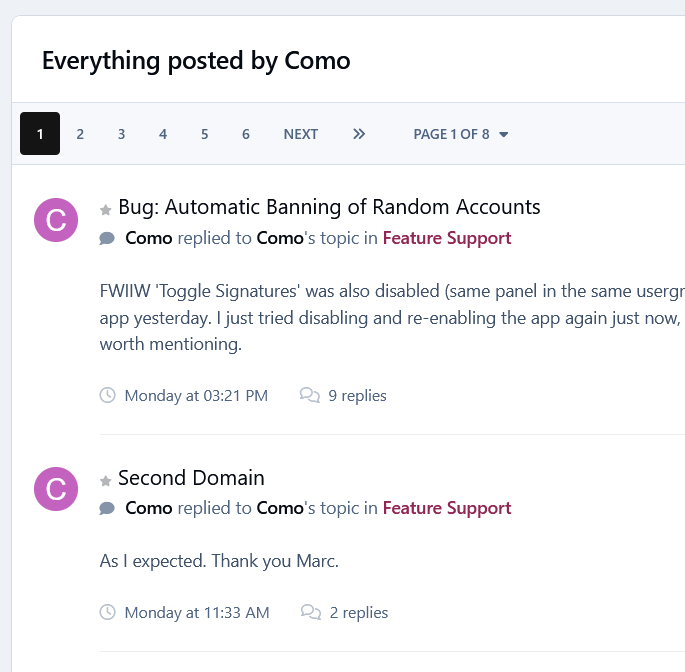
Further to this, that post does show if I select posts. But it does not display on the general activity page I previously linked. More: https://invisioncommunity.com/profile/636150-como/content/ The last post shown there (to me) is from Monday. Nothing from this topic or from the one I have already raised (to which I posted yesterday).
-
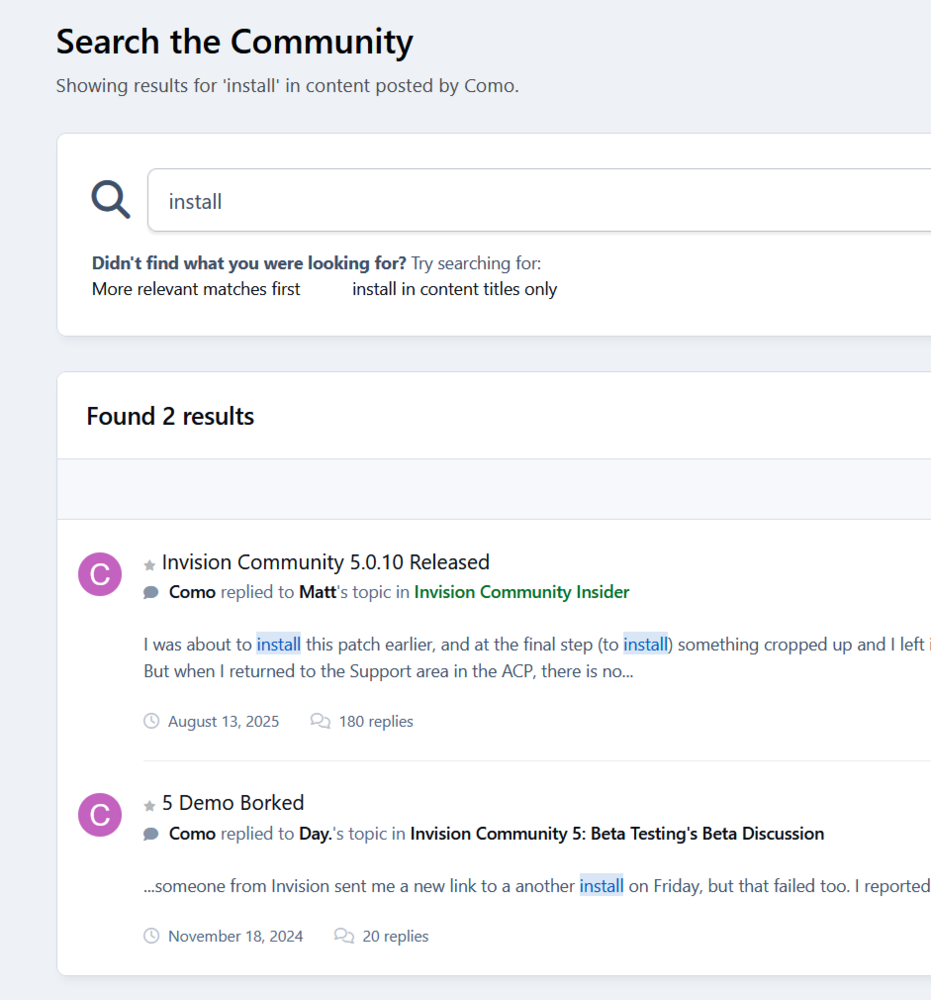
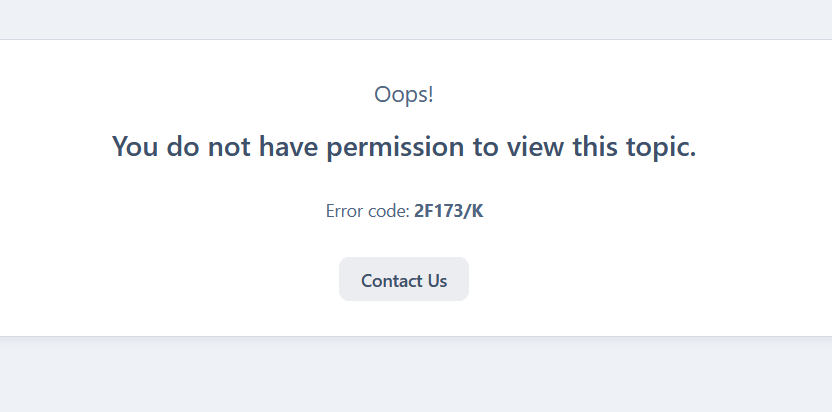
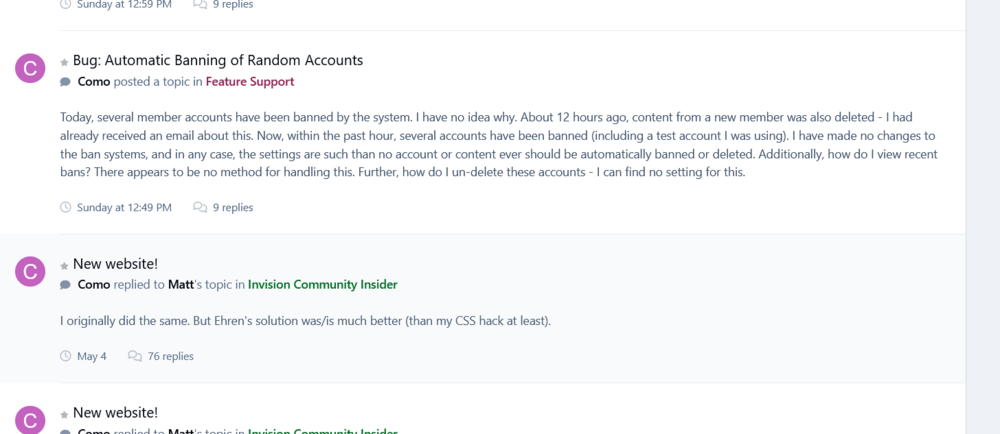
Nor does that page turn up when I search all terms: video displayed (and by author: Como) And as mentioned before, search results often lead to pages I cannot access: Second return (5 Demo Borked) from the above leads to: This is a common occurrence and has been going on for months. The screenshot is from here: https://invisioncommunity.com/profile/636150-como/content/
-
I have nothing listed for the 6th.
-
This post does not appear on my activity page: https://invisioncommunity.com/forums/topic/487041-embeeding-youtube-playlist-link/#findComment-3021548 https://invisioncommunity.com/profile/636150-como/content/ And another content discovery oddity: quite often, when I click on a search result, it then informs me that I do not have permission to access the content. This has been going on for a few months at least.