Jump to content
View in the app

A better way to browse. Learn more.

Invision Community

A full-screen app on your home screen with push notifications, badges and more.

To install this app on iOS and iPadOS
  1. Tap the Share icon in Safari
  2. Scroll the menu and tap Add to Home Screen.
  3. Tap Add in the top-right corner.
To install this app on Android
  1. Tap the 3-dot menu (⋮) in the top-right corner of the browser.
  2. Tap Add to Home screen or Install app.
  3. Confirm by tapping Install.

Matt

Management
  • Joined

  • Last visited

Everything posted by Matt

  1. What does the report say the delay is caused by?

  2. I've reviewed the commits and there's nothing that would change it from our end. There are no structural CSS changes, or changes on how JS/resources are loaded.
  3. Yes, there will be some tweaks to allow B2 to work with Invision Community in 4.7.20 (and soon for v5).
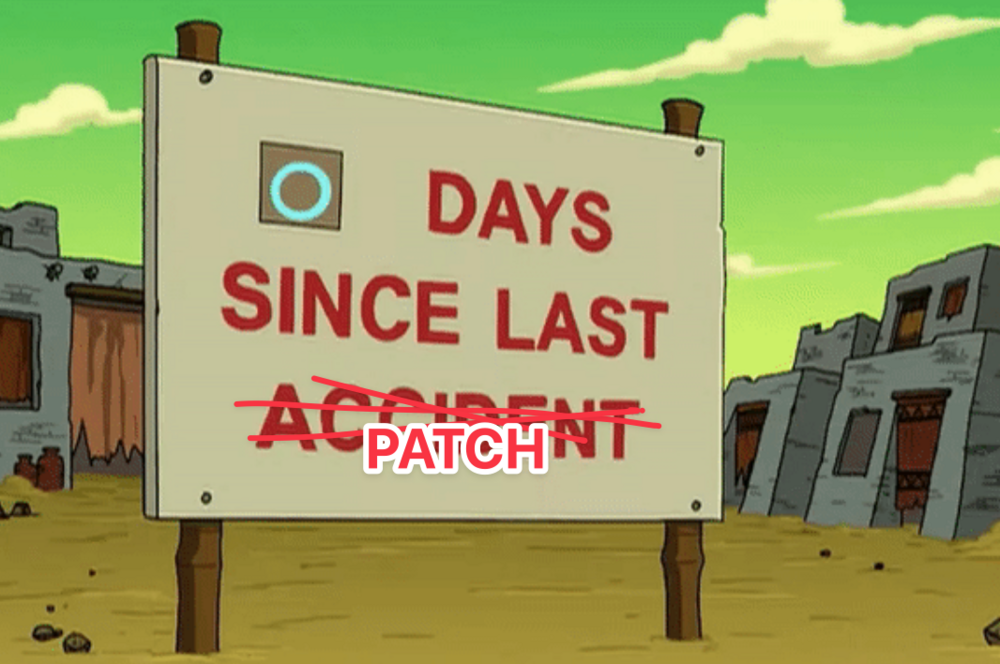
  4. There might be an issue with the patch system, so just update these files. Any cloud customers can just PM me their URL and I can push the updated files from our end. Patch.zip
  5. Matt commented on Matt's release in Release Notes v5
    Changed Release Date to 12/13/2024
  6. We'll have the B2 stuff in the next release (v4.7.20). There's a few minor tweaks in there.
  7. Patch will float through the magic clouds in about 10 minutes. Edit, the patch should appear in the support section now.
  8. Matt commented on Matt's release in Release Notes v5
    Changed Long ID to 5000037
  9. We do this now and again to see if anyone is paying attention.
  10. Can you update your v5 site ACP/FTP in your client area and let me know when you have? I'd like to take a look at this.
  11. Oh yeah. I didn't press a button. I pressed it now. It should appear.
  12. This will be helpful for about 0.07% of our customer base from enterprise down to the smallest of communities and likely improve your SEO by roughly the same percentage. While I don't disagree in principle, Google only takes these things as hints, not cast-iron directives. Also, most members when creating content won't complete a list of allowed domains that can backlink. They'll just use default or leave them empty. We do of course use rel="nofollow" on most things outside of content and profiles.
  13. Nothing is being deprecated. If you are looking to store multiple TBs of data, then either get a disk big enough or better, find a storage solution designed to scale with your needs, like B2, S3. These are not expensive services.
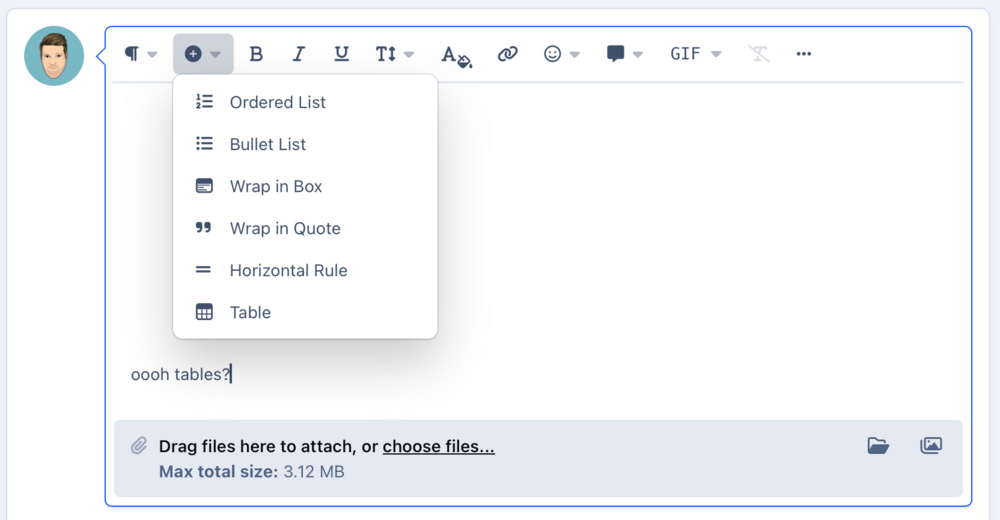
  14. Yes, it's that time of the week where I spend 20-30 minutes of my life thinking of a terrible pun on a number. Our weekly beta release is here! We have a bunch of fixes for you, along with a tidy up of the new tag page and an update to the editor drop down menus to make it clearer what everything does and to make it a bit better on mobile. Let us know what you think!
  15. Matt commented on Matt's release in Release Notes v5
    Changed Current Release to No
  16. Matt posted a release in Release Notes v5
    This is the latest version of Invision Community v5.
  17. With Invision Community v5, we've removed the ability for self-hosted English users to type the 16th letter of the alphabet. I'm literally taking the P here. I see where you're coming from but is it really any easier? Instead of inspecting the source code and seeing /uploads/monthly_2024_12/file.jpg and then going to that one folder, you're seeing /uploads/gallery/file.jpg and then going to that folder. It might feel odd to have different kinds of files mixed up, but it's all 0s and 1s on a disk somewhere and the software can figure it all out so you don't need to worry about it.
  18. Hi... Daddy? A phrase I've not said for about 40 years. Our ideology for version 5 was to rebuild the HTML and CSS frameworks to make them more suitable for large scale changes. If you look at the source for v5 you'll see it's much more semantic and less instructive about the design giving more scope to radically change the layout without touching the template code. For those times where you need to inject new HTML, we are populating the templates with hook points to allow you to do that. Likewise, you could leverage JS to do the same. The theme editor is a great place to start to make sweeping changes to margins, borders, spacing and colours. Removing the ability to edit templates means we can compile them once per version and store them as static files instead of relying on the database fetching them, storing them as a string in a cache and then using eval() to turn them into PHP code on each click. You get a more efficient system, and really an easier way to theme the system that survives upgrades.
  19. Lots of good feedback here. Our aim was to reduce the complexity of all the various locations people can choose to store files. We have seen tickets where people have multiple /uploads/{name}/ folders with theme resources in one, screenshots in other and often they change their minds and move them about, often with tasks locking up and issues until the move is finished. In v5, we wanted to simplify that remove the ability to spread files all over a web server when really you should only ever need one location. There isn't really a reason to have some files on disk, and some in S3 for example. It overcomplicates the software and can get people into trouble. That said, the inability to specify a path outside of the web root is valid, and we'll have a think about that. On upgrade to v5, multiple file storage locations will remain, but you won't be able to add any new ones. We're not moving files around on upgrade as that would cause all kinds of issues.
  20. Matt commented on Matt's release in Release Notes v5
    Changed Long ID to 5000035
  21. Do you see broken images in widgets? If so.. yeah, the widgets are cached. I'll have to invalidate those caches when a file is edited. The old thumbnails are removed, so that's the issue there.
  22. That bug is still open. Had a meeting with Esther yesterday to run through the last of the bugs and we should get this one done for the next beta. If you see comments no longer showing on Pages articles, see the original post of this topic. 🤭
  23. Matt commented on Matt's release in Release Notes v5
    Changed Long ID to 5000034

Account

Navigation

Search

Search

Configure browser push notifications

Chrome (Android)
  1. Tap the lock icon next to the address bar.
  2. Tap Permissions → Notifications.
  3. Adjust your preference.
Chrome (Desktop)
  1. Click the padlock icon in the address bar.
  2. Select Site settings.
  3. Find Notifications and adjust your preference.