SeNioR-
Members
-
Joined
-
Last visited
Everything posted by SeNioR-
-
Hi IPS Team. I'm not reporting this as a bug, but I'm curious about the reason why Web App icons are automatically converted to PNG. Is there a reason for this? The same thing happens in IC4.
-
hmm, maybe it's because of the cache. I have no images on both mobile and desktop.

-
Yes. BTW: PHP 8.4 will be released next week 👀
-
Hi. You need to replace ipsGrid with ipsData and ipsData--grid and for single record you need to useipsData__item.
-
Marc is probably asleep right now. Time lag, you know. 🙂
-
Same for me. I have 11M. Solointer, maybe it's because of CloudFlare?
-
Every community I've seen on IC5 looks very good. This is all thanks to the new look of the lists and the new widget layouts. Good Job, @Ehren.
-
Yes, I mean Blogs and Pages. From what I remember, someone from your team did such an application. The thing is that Google no longer refreshes the RSS feed in Publisher Center. The sitemap is the only option to update data in Google News. See also: https://invisioncommunity.com/forums/topic/480445-suggestion-google-icon-for-social-profiles/
-
Hi Team. Please consider adding a sitemap for Google News. Thanks.
-
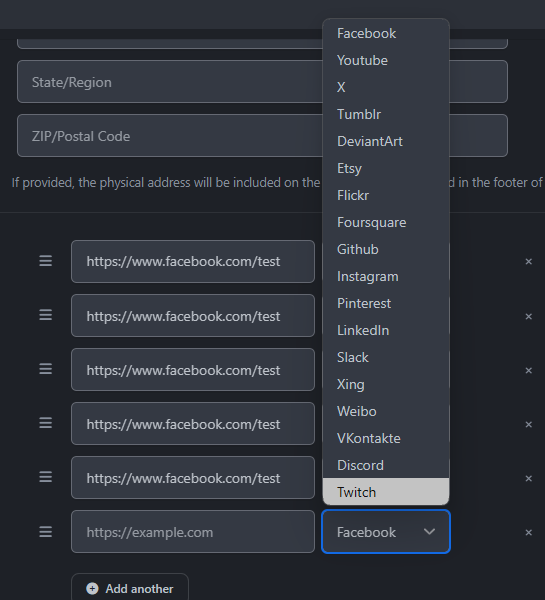
Hello. I know that Google+ has been removed a long time ago, but I would like to add a link to the Google News channel. Please consider this suggestion. Thanks. Example: see footer on pcmag.com - https://news.google.com/publications/CAAqBggKMIClPDCEjQc?oc=3
-
Turn on Desigener Mode and add a hook 👍
-
You can't edit theme templates.
-
No, please do not use the deprecated font color tags! If @Ehren sees this, he'll go crazy 😁 Replace <strong><FONT COLOR="#bc3a3a"><i class="fa-solid fa-screwdriver-wrench"></i> with <strong style="color:#bc3a3a;"><i class="fa-solid fa-screwdriver-wrench"></i>
-
To be honest, there's nothing special here. It's just changing colors through the built-in editor. Anyone can match the color this way in just a few minutes. Anyway + for your willingness.
-
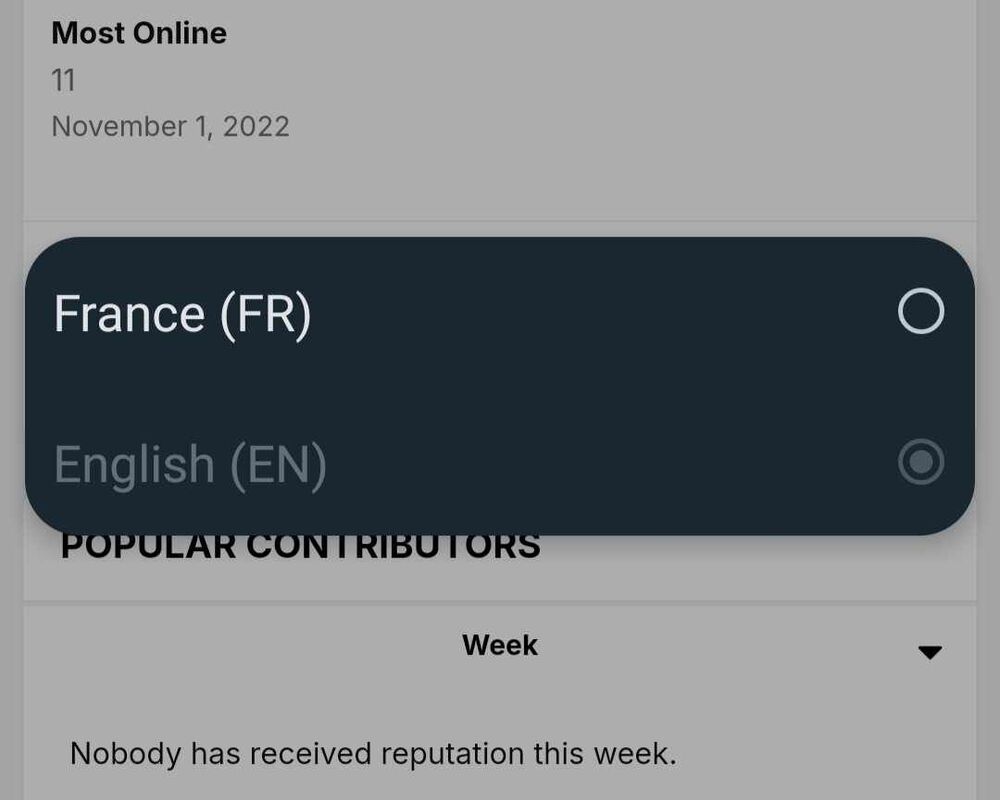
Hi team. As IC5 moves towards native JS code, my suggestion for today is to use better code for the language and theme selection menu. I implemented a native menu using the "form" and "select" elements and it works much better and faster than the built-in ones. This is what it looks like on Android: Here is the HTML code: {{$languages = \IPS\Lang::getEnabledLanguages();}} {{if \count( $languages ) > 1}} <li> <form action="{url="app=core&module=system&controller=language" noprotocol="true" csrf="true" seoTemplate="language"}" method="post"> <select title='{lang="language"}' name='id' onchange='this.form.submit()'> {{foreach $languages as $id => $lang }} <option value='{$id}' {{if \IPS\Member::loggedIn()->language()->id == $id || ( \IPS\Member::loggedIn()->language === 0 )}}selected disabled{{endif}}> {{if $lang->get__icon()}}<i class='{$lang->get__icon()}'></i> {{endif}}{$lang->title} {{if $lang->default}}{lang="default"}{{endif}}</option> {{endforeach}} </select> <input type="hidden" name="ref" value="{expression="base64_encode( (string) request.url() )"}"> </form> </li> {{endif}} and CSS fix for the Default IC4 theme: html[dir="ltr"] .ipsApp #ipsLayout_footer > div > ul > li > form > select:not( [multiple] ) { border: none; background:none; padding: 5px; font-size: inherit; max-width: 90px; } html[dir="ltr"] .ipsApp #ipsLayout_footer > div > ul > li > form > select:not( [multiple] ):focus {width: auto;} Let me know what you think about it 🙂
-
Brillant!
-
Check if you have a guest widget or another one that does not display content. This may be the cause
-
On 10/3/2024 at 11:01 PM, Matt F said: You are correct that certain content structures are not going to be supported out of the box. That being said, We are going to be implementing table support in an early point release as it is such a commonly requested item
-
You can download Invision Community 5 from your client area if you are using the Invision Community Classic license. If you are still using an older license, such as Invision Community Suite, you have the option to convert that into the newer license. You'll find this option at the bottom of your client area page.
-
Probably an SQL query with regex would solve the problem.IPS needs to implement a fix or something. Editing and resaving the image does not solve the problem.*with each image that has been edited again and saved. Then spacer.png is added.This is because spacer.png is set as src and the correct image is in data-src. The same problem occurs in the RSS feed. Google News downloads specer.png and displays an empty field instead of downloading the correct image. Unfortunately this happens with EVERY image converted from IC4 to IC5.https://www.fanclubs.org/ https://www.japanesespitz.au/