Stuart Silvester
Invision Community Team
-
Joined
-
Last visited
Everything posted by Stuart Silvester
-
I agree, we've changed it between orange and green for various reasons in the past, but I also think it makes more sense to be orange.
-
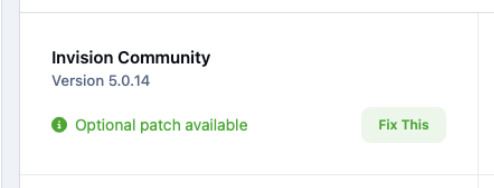
Click "Fix This" here
-
Security Update.We have released a patch to fix an important security issue in Invision Community 5. To obtain the patch, please go to System > Support and apply the patch from the top left box. This patch is included in any new downloads of the Invision Community, and all affected Cloud customers have been automatically patched.
-
That language string is sign_in . You can find it in the Language/Translation section of the AdminCP. It looks like it has already been customised, though, that is not the default text.
-
Had you already tried to embed that particular post before enabling Iframely? The backend does cache some requests. Give it another try now, since it's been a week and the cache would have expired. Let us know if it's still a problem. We're aware that it is still an issue when changing the warning type; we're working on a fix for that in 5.0.15.
-
We have released a patch to address the following: An issue with some forms not saving changes. An issue with the Warning form where a date was not selectable for the warning duration. You can apply this patch from your AdminCP on the support page. If you do not see any patches available, that means you already have the latest version.
-
There are several fixes to the warning form in 5.0.15
-
5.0.14 is now available!Changes since beta 2: #6134 Fix an issue where content_promoted webhook would return the item/class and not the promotion instance as payload #6169 Fix gallery rss error #6199 Fix an issue where the conversation starter could be removed from a conversation
-
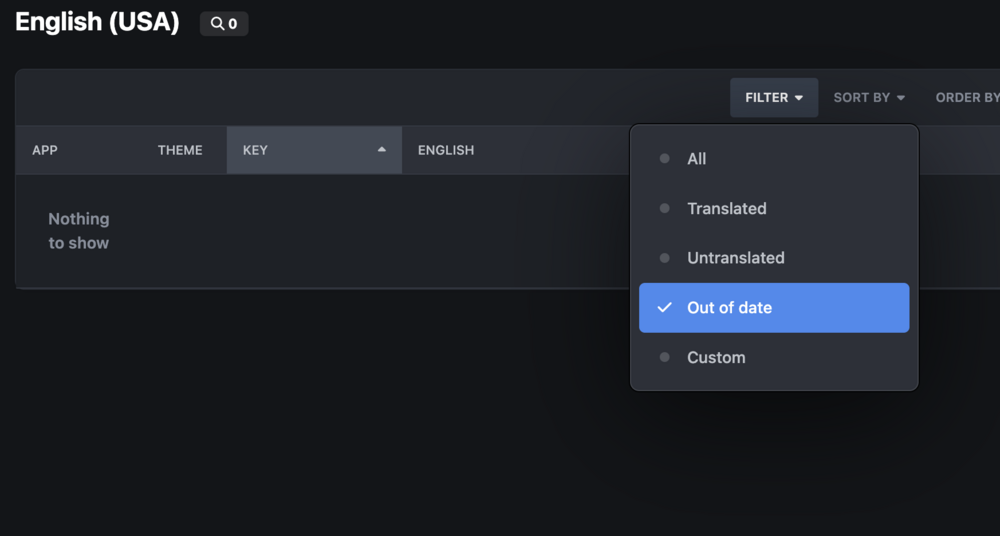
Have you tried using the 'Out of date' filter on the translate page? It should show you languages that you have customised, but have been changed since you made your customisation.
-
Yes, it does!
-
5.0.14 Beta 2 is here!Changes in this beta: #6140 Fix alignment of tooltips and dropdowns in RTL #6152 Minor fix for some oEmbed URLs and load auto-sizing JS
-
We've got a few tweaks coming in Beta 2 for Iframely. I'd suggest trying again with that release. The embeds load via the Iframely CDN, so they would stop working if you exceed your billing allowance (or cancel).
-
Yes. Facebook and Instagram make it so difficult to get access to embed their content. Using Iframely makes the process so much easier, you sign up enter your API key and that's it. You don't need to use it if you don't want Facebook/IG embeds. Iframely isn't a sharing service it does not replace any share buttons.
-
Go to your URL/admin/upgrade, log in and complete the upgrade
-
Iframely is available for all tiers.
-
This is our December maintenance release updated (01/14/26) with an important security fix. Key changes include: New: Iframely.com Integration for embedding Facebook, Instagram and others. Updated: Assignments Added auto-closing after X days. Added daily reminder notifications of open assignments. Cloud customers already have the security patch.
-
Yes, we're testing a fix for this issue.
-
Have you customised the existing email template? Go to AdminCP > Customisation > Emails > search for Registration completed confirmation If it has been customised, there will be a revert button next to the edit icon, click that.
-
5.0.13 Is finally here!The only change is a fix for browsers crashing when pasting JavaScript into a template editor.
-
Beta 2 is here!#5892 Fix an issue where running images through the profanity filters can return a null value #5894 Move follow popup language string to core
-
Are you referring to https://invisioncommunity.com/forums/topic/484973-meatball-failure-after-upgrade-to-5012? That should be covered by #5820 Ensure dropdown menus work inside forms
-
This is our November maintenance and enhancement release. Key changes include: New: Automatically lock large topics and start a new one. New: Ability to customise or disable the "Welcome" email when a member registers. Updated: Editor QoL improvements.
-
We have released a patch to address this issue. You can apply this patch from your AdminCP on the support page. If you do not see any patches available, that means you already have the latest version.
-
We have released a patch to address the following: Editor issues with pressing return/enter after pasting a URL. The change log menu not working in Downloads. Auto-complete fields for tags are not being fully visible on Mobile. You can apply this patch from your AdminCP on the support page. If you do not see any patches available, that means you already have the latest version.
-
You're looking at two different URLs. One is /forums/terms in the admincp and looking at /terms in the front-end.