Drewfus
Clients
-
Joined
-
Last visited
Everything posted by Drewfus
-
I don't think it has it still says Invision Community 5.0.0 Beta 7
-
Just notice that when I logged in as a member I am able to edit the theme editor and use the page editor how do I make it so members cannot use it? I do not want members to be able to change my theme or page. Nevermind I fixed it!
-
I am interested
-
You could also use your resources .ipsLayout__main { background-image:url({resource="custom/header.jpg" app="core" location="front"}); width: 100%; height: 100px; background-position: center top; background-size: cover; background-repeat: no-repeat; }
-
.ipsLayout__main { background-image: url(https://www.mysitename.com/images/header.jpg); width: 100%; height: 100px; background-position: center top; background-size: cover; background-repeat: no-repeat; }
-
I assume you set that in your server.
-
@Marco Junior I got the same thing I just downloaded the beta again from client area and it worked fine don't think the beta file from client area was all there when I first downloaded it.
-
I transfered my main domain url to new host and everything is working fine.
-
I have put it back on the old host since I was having problems on the new host the only reason I want to change hosts is the images disappear. I have my test site on another host and works fine. Thanks anyway I will move it at another time.
-
I have changed host for my main site deleted everything on the old host uploaded new install to the new host and get this. An installation has already been activated for this license key. Your license key entitles you to one installation only. If you need to change the URL associated with your license, contact IPS technical support. How do I fix this should I wait 48 hrs.?
-
@Jimi Wikman Great video I actually made a database for the first time watching your guide thanks for doing that.
-
all you need is this part not li.ipsdat_item .ipsData__item--discussions[data-forumid="7"] { background-image: url('https://i.imgur.com/GdVi7Jq.png') !important; background-size: cover !important; background-position: bottom center !important; min-height: 262px; }
-
You need to upgrade to Invision Community Classic in order to see the beta download if your not on Invision Community Classic already.
-
your welcome
-
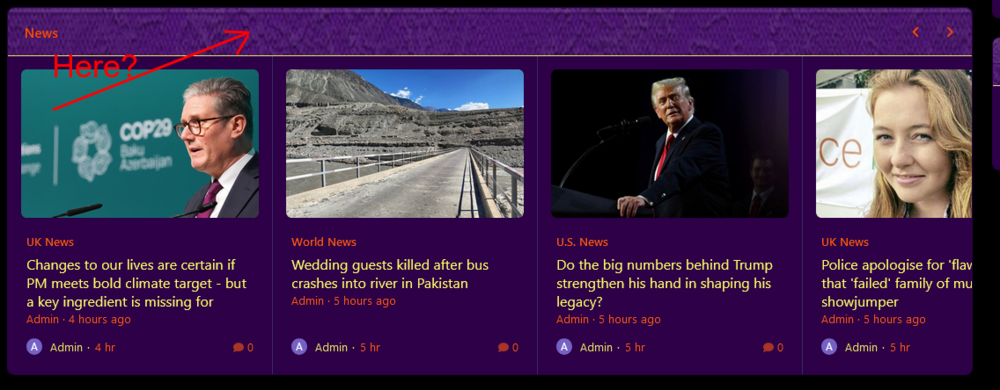
.ipsWidget__header { background-image: url(https://yoursite/images/pic.png); width: 100%; border-top-left-radius: inherit; border-top-right-radius: inherit; border-bottom: 1px solid #EEEA65; background-position: center bottom; background-size: cover; background-repeat: no-repeat; }
-
you mean category header?
-
your welcome if you want image in side nav panel .ipsNavPanel .ipsLogo { background-image: url(https://your image/here.png); width: 100%; background-position: center bottom; background-size: cover; background-repeat: no-repeat; } same adjust position of image center center, center top or center bottom
-
.ipsHeader__primary { background-image: url(your image here); width: 100%; height: 450px; background-position: center top; background-size: cover; background-repeat: no-repeat; } change height if you like also position .
-
@MythonPonty Why are you using 4.7.19 that is in beta maybe you should use 4.7.18 the stable version then upgrade.
-
I would try and disable all third party apps and plugins from your old site first. Then try and upgrade.
-
Yes means your at the top right now with a good reputation
-
@Jimi Wikman Whatever you think is best.
-
@Jimi Wikman That would be awesome!!
-
4.7.19 ??? I only see 4.7.18 in client area how to download 4.7.19 ?
-
@Jimi Wikman Your next video should be on how to create databases and pages I am really confused on how it works I tried a couple of them that Chris59 posted and can't seem to get them to work right that would be a great walk through.