Phantom_OTIB
Clients
-
Joined
-
Last visited
-
-
I will ask the question and come back to you
-
Good Morning As always, Thank you for the support and guidance offered, it really is invaluable One of my fellow admin has message me with a problem, and it turns out a few of our members are getting the same issue. When they are logged into a laptop and a mobile phone at the same time, when they return to either they are automatically logged out of their account The odd thing is that I am always logged in on both my mobile and work laptop with no issues As above it is only impacting a handful of people, I just wondered if there were any possible solutions / reasons?
-
-
-
Hi @Adriano Faria As per my post above, this is exactly what I need I have tried to create an account but it says I must have an IPS profile URL - I have no idea what that is, can you assist please?
-
A solution was posted on the last thread you created Mark Content As Read Via Forum Icons - Feature Support - Invision Community
-
-
-
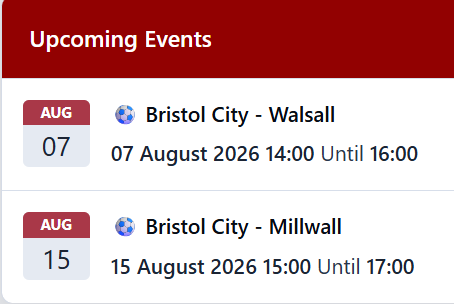
As a football forum we have just added the "Upcoming Events" tab and added an RSS feed so we have the upcoming fixtures showing I was wondering if there is a way to change the heading from "Upcoming Events" to something of our choosing please? Additionally in each event it has the ability to add a "Cover photo" to the event, is there a way we can import the same picture into all upcoming events or do we need to upload individually? At the moment we have 47 events, and I don't have the will power to upload the below into each one As always "Thank you" for your help

-
Always welcome opposition supporters. I can't think of the persons username now, but there is a Wednesday supporter who posts on there quite a bit
-
-
-
-
Thank you for your kind help. It was as suspected, to do with us linking to a non approved thread. Out of interest is there a way we can remove the ability to select to leave a link to the merged thread? I now it's a tick box, but I'm not confident all the moderation team will remember not to select it and potentially create the same problem again
-
-
Apologies, I have no idea how to do that
-
-
This is something that has been raised to me too
-
-
-
Good to hear there is a fellow football forum on here I look after www.otib.co.uk
-
We currently have two posts showing as awaiting approval When I click on the highlight it usually takes me to a post that needs to be manually approved, but when I click on the link there are no posts there I have gone into the admin control panel and there are no posts in the awaiting approval area Any ideas how I can move on / clear the message please?

-
-
Looks good 👍🏼
-
I'll pass this onto the forum Thank you for your help
-
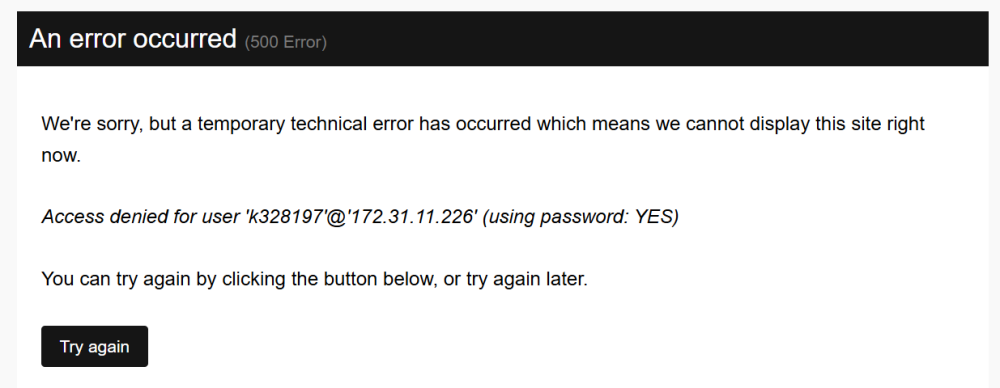
Good morning This morning I have had a number of users message to say they are getting the following error message. With a refresh it temporarily goes but soon returns again Grateful for any a please
-
The below is what shows for a 'Newbie' Looking at their profile in the Member View are of their account, when they were moved to "Banner", it shows them moving from "Member to Banned" That looks like they went straight to being a "Member" rather than being a "Newbie" - there is no mention of them being a 'Newbie' I am guessing I need to be looking at what group a newly registered person goes into, as it looks like they are going to step 2, rather than step 1. Is that something that I can correct please?