Day.
Clients
-
Joined
-
Last visited
-
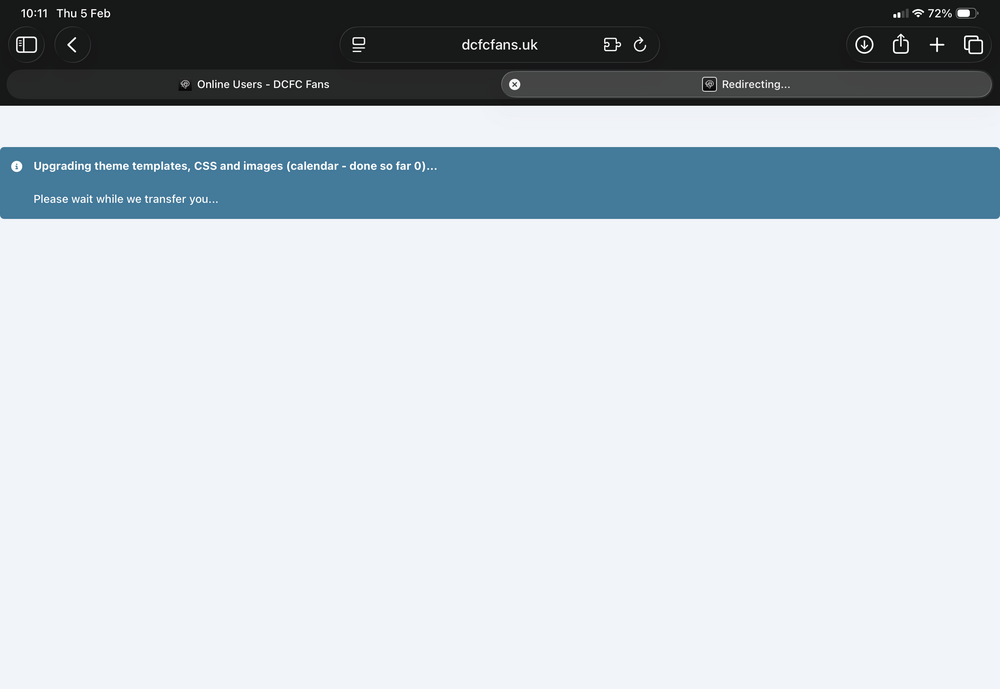
Is it possible to remove upgrade URL's from Cloudflare's human verification checks? After confirming I am indeed a human, even if I don't feel like one at this hour, it sends the upgrade process speed to a crawl. Other than that, nothing broken you will be pleased to know
-
-
I want to create polls where the results are shown once it has closed. Under Groups we have a setting Can view poll results? Never Always Only when poll is closed Perfect, select only when poll is closed, tested, works spot on. Here is the problem, hence why I'm here.... As a guest, I can see how the voting is going before it's closed, and in the guest group settings, there is no can view poll results setting, so all members would have to do is sign out, see how it's going. Now that can't be ideal can it. Any chance of adding the same setting into the guest group. Pretty please.
-
Hello one and all, any assistance here would be amazing. Not sure if it's actually a bug, or as intended and just doesn't work for me. But the quote selection tooltip, whilst on desktop when hovering over text, the quote selection tooltip sits nicely under the text you want to quote. However on iPhone and iPad both portrait and landscape, the quote selection button is placed at the bottom of the page. Which isn't great as we have a sticky footer ad down there so the button is hidden. How can I get it to behave the same was as desktop on mobiles/tablets?
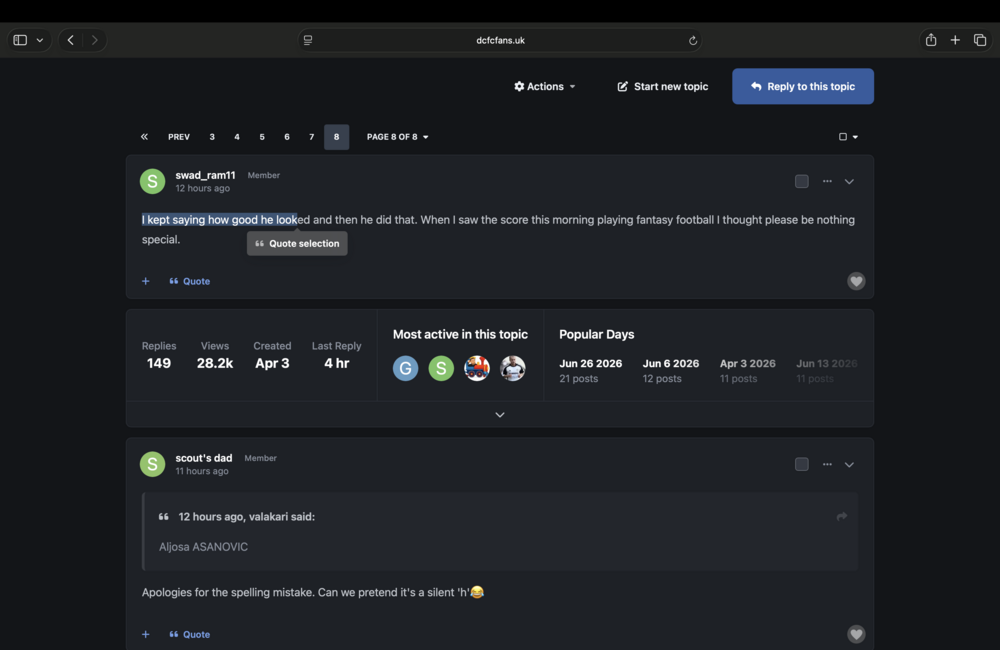
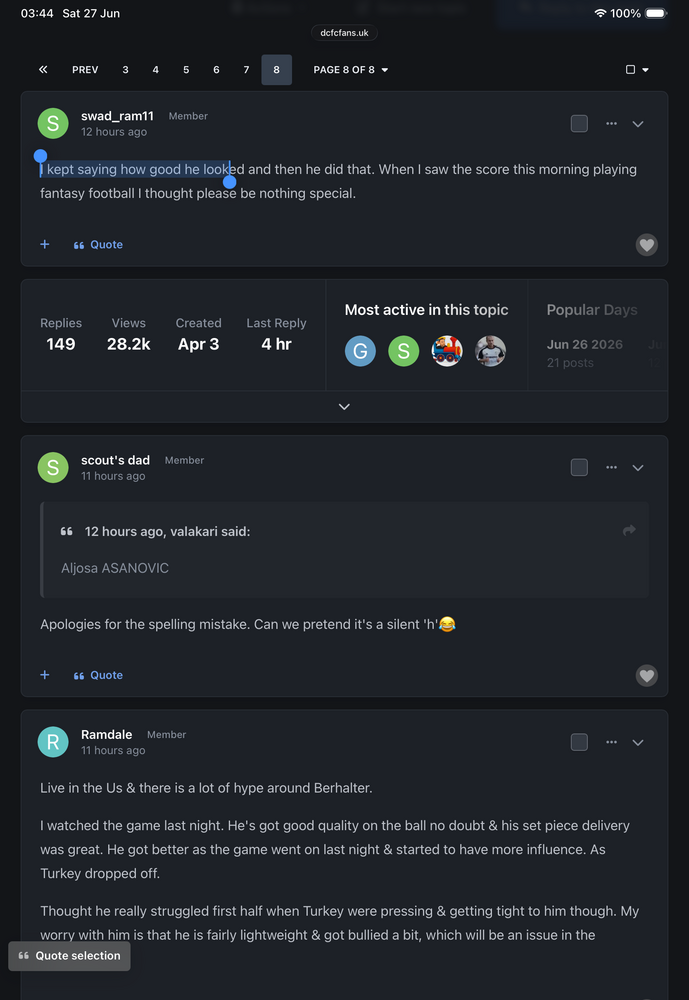
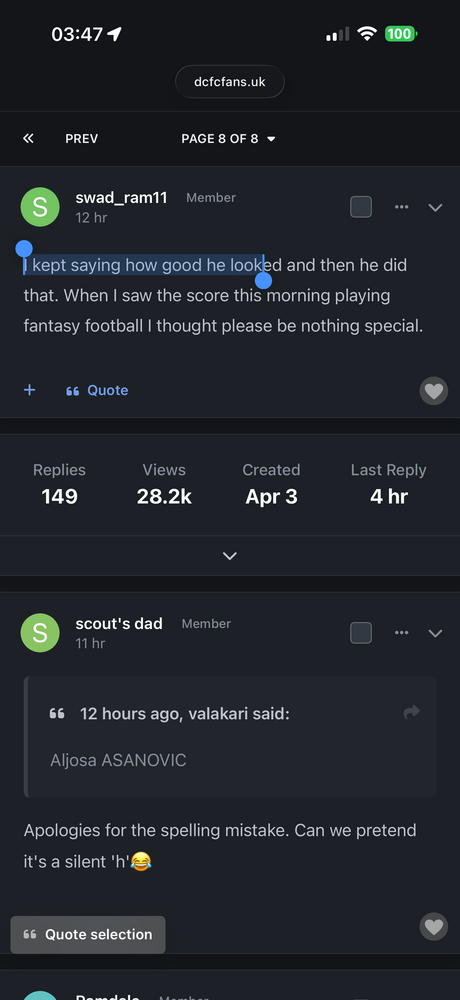
-
-
-
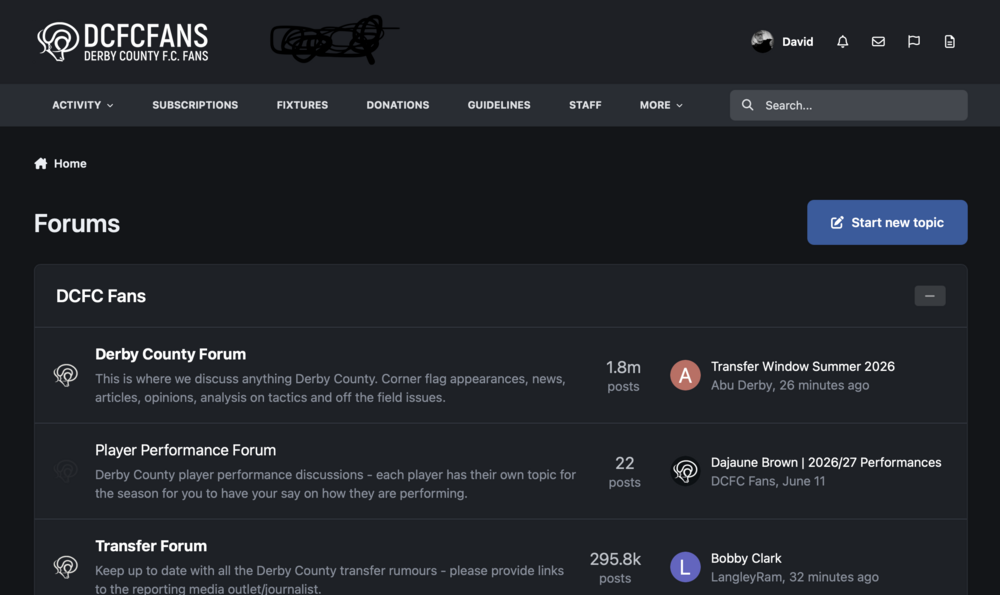
Thanks Marc, I've just managed to do it via a hook after front/global/logo However after adding it in, it broke the main forum logo, reuploaded that fixed it weirdly.
-
I'm looking for some help, I need to add a second clickable logo next to my main logo in the header where the black scribble is. And on mobile, drop below the main logo.
-
-
Thanks! You see these things announced and start to panic a bit
-
-
-
I’m sure you will have seen the UK has announced a social media ban for under 16s from next spring, I know there is a huge debate to be had over the rights and wrongs about this, not really the place for that here. I’m just wondering if that would affect forums under what they call “stranger communication”, as it’s not just social media but even online gaming features. Quick Google search AI response says forums are included in Australia’s ban which the UK is copying. Is age verification is something the IPS devs are thinking about?
-
-
 Como reacted to a post in a topic:
Suggestion: Member alert option when post has been moved with split tool.
Como reacted to a post in a topic:
Suggestion: Member alert option when post has been moved with split tool.
-
Upgraded, however once again it was interrupted by Cloudflare checks to see if I'm human, having also been checked whilst logging into the admin panel a minute earlier.
-
 Moestuin reacted to a post in a topic:
Suggestion: Member alert option when post has been moved with split tool.
Moestuin reacted to a post in a topic:
Suggestion: Member alert option when post has been moved with split tool.
-
My Sharona reacted to a post in a topic:
Suggestion: Member alert option when post has been moved with split tool.
-
Ok, so when moving a topic, we have the option to alert the member that their topic has been moved. Super helpful. However, when using the split option to move a post into an existing or new topic, we do not have the ability to alert the member(s) that have had a post moved. Not helpful. Would be nice if we could. Brilliant suggestion right? I know. I'm not just a pretty face!
-
-
Ok, it hasn’t gone through as smooth as I thought. After completing the update, the homepage still shows the update available message. Admin panel under applications says I’m on 5.0.14 with an update available. I go to update again and the installer page says I have no applications to update. Cleared cache and it still says update available under the Get Support page.
-
Just updated. Thought I’d make you aware, mid installation a poorly timed Cloudflare oi are you human, tick this box for us page appeared. Installation went through fine after, on a stripped down layout, which felt a lot slower than usual once it realised I’m not one of those Elon Musk robots.
-
-
Just me?
-
-
Will this be integrated better than the current embeds. Sounds like a dig, but it’s not. My minor gripe is with X embeds. They don’t currently adapt to dark and light mode. Also for some reason say you click into the embed, takes you to X, browser back and it’s just the X post at the top left of the screen. You have to back again to get back to the forum. First world problems I know, but just curious. I’m already sold on the basis of not having to mess around with Meta apps though.
-
-
-
It’s also fixed the tap to top in WPA, can’t remember the topic I posted that in.
-
-
It’s out now and fixed the issue.