Jump to content
View in the app

A better way to browse. Learn more.

Invision Community

A full-screen app on your home screen with push notifications, badges and more.

To install this app on iOS and iPadOS
  1. Tap the Share icon in Safari
  2. Scroll the menu and tap Add to Home Screen.
  3. Tap Add in the top-right corner.
To install this app on Android
  1. Tap the 3-dot menu (⋮) in the top-right corner of the browser.
  2. Tap Add to Home screen or Install app.
  3. Confirm by tapping Install.

Joel Rainey

Clients
  • Joined

  • Last visited

  1.    Marc reacted to a post in a topic: Featuring & Unfeaturing Specific Posts Bug
  2. Wonderful, thank you! I thought that may be the case, but just wanted to ensure the bug was brought to attention in case it hadn't been noticed yet.
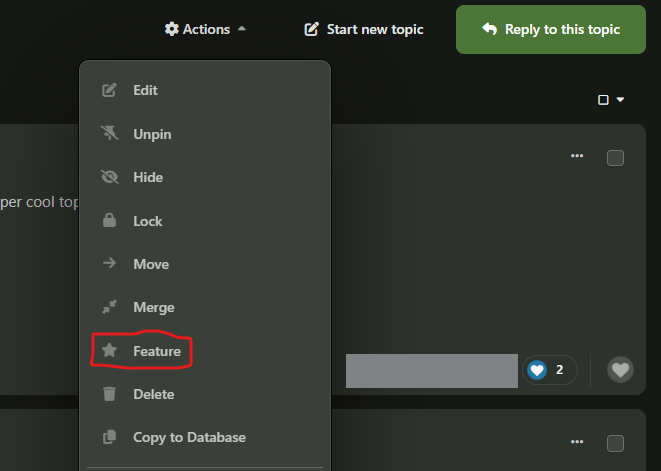
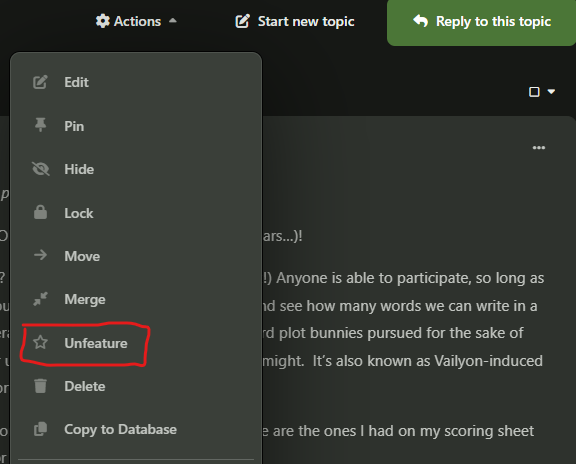
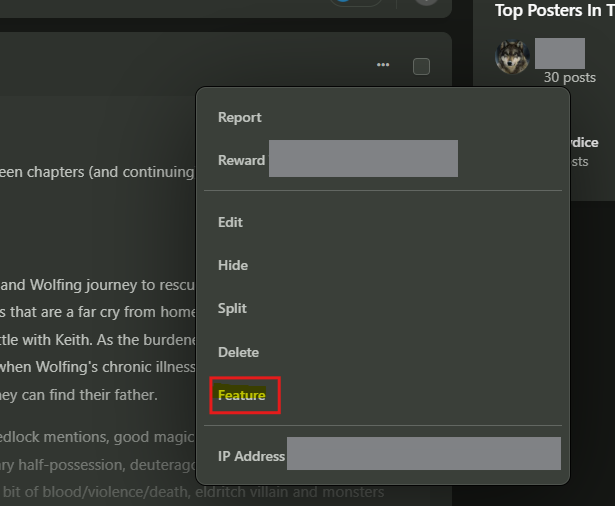
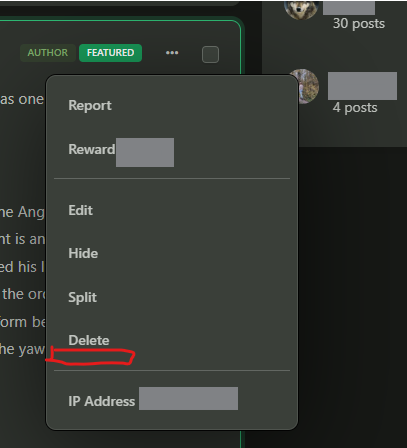
  3. We recently noticed an issue in our platform where we have lost the ability to "Unfeature" specific posts in a topic. For posts, the button to "Feature" is still there, however, once featured, the post does not have an option to "Unfeature": This function still works on a topic level (see below), but the post-level is missing the Unfeature option. Topic level :
Account

Navigation

Search

Search

Configure browser push notifications

Chrome (Android)
  1. Tap the lock icon next to the address bar.
  2. Tap Permissions → Notifications.
  3. Adjust your preference.
Chrome (Desktop)
  1. Click the padlock icon in the address bar.
  2. Select Site settings.
  3. Find Notifications and adjust your preference.