




Matt
Management
-
Joined
-
Last visited
Everything posted by Matt
-
I'll DM you the answer.
-
Already in, but we've not spoken about it yet.
-
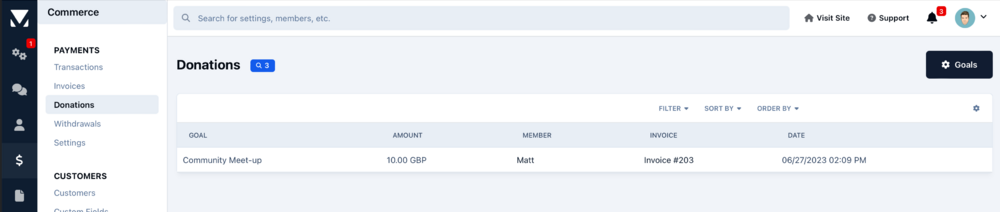
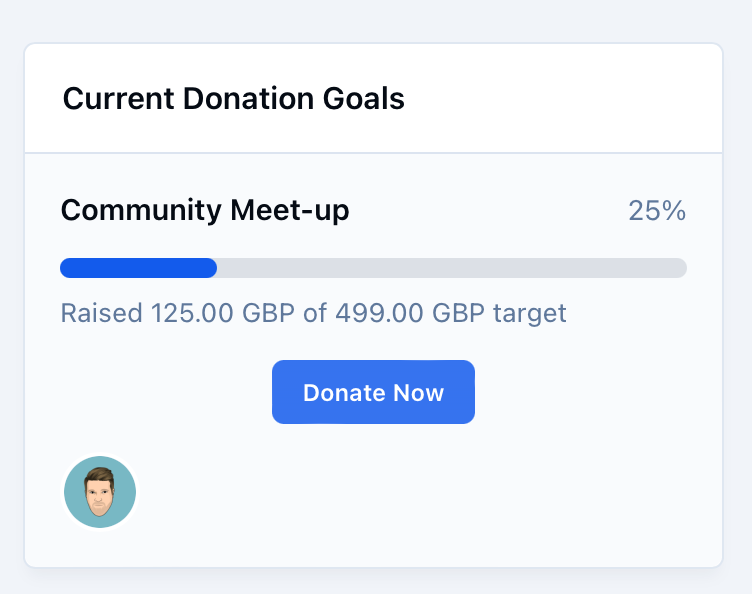
You won't be able to place ads anywhere on the Live Topics UI. The advertisement system has had an update for v5, but I don't think we've spoken about it much. I think I spent more time making up fake adverts than writing about it.

-
The specifics are to be determined, but it will be part automated, part manual most likely.
-
Another Invision Community 5 blog is on its way right now. There's been a lot going on, but we're waiting for a few things to be finished before we can show it off. We're currently revamping the theme resources UI, lots of Pages things in progress including a brand new easy page builder along with QA of what's already been added.
-
If you are interested in switching in the future, just let us know. We can help you get your data migrated. We're fully booked this side of Christmas and New Year is already busy for self hosted to cloud conversions but we'll always do what we can to help. It is indeed. 🙂
-
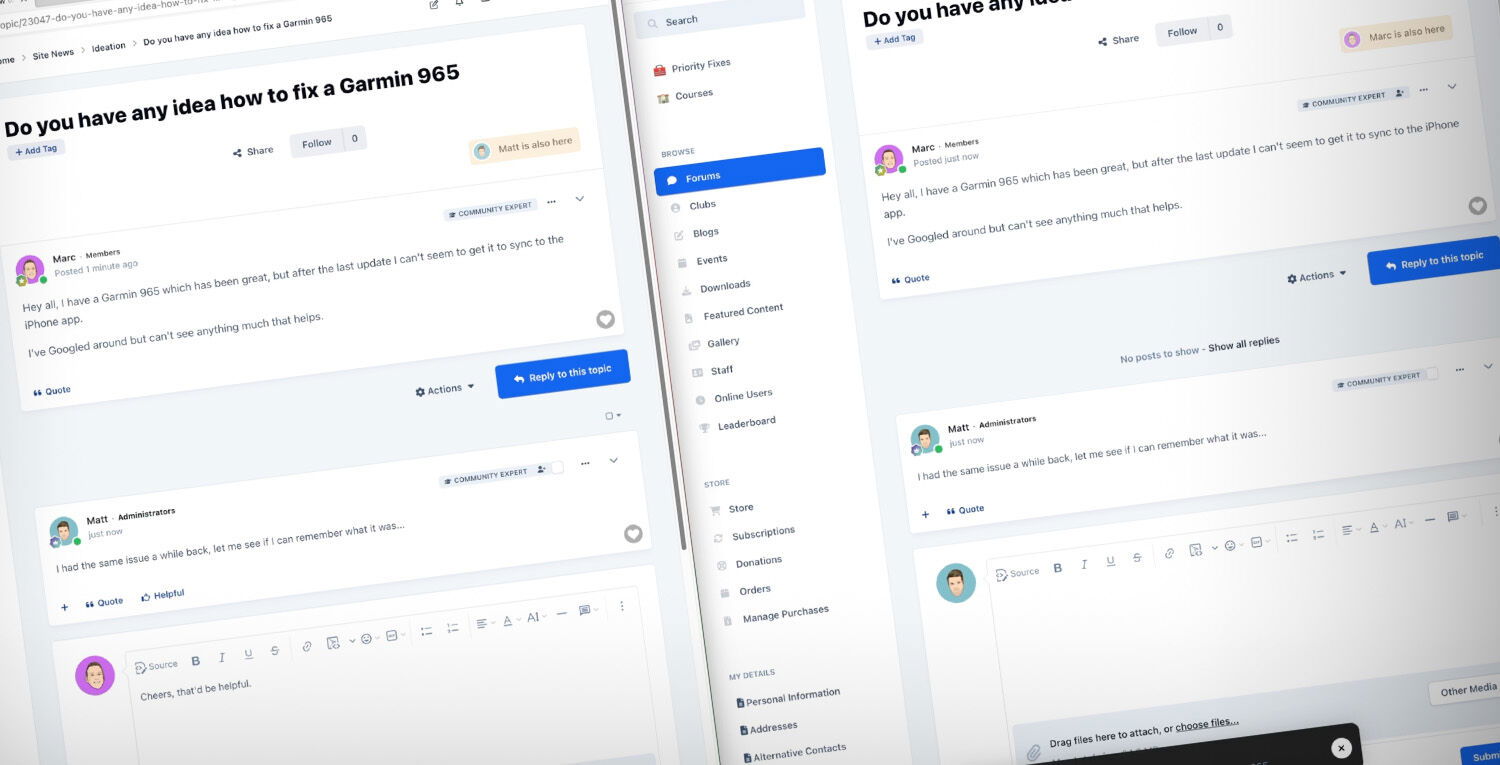 Bring your community to life with the latest live community features coming to Invision Community 5. Last year we introduced new features that immediately showed who was currently reading a topic and who was replying. This feature leveraged new technologies to connect members with each other instantly. In this blog post, we'll delve into the latest live community features for Invision Community 5 and explore how they enhance our sense of togetherness within our communities. We'll examine how these features instantly notify us about new events, updates, or interactions and how they contribute to a shared sense of presence. These features go beyond the static posts and comments we've grown accustomed to and introduce a real-time element. Whether you're part of a support community, a gaming forum, or a professional network, these features will have you feeling like you're interacting with other community members simultaneously, fostering a strong sense of shared experiences. Posting We've all been involved in a busy topic where you're keen to see what replies your latest post has. Select packages on Invision Community 4 can see who is active on a topic and who is typing, but you have to hit refresh to see the new posts added to the topic. If you're anything like me, then you hammer refresh until something new appears. With Invision Community 5, this is no longer a problem. As you interact with a topic, new replies are automatically added to the topic without needing to refresh. This one feature brings the conversation to life, and you get a real sense of other members interacting with the topic at the same time as you. Reactions Did you drop a razor-sharp GIF or post something applause-worthy? Watch as others react to your content in real time with Invision Community 5. There's no need to refresh or return to the topic later to see who enjoyed what you wrote. Getting rewarded for your content is gratifying and encourages you to post more and show your appreciation for other's content via reactions. Notifications Notifications have long been a valuable way to be notified when anything important happens in your community. It may be that someone has quoted your content, tagged you in a post or started a new topic in a forum you're following. With Invision Community 5, you can watch the notification count rack up in real time, alerting you to new events that you may otherwise miss as they happen. We hope that you've enjoyed reading about these new features and look forward to them coming to select packages for Invision Community 5. They provide a sense of togetherness and immediacy, making it feel like we're interacting with fellow community members simultaneously. We're keen to hear what you think, please leave a comment below. The features discussed in this announcement will not be available for Invision Community Classic. Click here to learn more about switching to our platform to get this and other benefits.
 -
Bring your community to life with the latest live community features coming to Invision Community 5. Last year we introduced new features that immediately showed who was currently reading a topic and who was replying. This feature leveraged new technologies to connect members with each other instantly. In this blog post, we'll delve into the latest live community features for Invision Community 5 and explore how they enhance our sense of togetherness within our communities. We'll examine how these features instantly notify us about new events, updates, or interactions and how they contribute to a shared sense of presence. These features go beyond the static posts and comments we've grown accustomed to and introduce a real-time element. Whether you're part of a support community, a gaming forum, or a professional network, these features will have you feeling like you're interacting with other community members simultaneously, fostering a strong sense of shared experiences. Posting We've all been involved in a busy topic where you're keen to see what replies your latest post has. Select packages on Invision Community 4 can see who is active on a topic and who is typing, but you have to hit refresh to see the new posts added to the topic. If you're anything like me, then you hammer refresh until something new appears. With Invision Community 5, this is no longer a problem. As you interact with a topic, new replies are automatically added to the topic without needing to refresh. This one feature brings the conversation to life, and you get a real sense of other members interacting with the topic at the same time as you. Reactions Did you drop a razor-sharp GIF or post something applause-worthy? Watch as others react to your content in real time with Invision Community 5. There's no need to refresh or return to the topic later to see who enjoyed what you wrote. Getting rewarded for your content is gratifying and encourages you to post more and show your appreciation for other's content via reactions. Notifications Notifications have long been a valuable way to be notified when anything important happens in your community. It may be that someone has quoted your content, tagged you in a post or started a new topic in a forum you're following. With Invision Community 5, you can watch the notification count rack up in real time, alerting you to new events that you may otherwise miss as they happen. We hope that you've enjoyed reading about these new features and look forward to them coming to select packages for Invision Community 5. They provide a sense of togetherness and immediacy, making it feel like we're interacting with fellow community members simultaneously. We're keen to hear what you think, please leave a comment below. The features discussed in this announcement will not be available for Invision Community Classic. Click here to learn more about switching to our platform to get this and other benefits. View full blog entry
-
I still think that a summary will rob the community of its character and voices. It’s still important to see the author next to their content IMO.
-
I think it depends on what you’re doing. For example, if you have chosen a book you’ll want to read it page by page but if you’re searching for the right book, you might read the blurb of use the chapter index to see if it’s right for you.
-
The problem is that too many people want to throw AI at everything. I've seen loads of AI based 'executive summaries' on things like Helpscout, Amazon Reviews, etc that honestly do not offer much value. We are happy with using signals and a mathematical model for this feature. @Matt Finger has been discussing building a LLM for many things, so it's an area we are interested in.
-
We are not using AI models at this time. Client browser speed will be greatly improved in v5, we're already hitting high 90s in Pagespeed scores for mobile out of the box.
-
We haven't made any firm decisions on features and package levels yet.
-
It'll definitely be a "breaking" update for many things including code style in PHP code base blocks but it shouldn't take too long to update those items.
-
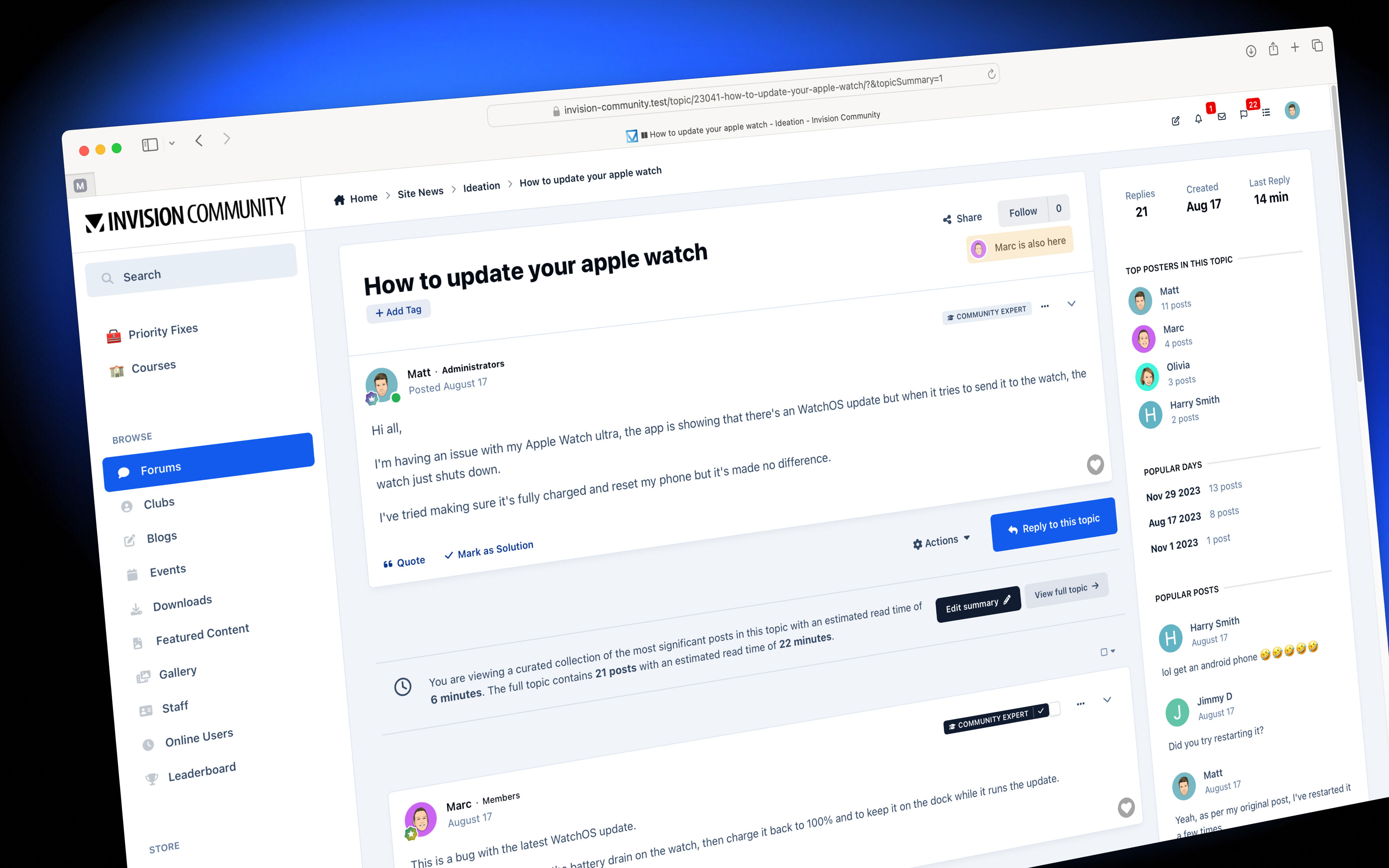 Whether you have hours to browse a community or are short on time, scrolling through a very long topic can be more than a little frustrating when you want to follow the topic's core journey. Recently, we discussed another feature designed to help support-based communities find helpful answers quickly, but what about social topics that do not have a simple question-and-answer format? We've all come to a lengthy topic for the first time and found it a little intimidating to find the most relevant content among hundreds of posts, which don't always further the topic. These off-topic posts are important because they help social cohesion and build relationships between members at the time of posting. Still, those visiting later often want the truth of the topic. Invision Community 5 brings a topic summary feature designed to make the most of your time. The topic summary is generated by an algorithm that uses many touch points such as average read times, reactions, number of shares, external linking and more to determine how useful a post is via a numeric ranking. The summary shows an estimated read time of the entire topic and an estimated read time using the summary, which gives your members a good idea of the time they'll save. A shorter read time will make longer topics more accessible to a greater audience. Adjusting the summary We believe that algorithms should be used to support human decisions but not override them. Those with permission can add posts from the summary if they feel they are more relevant. Likewise, posts can be removed if you think they are irrelevant. Interactions with Helpful Posts Invision Community supports a broad range of communities, including support-based and social communities. We are improving our toolset to help both. You can have helpful post-voting enabled as well as topic summaries enabled. When this is the case, the topic summary will show until the helpful post-voting meets a threshold. Once that threshold is met, the helpful post information will replace it. Of course, not all communities and not every forum will have the support features enabled, meaning the topic summary will be the only way to reduce the topic complexity. Less is more Browsing the summary gives you a concise view of the topic's journey with no distractions, a vital strategy for growth. By allowing members to focus on the core journey, you reward the time they spend on your community and make it more accessible for those short on time. We hope you've enjoyed this feature introduction and would love to hear your thoughts! a.ipsAttachLink img { margin: 18px 0px 18px 0px;}
 -
Whether you have hours to browse a community or are short on time, scrolling through a very long topic can be more than a little frustrating when you want to follow the topic's core journey. Recently, we discussed another feature designed to help support-based communities find helpful answers quickly, but what about social topics that do not have a simple question-and-answer format? We've all come to a lengthy topic for the first time and found it a little intimidating to find the most relevant content among hundreds of posts, which don't always further the topic. These off-topic posts are important because they help social cohesion and build relationships between members at the time of posting. Still, those visiting later often want the truth of the topic. Invision Community 5 brings a topic summary feature designed to make the most of your time. The topic summary is generated by an algorithm that uses many touch points such as average read times, reactions, number of shares, external linking and more to determine how useful a post is via a numeric ranking. The summary shows an estimated read time of the entire topic and an estimated read time using the summary, which gives your members a good idea of the time they'll save. A shorter read time will make longer topics more accessible to a greater audience. Adjusting the summary We believe that algorithms should be used to support human decisions but not override them. Those with permission can add posts from the summary if they feel they are more relevant. Likewise, posts can be removed if you think they are irrelevant. Interactions with Helpful Posts Invision Community supports a broad range of communities, including support-based and social communities. We are improving our toolset to help both. You can have helpful post-voting enabled as well as topic summaries enabled. When this is the case, the topic summary will show until the helpful post-voting meets a threshold. Once that threshold is met, the helpful post information will replace it. Of course, not all communities and not every forum will have the support features enabled, meaning the topic summary will be the only way to reduce the topic complexity. Less is more Browsing the summary gives you a concise view of the topic's journey with no distractions, a vital strategy for growth. By allowing members to focus on the core journey, you reward the time they spend on your community and make it more accessible for those short on time. We hope you've enjoyed this feature introduction and would love to hear your thoughts! a.ipsAttachLink img { margin: 18px 0px 18px 0px;} View full blog entry
-
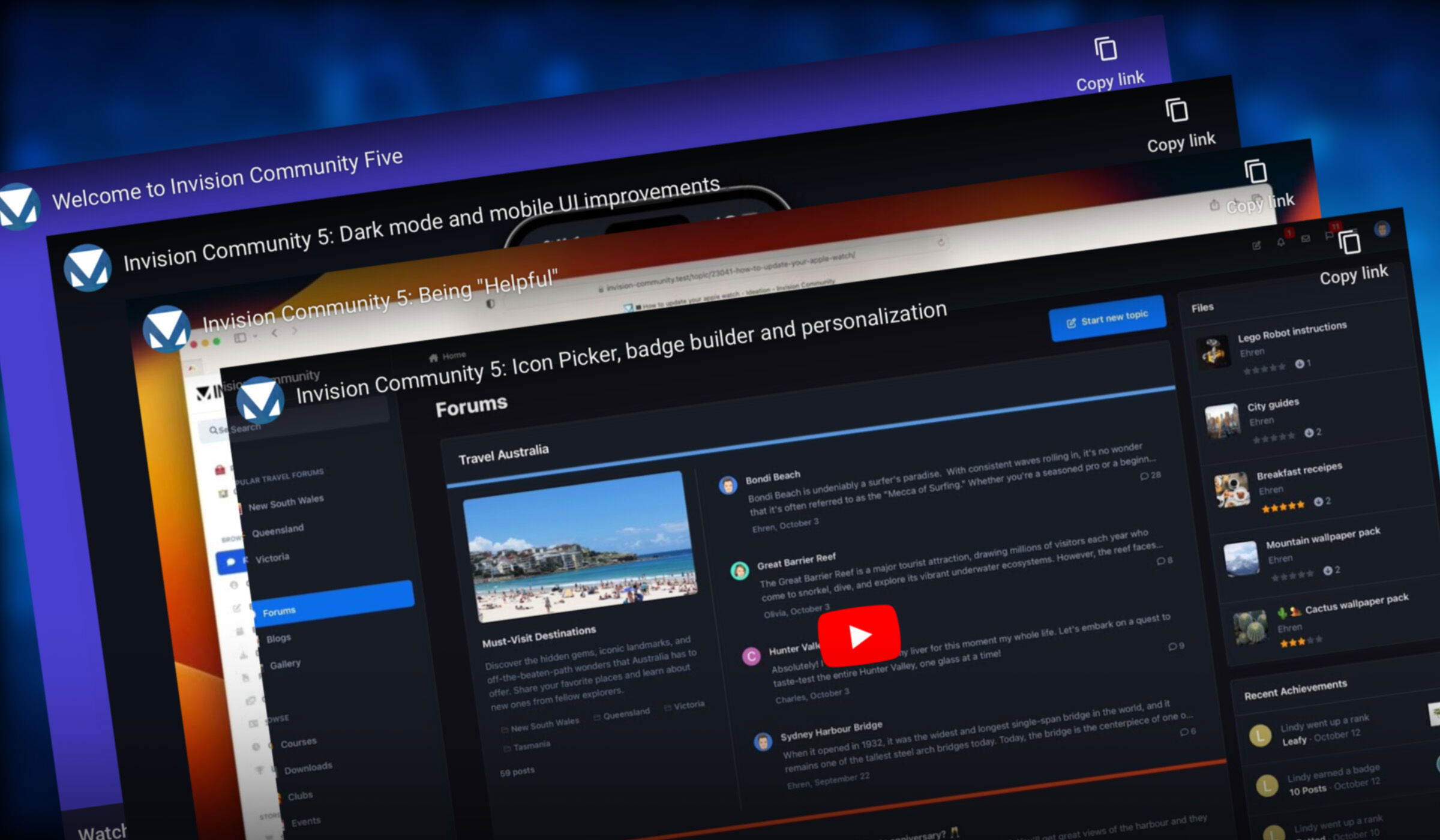 Just six short weeks ago, Ehren hit record on a video that changed everything for Invision Community. The blog was called "Introducing a fresh new vision for Invision Community 5," and it ripped up the rule book on what forums should look like and revealed a slick new look featuring a new forum home feed view and sidebar navigation. A lot has been discussed, but we're not even close to done! Before we bring you news of more features after Thanksgiving, I wanted to take a mid-season break to recap what we've seen so far. First up was the introduction video, which gave a broad overview of the new UI Invision Community 5 would be sporting. Ehren takes us through many new elements, including the sidebar navigation, forum feed view, simplified post view and more. Up next was a focus on dark mode, accessibility and mobile views. Invision Community 5 features the ability to have native dark mode without additional themes or complex variables to set up. Our aim with Invision Community 5 is to hide the complexities and technology and just let you focus on creating a great community experience for your audience. Bringing complex theming to everyone was the message in the blog talking about the new theme editor. Now, you can make wide-ranging changes to your theme without the need to edit CSS or manage HTML templates, all driven by a smart and simple interface. Next, it was my turn to talk about a new feature. I introduced two new features designed to help those who run support-based communities. Finding the most helpful answers and identifying community experts help your members do more with less time and frustration. Last week, Ehren demonstrated our new icon and badge builder, which is an amazingly powerful tool to produce slick and professional badges along with the ability to customize your community further with emojis and icons for menus, reactions and more. Building ways to reduce the barrier to customization has been a strong theme for Invision Community 5. Phew! We can all agree that we've showcased a lot of impressive functionality coming with Invision Community 5 already. But what does the future hold? Lots! We have a lot of new functionality that we're putting the finishing touches on, and we can't wait to show you more. These new features further help to reduce noise in topics, make the community feel alive and bring long-needed updates to core components such as the editor. Not to mention, there is a significant update to Pages underway. We also have a lot of less flashy updates, such as the new consolidated Feature/Our Picks feature, which is now a single feature. Feature-window.mp4 An improved Moderators Control Panel brings a more uniform experience across deleted, hidden, and content waiting to be approved. We're still on course for a release of Invision Community in early 2024 and can't wait for you to experience the future of forums. What has been your favourite feature so far? I'd love to know; drop a comment below!
 -
Just six short weeks ago, Ehren hit record on a video that changed everything for Invision Community. The blog was called "Introducing a fresh new vision for Invision Community 5," and it ripped up the rule book on what forums should look like and revealed a slick new look featuring a new forum home feed view and sidebar navigation. A lot has been discussed, but we're not even close to done! Before we bring you news of more features after Thanksgiving, I wanted to take a mid-season break to recap what we've seen so far. First up was the introduction video, which gave a broad overview of the new UI Invision Community 5 would be sporting. Ehren takes us through many new elements, including the sidebar navigation, forum feed view, simplified post view and more. Up next was a focus on dark mode, accessibility and mobile views. Invision Community 5 features the ability to have native dark mode without additional themes or complex variables to set up. Our aim with Invision Community 5 is to hide the complexities and technology and just let you focus on creating a great community experience for your audience. Bringing complex theming to everyone was the message in the blog talking about the new theme editor. Now, you can make wide-ranging changes to your theme without the need to edit CSS or manage HTML templates, all driven by a smart and simple interface. Next, it was my turn to talk about a new feature. I introduced two new features designed to help those who run support-based communities. Finding the most helpful answers and identifying community experts help your members do more with less time and frustration. Last week, Ehren demonstrated our new icon and badge builder, which is an amazingly powerful tool to produce slick and professional badges along with the ability to customize your community further with emojis and icons for menus, reactions and more. Building ways to reduce the barrier to customization has been a strong theme for Invision Community 5. Phew! We can all agree that we've showcased a lot of impressive functionality coming with Invision Community 5 already. But what does the future hold? Lots! We have a lot of new functionality that we're putting the finishing touches on, and we can't wait to show you more. These new features further help to reduce noise in topics, make the community feel alive and bring long-needed updates to core components such as the editor. Not to mention, there is a significant update to Pages underway. We also have a lot of less flashy updates, such as the new consolidated Feature/Our Picks feature, which is now a single feature. Feature-window.mp4 An improved Moderators Control Panel brings a more uniform experience across deleted, hidden, and content waiting to be approved. We're still on course for a release of Invision Community in early 2024 and can't wait for you to experience the future of forums. What has been your favourite feature so far? I'd love to know; drop a comment below! View full blog entry
-
Do we get…

-
I have Adobe Illustrator, it doesn't mean I can produce good quality graphics 🙂 Tools are only part of the end result. Or goal was to put more power into Invision Community owner's hands, but that doesn't remove the need for professional themes and graphic sets. It's not on our roadmap at this point, it'd be tricky given how we load the icons.
-
As always, if you feel they are not a good fit for your community, you do not need to use them.
-
This feature was deliberately separate from group promotions and member groups because we wanted something special that sits along side those things. There are plenty of ways to reward time spent, posting volume and so on through group promotions and achievements. The community expert featured here is focused around knowledge, accuracy and solutions, which may not be a fit for every type of community. I also want to move away from things that are possible but need a lot of set up, thought, and management of multiple tools across the AdminCP into something more pre-built and working out of the box. We have a lot of complex functionality but most of it goes completely unused because it needs a lot of thought and set-up to get the most from it. Modern communities battle churn, so the longer the pathway towards being seen as trusted, the less likely anyone will remain long enough to complete it.
-
Quick answer as it’s late but you can select which groups are permissible to be experts. This means you can set up your group promotion rules to move candidates into a specific group and only allow that to be used. i have been mulling over the experts per forum and impact on the rest of the community. More thoughts tomorrow. Oh and yes, language strings are used.
-
You win a cookie!
-
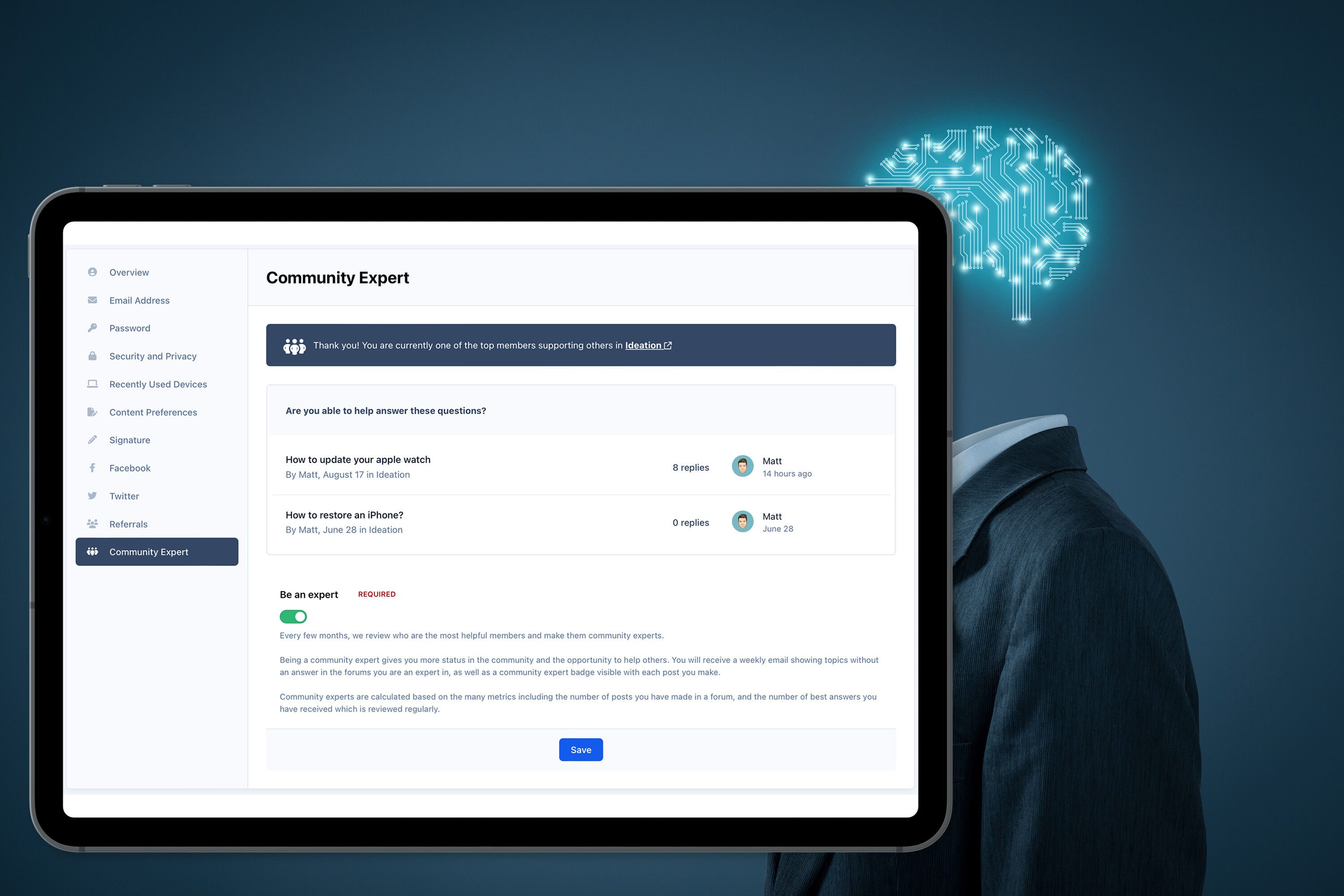 Long ago, back in the dark ages, forums used the number of posts a member made and how long ago they joined to demonstrate trust and experience. Is simply posting a lot and being a member for a long time the best way to know which community members are experts? And is there a better way? We think so. What makes an expert, and why are they important? Community experts are the keystones to any thriving community. You probably recognise a handful in your community. They tend to be active regularly, are often the first to try and help others with their questions and help set a positive example within the community. Wouldn't it be great if newer community members could discover who these super users were a little easier? These members trying to find their feet in a new community could follow trustworthy individuals, absorb the positive tone of the community, and even get help a little quicker. In the past, forums have shown trust and experience through basic metrics like post count and the years since they joined. However, these metrics only show that the individual has been around a long time and posts a lot. It doesn't show that they are potential role models or helpful and trustworthy. Community Experts with Invision Community 5 Invision Community 5 identifies these experts through metrics such as the number of solutions they have, the volume of 'helpful' votes on their replies, the speed of answers and more. Each forum will have its own experts, so if you have a very broad community, someone who is very helpful in a particular area will show as an expert in that area only. When a member has been picked as an expert, they'll receive an email thanking them, and they can then opt-in to be shown as an expert along with a regular notification or email with any unanswered questions in forums they are experts in. I'm absolutely killing it in the Test Forum Every few months, the experts are recalculated to reflect the organic way communities grow and change. After all, there's little point in showing that a non-active member is an expert. It might even encourage new community experts to keep up the great work and remain active longer. Community experts have a badge shown with their posts, along with the option to follow them. Encouraging new members to follow trusted community members should be a core part of any community strategy. Settings and control Of course, not everyone should be labelled as a community expert, and perhaps, in very rare circumstances, an existing community expert could have a bad day and not represent the community well. Invision Community 5 gives you the ability to set which groups experts can be picked from and offers you the opportunity to block existing experts, ensuring they won't be selected again in the future. Over to you All communities have to be purposeful and provide value. That value may be in close friendships, or it may be in getting answers for problems you have. Either way, locating the most helpful members will help develop trust, provide guidance and increase knowledge within your community. For transactional communities such as support-based communities, experts are vital in providing timely answers and demonstrating credibility and expertise to others. As always, we'd love to hear your thoughts. Please let us know in the comments.







