My Sharona
Clients
-
Joined
-
Last visited
Everything posted by My Sharona
-
As expressed, I am talking about a page within a Database. Of which, the usage of an editor, can be restricted. Much like it was in v4. I am not trying to be difficult, though I'm aware that that could be a perception. It just doesn't make complete sense. The above said, I understand that this is not something that is going to be available. Again, thank you for your time here.
-
Thank you, Jim, I genuinely appreciate your engagement here, sir. In the sense that I am trying to fully comprehend what is being said here... If I were to create a Page with the Content Editor option, Manual HTML {A code level editor for complete control. Includes support for Invision Template Tags}, by inserting, {block="[title]"}, it operates as utilized in the Header, Sidebar, or Footer position without being in any of those positions, but rather the main area of the page being created. As such it is operating outside of their respective areas.
-
Thank you. I fully understand that it operates just like a forum post. What I am asking is why. Why does it not include the ability to include blocks within the main content area (ie: WYSIWYG Editor). It would seem that a database ought to include that ability. It would make life so much reasier.
-
I have a general question that revolves around pages within a database. So... with Pages, I can either create a Page Editor (recommended) {A visual editor for drag and drop page creation} or a Manual HTML {A code level editor for complete control. Includes support for Invision Template Tags.} With Databases, I can only create Page Editor type pages. Databases makes for an easy compilation of a bunch of related pages. Pages, not so much. My question is basically thus - Within a Database, why is it not possible to be able to insert Tags (read; Blocks) into the main content area? This would make life a lot easier so I could include advertisements in the main portion of a page, instead of being relegated to including them only in the Header, Footer, or Sidebar areas. Of which, would make the page creation, and hence, inclusion within said Database, much better/easier. Or, perhaps there is an out-of-the-box way that I am not aware of? TYIA
-
Then the person who deleted the PM doesn't know they were sent a PM. The sender would probably not understand why there was no response, which in turn, may create ill will where there is none.
-
If your the author, it seems like being able to delete its existence would make a form of sense. Afterall, an author can delete a thread they created, right? At the least, there should be a setting whether to allow it or not, just as there is a setting to allow for the deletion of threads.
-
@Stuart Silvester Whelp... I just tried to do an edit to a post and it did not shift. I dunno, it was doing it yesterday immediately after upgrading. All's well, I guess. Sorry for the false alarm.
-
Latest build Chrome.
-
When attempting to edit an existing post, the screen shifts to the bottom of the page, requiring a scroll up to where you were. This is mostly fine if you are editing the last post, because a minor scroll up is all that is required, but if you are editing anything up screen from that, it could possibly be quite confusing to a member.
-
Very eloquently stated. 👏
-
Clicking the Star/Ball will bring you to the first Unread comment. Yes, the Ball /Star will bring you to the first unread comment, while clicking the thread title will bring you to the thread starter. The setting has no effect on the Ball/Star. Not sure why the functions are not working for either of you. The difference for the Ball and Star icons is simply this - You see a Ball for topics you have not posted in, and a Star for topics you have posted in.
-
@Gary is correct in his offering of the locating for setting. Changing the setting to, Take me to the beginning, only affects the thread title. The Ball/Star will still take you to the first unread content. And, as Gary also adeptly points out, the membership can change the default setting via their UCP, to a custom setting of their own preference.
-
On both of my communities, I have the thread title take whomever to the first post in the thread. Also, whereby clicking the ball/star, takes them to the first unread post. The memberships seems to like this structure.
-
Thanks, Jim. Actually, it occurred to me after posting this topic that I am able to search the database with considerable detail and get all comments. By creating a new stream, filtering it to that specific content type, and setting the Read Status to Everything, I am able to get the entire comments posted to that database. Once that Stream is created, I can further refine the filters, within that Stream.
-
Question regarding Databases. We have a rather large database set up that allows for comments. My question here is - is there a way to specifically search for any/all comments located within said database? Is there a wildcard query that can be input to draw any/all comments? TYIA
-
Give them administrator access and limit their abilities. System > Grant access to System > Content Discovery > Can manage tag settings.
-
As a workaround, you *might be able to create a Category for all those images, and draw from that category. No specific need to create albums within a category.
-
Within your Images block, click the blue pencil and then you will see what Marc and Jim are directing you to.
-
It plays fine here on a WIN 64 OPSYS with the latest build Chrome browser.
-
Upgraded and seem to have lost the Image Logo. All that is showing is the Text Logo. The Image Logo is still within the Theme editor. Odd, in the different viewports within the Theme Editor, it does show the Image Logo but the Tablet and Desktop do not. And indeed, it does show on Mobile.
-
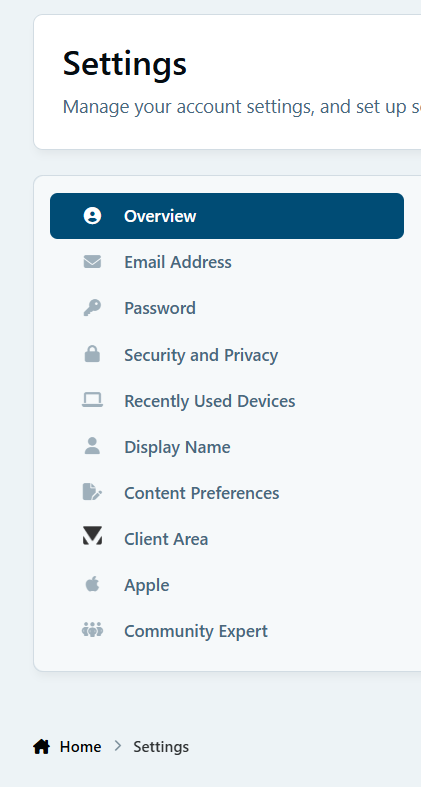
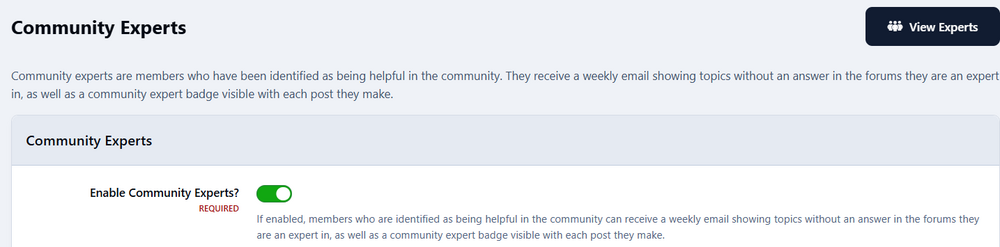
So, to close my query out here, and bring it back home for anyone who may encounter the same... I am not seeing the Community Expert container in my Account Settings because of a setting within the ACP. Notably; Community > Forums > Community Experts > Maximum time between expert notifications. This setting determines how long the time period is between evaluations of whom is or isn't a Community Expert. Since the time I have turned off the Community Expert aspect has exceeded that set time frame, there is no ability to see the container. shoo, I am a noob at times...
-
I'll have to send an Email. Thanks.
-
Turn the entire function off then reenable? Not sure I understand what you are saying here. I viewed the, View Experts, but I don't see my user name listed. I also viewed the Blocked Users, just in case, and I am not listed there either. Thanks for your help here.
-
I was but I disabled it. The function has been enabled since the site was upgraded back in late February, as that is the out-of-the-box setting. So, I logged in as the user in question and indeed he can see that container. Thank you for pointing me in the right direction. Much appreciated. I guess this then brings me to my next question. Shouldn't I be able to see that container with my account? What if I want to reenable the function as it relates to my account? Once disabled, I can no longer see the container and reenable?
-
I do see it on this site, but not on mine. The function is enabled within the ACP. This site: The ACP on my site: