


Mike G.
Clients
-
Joined
-
Last visited
Everything posted by Mike G.
-
I totally get it and see how it could be more of a problem on your site. Unfortunately I don’t know of a way to automate it other than manual intervention and creative ingenuity. Maybe not ideal, but an alternative option could be to hide images from the tag pages via css so they’re not confusing to visitors.
-
Hey @michimachi, have you tried featuring tags from the tag pages? In doing so, you have the option to customize the image with your own preferred photo. I understand that isn’t the exact functionality you’re looking for, but it may be a stop-gap while the team considers your feedback.
-
Congrats on a successful year. Can’t wait to see what’s in store for 2026! 👏
-
Upgraded both sites without issue! The one site asked for my license key again, but a quick copy and paste from the client area did the trick. That was a first. Now it's time to get ready for the next update.
-
I kept pushing off starting S1 and after the first few episodes I still wasn't sure how I was going to feel about it. You nailed it though. Every episode in S2 was a 10/10 and I can't think of another show that maintained that quality from beginning to end. Oh, and "Devour feculence" is staying in my memory bank forever. 😆
-
I started Season 1 a few weeks ago and caught up in time for the finale. What a ride! That 3 year wait after the Season 1 finale must've been torture, though. This show is going to live rent free in my head until Season 3
-
Yahoo, this is an amazing update! Thanks for the heads-up on Elastic Search as I was using version 7.17 (now on 8.11). Search index is rebuilding now. I tested the new club search feature and it's been working flawlessly so far. That's a huge add, thank you! Thank you for helping me deal with my Severance withdrawals. It's no joke. I can't express my appreciation enough for the work this team puts in to improve and keep innovating on what's already the gold standard in community software.
-
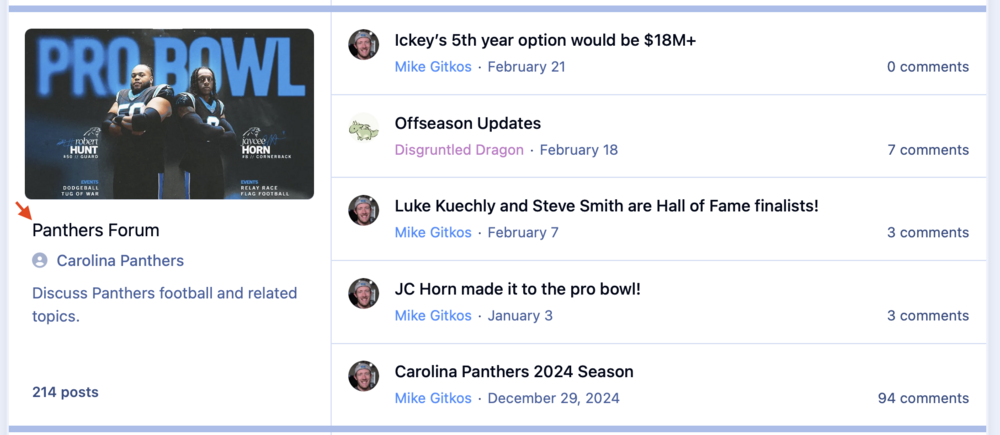
Nice touch with the club forum changes! 👌 This puts "Carolina Panthers Panthers Forum" to shame!
-
I'll be reception if it means free pizza!
-
Lookin' fresh!
-
This is something that’s been very top of mind for me and it will be a huge relief knowing these measures are in place when I switch to the cloud. Thank you for making this a priority!
-
CONGRATULATIONS on the release!!!! 🎉 And thanks for allowing me to be a part of this journey!
-
All good, here! 🙌
-
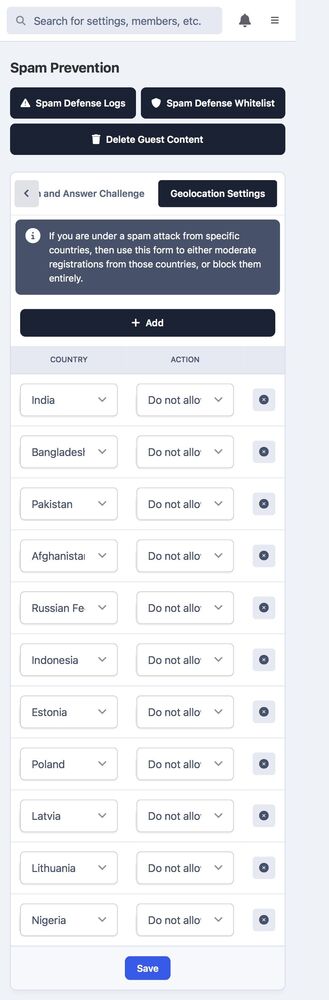
I’ve also find it helpful to utilize the geolocation options. When a new spam account registers, I take a look at their location and add it to the spam prevention list if they’re not from my target geos. Here’s my list geolocation settings, but it may differ for you.
-
Thanks for the quick fix! All good, here! 😀
-
That was covered in the original post. @Matt called it. He may be psychic. 🔮
-
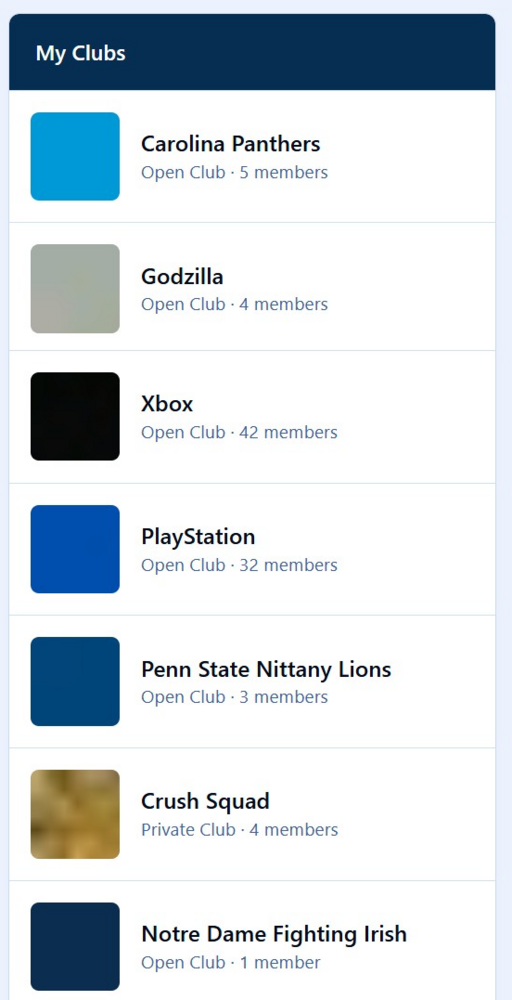
Upgrade went smoothly but immediately noted the club images turned into color blobs🟦. Sharing here since this one might be worth a patch, but let me know if you'd like me to create a bug report as well 🛠️ (whoops, missed @Marco Junior's message)
-
Major major major props for the way everything is interconnected in version 5. I love the approach to tagging and I have that woven into the core experience at Fan Clubs, but that’s more of a future endeavor. My team at my Notre Dame community have really taken to the Featured Content to highlight posts throughout various threads. If you want to see how we’re using Featured Content, the homepage and topic view will give you two different looks. https://www.domerdomain.com With Notre Dame in the college football championship next week, there will be a lot of new eyes on the site. I’m proud of what I’m able to offer for it. I can’t express my thanks enough for allowing me to be a part of the alpha and beta tests. You all sparked my creative spirit ❤️
-
Another easy-peasy-lemon-squeezy update! Thanks team!
-
I removed the bolded line (font-weight) and I've been going back and forth between 17px and 18px font-size for those icons. For such a minor change, I really like the way it feels. Thanks again for this @Drewfus and @Ehren.
-
Thanks for sharing this, @Drewfus. I love the way those look in dark mode, but it blends in with the background in light mode for me. Does it do the same for you?
-
That’s great to know. Thanks, @Ehren!
-
Think about all the extra free time you’ll have!
-
Thank you! Getting there 😁
-
Fan Clubs is LinkedIn Official with an official launch date of January 2, 2025. Thank you so much to everyone here, from IC management building this software and creating a culture I hope to replicate, to this community for sharing their experience and advice, as well as the amazing providers for providing critical applications to bring it all together. I appreciate you all so much! 🫶







