SoloInter
Clients
-
Joined
-
Last visited
Everything posted by SoloInter
-
Yes me also, but not in the widget.
-
I added it. I just change some things in the CSS because on mobile the button is hidden behind other elements. /*Floating Back-To-Top Button*/ #myBtn { position: fixed; z-index: 100; bottom: 70px; float: right; right: 3%; left: auto; width: auto; font-size: 18px; border-color: rgba(85, 85, 85, 0.2); background-color: rgb(100,100,100); padding: 5px 5px 5px 10px; border-radius: 4px; /*On Hover Color Change*/ #myBtn:hover { background-color: #7dbbf1; }
-
Hope 🤞
-
Before, with 4.7.18, the widget was showing members but also number of guests connected. Now we get only members without numbers : We can get this data after clicking on the link /online/ : Is it "normal", can we have the option to show ALL people connected and not only members ?


-
Yep, I will just put a fa-icon and it will be good
-
Thanks dude, I will try this one tonight
-
I know that this is a subject that has been discussed since the dawn of time and that you have always wished not to integrate this kind of functionality, but it would be very useful all the same. A little advice for adding this with a simple FA icon?
-
Too late. Hope at least we can help to debug/improve 🤞🏻
-
https://www.internazionale.fr That's it, we've taken the plunge. There is still somes bugs with preview link (instagram, twitter, internal link preview) who show nothing than a white big square. But it's the only bugs we noticed at this time.
-
I'm not. I just played with Editor for colors. But I think it's the same kind of issue I got on the dev side, that Beta 3 should resolve, but not. Database is not in col1 or there is a widget who should not be there, or database is in widget area, something like that.
-
I sent you what you asked @Marc 😇😬
-
Let's go Jim ! We also decided to go live. Just one issue with our database page to resolve and we will be here too.
-
All good with no issue ! Thanks
-
Same here :

-
Is it possible to get X and G button at the same place, same size than "Sign up" and "Login" button above ?

-
The first time I also had the reflex to grab with the left click an area of the different carousels to scroll them like in this link; I was a little frustrated that I couldn't do it and had to go click the buttons or grab the bar underneath. It would be really cool to be able to do the same thing as in the example of @Maxxius
-
It is possible to modify the CSS of the side panel menu but not of the menu in the header. In my example below, we see one version with the side panel activated, another without the side panel. If the side panel is activated, you can use the Theme Editor to modify the appearance of the links and their background. If the side panel is disabled, then the menu is present in the header. The Theme Editor no longer displays the side panel but displays an additional choice in the header. However, you can only modify the background color of the primary and secondary zone. That's all. We don't have the same choice as for the side panel If I want the same gold background color on the header as it's done for menu in side panel, I can not.


-
Now we can start managing tags in ACP Admin, I have 65 pages of tags. So 6000 tags ... I have several suggestions: we have information on the number of contents linked to the tag (x items) but it is impossible to find out more without going directly to the tag page on the front; Making the counted elements clickable in order to display them would be practical. Also be able to classify them by number of related items. In addition to the name, have its slug in parentheses or italics in the listing display. Being able to select them to delete at once, rather than clicking on the cross and confirming. Propose to link the content associated with a tag that is deleted, to another tag; Or be able to merge several tags together and choose the one you keep. Just asking 😇

-
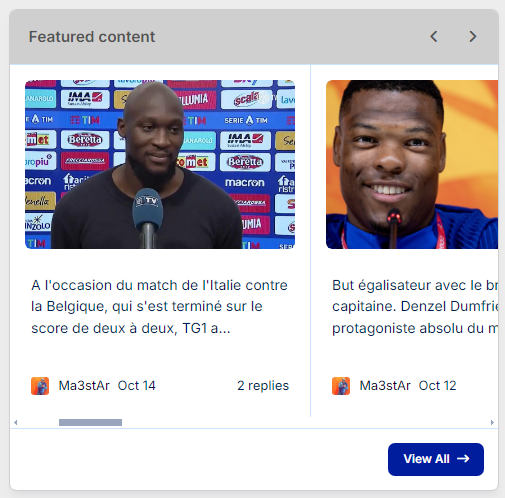
Between picture and intro, should have been the title. Widget : Page : Titles showing them in page with database : Oups, should have been posted in bug maybe ?


-
Some widgets allow you to choose a personalized title. This is not the case for everyone. Is it possible to have this possibility for the Calendar widget please (Upcoming Events) ? In our particular case, we have several agendas. We have 2 separate Calendar widgets (this is desired) to display upcoming events from 2 different calendars. Unfortunately, they have the same title which is not modifiable or in any case not distinguishable between two widgets. Widget Calendar (no title) : Widget feed from database (with title) :


-
Click on your profil, go to Theme Editor, on the right side who just opened, go to Page Layout.
-
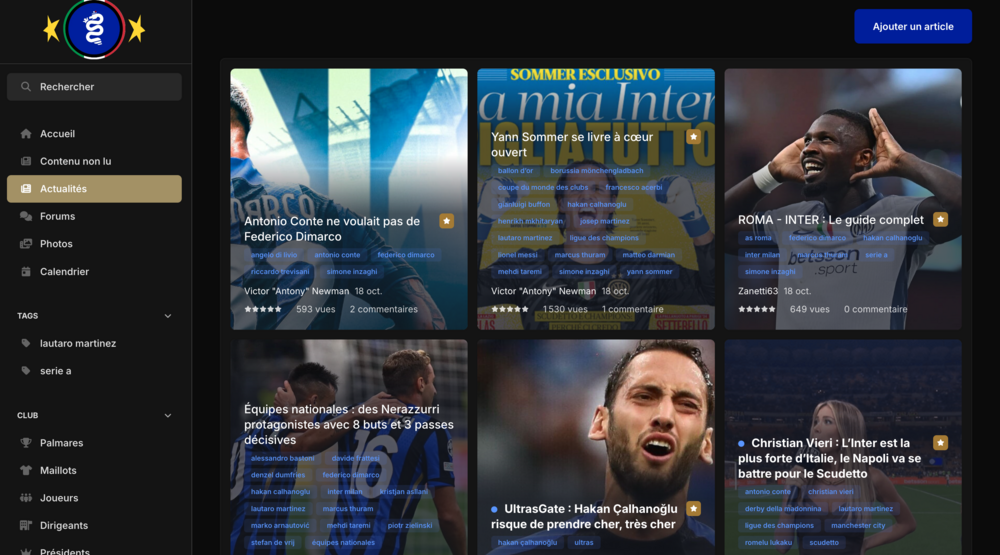
This is the page on which the database of our articles is linked. Although I still have to clean up the too many tags, there will still be articles that have a certain number, sometimes a little too many; Can we have the option or can you apply the same logic as applied in the unread content page (discover/unread) which seems to display 4 tags maximum and a 5th transformed into a dropdown listing the other tags and thus avoiding this which can be seen in the first capture. That would be cool. Display config for the first screen shot is Wallpaper.

-
After BETA 2 , still the same here fyi
-
Yep same here, through ACP Admin. I had to run an ssh command to be able to use sftp option when they ask about credentials, after that all good. Without manual ftp install
-
Thanks @Ehren 👌