SoloInter
Clients
-
Joined
-
Last visited
Everything posted by SoloInter
-
Ok it works like that : i-pwa-install { display: none !important; } #ipsPwaInstall { display: none !important; } thanks for your help !
-
mmh thanks but doesn't work on my side
-
Hello, I disabled everything on admin/?app=core&module=settings&controller=webapp I don't want to see the banner on top anymore who pop everytime we load a page. Everything is empty andd disabled but it still show on. Someone have any idea how I can hide this thing ?
-
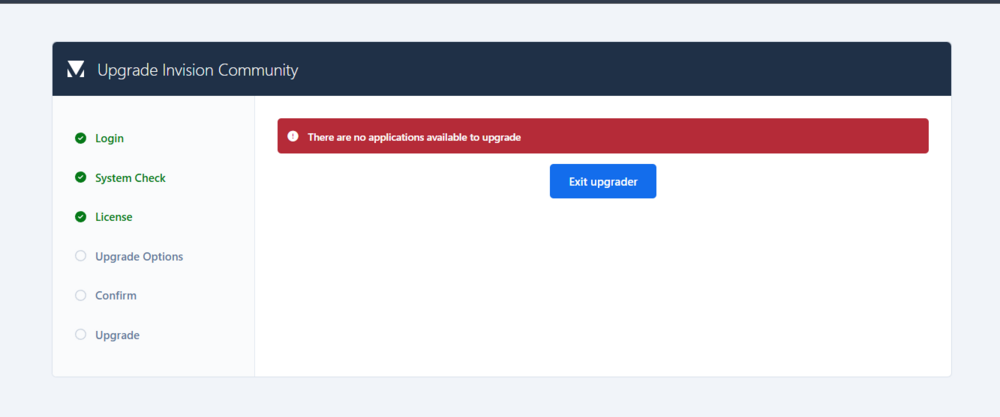
Can not install it :
-
On all the website : On Client Area : This one send us to 4.7 releases notes. I was looking for the 5.0 releases notes. Maybe put both links here too. ;)
-
Ok thanks. I disabled this feature and its back at normal 👌
-
And for information Menu Manager don't show what we see on top of the menu (screen above) "Open Assigments" so we can not delete it :
-
Ok, maybe it's not necessary to show all the button, menu etc... for those who don't have it ? I was self hosted, and I'm now Creator Pro. After transfert I get this : Open Assignments on top menu Button on top : PC Mod : If it's not something we have, maybe don't show all of this ?
-
I found that, but I didn't have the button "Assign to" as there is on the video.
-
What is that ? I try to find on the Community but I only found something about this : How is it supposed to work ?
-
Ok thanks @Jim M
-
Is there a way to put others colors for Quotes ? I wanna change Quote's background (only). Thanks
-
Updated ! All good thanks
-
Perfect, thanks !!
-
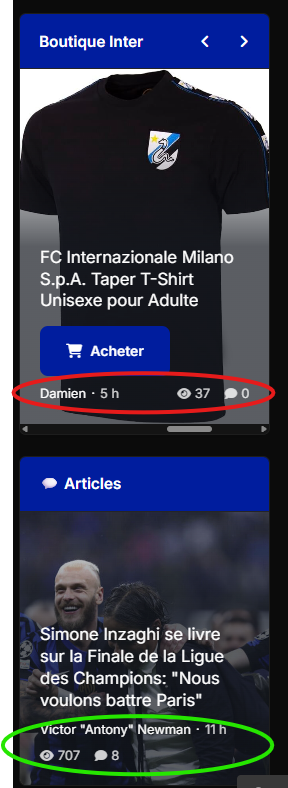
I have 2 databases. Here is a screenshot of the widgets who are showing elements from them. I want to hide info for the first one only (red circle) not the second database elements (green circle) Is there a way to do that ? You can find these blocks in live here using a pc (top right) : https://www.internazionale.fr/forums
-
Understood, thanks.
-
Is it possible to use the store to offer products with a button that redirects to the Amazon product page via an affiliate link? I have a feeling this isn't possible and that we have to enter a price.
-
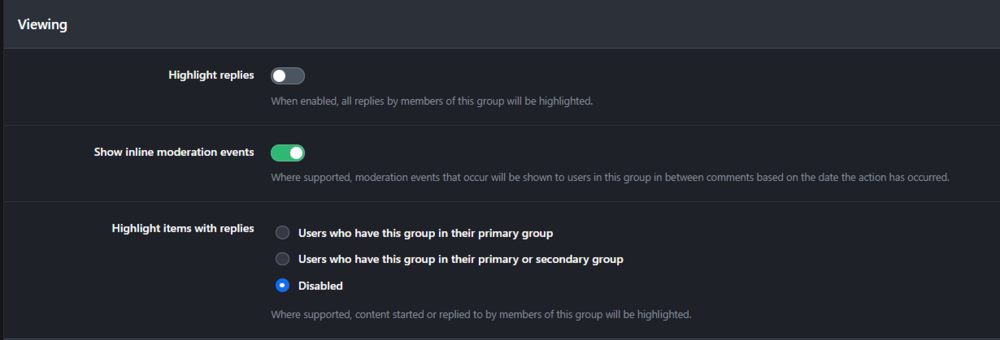
What is the difference between these 2 options ?
-
All good now. Thanks for the helpful help as always @Matt
-
Oh thanks! Yes should be all good about the client area details.
-
Nothing change. I just have the data from yesterday but we still can not make any action like post, open menu... I suppose I have to make a fresh install of 5.0.7 and restore database ?
-
That's why ... aaaaaarrrrgg !! I only backup database, not the files. I upload the last stable version and try to revert database from yesterday before the upgrade.
-
-
yes my site was able to get betas versions. But I didn't install it. I was on the stable version 5.0.7 And yes there is an issue with permission somewhere, but why ? I didn't do anything on this server. Just after the upgrade there is this things. I tried to upload manually but I get this issue about permissions on fiew folders... wtf...
-