Como
Clients
-
Joined
-
Last visited
Everything posted by Como
-
Hi @Marc The problem is that without an actual Hide option, these posts/threads remain queued, in limbo, clogging up the system. Further, if we look at the forums panel, the indicator of posts and threads awaiting approval for individual forums becomes meaningless. If we instead delete the posts/threads, this impacts management and auditing processes. I am left scratching my head about how to best handle approval posts we normally would hide - I am upgrading v5 imminently. We could, for a short moment, approve and then hide. But we use the approval queue for the first post from members. Once their first post is approved, they have (more or less) full access and can post freely. So a quick 'approve/hide' is not practicable. We could move these threads to a non-public (and, perhaps, non-post-count) forum, but this is needlessly complicated. But even if we do this, it would be a poor choice for posts, as they would need to be split-off before being moved to a non-public forum. And once moved, they lose context. We have a couple of trigger words to queue posts for approval - it is important for us to keep these posts (as hidden) for moderation purposes. And in the case of new members, this specific, problematic content is used to filter new members. This does not mean they will make bad members, but they do need to know what content we do accept. We have moderators who we trust to make decisions on multiple factors about what to approve, hide, or even flag as spam. But they never delete. This provides us with a reasonable route for auditing a decision and to potentially re-evaluate it. And we do not keep deleted posts indefinitely - so, there is that too. With respect, Invision's various moderation systems already needed a rethink and an overhaul. But this single omission makes the existing system(s) substantially worse.
-
I did not know that was a thing! Thank you for highlighting that that. I'll keep that in mind. I suppose I just expected the theme editor to select three widths within each of the three zones created by the two breakpoints (something below the first breakpoint for mobile; a midpoint for tablet; and something (a minimum) above the second breakpoint). But it is what it is and is no biggie really.
-
I suppose that's what puzzled me. I expected the theme editor to display across the breakpoints (mobile/tablet/desktop). It might. Thank you for your detailed explanations. Appreciated.
-
Hmm. I do not understand the logic here. I just tried this using a phone in landscape. Even though it has a wider viewport than the tablet in the theme editor (there is considerably more text displayed before a return), it retains the mobile menu. I thought in tablet mode - using the default theme - it retained a small border, does not have the mark as read button, etc. at the foot of the screen (and other responsive changes), but does have the mobile menu. But when I view the forums in desktop and tablet views in the theme editor, they are essentially the same (no substantive layout differences), just with a narrower viewport. I note that using the theme editor in a smaller window does trigger the layout changes I described above. It seems that the three desktop, tablet and mobile viewport options in the theme editor do not actually directly tie to the screen width responsive layout trigger points. But I can trigger the three major layouts in the theme editor by using a smaller window width. How does Invision define a tablet? Because in the theme editor, it is just a narrower desktop view.
-
I do not normally use tablets - but I just dug out a very old Kindle to test this - and when using that at least, it displays the mobile menu. I guess its screen resolution must be lower than most modern tablets. OK. Thanks, Marc.
-
Hi @Marc I notice when using the theme editor that the mobile menu is not displayed in tablet mode - is this correct behaviour?
-
Hi all, Given that in v5 we can add custom CSS twice for given a theme, once in the ACP, and another in the theme editor, what's the best practice here? Which one should I choose in any given circumstance? Or, are there situations where I might use both? Thanks.
-
Thank you @Ehren and @Moestuin. I made the changes you suggested and it seems to work flawlessly.
-
Urgh. That's it! I had no idea that was there in v5. And I have no idea how my CSS ended up there. @Moestuin has steered me right. Thanks anyway @Marc.
-
@Moestuin will understand that far better than me, but I think I get the gist of if it. Thank you @Ehren. I'll test it out later.
-
Hi @Moestuin, It is very late here. But I've just taken a quick look and will look again in the morning. The two versions of selectors still appear. (And there is definitely only one in the custom CSS). I did as you suggested, for the cached CSS. This is what I see. I am unsure what it indicates about what you explained. Thanks for the explanation. I am unsure how I can properly test out a Cloud installation if there are long-lasting caches I cannot control.
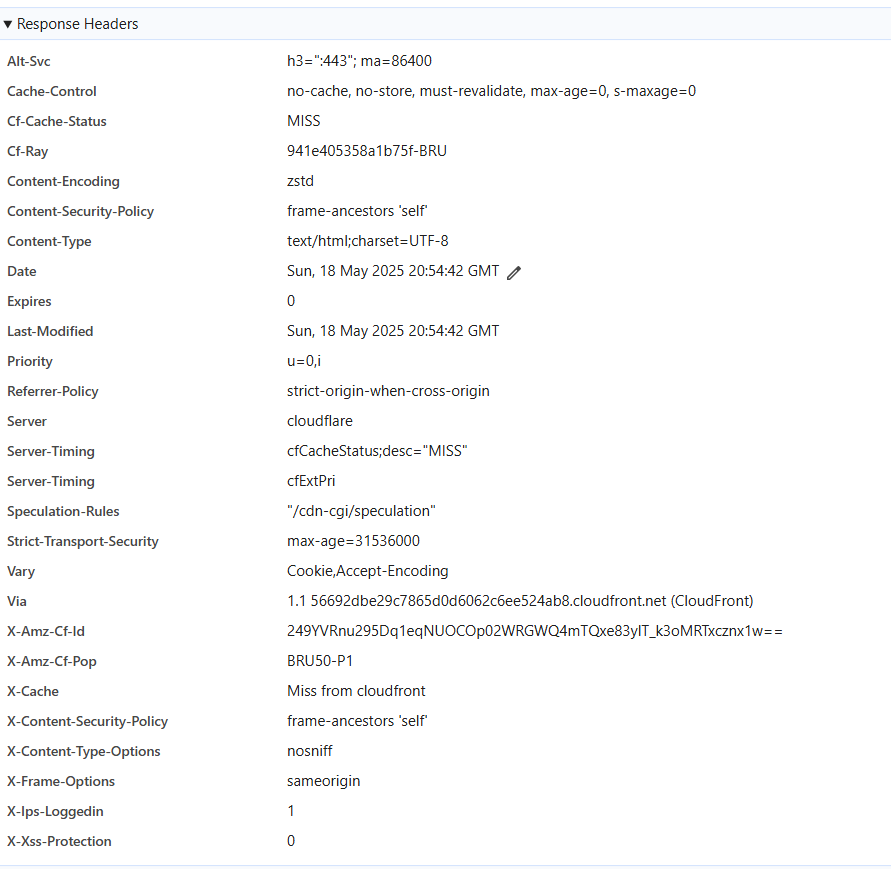
-
V5 Cloud (test installation) I seem to have two copies of my custom CSS. I see in the inspector the exact same selector and attributes twice, except one appears to be cached. When I edit the CSS, I have to disable the attributes in the cached version, else they override my changes. Inspector indicates that the CSS file is at this location, which I do not understand: https://xxxxxx.invisionservice.com/?_fromLogin=1 I have cleared the cache at the site and used an incognito window for the browser to be sure of fresh cache. (And when that did not work, I made doubly certain by using the browser inspector in another browser.) If someone here could explain to me what's going on, it would be appreciated. This is messing up my attempts to edit the CSS. It is probably just something I do not properly understand. Thanks.
-
Hi @Moestuin I just finished this. In the end, I actually just needed to add: stroke="currentColor" fill="currentColor" to the path attribute. I did not need two images. I can't pretend to fully understand it.
-
Hi all, I managed to create a new icon for the mobile footer menu bar, but it does not work in dark mode. I created my image and copied the colour from an existing footer image in light mode. Do I need another image or is there something I am missing and the colour somehow changes in a single image? Either way, what's the correct approach?
-
Note: The black footer area was not playing nice with the footer menu bar at some widths - dropping below the menu bar - I had to change @media (max-width: 768px to 979px.
-
Hmm. I probably do not understand something fundamental about hooks, so bear with me here. Is it not possible to add conditions which would prevent the original code running? An 'if guest' type argument? I thought 'hooks' kept the original, and potentially adds code/HTML at the four hook points. A couple of days ago I know that - because we had no choice due to the absence of a suitable hook point - we reproduced the whole mobile footer menu (with some additional code), placed this before the original using a hook, and then hid the original template HTML output content with CSS - that worked in that situation. Here, I presumed that we could add up to four sections of code at the various hook point options (probably just points 2 & 3) to add some kind of if condition to the original code so that it is skipped when the page is viewed by a guest, and else to add '...' or similar. This would result in keeping the h3 tags and alternative content (...) for guests. Apologies - I am just trying to gain a better understanding of how hooks work. And all this might be moot anyway. I would also need to do this for @mentions but I cannot locate this in any of the templates.
-
Hi @Moestuin Unfortunately, I am looking for a programmatic solution, which prevents usernames from ever being loaded. Else, I would have tried out a CSS hack.. It is to ensure that usernames cannot be indexed - I suspect that a JS solution, like with CSS, would not ensure that they are not indexed. I probably do not properly understand how hooks are used. I thought there were four options and they would allow some elseif code to replace the username with a generic '..' (or similar) for the username. I thought there were four places the hooked code might be employed: 1 <h3 data-ips-hook="postUsername" class='ipsEntry__username'> 2 3 </h3> 4 I also assumed that, potentially, code could be to each of the four points.
-
v5 Cloud I'd like to use hooks to replace usernames in posts and @mentions with '...' or 'redacted' or similar. I see there is a hook available to potentially achieve this in posts, but I cannot code. Hook Application: Forums > front/topics/postContainer > postUsername <h3 data-ips-hook="postUsername" class='ipsEntry__username'> {{if $comment->author()->isOnline() AND ( !$comment->author()->isOnlineAnonymously() OR ( $comment->author()->isOnlineAnonymously() AND \IPS\Member::loggedIn()->isAdmin() ) )}} <span class='ipsOnline' data-ipsTooltip title='{{if $comment->author()->isOnlineAnonymously()}}{lang="online_now_anon" sprintf="$comment->author()->name"}{{elseif $comment->author()->isOnline()}}{lang="online_now" sprintf="$comment->author()->name"}{{endif}}'></span> {{endif}} {template="userLink" group="global" app="core" params="$comment->author(), $comment->warningRef(), FALSE, $comment->isAnonymous()"} {{if $comment->isAnonymous() and \IPS\Member::loggedIn()->modPermission('can_view_anonymous_posters')}} <a data-ipsHover data-ipsHover-width="370" data-ipsHover-onClick href="{{if $comment->isFirst()}}{$comment->item()->url( 'reveal' )->csrf()}{{else}}{$comment->url( 'reveal' )->csrf()}{{endif}}" rel="nofollow"><span class="ipsAnonymous" data-ipsTooltip title="{lang="post_anonymously_reveal"}"></span></a> {{endif}} </h3> How would go about replacing the usernames with 'redacted' when viewed by guests? Thanks.
-
Yes, having the 'Hide' option is important for moderation and management reasons. Will this be brought back?
-
OK. It is working at the moment (or appears to be), but I'll as you advise there. I'll report back in a few moments. Yes - that works!! Thank you, @Moestuin.
-
Functionally, that works. But it messes up the button: the icon is display left-top of the button, and hover effects have disappeared. So I placed back the button line I suggested a little further up and removed: aria-controls='ipsOffCanvas--notifications'It seems to now work flawlessly! I will test it out more fully, and there are a few other things to take of (removing the original button, and change when the regular button (for PC ) is triggered. But I am pretty sure I can work out how to do them. Thank you so much @Moestuin ! :-) Ah. Only just seen this. I'll check.
-
Edit: heh - no. That, of course, brings up notifications.
-
Thank you, @Moestuin. I've done all that. And what do I do with the following line? I'm guessing this: <button class="ipsMobileFooter__link" aria-controls='ipsOffCanvas--notifications' aria-expanded='false' data-ipscontrols data-ipsoffcanvascontent>
-
It is. I'll send you a PM. Thanks.
-
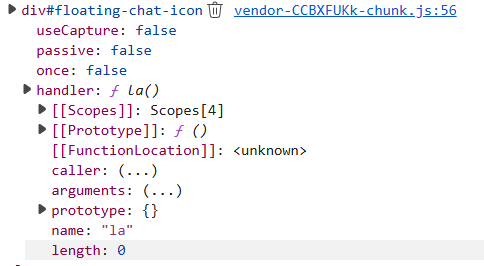
Hi @Moestuin I might have something. This appears to be the relevant event. I can provide a fully expanded view if necessary. The following is a 'click' event. Linked JS file: vendor-CCBXFUKk-chunk.js