


John Horton
-
Joined
-
Last visited
Posts posted by John Horton
-
-
-
-
-
-
Edited by John Horton
I understand that this is likely not a hot critical fix but any idea when it might be addressed?
My test environment expires on 6/18 and I need to see everything work before I pull the trigger on the upgrade.
-
-
-
@Marc I found "Record Image Settings" in Pages / Editing Database Articles / Options. That setting toggles on and off the thumbnail on the index page AND the large image at the top of the actual article page.
I want to remove the large image at the top of the individual article page but I want to retain the thumbnail on the index page. Does this require editing the code for the template?
FYI - a search inside ACP for "Record Image Settings" did not return a result. The search inside ACP is often so helpful
-
Thanks @Marc
As always I could be fat fingering a checkbox or misunderstanding an instruction but I do not think so. How do I escalate?
-
Edited by John Horton
@Jim M I did as you asked & looked at what happens when there is only one banner active but it does not answer the question I am asking. One banner works perfectly.
Just to be clear - I have a total of 6 banners that I need to randomly rotate between the topics and posts at regular intervals- in this case every 8.
I understand and agree that this behavior is not native in 4.x. If this behavior is also not native in 5.x then that is all I need to know. I will need custom code. Say so and I know who to contact.
If this is native behavior with 5.x? Then yes, I may have a conflict, I am have misconfigured my site or there is a bug. I would not be surprised if it is my error but want to make sure before I bang my head in the keyboard any more.
The below video from my 4.x site. In this example there are 6 banners rotating randomly / displayed after every 8th topic.
-
-
maybe I misunderstand.
On my 4.x site I essentially have an ad position after every 8th topic or 8th post. I can then assign as many different ads as I want to rotate through that position. ( see image in my original post. )
Are you telling me that my 5.x test site should let me do the same thing? I have disabled all banners across the site except for 2 that are configured identically. Of the 2 banners one is in correct position and the second is below the following post. This would be acceptable if I only had a few banners in rotation but I have 6 banners that I need to rotate.


-
I am working toward upgrading to IPS5 so maybe this does not matter but....
When I enabled and configured Meta Pixel in my IPS4 site I was no longer able to edit forum posts. I could click edit and work in the editor but the save button was dead.
As soon as I disabled Meta Pixel the issue was resolved. Weird conflict?
I will need Meta Pixel when after I upgrade. Is this a know issue?
-
-
Since I am not a developer I was hoping to move to IPS5 with zero or as few as possible template code modifications. I would like to only use the front end theme and page editors.
I am under the assumption that that the bone stock template is as fast as anything and plays well with Google Core Web Vitals. It is not sex but my site is not very sexy.
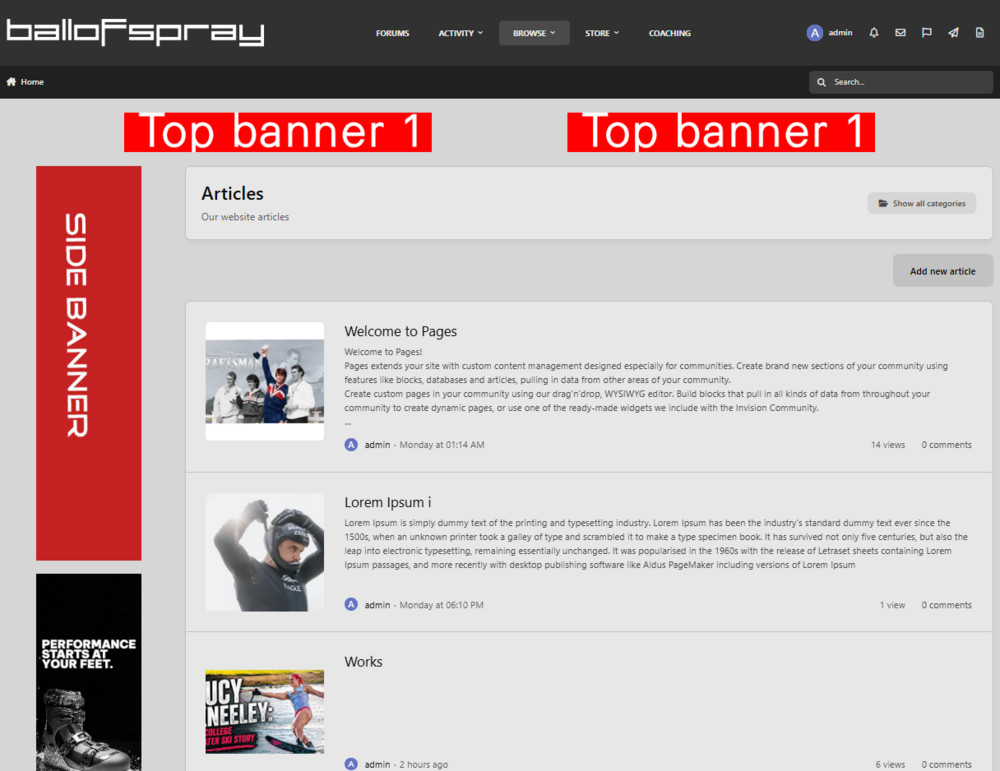
The one thing I can not figure out is in pages how do I get rid of the cover photo when the whole article is displayed?
I want this on my index page
But NOT this on the actual aritcle
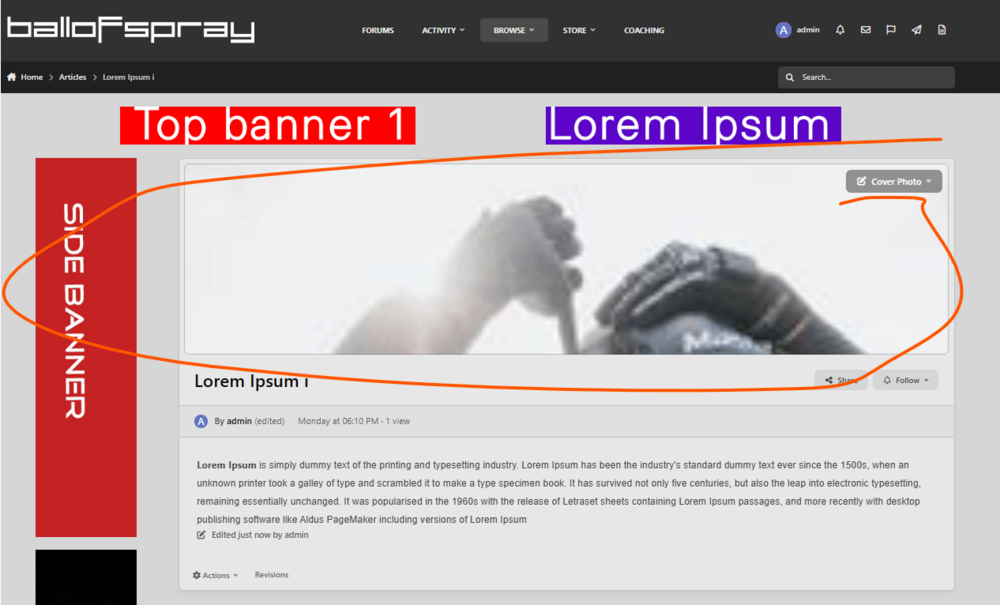
Do I need to get a dev to make this change or can I do it without code?
-
Edited by John Horton
After looking at this carefully I suspect I had someone write custom code written for my 4.x site to make the banners behave this way. It was over 3 years ago so I forget.
So this is not bug but in 5.x but for sure I like the way my 4.x works a lot better.
If you look at my live site https://www.ballofspray.com/forums/ you will see how it works
-
-
My live 4.x site is set up so a banner was loaded every 8 rows and then the banners assigned rotate randomly.
With the default 5.x banners, If I set 3 banners in rotation & all set to display at the same interval the first banner shows after the correct number of posts and then the second and third banner appear under the next two posts.
In the below example the the interval is set to 5. You will see the inline banners are after the 5th, 6th and 7th post.

On my 4.x site the banners rotate randomly every 8 posts - This is what I need and I assume this is how the system is designed to work

-
-
@My Sharona I would be very happy to do this without any custom code.
@Daniel F Can you confirm that if I move the side banners from the left side to the right side - I can do all all this without code?
Two banners at the top of desktop pages (and one at the top and one at the bottom of mobile pages).
Multiple Banners along the right edge of all forum pages.
Banners between every few comments inside a discussion.
Also banners between banners between topics on forum index page
See https://www.ballofspray.com/forums/ for how my banners are currently served.
-
My dev has been unable to make this work.
The site is hosted by IPS.
I am open to suggestions and am looking for a dev that can make this work. I can not move to IPS5 until this is solved.
@Daniel F My dev said "about creating new templates. That's easy, and it's ok. The problem is how to tie the template to the ads... I couldn't find a way to do that, as there are no more custom locations."
-
-
-



5.x "Fluid view topic listing, between topic rows" & "Topic view, between posts" banner issue
in Feature Support
@Marc thanks for the update.