


Adlago
Clients
-
Joined
-
Last visited
Everything posted by Adlago
-
On my test and live site, the update to 5.0.1 was without any issues - everything functions correctly.
-
I just received a congratulatory email from diib com (my live site is monitored.) This is a review for version 5. Excellent work, congratulations to your entire development team.

-
I made all the pages Builder mode. I upgraded again to 5.0 Awesome experience - almost a heart attack situation with pages Now at least records are visible, but the CSS is disgusting In addition, it is full of system logs with errors... Probably later this evening I will return 4.7.20 again - apparently 5.0 does not work well for my live site. If you want - take a look for yourself, login details are up to date in my client area.☹️
-
It is not a problem to delete them after the upgrade. The problems that make a hasty upgrade pointless, at least for me, are the malfunctioning of database pages - not a single page of mine is visualized in the front end. All articles are visible in ACP, but that's it. Whatever settings I tried - to no avail. A newly created database page is OK. Otherwise yes - the 4.7.20 -> 5.0 upgrade went smoothly and without any remarks. I spent 3 hours today trying to visualize pages - but no and no. For now I gave up and restored a backup to 4.7.20 Apparently I need to build my entire site on the test site like this, with all pages and blocks, before my next upgrade attempt. I had created blocks in 4.7.20, an exact copy of the ones I am testing with on the test site. After the upgrade I easily created the same home page. That is. In my opinion, a long preparation is required before an upgrade (otherwise it's a huge headache... and frustration).
-
It is still unavailable.
-
I'm continuing this topic because in beta 12 and also in this site this issue continues. Here are tests with chrome dev tool my site this site Probable problematic JS in root framework JS PS. This only happens when the first byte is less than 220 ms. When the server is delayed by more than 300 milliseconds - everything is OK.

 This template is loaded after open html tag, before the head tag. {template="htmlDataAttributes" app="core" group="global" location="front" params=""} Its content requires too many root css rules. These rules are loaded with a framework css, and it loads slowly...Ie. for these rules needed after the html tag before the head tag there should be a small and pre-loaded css after open head tag. Checked, created and works correctly (although double loaded) - there is no other optionI think I found the reason. It is easily overcome, but it turned out that there are at least 2 reasons. Even with a solution to the first one, I now easily achieve results from the screenshot below. But for now I will continue with experiments. I am looking for the optimal solution for the second reason as well.
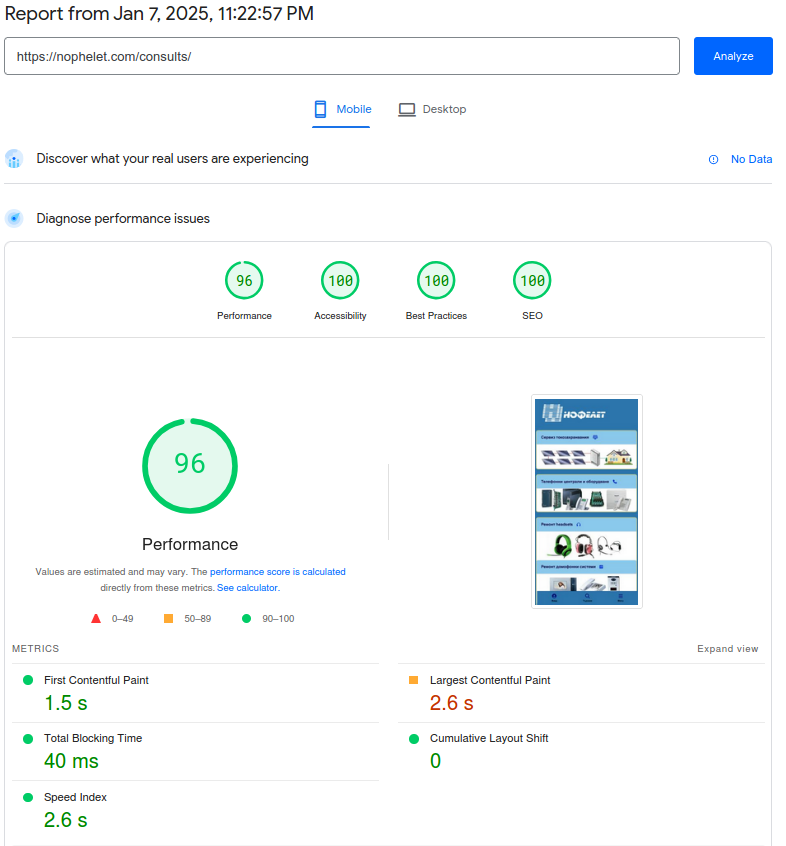 New experiment - test on a blank page, with only a background image... Notice what the LCP is and why it takes more than 3 seconds for this text. There is some issue when testing version 5 of the PSI - this is also visible with a test through the Chrome browser development tool with a slow 4G . The CSS framework loads slowly and the LCP is displayed after the download of this CSS is complete. I did an experiment - with a hook I added two external CSS - one contains half of the CSS framework, and the other its second half. And despite this additional load, the loading time of the original CSS framework is reduced to less than 2 seconds on a slow 4G network. And the PSI test looks normal... but for a few tests only...
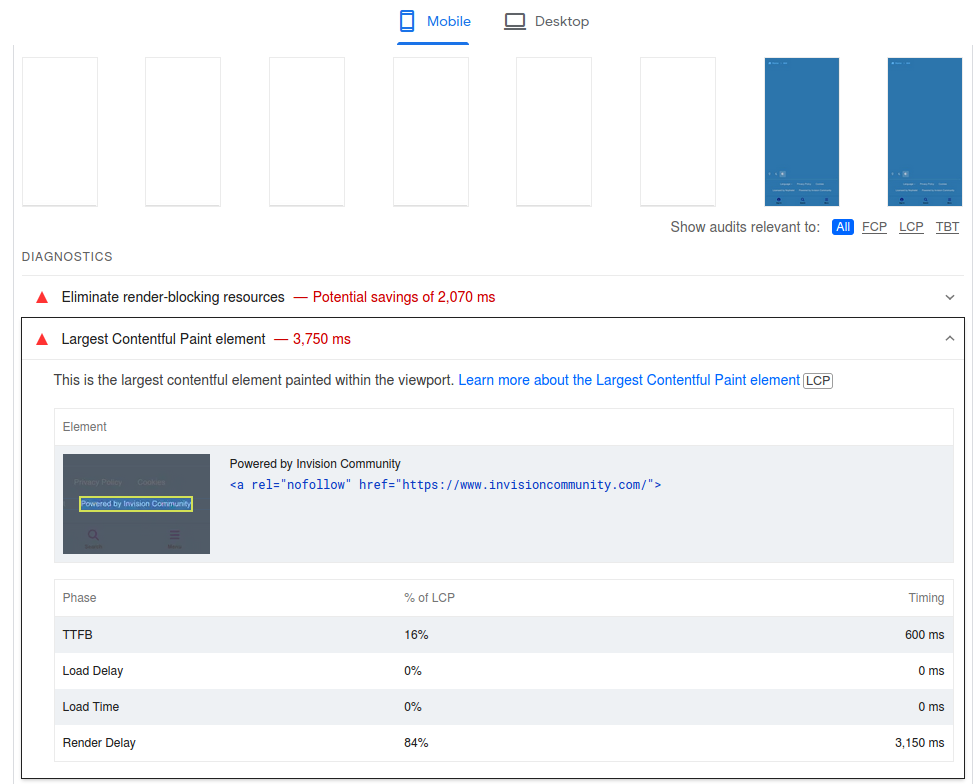 Another paradox - this only happens with version 5. Never with version 4.x and of course - the lowest level of performance
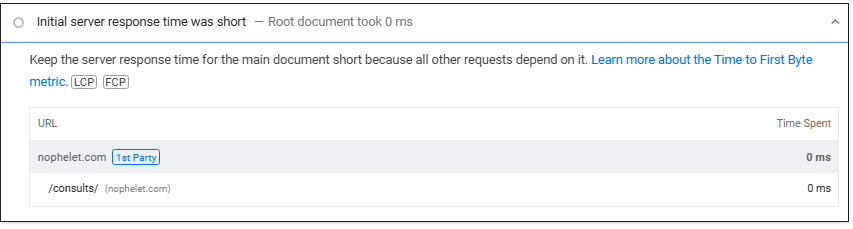 @Matt A few 4.x. versions ago there was a "cache page for guests ", which created a lot of issues, vanity especially in such tests. Now, after almost a hundred more tests in a few days - I come to a conclusion - in version 5 you have included such a cache page for guests, and without an option to disable it from the administrator. Why I think so: 1. Here is a PSI server that tests my site 2. First byte is almost always 180 to 220 milliseconds - and then a result of 69-70 performance points. 3. I created an html file from the source code of my test installation PSI test is identical 69-70 performance points and 180-220 milliseconds first byte... Conclusion - version 5 is not loaded directly when requested by a browser, but a preliminary html file is loaded, which is why the LCP is delayed a lot until the CSS framework is downloaded (PSI tests with an introduced 4G delay for mobile) When I hit a good result in a test, the first byte is already within the normal range of 350-500 milliseconds, LCP is 2.2 seconds and the performance is over 90 points. Yes, with multiple tests and this moment I manage to hit - or this is the moment after refreshing the cache on the guest page. I have many screenshots of the different states, but there is no point in posting them. Here are just two - on my test site and the second in the html file that I created from the source code.... Please review your code and remove this guest cache page - or at least make it an on/off option in ACP.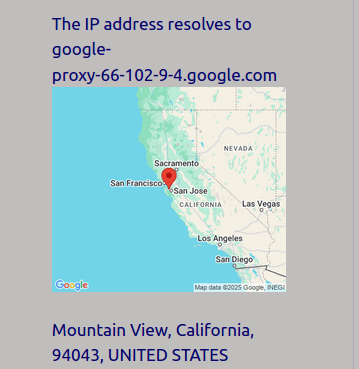
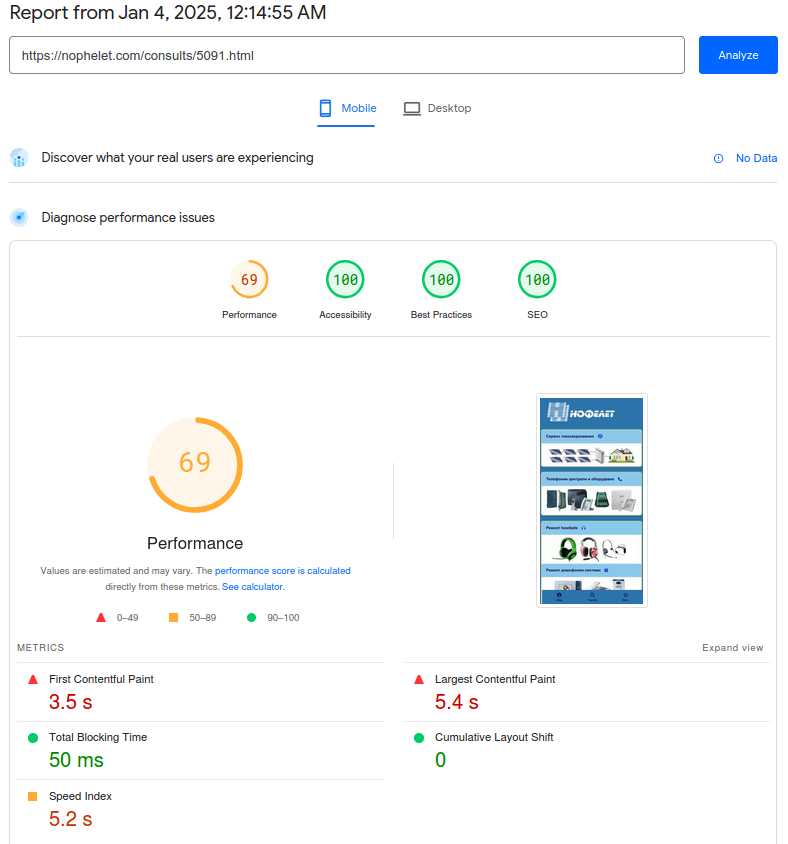
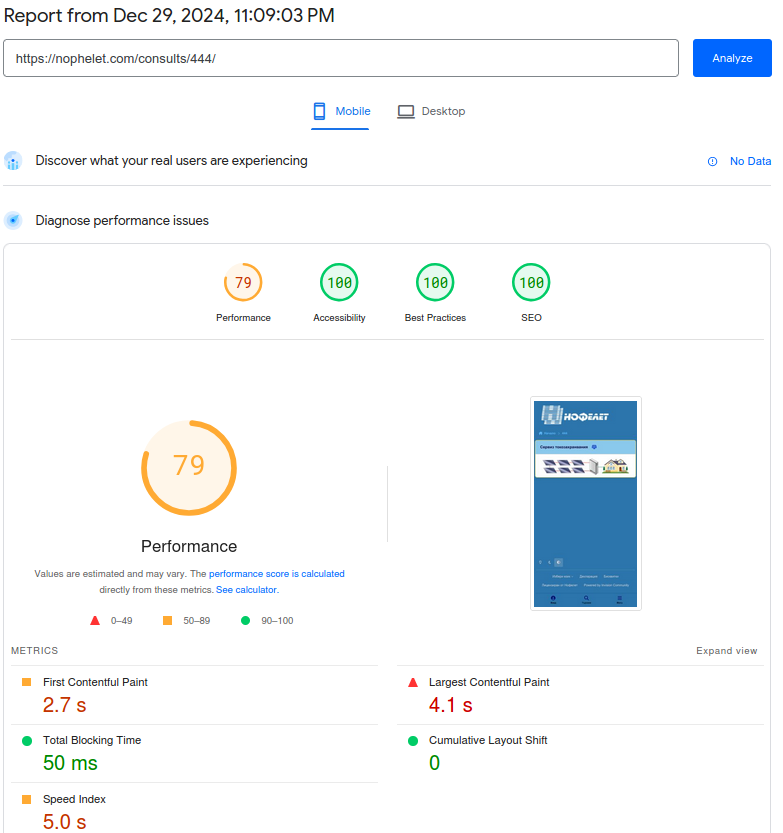
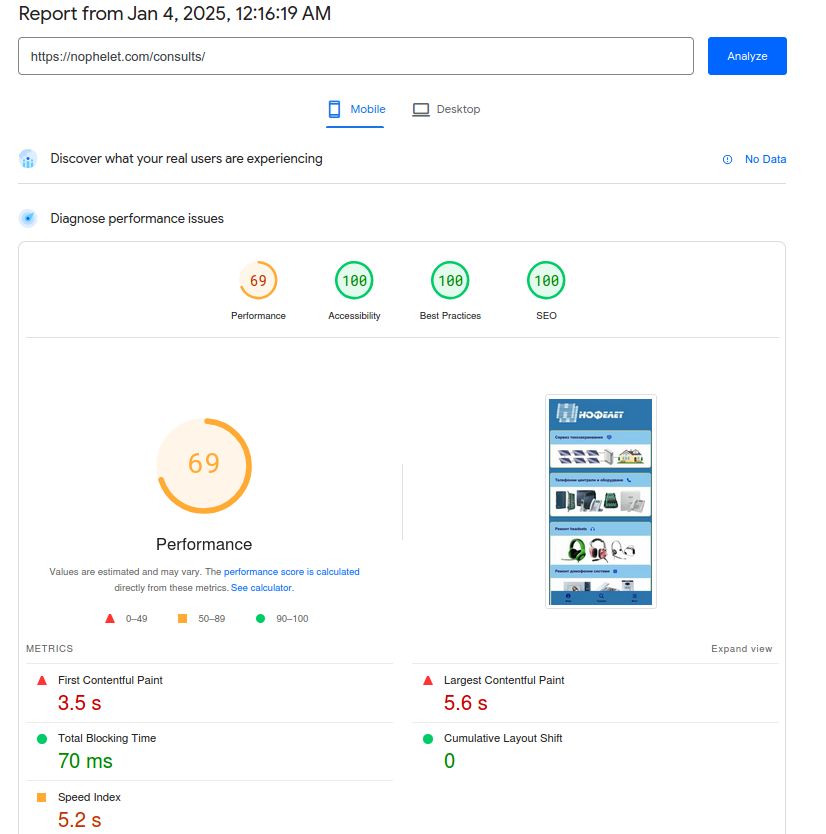 I still believe that this wish of mine from 2021 will start with the release of version 5.I'm not sure what the reason is, hence this topic. Another similar example - I created two identical pages in 4.7.19 and in beta 9.1 with the title 444. In each of these pages there is one block with the same image. That is, they are almost identical. Here is a mobile tests: 4.7.19 5.0.beta 9.1 I won't comment, but there is an obvious difference in performance, but not in favor of 5.0.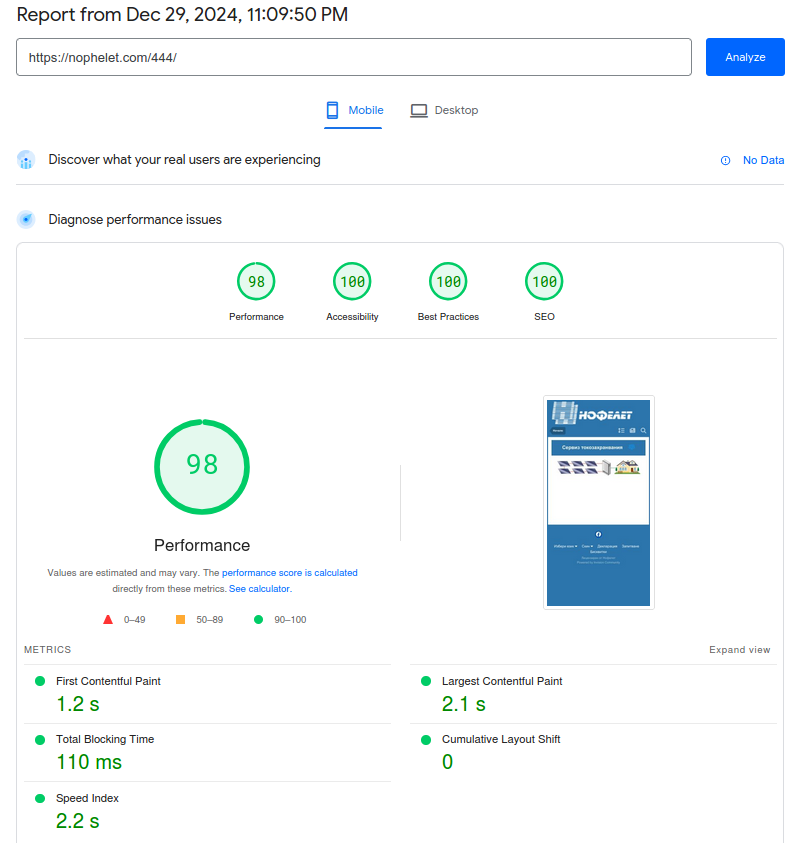
 Achieving good results does not happen by changing just one parameter. Your site probably has other reasons for delays. If you want, send me a PM with a link to your site so I can do some tests.Even in older versions 4.x I found that when the time cache block expires there is a sharp increase in the first byte (i.e. the first visitor to a site gets it) - that's why this parameter was always set to 1 hour for me. Now it's the same on 4.7.19. I had it set like that back in the first beta 5.0. Now in beta 8 - I noticed that only the cache block expiration time test has excellent results. Or simply put, with 1 hour cache a site is doomed to poor results for 1 hour. Now with 5 minutes - there are many more excellent test results. My suspicion is that after caching blocks, the first visitor to a site has an excellent experience (after which probably for some reason all blocks are non cached until the expiration time set in ACP - advanced, and then cached again until the first next visit) - i.e. please test this hypothesis. Keep in mind that PSI test uses additional network latency for mobile (slow 4G). I used "fast 3G" in my tests - and what I noticed was a very slow loading of "fa-solid-900.woff2" - about 6 seconds. Then I activated one of my hooks with which I eliminate "preload font" and this loading time for the font dropped to 2 seconds. Then I noticed a high result of the network indicators-PSI test, at a time of already cached blocks - and the next test was again 30 points worse. After lowering the cache block time to 5 minutes - excellent results are much more and more regular. I.e. in my opinion there is some issue with the management of cache blocks.This issue is related to cache blocks. I reduced the cache time to 10 minutes and after a few tests: Then again bad tests, but after 10 minutes again very good. Now I left it at 5 minutes - and again often very good test results. @Matt Please review the "Cache sidebar, header and footer blocks" management.
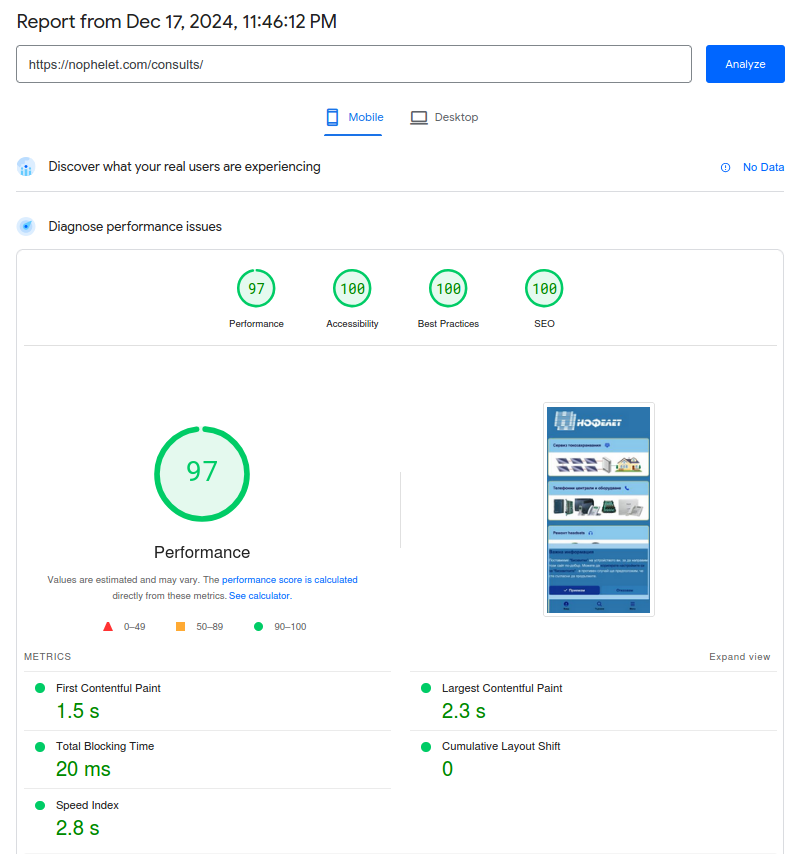 I don't like Cloudflare - and in general any configuration related to cache prioritization. In my hosting plan I have the option (and I used it for two years) to configure an Apache main server and an Nginx cache server. Due to the fact that cache management from Nginx and cache managed by the IPS platform cannot be synchronized to be maximally effective, and I have seen all sorts of antilogical states in the thousands of tests I do (this is my hobby - not a commitment) - I gave up using the Nginx server and now I work only with Apache - and this completely satisfies me.In beta 7, the images were the same, and as can be seen from the test linked in my first post on this topic, it is comparable in performance to that of 4.7.19 - unlike the lowered performance for beta 8.Why do I think beta 8 has a degradation? Here are two tests - 4.7.19 and 5.0. beta 8 - on the same server, same admin (ha ha), same test platform - with a difference of a few minutes...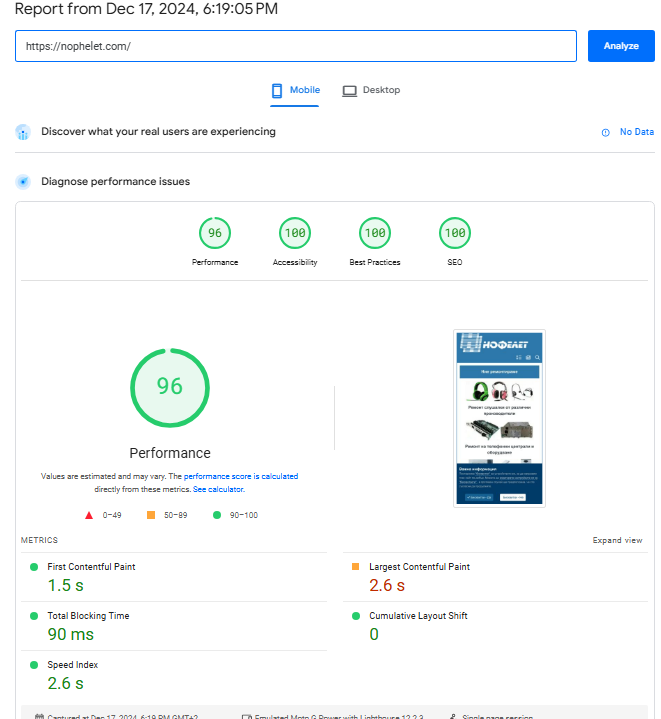
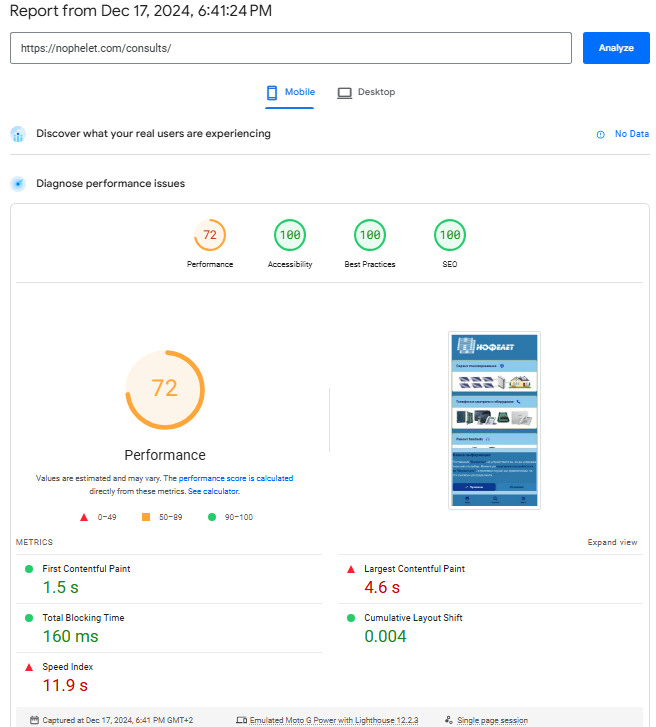 @Gary Your LCP is a text block that actually has a large render delay
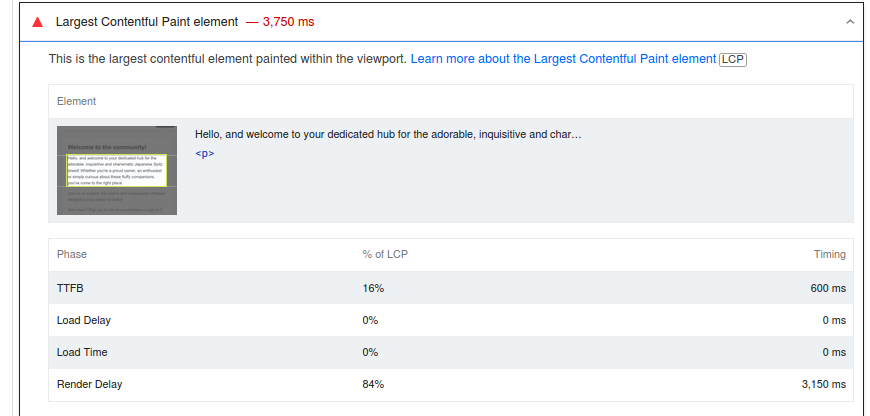 ThisThe only difference I see in the test is what I wrote above - too much delay of FCP and LCP. And that is provided that the first byte is under 200 milliseconds and TBT is 20 ms. It is inexplicable to me because I have not changed anything regarding images in blocks and anything else between beta 7 and beta 8. See test now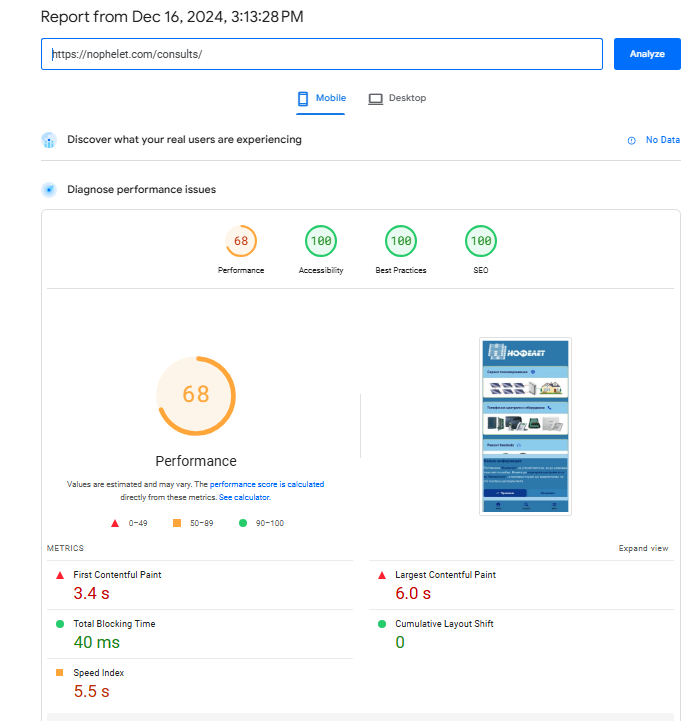









Account
Navigation
Search
Configure browser push notifications
Chrome (Android)
- Tap the lock icon next to the address bar.
- Tap Permissions → Notifications.
- Adjust your preference.
Chrome (Desktop)
- Click the padlock icon in the address bar.
- Select Site settings.
- Find Notifications and adjust your preference.
Safari (iOS 16.4+)
- Ensure the site is installed via Add to Home Screen.
- Open Settings App → Notifications.
- Find your app name and adjust your preference.
Safari (macOS)
- Go to Safari → Preferences.
- Click the Websites tab.
- Select Notifications in the sidebar.
- Find this website and adjust your preference.
Edge (Android)
- Tap the lock icon next to the address bar.
- Tap Permissions.
- Find Notifications and adjust your preference.
Edge (Desktop)
- Click the padlock icon in the address bar.
- Click Permissions for this site.
- Find Notifications and adjust your preference.
Firefox (Android)
- Go to Settings → Site permissions.
- Tap Notifications.
- Find this site in the list and adjust your preference.
Firefox (Desktop)
- Open Firefox Settings.
- Search for Notifications.
- Find this site in the list and adjust your preference.