


Madhouseau
Clients
-
Joined
-
Last visited
Everything posted by Madhouseau
-
Issue resolved, thank you!
-
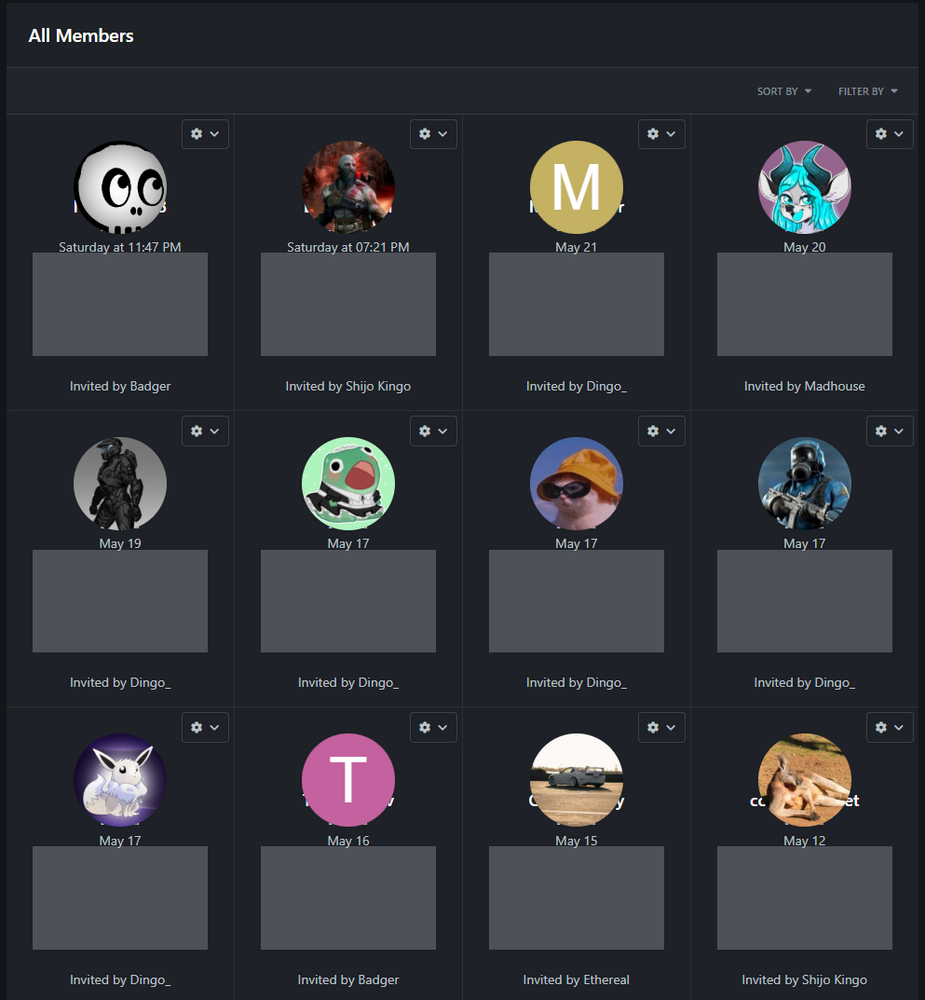
Club Members have a styling issue after upgrading from 5.0.7 to 5.0.8 I have tried turning off the few third party addons I have installed, cleared board cache, no good. Issue showing on both light and dark modes. Added: inspoecting the source, shows those grey boxes as this:L <hr class="ipsHr ipsHr--small">
-
Hi @Matt & @Marc Is there any chance my suggestion could be brought forward in an upcoming release please? The Third party dev who created the solution we use for IPS4 is unable to convert their addon to IC5.
-
After upgrading from 5.0.0 to 5.0.1 -> website and ACP will not load at all. Error_log on ftp shows this: [11-Feb-2025 12:38:18 UTC] PHP Fatal error: Declaration of IPS\discord\extensions\core\LoginHandler\Discord::userLink(string $identifier, string $username): ?IPS\Http\Url must be compatible with IPS\Login\Handler::userLink(string $identifier, ?string $username): ?IPS\Http\Url in /home/bigdgami/public_html/ipbtest/applications/discord/extensions/core/LoginHandler/Discord.php on line 134 How do I recover from this? Is this going to happen on every 5.x.x update?
-
Thank you for getting back to me. Hopefully more options to group promotions comes sooner rather than later.
-
Congrats on landing 5.0.0 to the world.
-
Any news of a Third Party Developer building an IC5 Steam login app?
-
Looks like the solution we currently use for IPS4 cannot be rebuilt for IC5: https://www.sosinvision.com.br/index.php?/forums/topic/2473-secondary-groups-when-joiningleaving-clubs/#findComment-18394 Now that 5.0.0 is out of the doors, can I please ask when the addition of club membership to group promotions will be coming to IC5?
-
How would I go about building a similar navigation?
-
I guess not? Devs not looking to release how they made it? If so, is there a third party dev who could assit with a similar solution?
-
I'd love to see hover to reveal a large drop down instead of clicking to show the tiny drop downs as current. Having the ability to have even a full width drop down and customing the sub menu contents with images would be very sexy. I'm a huge fan of the public invision navigation styling.... would love to have similar for our communities future IC5 site 🙂


-
I purchased this addon Two weeks ago as it is vital for our community when we upgrade to IC5. Developer @Jon Erickson is fantastic, excellent communication and has taken my feedback well with fast fixes to the addon and additional features.
-
Good to hear... How quickly will this occur after 5.0.0 release? Without this ability, we'd hold off moving to IC5.
-
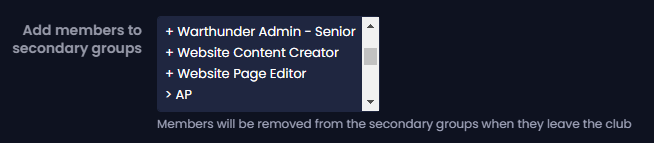
Hi All, Could I please request for additional options to be added to the Group Promotions function? Could we please have the option to promote a user to a secondary group if they join particular clubs. For example a dialog box such as this (maybe as tick box/es instead of a scrolling embed): This function would enable our community site to manage the connection of users into particular secondary groups giving them appropriate website permissions & access to areas of our website. Thank you, Madhouse
-
Have moved issue to its own thread:

-
I just installed beta 9.1 to my webhost - getting the EX0 error trying to log in the front end....
-
I am currently on 4.x, want to go to 5.x badly on full release... but really need steam login for our gaming community please. Also looking at Discord login + role sync...
-
Keen to test!







