




Matt
Management
-
Joined
-
Last visited
Everything posted by Matt
-
Can you elaborate on this please?
-
Beta 2 is on it's way and will be available shortly.
-
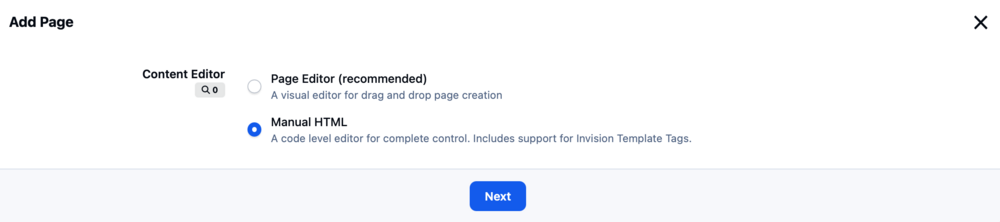
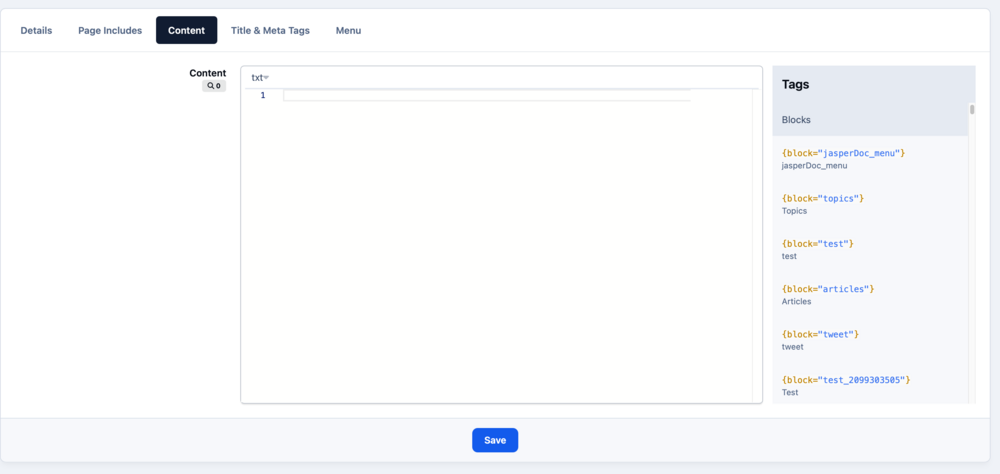
You should be able to create a new HTML page. This will then show the content tab as expected:
-
Make sure you run the patches from the support page.
-
I believe @Dreadknux championed those and @Ehren implemented.
-
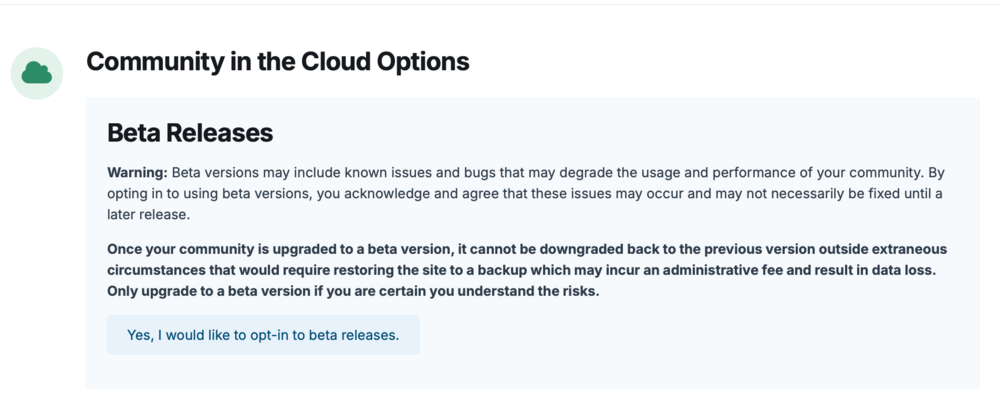
Invision Community 5.0.4 Beta 1 is now available Please celebrate responsibly. A whole two weeks has passed since our last release. The extra week allowed us to fully review a few larger updates that we've held back and require a beta or two to fully test before we're happy to include in a full release. Things to testThere have been some areas that have received a lot of attention and need extra special testing, these include: Page Editor (now works correctly for right-to-left languages but needs some testing in LTR) Custom badges (lots of work to make them more efficient and store a built version in SVG format) Editor bug fixes (lots of complex fixes, so please test the editor thoroughly) If you want a full list of changes, you can see that here. The release notes also have some changes which may impact third party developers. Using BetasIf you do not see an upgrade, it means that you do not have betas enabled. Invision Community CloudCloud customers can opt-in to betas in the client area. Invision Community ClassicSelf-hosting customers can either download the release from the client area, or add the following line to constants.php define( 'USE_DEVELOPMENT_BUILDS', TRUE );If you do not have this file, create it in a text editor, so the contents looks like: <?php define( 'USE_DEVELOPMENT_BUILDS', TRUE );Let me know how you get on!
-
Just keep posting bugs. We'll get them. What a time to be alive. 🤣
-
If you can make sure your Client Area details are up to date (FTP/SSO), I can check this for you.
-
That and the downloads screenshot issues aged me more than they should.
-
Patch for the upgrader issue on its way and will be available in about ten minutes. It won't affect everyone, mostly those upgrading and still have v4 data in their database from apps they've removed or uninstalled on v5.
-
I just got busted for lazy copy and paste. Thanks, I'll fix that.
-
That's old data causing issues. I'll patch it, but in the meantime you can use this at: applications/core/setup/upg_5000057/upgrade.php Once uploaded, run the upgrader again. upgrade.php
-
Invision Community 5.0.3 is now available via your Admin Control PanelThis release focuses on bugs reported since the release of 5.0.2 and features many UI improvements. You can see the full list of fixes in our release notes section. What's next?We expect 5.0.4 to follow within two to three weeks as we work in some larger fixes that will require more testing. We may release a beta release ahead of the full release to ensure that any bugs from those larger fixes are caught and fixed early. If we see anything more pressing, we'll release a patch which can be applied via your Admin Control Panel. As always, thank you for your testing and reports. It really does help us!
-
This is the latest version of Invision Community 5.
-
The pizza party is back on.
-
I was about to order an immediate and critically important Pizza Party for the office (max. two slices each please) based on your review alone until I spotted the word "almost" which honestly does take the shine off the whole thing as it infers we were close to making it too good but fell short. So instead, I got this made for reception.

-
Generally speaking, I think most communities will just have one theme now. Of course there is always space for novelty themes during holidays but the need to maintain separate dark and light mode themes is thankfully over.
-
I'm upgrading your site now. aaaaand done.
-
It doesn't look like the patch applied. I can take a look shortly. Another patch is on its way. It's officially Double Patch Day® Another patch is on its way to fully and completely resolve (until next time) the various Downloads screenshot issues.Invision Community 5.0.2 Patch 1 released which fixes: Wallpaper images not showing in Chrome and Firefox (CSS issue) The core issue removing Downloads file thumbnails when Topic Sync is on The issue with the downloads file thumbnails is complex and took a while to track down. You may notice thumbnail loss after applying the patch on existing Downloads Files, and this is because the bug puts the primary thumbnail path and filename into the core_attachments table, instead of creating a new thumbnail. This means when you edit a file, or create a new version, the topic sync function runs which deletes the attachment, and the thumbnail before recreating a new image but the old thumbnail path and filename is still in downloads_files_records which manifests as a missing image. I am going to write an upgrade step for 5.0.3, but also a one-off script today to correct the data in core_attachments which should fully resolve the issue.That's correct. We do not host the media for Invision Community Classic customers.We're pleased to announce that CSAM scanning is now available at no extra cost. What is CSAM scanning?CSAM stands for Child Sexual Abuse Material. The media served by your community will be scanned to identify any matches in a central CSAM database. These lists are provided by leading child safety advocacy groups, such as the National Center for Missing and Exploited Children (NCMEC). CSAM scanning is now recommended to increase compliance in many areas, and you can rest assured that Invision Community will now block any harmful media from being shown in your community. Moderating large communities can be challenging when your members are able to upload photos, and this scanning tool offers great peace of mind. What about privacy?Rest assured that privacy is paramount to Invision Community. CSAM scanning is not an AI tool, and neither does it mean media on your site is being shared with third parties for review. Each photo or video is assigned a digital fingerprint, which is checked against a known database. If there is a match, the photo is blocked from being viewed. What happens if there is a match?If we detect a match for CSAM, the media is blocked from being shown. We will then remove the offending media and, where possible, block the person who uploaded the material. This tool is designed to help you, as an Invision Community owner, moderate your community and protect you from unwittingly sharing CSAM. We hope you never have a member upload such material, but it's reassuring to know that your site will not be complicit in its sharing. By identifying and blocking bad actors' access across our network, we can pre-emptively protect you, too. Can I opt out?No, there is no way to opt out. This scanning service offers great peace of mind, protects you from harmful material being shared, helps compliance and prevents bad actors from accessing other communities. Note: this service is not available for Invision Community Classic.Yeah, this only occurs when you sync downloads to a forum. I'm testing a fix, and if successful it'll be in a patch tomorrow morning.








