Adlago
Clients
-
Joined
-
Last visited
Everything posted by Adlago
-
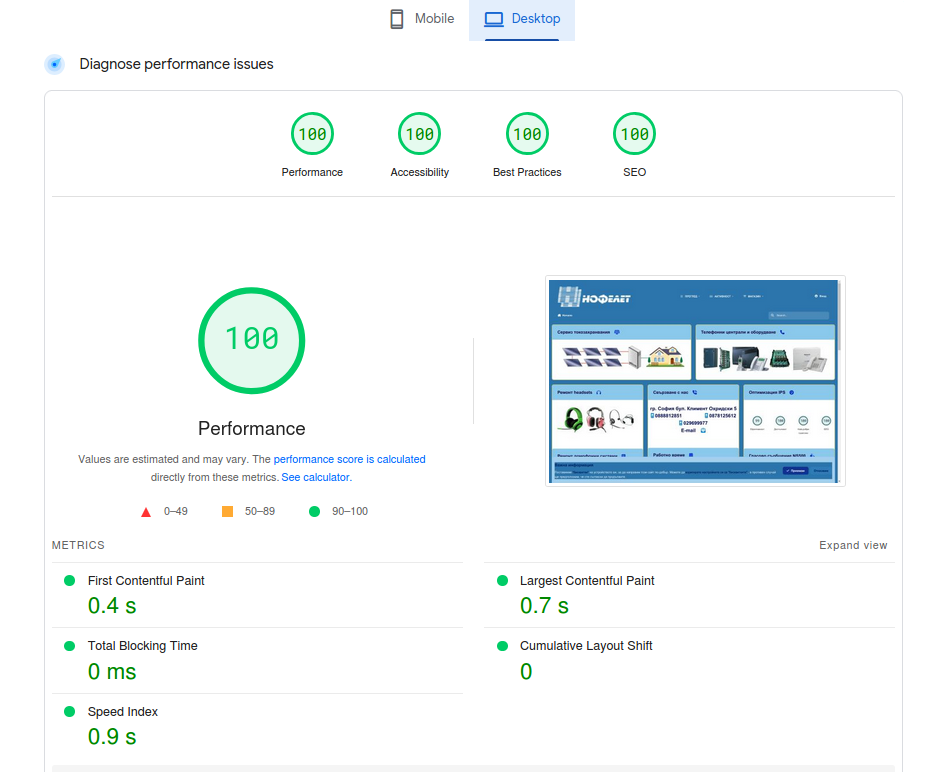
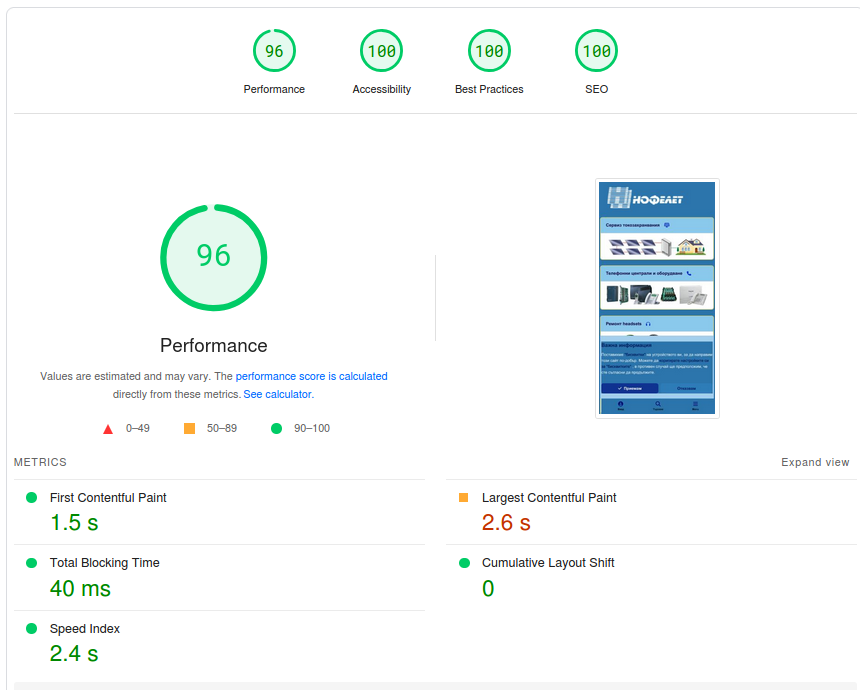
After updating to beta 8, there is a decrease in performance. What I mean is: - on December 5, PSI made a useful adjustment to its test platform, which eliminated the large TBT times. Dec 5, 2024 The CPU throttling factor for PageSpeed Insights has been adjusted to account for the low CPU performance benchmarks typical in PageSpeed Insights production environments. In general, this should result in increased lab data TBT scores for sites on mobile. Field data and desktop scores should not be affected. On December 7th, after updating to beta 7, PSI tests showed perfect performance, which I wrote about: Now, after updating to beta 8 - mobile performance is already severely reduced, (65-75 points) without me having made any changes to my page. What does this decrease mean: - First Contentful Paint - delayed by over 3 seconds - Largest Contentful Paint - delayed by over 5 seconds This happened with beta 8.
-
The home page of my test site is built only with Pages/blocks. Earlier this month, the PSI corrected the "CPU throttling factor" Dec 5, 2024 The CPU throttling factor for PageSpeed Insights has been adjusted to account for the low CPU performance benchmarks typical in PageSpeed Insights production environments. In general, this should result in increased lab data TBT scores for sites on mobile. Field data and desktop scores should not be affected. Shortly after that, you activated beta 7 - I shared in the corresponding article about beta 7 - the sharp improvement in all network indicators. Now, after updating to beta 8 - mobile performance is already severely reduced, (65-75 points) without me having made any changes to my page.
-
@Matt What is noticeable in beta 8 (excluding bugs) is a sharp decrease in mobile performance - by more than 20 points compared to beta 7.
-
Resolves a bug in custom templates
-
After updating to beta 7... 😇
-
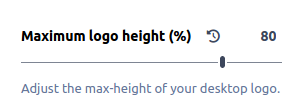
Of course - this is original css code .ipsLogo__image img { object-fit: contain; height: 100%; max-height: calc(var(--_image-size, 100) * 1%); width: auto; } Change width or height as you want, in your theme css. But in my opinion, upload your logo with big size and clear image. Then with adjustment reduce to your required size.
-
Use this height adjuster
-
It is clearly described here, for performance it is mandatory to define an image type (and it does not have to be png), but to have a defined type. Since different image formats are allowed for icons in ACP, it follows that the defined image type in the manifest must follow the selected icon format in the respective user installation.
-
These images (in link rel=...) are created and saved by manifest.webmanifest. Probably there, in some php is set :"type": "image\/png" Maybe you should create a bug report.
-
for me is webp:

-
I repeated the steps to create a new theme editor setting. The issue this theme is for did not occur while the issue I mentioned still existed. I removed this bad link from the core_themes database table and all html5 validation errors were resolved. I'm not sure which beta this issue occurred in, but it doesn't occur in beta 5, so I won't be creating a bug report.
-
Also in core_themes table:

-
Actually, I guessed what happened. Before creating my hooks I tried to create a new editor setting in category image logos(desktop). In default value I set this link with img src etc. Then I found that the logo image in the theme editor can be uploaded, but after saving, this image disappears from the theme editor. I gave up and deleted this new setting and currently there is nothing in the ACP/Themes - theme editor. Today I looked through the database and in the core_theme_editor_history table, I found the added link from me. This is probably a bug - after deleting a custom setting, all information about that setting is not removed in database. I can remove this link from the database, but I'm not sure exactly what part to remove. Please advice.

-
I solved this case for me with 2 hooks. 1 hook - I added this code, before front/global/logo {{if \IPS\Member::loggedIn()->language()->id == 1}} <a href='{setting="base_url"}'> <img class= "logo_en" src= "/4home/logo_en.webp" width="408" height="120" alt="Nophelet consults"> </a> {{endif}} In a second hook, I hide the original logo with this code, after front/global/logo {{if \IPS\Member::loggedIn()->language()->id == 1}} <style> .ipsLogo__image {display: none;} </style> {{endif}} This works fine for me. But when I test the html5 validation I see an error related to this code. Error: CSS: --logo_en: Missing a semicolon before the property name blob. From line 104, column 12; to line 104, column 15 -logo_en: blob:https.... While browsing the source code page I came across this change to the inline style theme variable that was added by beta software (not sure which beta because I created these hooks shortly after this theme) <style id="themeVariables"> :root{ ................... --light__i-mobileFooter--co: hsl(238 99% 24%); --logo_en: blob:https://nophelet.com/79663999-4970-4a94-aea7-23b0574c3804; --dark__i-base-l: 54; .............. } </style> Any idea to remove this error?
-
Version 4 in this regard was very convenient. And why should ftp be used for this? And when you want to change the .png to .webp of this image, you won't be able to because you don't have access to the templates where the default photo is refering
-
How can I change the default_photo image? In theme resources only new resources can be added, but all used resources from the default theme are unavailable and there is no option to change them. thanks
-
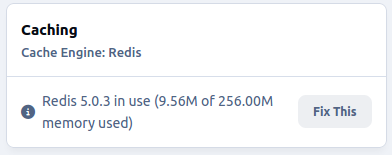
For me, with version 5.03 Redis, no issue is observed.
-
Do you have a TBT value monitor with and without this code?
-
Rather, using "preload" in the head should not be fixed, but an option for administrators - who wishes to enable it, who decides to disable it. According to my analysis, the presence of a preload font in the head increases the total blocking time. Yes, it provides instant appearance of mobile navigation icons, and it is good to exist in version 4.x. In version 5.0 - when using a footer location for a navigation menu, the use of a preload font only creates an increase in total blocking time - therefore, in my opinion, using "preload" in a head should only be an option, and not a hard addition in a template.
-
If this <!--!Font Awesome Free 6 by @fontawesome - https://fontawesome.com License - https://fontawesome.com/license/free Copyright 2024 Fonticons, Inc.--> is removed from the includeCSS template, then changes to the head are easily implemented. Is there an option to remove this from the includeCSS template?
-
In front/global/globalTemplate has this code {{if !\IPS\Request::i()->isAjax()}} <link rel="preload" as="font" type="font/woff2" href='{url="applications/core/interface/fontawesome/webfonts/fa-solid-900.woff2" base="none" noprotocol="true"}' crossorigin="anonymous"> {{if view.global_view_mode == 'default'}} <link rel="preload" as="script" media="(min-width:980px)" href='{url="applications/core/interface/theme/navigationMoreMenu.js" base="none" noprotocol="true"}'> {{endif}} {{endif}} A link rel preload font increases the total blocking time. I noticed this already in version 4.x - in which version it was easy to remove this link rel preload. How in version 5 can this preload font code be removed since using a hook does not access this code?
-
How can I use a theme editor or a hook to change my logo when the language selected by a user is the other one used in my installation? Any ideas I appreciate. Thank you
-
Beta 2 restored in my installation front/global/globalTemplate. I followed an instruction from Nathan here But still in source code page - missing "<link rel ="preload" ...etc. >" which I created with custom template and hook. I've experimented with all the location options, but none of them make my custom template appear in the source code of the page. Of course I clear system caches a test site before reviewing source code. I tried adding original code in a custom template (for example, the code that adds preload fonts - the result is the same, nothing appears in the source code, whatever location I choose for it) Is this a bug or is there something else I need to do that I don't know about?
-
I found that my themes from v. 4 will not be correct with v. 5 and therefore I created a new home page. She is at the address https://nophelet.com/consults/ which will be offline in a few hours. I've also applied optimization tricks and despite some bugs I've reported, here's a current PSI test result. Of course, I still have work , but there is still time until the final implementation of the version...


-
I have now downloaded Beta 1 again. I compared the size of front global php file - exactly the same I also re-uploaded the templates directory, cleared the site cache - the situation with the list is the same - missing front/ global/ globalTemplate