


Everything posted by Cedric V
-
Successfully upgraded. :) Thanks Invision for the great work. Looking forward to the future.
-
Yes.
-
Apologies if this is duplicated, but I had this error: TypeError: IPS\Xml\Rss::newDocument(): Argument #2 ($title) must be of type string, null given, called in /home/cafecreative/public_html/applications/blog/Application.php on line 95 (0) #0 /home/cafecreative/public_html/applications/blog/Application.php(95): IPS\Xml\Rss::newDocument(Object(IPS\Http\Url\Friendly), NULL, '') #1 /home/cafecreative/public_html/applications/blog/Application.php(55): IPS\blog\Application->sendBlogRss(Object(IPS\Member)) #2 /home/cafecreative/public_html/system/Dispatcher/Standard.php(230): IPS\blog\Application->init() #3 /home/cafecreative/public_html/system/Dispatcher/Front.php(193): IPS\Dispatcher\Standard->init() #4 /home/cafecreative/public_html/system/Dispatcher/Dispatcher.php(126): IPS\Dispatcher\Front->init() #5 /home/cafecreative/public_html/index.php(16): IPS\Dispatcher::i() #6 {main} Backtrace: #0 /home/cafecreative/public_html/init.php(827): IPS\Log::log('TypeError: IPS\\...', 'uncaught_except...') #1 [internal function]: IPS\IPS::exceptionHandler(Object(TypeError)) #2 {main}

-
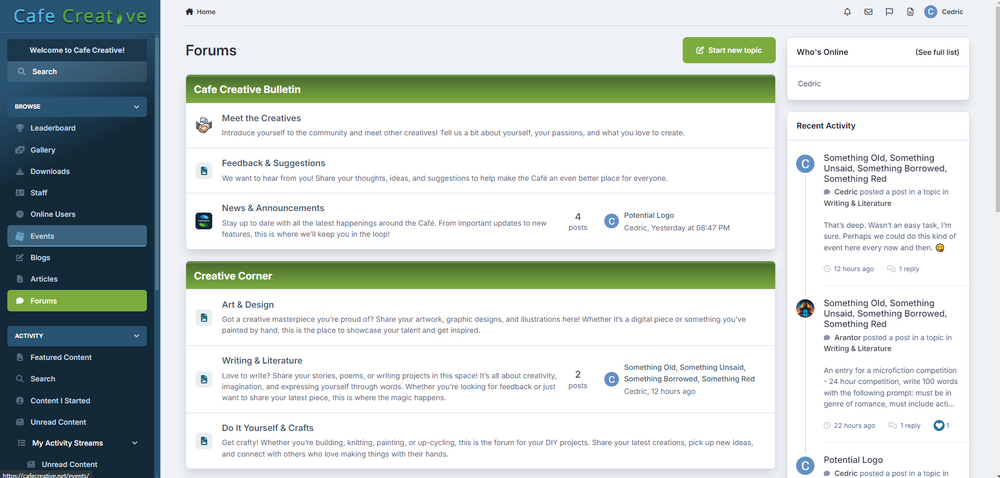
I just upgraded to Beta 10 a few days ago and my co admin said "there's another new release" and I'm like "WHAT? ALREADY?" Glad the ACP upgrade now works though. :)I love that. That would definitely be a welcome change/addition.Been trying to "skin" it a little further, see what I can do. This is what I've got so far: Added an old school image to the ips header from an ipb 1.3 skin I had: There's definitely potential in customization. :D I don't really have the knowledge to mess with placing, but from what I can see and do, I'm pretty happy so far.
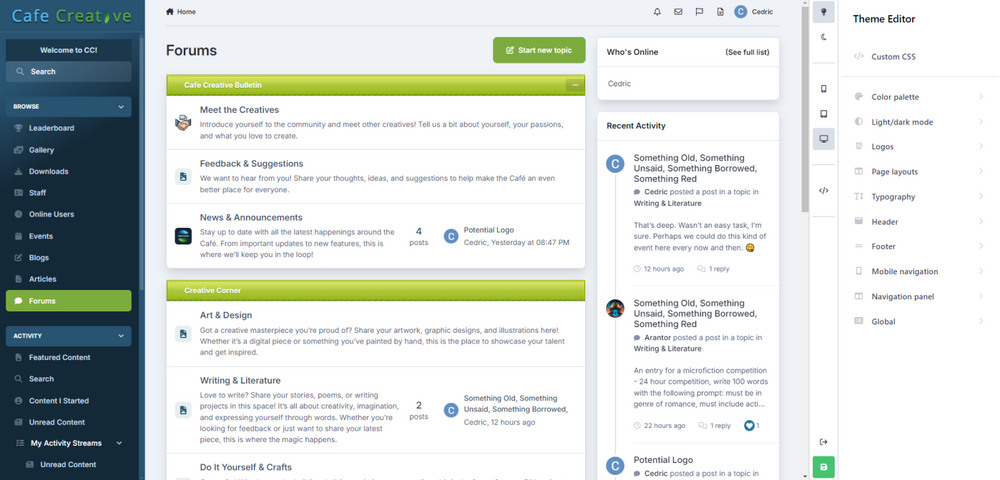 A question, does this also allow custom themes to be designed as we are used to them? Or are we stuck to the default choice? I mean, if we’d change positioning of certain blocks, links, how would that go in place? Is there still room for a theme designer such as @Ehren to build several different themes like his current offering?Wonderful work, as always. 😀Fun fact: the new car smell is not the leather but actually chemicals you smell.Sweet! I might reconsider the forum I was initially planning — if anyone has any idea. Let me hear it. 😂Wrong gif there mate, wrong gif…Very nice. Cool to see such big update still being done to v4.Caution: 18+ website: https://after-hours.io/ Still need to perform the Beta 4 upgrade. And still have to officially launch the community, it hasn't been advertised anywhere. (but here) I plan on launching it officially within a week or two.Only 20 ?! You can do better.😜
 Awesome. Great work all. How many beta's are still planned roughly?This is so cool, matches the rest of our glowing vibe now. :D - Thanks again!
 Thanks 🙏 I’ll give that a shot when I’m back from vacation. 🙂Go to your File Manager in cPanel (or whatever you use), upload the zip file, extract the contents in the correct directory (in my case, I had to move them from the ips_a8c49 folder to the main directory), and go to the /admin/install link on your community - easy as that. Just did it on my behalf, without any issues.It’s been a while since I last used Invision. Do upgrades appear in the ACP or am I supposed to upload a new set of files? Selfhosted.Petition to rename clubs to squads plz. 🤣Ehren, do you have a css code to make the individual color bars on forums have a glow effect? 😇😃Awesome. Can’t wait. keep it up invision squad. 😎🙌Thanks, I’ll give that a go later on.






