


Everything posted by Cedric V
-
Change is always difficult, but once you know the ins and outs of the theme editor, it really is a huge improvement. Typically, people don’t change every font size.
-
There is no all size changer, it automatically adapts by what you put in that screen you shared. Or you would need to add custom css to each class you wish to change separately. By fluid do you mean page width?
-
There is no application currently that auto detects it, but you could use the page editor and put up a simple block asking members if they use it, to disable it to support your forum. I’d be happy to look into a custom development application if you send me some details what you’d need specifically.
-
Feel free to send me some details, I can look into this.
-
IPS is great software — arguably the leading community platform. If it wasn’t, most of us would be elsewhere. Is it really fair to long-term clients and to the IPS team if someone can skip several renewals, then jump back in later and get all the latest features for a fraction of what everyone else has paid over time? Especially when developers spend years building and maintaining those features. Development isn’t cheap, so that ongoing income has to be secured in one way or another. I’m speaking generally here — I’m not implying that this applies to you personally.
-
Apologies, I did phrase that incorrectly. Yes, but you cannot force them on members. They are slightly different compared to how other software providers implement them. Invision focuses on the visibility page that comes with tags when clicking a tag.
-
Prefixes don't exist in Invision. Invision uses tags, which you cannot force on members to use. You would need a custom application to do so.
-
You can reposition your avatar once you upload it inside the modal before pressing save.
-
This is just a standard harassment to cause you trouble, nothing more. IPS uses the standard stuff like: IP addresses User agents Session cookies Spam defence signals When you delete an account, there is absolutely no data being held from that user. Sure, the user could visit the website and their IP is tracked, but that is nothing to be concerned about. PECR is irrelevant here, since IPS does not use fingerprinting nor non-essential cookie tracking. So if you have already deleted every account this user made, there is nothing to worry about. As far as replying goes, keep it calm and professional. If the user persists, ask if they are able to provide evidence of specific personal data you currently hold, or information allowing you to verify an active data subject relationship. If no evidence is given, you can consider this matter closed. Btw, for a SAR, they should provide evidence, or their case is irrelevant.
-
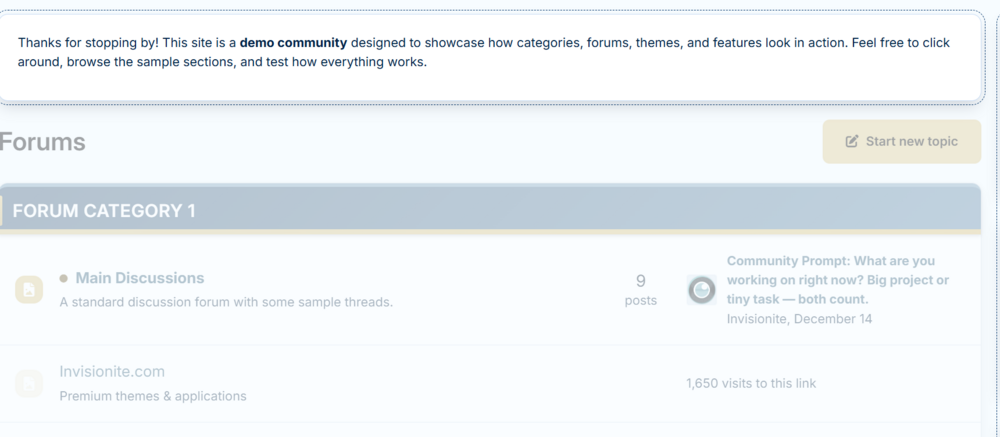
What are you trying to accomplish that you can't do with the page builder and widgets?
-
Hooray for Invision! Happy Holidays everyone.
-
Unfortunately at present time, no. What is it that you need help with?
-
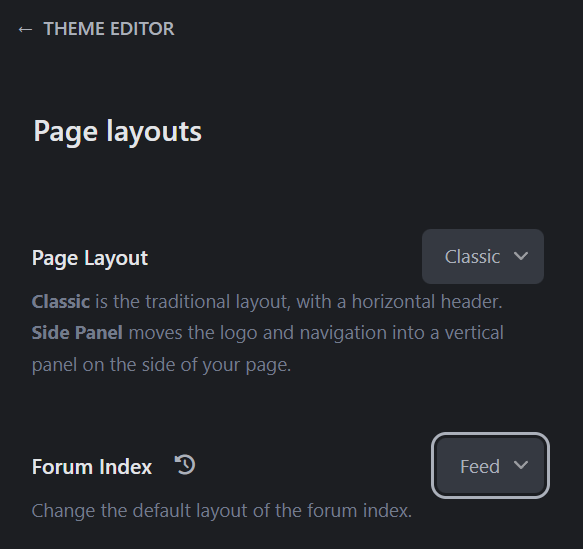
Theme editor, Page layouts, Forum index, Feed:
-
There aren't specific specifications for them. But a good quality 16:9 image, not too big and not too small does the job usually. For optimization, make sure it isn't a big file in size. You can optimize png images by converting to webp, which significantly lowers size.
-
Yes, you can do this in Customization -> Languages -> Translate Type news in search:


-
This 3rd app allows admins to change authors: https://www.sosinvision.com.br/index.php?/forums/topic/2904-change-topic-post-authors/
-
The beauty lies within the whitelisting. You don’t need to whitelist every domain, but you can control which items to have embed. For example, instagram only. For anything else, it would use the same frame as usual.
-
I think it's a bit different with forums though. So let's assume your forum has a bunch of threads with YouTube/X/etc. embeds. Iframely runs on those threads to render the embeds. An example: 20 threads with embeds exist in total. On an average day, only 5 of those threads get any traffic. Each of those 5 threads is viewed across 4 different hours in the day: 5 active threads × 4 hours = 20 hits/day. Time to reach 1,000 hits: 1,000 ÷ 20 = 50 days. For a very busy forum: 200+ threads with embeds. On any given day, 40 threads with embeds get touched by users. Those 40 threads are active across, say, 12 hours/day (people online all day). Hits per day: 40 × 12 = 480 hits/day. So for most communities, the free plan will be enough. Although I do suggest to try it out for a month and see if there's value for your community. Not everyone will really need this.
-
1000 views would be gone within no time. So the API counts as 1 hit per link/embed item. Which means your members can embed 1000 items a month.
-
Did you register an account to have the API? And of course the editor permissions need to be checked also. Although those should be enabled by default.
-
That’s true, but you want to see it from the perspective of the client. 😉
-
Which is generally a good thing to be honest. The less 3rd applications needed, the better. Great update, iframely is definitely a good thing!
-
Good call. Forgot to make a report about this.
-
Appreciated. 🫶
-
Yes, but then they wouldn't be reported to the spam defence and easily go onto the next community. I have no idea how effective the flag as spammer is or how quickly it works, but pruning them doesn't do anything at all.





