Goza
Clients
-
Joined
-
Last visited
Everything posted by Goza
-
I did sent an email to support about not able to upgrade (5.0.18 > 5.0.19). Letting anyone who are or might be in similar situation that is on cic.
-
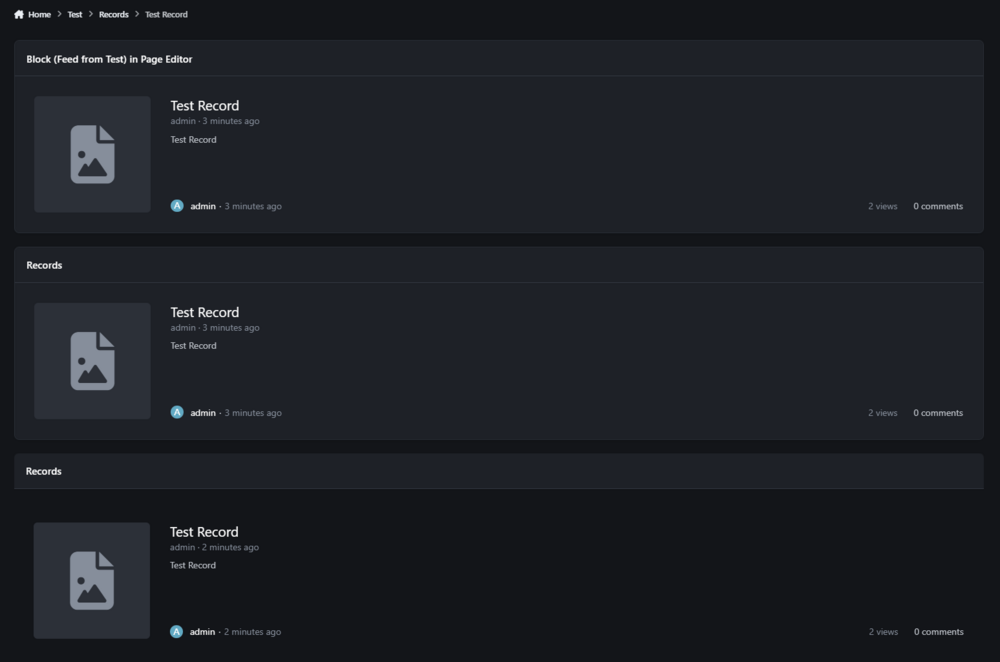
Will do.Aww, yeah that was confusing part on my end. For some reason, I was thinking it was going by the block name and just keep passing the title in feed.https://narakashowdown.com/test/145_records/test-record-r1/CiC v5.0.18 The first block is displayed using "Feed from Test" purely from Page Editor and works intended title. The 2nd block is called Block From backend (Test) using "Feed from Test" in AdminCP but the title isn't recognized and says Records. The 3rd Block is the same as the second one but using {block="block-from-backend-test"} in Records template "records" under Test_Display
 Note sure if this is worthily of reporting or just intended use but if you add {block="block"} inside a page template (regardless where you put it). The Widget CSS does not pull up when you inspect it like you would see if you use Page Editor. <style data-widget-style=""> /* Custom CSS */ @scope { :scope{ } } </style>My question for this would be whenever this gets fixed if we manually place {block="block"} inside page template. Does our CSS changes takes affect like normal?I finally figured out why the elseif isn't working when you're going into the record. At the end of the path, make sure you're not using " / " like I have in my example.Aw yes, I swear it wasn't there when I originally looking for it haha.If you edit your block from your image and go to advanced. Paste this code inside scope and save. .ipsData--wallpaper { --i-data--wallpaper-height: min(90%, 400px); }I don't know exactly how small you want without seeing on your website.{{if strpos( \IPS\Request::i()->path, '/hero/feria-shen-r16' ) !== FALSE}} Feria Shen {{elseif strpos( \IPS\Request::i()->path, 'hero/justina-gu-r14/' ) !== FALSE}} Justina Gu {{endif}}Is there a way to target a specific record in pages? I could target the page itself but I need to go one step further that only viewable per record.It was this page, I forgot Wayback machine was a thing. http://web.archive.org/web/20250420003617/https://invisioncommunity.com/4guides/pages/tips-tricks_361/advanced-building-dynamic-blocks-based-on-the-page-being-viewed-r162/ There are other tips for pages there that aren't included in the new documentation.If anyone is wondering how to do this, wayback machine ftw! http://web.archive.org/web/20250420003617/https://invisioncommunity.com/4guides/pages/tips-tricks_361/advanced-building-dynamic-blocks-based-on-the-page-being-viewed-r162/I have handful of database record blocks that I want to display (records template) depending on the topic you're on but Help Guides (had examples to do this) no longer visible. {{if \IPS\Request::i()->url}}No. It had its own dedicated topic that explains what you could do IF logic for specific URL pages. Also, had examples if you wanted to use array for listing url pages.There were handful tips that were under pages that seemed to be hidden or removed. I couldn't remember the logic for if statement that allows if something on a specific page or not to show but that seems to be gone ☹️It's been almost a week and there's more "new topics" by the day not being shown unless you view them through notifications.
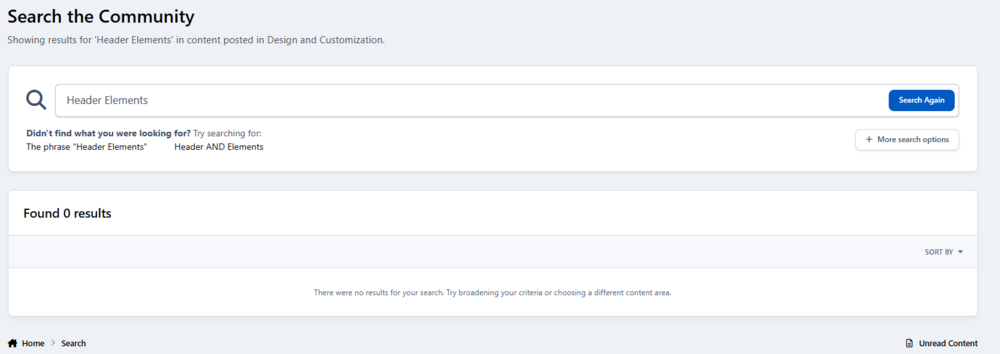
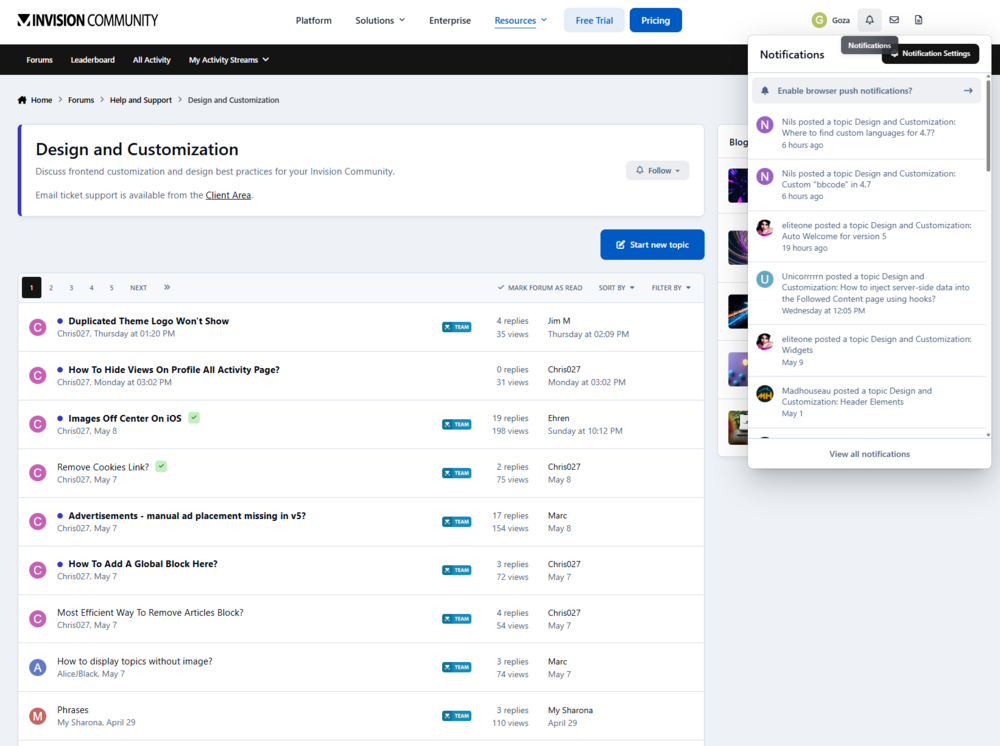 Topics [Design and Customizations] in my notifications aren't appeared in the forums. I could access the topic through the notifications but not in the forums. I even try to search them up with exact titles but every single one of them comes out 0 results.

 CiC v5.0.18 Block custom CSS does not take affect through ACP or frontend. If you use Theme Editing or Pages CSS templates to make changes; it'll work. No browser errors block.mp4 I don't know if this is a bug or needed suggestion but if you make css changes in the block settings through ACP and you go to Page builder and edit CSS through there. You don't see your CSS you've made in ACP or vise versa.Is it something you'll commission on? Would loved to get something like that.So what I want to achieved isn't possible? Basically, all I wanted to pull is icon and image to display in database 1 without using a database relationship in database 2.I want to show more than just a link from the database that I have database relationship on. Database 1 is the hub where everyone will be posting in that has the database relationship on. Database 2 is basically like a storage database. When using a database relationship in database 1, I can pull any information from that onto database 2 but I wanted to do the opposite without needed a database relationship on database 2. I want to use a database relationship in database 1 to pull database 2 information; If that make sense.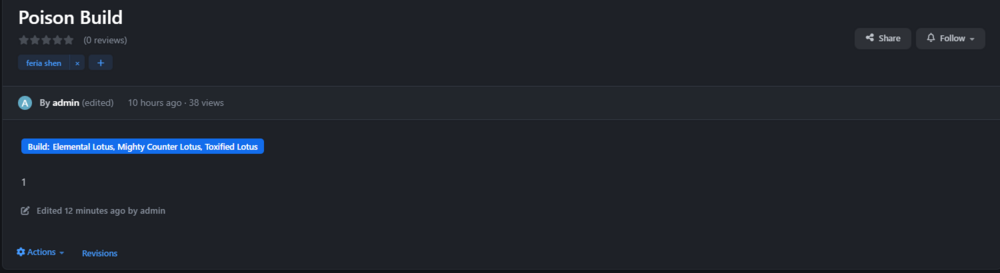
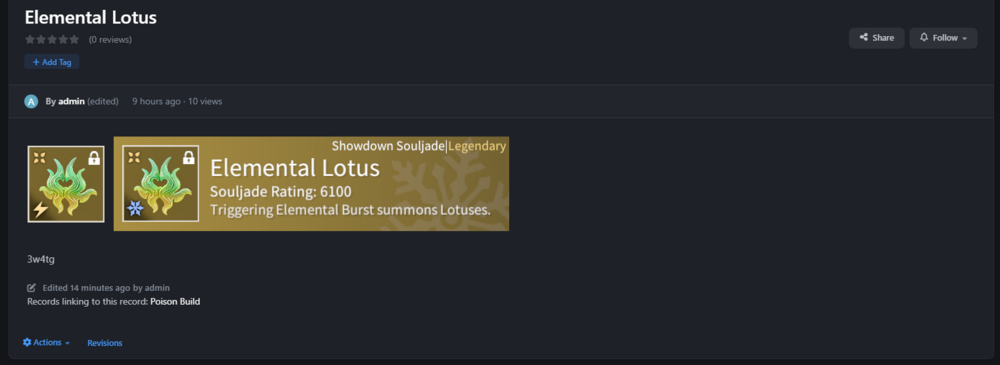 Current implementation of getReicprocallitems (Database Relationship) out of the box. Database 1 (Builds) links topics and display items in Database 2 (Items). Database 2 (Items) links topics back to Database 1 (Builds). Database 1 (Builds) does not display items from Database 2 (items). Furthermore, having cross link records turned on and reading the description for it. It sounds like one-way street. The way I try to use Database Relationship is: Database 1 (Builds) Everyone can post topics Linking topics from Database 2 (items) Displaying said items from Database 2 (items) in Database 1 (builds). Database 2 (Items) Only selected groups can post topic while everyone else read/view Linking topics from Database 1 (builds) Displaying said items from Database 1 (Builds) in Database 2 (items). While they both displaying items from each other, the styling of getReicprocallitems will be different since they will be using different database templates. My suggestion and/or feedback of having database relations complete the cycle of displaying the items from the topic that it originally came from. Now looking back; wow time flies. There was an issue that I brought up that got fixed; however I did mention there was another problem (not really) that I wished I had brought up. Detailing the full extent what I was trying to build and now I am back with this situation.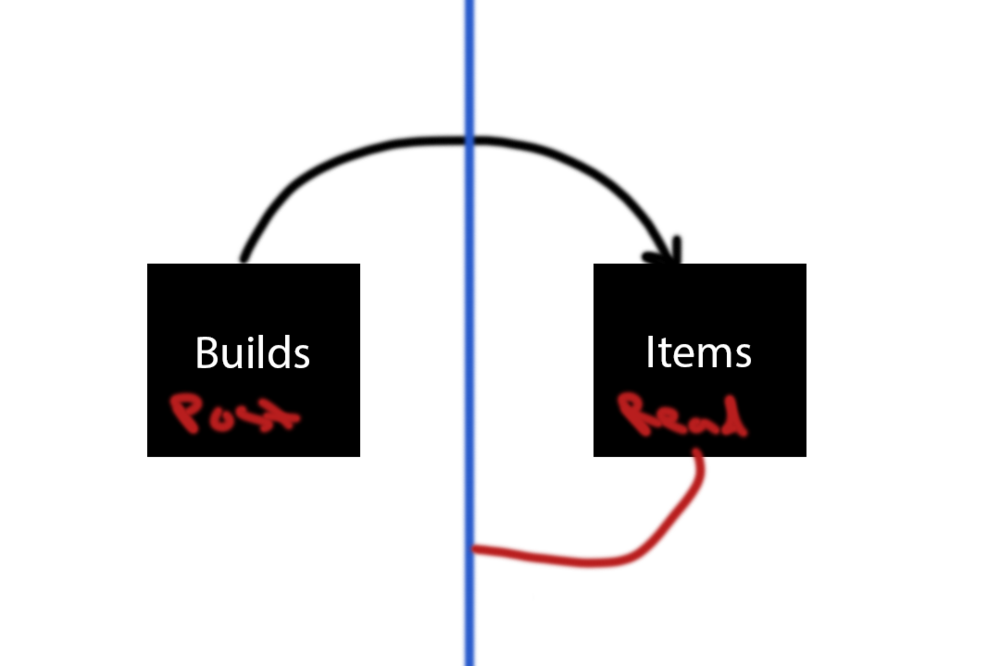
 Technically everything works just fine as-is but you just need to wrap the whole records template with #elCmsPageWrap since this is removed from IC5. <div id='elCmsPageWrap'> Records template </div>V5 has some really nice touches to block customizations which allows us to create new database templates (Record Listing) to display them without having assigned database or category. In the current state, all new templates we've created they all go into Database Templates. Over the course of our community lifetime, the database templates category will fill up and might cause frustration. By adding a "Create New Block Template" and category. You'll effectively freeing up spaces and differential which template you have created and easier to navigate and edit.