


Baian007
Members
-
Joined
-
Last visited
Everything posted by Baian007
-
I can see you are using it in the market section . The download link is: "https://f005.backblazeb2.com/file/cloud3-media/a319035/monthly_2024_02/CKEditor_IPS_Plugins_zip.c4492fc90bcedffb609c3b259e841ebb?Authorization=3_20241206104322_5931acbc874829d80af9f917_45643ba040be3df54bb981c10ca0bcba033efe9a_005_20241206110322_0024_dnld&b2ContentDisposition=attachment%3B+filename%3D"CKEditor_IPS_Plugins.zip"&b2Expires=Fri%2C+06+Dec+2024+11%3A03%3A22+GMT&b2ContentType=application%2Fzip" But according to Stuart Silvester "No, it isn't compatible so it won't work." that makes me confused too, could you please check your settings and tell me what i am doing wrong?? IC V5 beta 6.
-
Thank you for getting back. Is there any quick fix?
-
Well, i managed to make it partially work with idrive: Upload files and images is working now (only upload). When I click the download button, I receive the following error message (I also get the same error when I save my settings in the storage options) Images are uploaded but not displayed on the frontend. IPS\File\Exception: MISSING_REGION (7) #0 /home/----/domains/cphub.pro/public_html/applications/downloads/modules/front/downloads/view.php(691): IPS\File\Amazon->generateTemporaryDownloadUrl() #1 /home/-----/domains/cphub.pro/public_html/applications/downloads/modules/front/downloads/view.php(644): IPS\downloads\modules\front\downloads\view->_download() #2 /home/-----/domains/cphub.pro/public_html/system/Dispatcher/Controller.php(128): IPS\downloads\modules\front\downloads\view->download() #3 /home/----/domains/cphub.pro/public_html/system/Content/Controller.php(125): IPS\Dispatcher\Controller->execute() #4 /home/----/domains/cphub.pro/public_html/applications/downloads/modules/front/downloads/view.php(120): IPS\Content\Controller->execute() #5 /home/----/domains/cphub.pro/public_html/system/Dispatcher/Dispatcher.php(169): IPS\downloads\modules\front\downloads\view->execute() #6 /home/----/domains/cphub.pro/public_html/index.php(16): IPS\Dispatcher->run() #7 {main} Is this a bug? Should I report it, or is it just not compatible with IC5?
-
Hi Marc, don’t get me wrong, but I am so sad. I just tried iDrive and Backblaze with XenForo, and both worked very well without any issues. Please consider making iDrive (the cheapest S3 object storage) work with IC5. As I mentioned before, not everyone can afford AWS due to its high price. Please, many users already requested that. Thank you, and hope to get positive feedback from you in that regard.
-
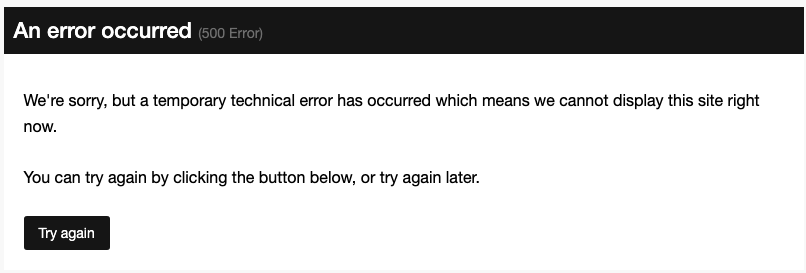
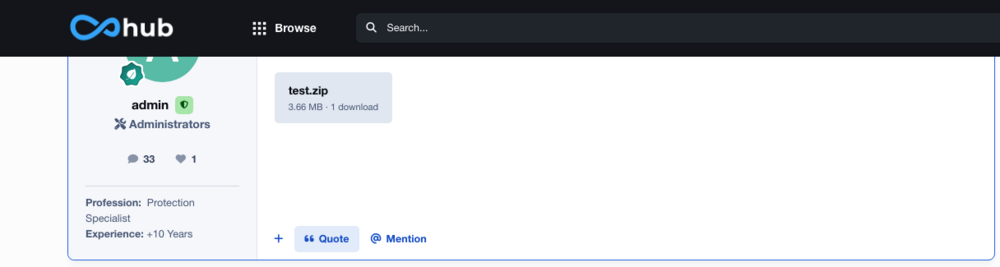
Another error occurred when I uploaded an attachment to a topic or post and clicked on the attachment to download.
-
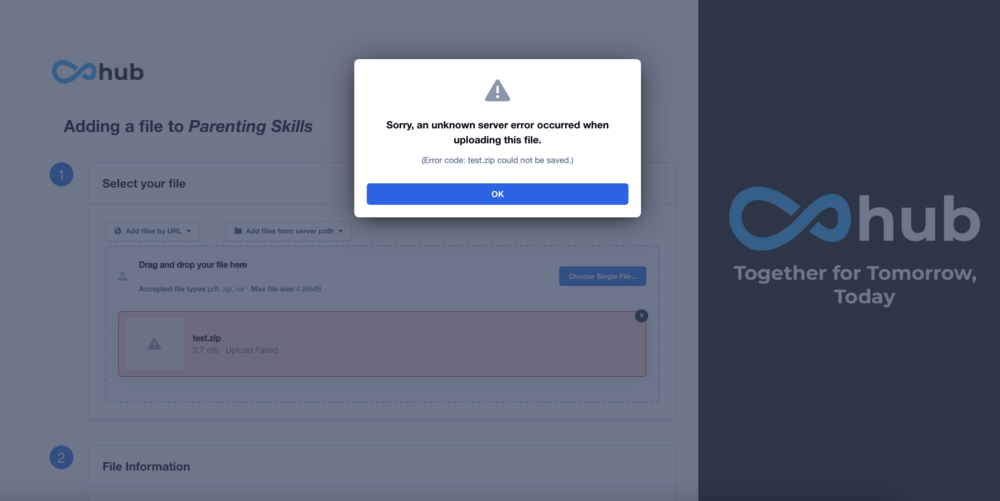
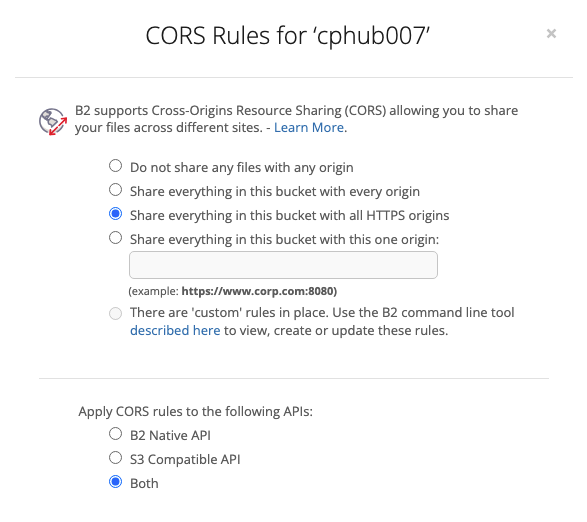
I selected "S3 compatible", and then I tried to submit a download file but received an error, as shown in the attached screenshot.
-
No, I did not. I will try it. Thank you in advance for your support.
-
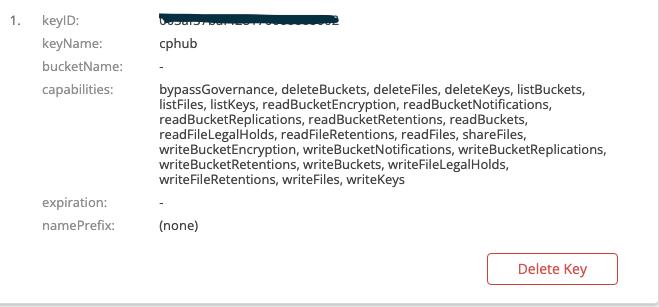
I understand your perspective, but I have tried almost everything. I would greatly appreciate your guidance on setting it up correctly.
-
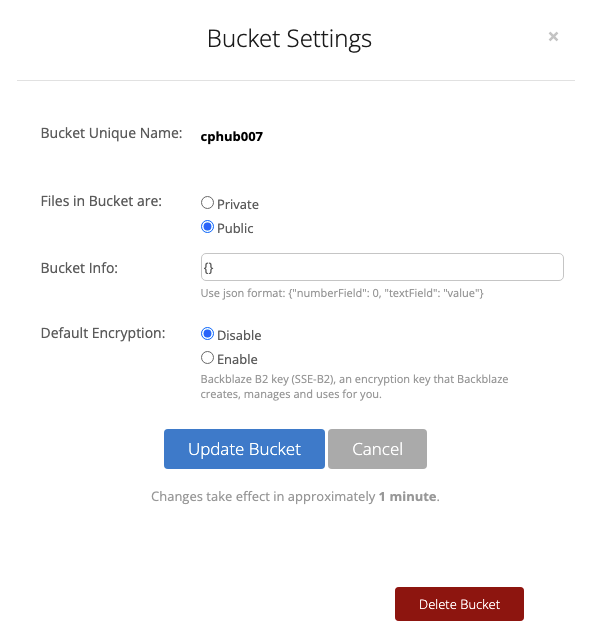
Marc, have you tried it with IC v5?
-
Hi team, I have been trying to use Backblaze S3 for over a week without success. Here are the issues I am facing: My files do not transfer to S3 storage after I fill in the required details and save the settings, even after waiting 12 hours (the site is almost empty, and I don't have users yet). When I select only attachments and downloads to be stored on Backblaze S3, new files are uploaded when I submit a new download. However, I get a "500 error" when I click the download button for a new file. Images are uploaded to Backblaze S3 and displayed correctly, but I receive a "500 error" when clicking on the image. Attachments are not uploaded to Backblaze S3, but I can see them in the forum post. I also get a "500 error" when I click on an attachment. Are there any guidelines or help available for using Backblaze with IC5?
-
Any idea?
-
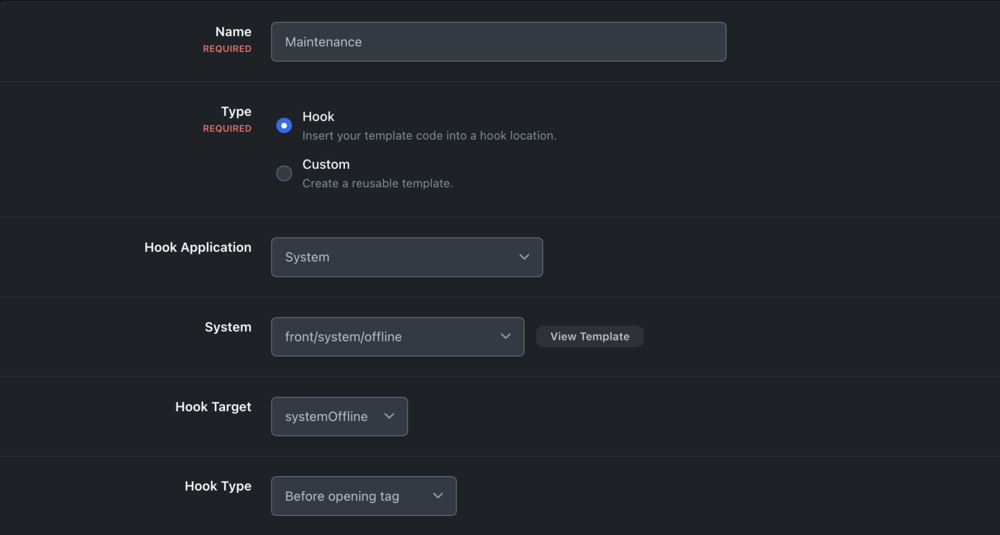
Hi Matt, I have tried all versions of Hook type but had no luck.
-
Dear team, Why isn't this code working when I hook it to the offline page? Is there any solution? {{if member.isAdmin()}} <!-- Shows if the user is an administrator --> {{endif}} {{if member.inGroup('x')}} <!-- Shows if member is in group 'x' --> {{endif}}
-
The upgrade went smoothly and successfully (self-hosted), and thank you for: -Check that listener class exists before loading. Some elements were flashing after the page loaded, but now everything is working perfectly.
-
Okay, thanks
-
Yes, in the About Me tab (i want to hook or add custom fields).
-
I mean in the tab section, either under the "About Me" field or right before it. Thanks
-
To Traverse up the DOM to check if any ancestor has aria-hidden="true" and Traverse up the DOM to check if any ancestor previously had aria-hidden, I added this to js file in the theme document.addEventListener('focusin', function(event) { let element = event.target; while (element) { if (element.hasAttribute('aria-hidden') && element.getAttribute('aria-hidden') === 'true') { console.warn('Removing aria-hidden from ancestor of focused element to prevent accessibility issues.', element); // Temporarily remove aria-hidden element.setAttribute('data-aria-hidden-temp', 'true'); element.removeAttribute('aria-hidden'); } element = element.parentElement; } }); document.addEventListener('focusout', function(event) { let element = event.target; while (element) { if (element.hasAttribute('data-aria-hidden-temp')) { console.warn('Restoring aria-hidden to ancestor after focus out.', element); element.setAttribute('aria-hidden', 'true'); element.removeAttribute('data-aria-hidden-temp'); } element = element.parentElement; } });
-
It worked fine in beta3. I tried again, disabled the cache in Cloudflare, and restored the original ".htaccess" code, but I received the same results.
-
After upgrading, the only issue I’m experiencing is with caching. When I visit the site as a guest and then log in, I need to manually refresh each page to clear the cache. This issue occurs across multiple browsers, including Safari, Chrome, and Brave.
-
Successfully upgraded to Beta4 (self-hosted) with no issues.
-
Hi, How can I add custom fields to the “About Me” tab in the user profile? I want to include custom fields for Personal Information directly within the “About Me” tab, rather than displaying them in a widget. Any suggestions?
-
It works. Thank you @SoloInter and @Jimi Wikman
-
Thank you, Jimi helped me out: This is the right structure Category 1 Category 1 Subcategory 1 Subcategory 2 Unfortunately, still not working
-
I followed your instructions precisely, but I obtained the same result.




