Christian Meixner
Clients
-
Joined
-
Last visited
Everything posted by Christian Meixner
-
But shouldn't be that the exact same if the end-date of time period is "today" (as above)? Because, the date of "last visited" can either be within the selected time period (between start date and today), which means the user should be counted in both statistics. Or "last visited" is before that period, which means, the user is not counted in any of those two statistics. Thus, it should be the same numbers in that case. The only case, where "last visited" date would be counted for the "total visits" statistic, but not for the "last visit" statistic would be, when "last visited"-date of a user is after the end date of the selected time period, which is impossible if it's today.
-
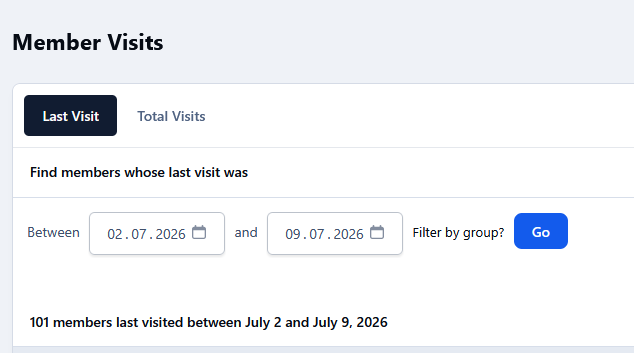
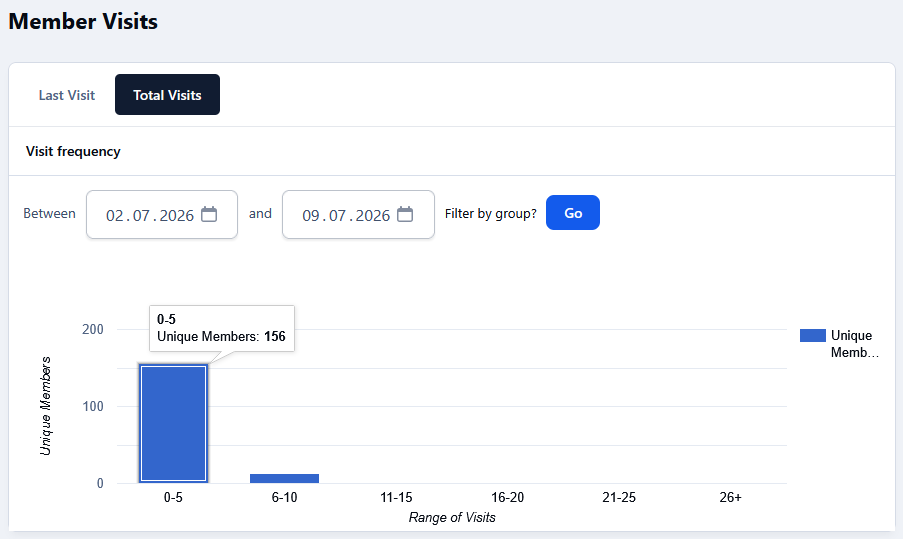
In ACP I want to know how many unique visitors have there been in the last week or month. So I go to ACP > Statistics > Member Visits. There I have two options: "Last Visit" and "Total Visits". Now, here are the results (please note that I've filtered by the same groups, same date range and today's date is 9 Juli 2026, so "Last Visit" should give valid results when looking back from today): Why do they show different results in regard of the unique visitors? From my understanding "Unique Visitors" in "Total Visits" Should be the same as the number of Users with "Last visited" Date in this date range, shouldn't it? And if not, which one is correct an why?
-
Awesome release! Special thanks for fixing this: #6913 fix rank progress bar #6995 Fix an issue where searching by titles only returned every post in a topic
-
Well, I'd appreciate clarification. Please! Where have the topics been moved to? On the Overview Page there are only four forums left. And none of them is How can we access this for example? No, I don't have links to all my topics (beside the ones in the post above), because before that redesign I had my activity streams to monitor my own topics and contributions and see how those topics evolve over time. Now they are all gone. I didn't expect to need to bookmark them all manually for later read! This is more like a reset than a redesign. And compared to time before this community forum seems dead silent now. Also the "rebuilding" process was started 6 days ago. I don't think that there are still things in the queue. This forums are still broken.

-
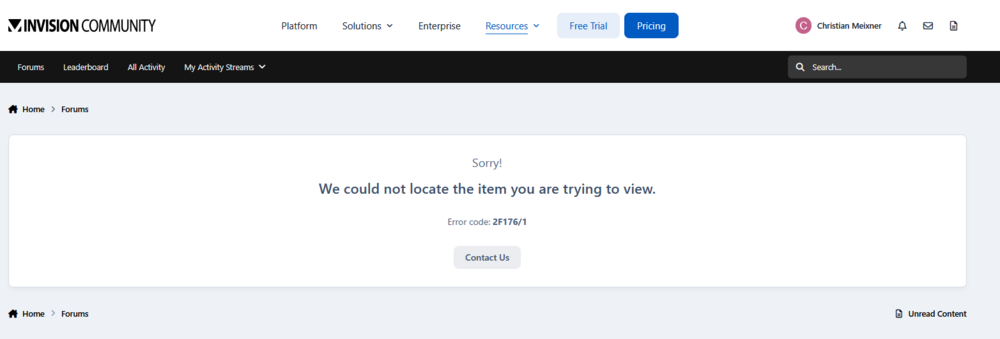
Ok, well. But that topic from me (Bug in rank progression) never was es self hosted issue. And as far as I remember, I never had posted a topic in self hosted area. So why were they moved there? Also, the other Topic about searching the word ai is rather new and it's located in current forum Ideas and Requests, but still is not listed in my activity feeds and can't be found with search. And how do I get to that old forum, e.g. "Invision Community Classic"? If I click the link in the bread crumb navigation (screen above) I get this: Also I don't see any menu entry leading to this forum.
-
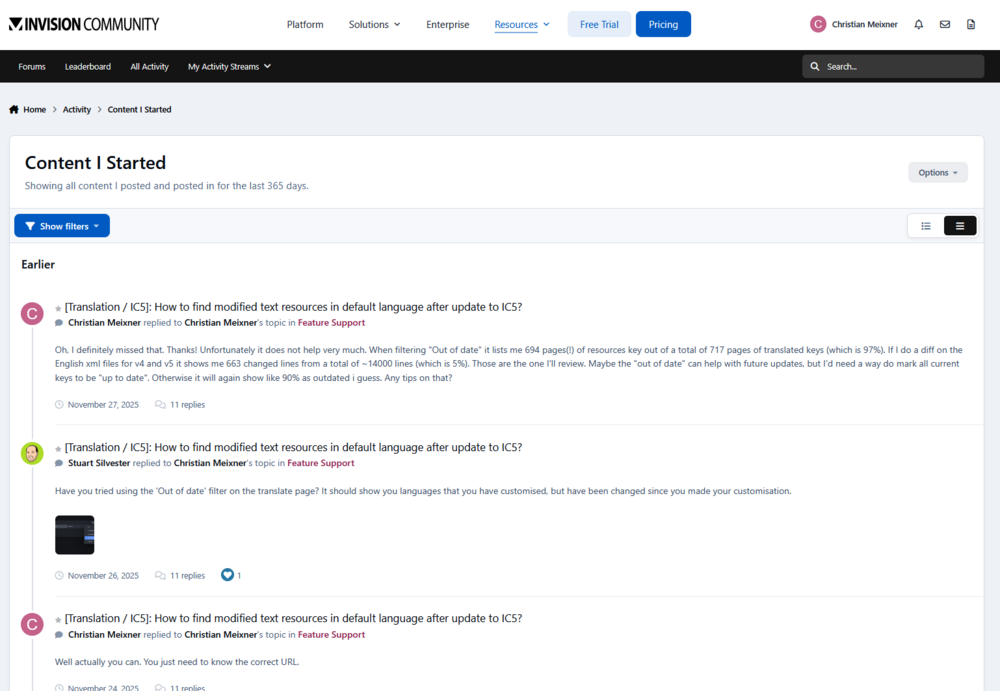
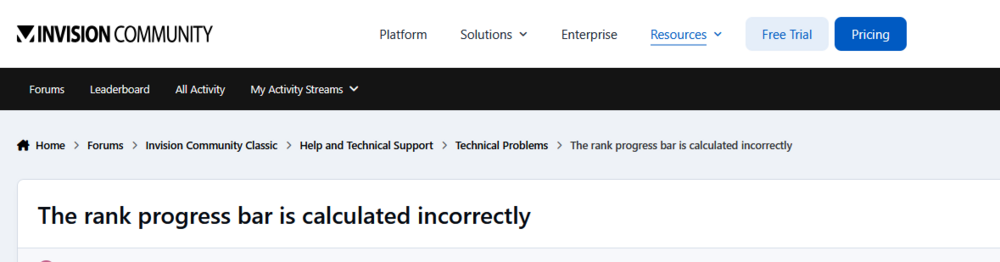
That seems to have fixed ... something. "Content I Startet" now lists a single thread of mine: (Goes all the way down with this thread only). Other current threads like this one are still not in that stream (and can also not be found through search): https://invisioncommunity.com/forums/topic/486871-users-cant-search-for-ai/ And one other thing: Where were threads like this moved to? https://invisioncommunity.com/forums/topic/482137-the-rank-progress-bar-is-calculated-incorrectly/ I can find this one only with google. Also the paths in the breadcrumb nav to get there don't exist:
-
Any Feedback? Is this the way it's supposed to work or is it a bug? Both, Activity Streams and Search?
-
Well, I did. It reads to me, that you are aware that there is room for improvements and that ai based search might be a thing in the future. And Jim states, that activity streams only take content from the last 365 days into account. What else did I miss? Because the screenshots and links above show, that even existing features like activity streams and search currently don't work at all! Activity streams are empty when they should not and search does not find when it should.
-
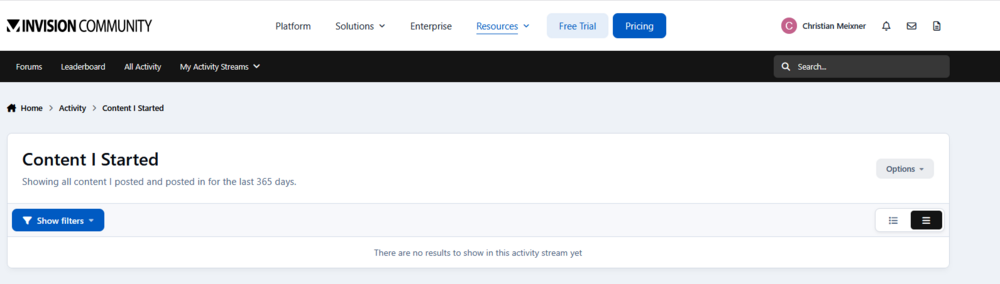
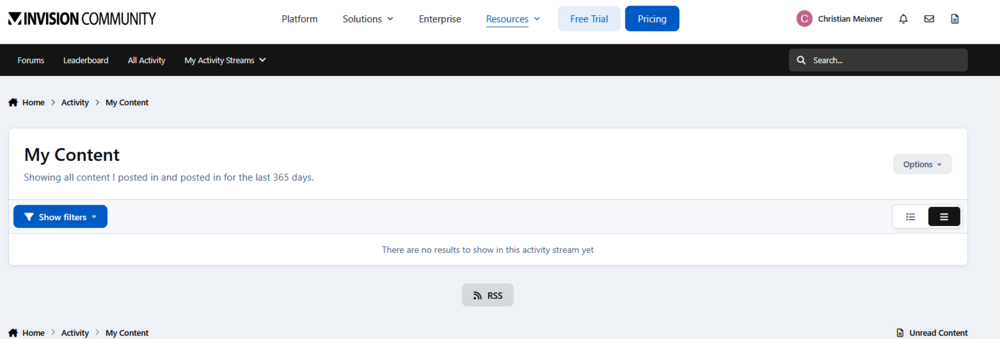
Well, here is a topic I've started some weeks ago: https://invisioncommunity.com/forums/topic/486871-users-cant-search-for-ai/ Here is, what "Content I started" looks like: And "My Content": Also, why does this search: https://invisioncommunity.com/search/?q=%22search%20title%20only%22&quick=1&start_after=any&updated_after=any give 0 results, when this discussion I was looking for exactly contains that search term? I literally copied it from there (after I found the topic through google). In general I have to agree @michimachi. Finding content in IC is really a pain or even doesn't work at all.
-
... or the suggested whitelist of common / trending two letter terms. I don't know if people type uppercase in the search box. People are lazy.
-
I know that quotes will work (see my first post). But average users don't do that, so they don't find what they are looking for. We already set the default from match "Any of my search term words" to match "All of my search term words" to improve search results, because most users don't mess around with those advance options. They simply type their search in the box and hit enter, just in the same way as average Joe uses google. Also using quotes will only match that exact term. So "AI search" won't find a topic called "AI based search" but without the quotes it would. Users don't remember the exact title of the topics they are looking for, but they do remember some specific key words. And that's what they will search for. Or they just look for some specific keywords to find topics covering those. At the end the search feature has to work for our community members, not for me as an experienced community admin only.
-
Well, right here in the forum it does not: https://invisioncommunity.com/search/?&q=ai%20search&type=forums_topic&quick=1&search_and_or=and&search_in=titles&sortby=relevancy In our own Community it's exactly the same. I don't think we, as users, can do that in our cloud hosted communities?
-
Well, "AI" (or "KI" in Germany) is a very common topic these days, but you can't search for that in IC, because each search term requires 3 letters at least. You can combine it with another term using quotes though, like "ai coding", but that advanced kind of search is not what users type in the box. And if you search for 'ai coding' without the quotes, then the ai part is dropped silently. I guess we either need a customizable list of allowed two-letter search terms or reduce the minimum letters for a search term to 2? What do you think`?
-
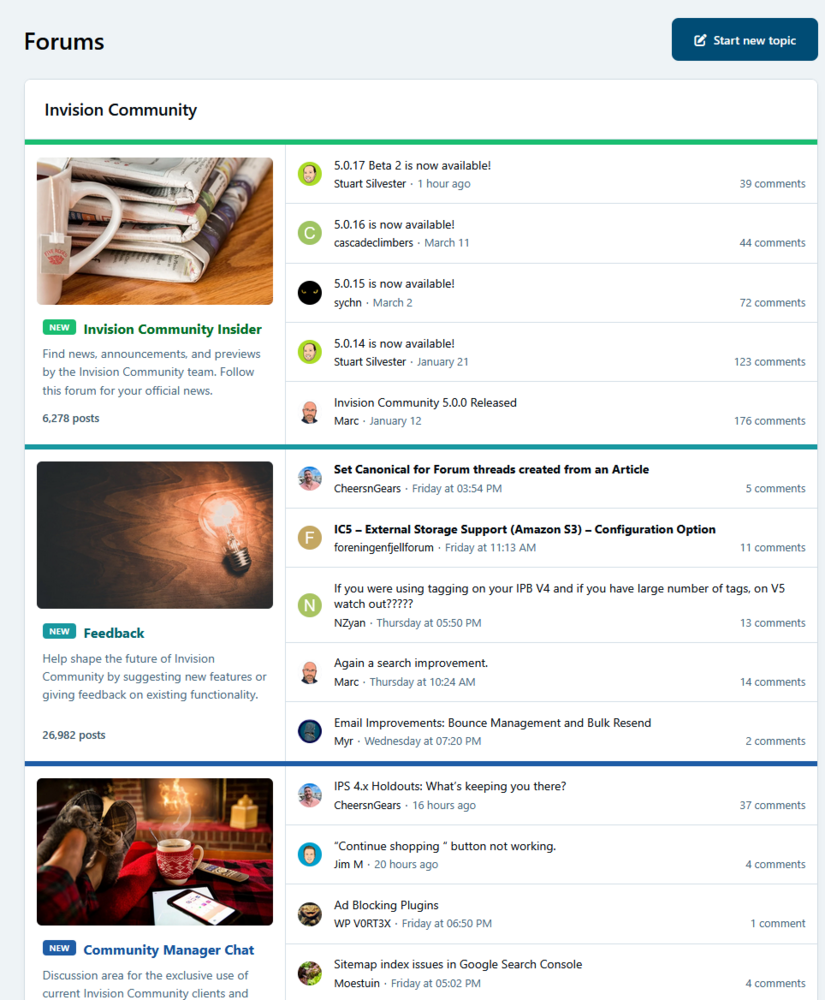
This feature request is rather old, but essential! Please highlight unread topics in Feed View bold. We've tried out "Feed view" with our users and they complain, that they can't see what's new on the start page. I know, that there ist the "new" indicator on every forum, but since there topics listed in that view, they expect them to be bold if unread. This could look just like this (mocked, see bold topics in "Feedback" forum): This would really help for acceptance of this view.
-
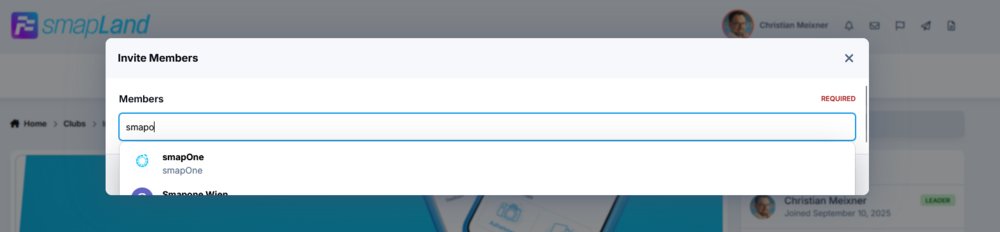
In the dialog where you invite members to a club the users auto complete dropdown is cut off within the very small dialog box so that you can effectively see only one auto complete suggestion:
-
Any chance this will get fixed? Wording is still wrong and miss leading in 5.0.16 and you can still set the value to more than 100, breaking all the quizzes.

-
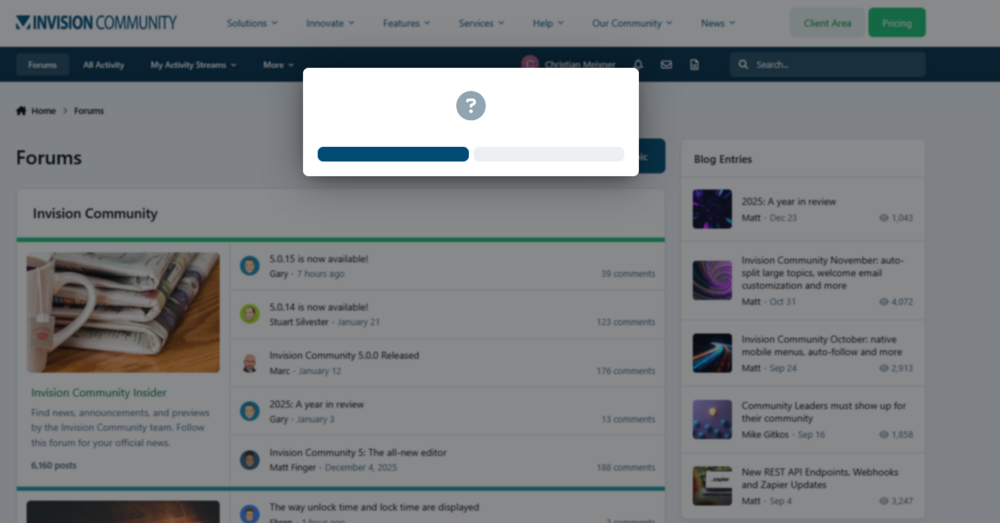
The "Mark all content as read"-Dialog right here at invisioncommunity.com has no text (tested in Chrome and Firefox):
-
+1 A "Copy whole course" feature also would help to create slight variations of the same course for different audience.
-
Ok. Thanks. I guess I'll hide them using custom CSS in theme editor for now and check back sometime to see if it's fixed.
-
Do you have any feedback if this is accepted as a bug or is considered intentional? Because, if it ist intentional this would force me to pick a meaningful icon for every menu item, if I can not turn them off entirely.
-
Any news on this bug? I hoped for this to be fixed in IC5 but it's not. This shouldn't be too hard to fix, I guess. This bug is very demotivating especially for the most active members, because the progress bar does not show their actual progress. In fact with the bug still present the bar seems to persist between like 70+% all the time (because promotion to a new Rank does not reset the bar to Zero but rather to the last quarter of the bar length). Every point earned then only gains little progression on the bar and does not reflect how far you've already gotten from current rank to the next.
-
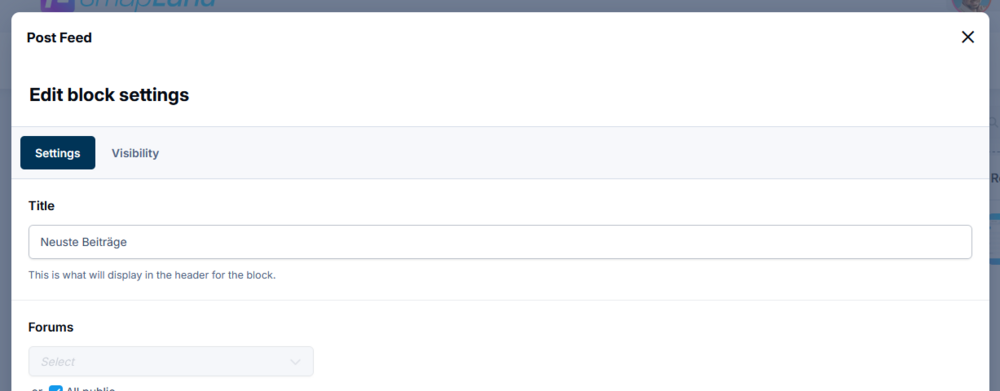
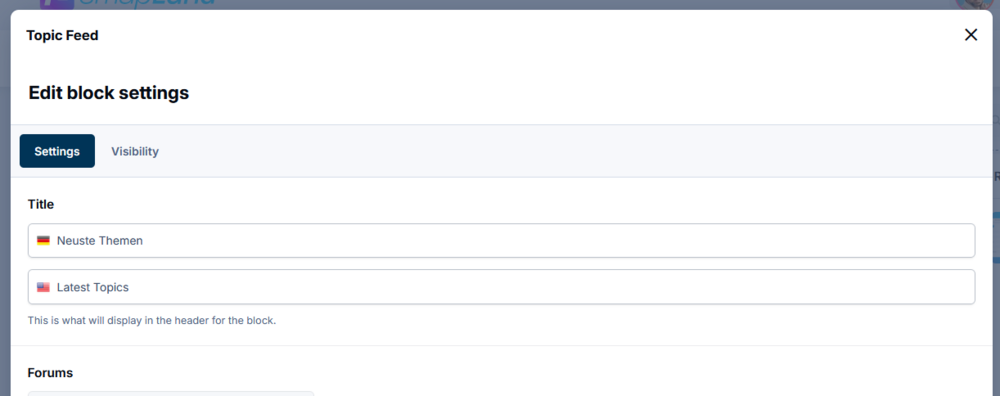
Here are some suggestions / feature requests for the Post Feed and Topic Feed widgets. Some of them are direct feedback from our communities users: Show read/unread indicators in the feed, just as in the forums list We want to place those widgets on top of the forum overview page, so that users can easily see, what's new. But they complain that they can not see, if they have already read the topics/posts shown here since their last visit. Post Feed: Option to show only one (latest) post per topic. Right now the widget can show the latest posts overall. But if there is a very actively discussed topic, all the posts displayed may be from that one topic, which is not very helpful. Option for a more compact layout The widgets are quite nice, but the currently consume a lot of vertical space. So you can either show only a few or the widgets will fill the whole screen. It doesn't matter if they are placed in narrow columns or full width. The already adapt to that but in a way that it always uses much height. Maybe the preview text could be reduced in "compact view" Post Feed: Translation for Title is missing in "Topic feed" you can specify a Title fore every language used (see Screenshots). In the post feed that option is missing. Post Feed: Only one language for custom title (may be that's a bug): Topics Feed: Separate title per language
-
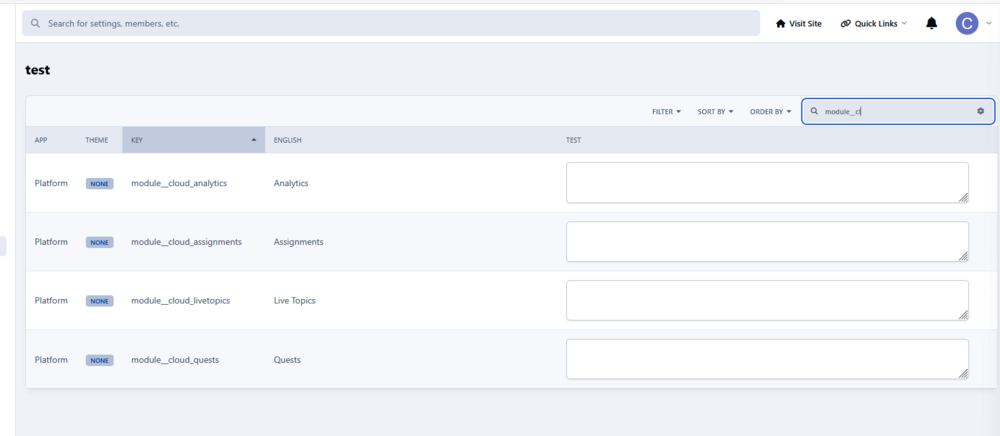
Found it, thanks! For the two module names: It's still the same if I create a new language and select that for use in ACP. Searching for "module__cloud" finds only these four keys:
-
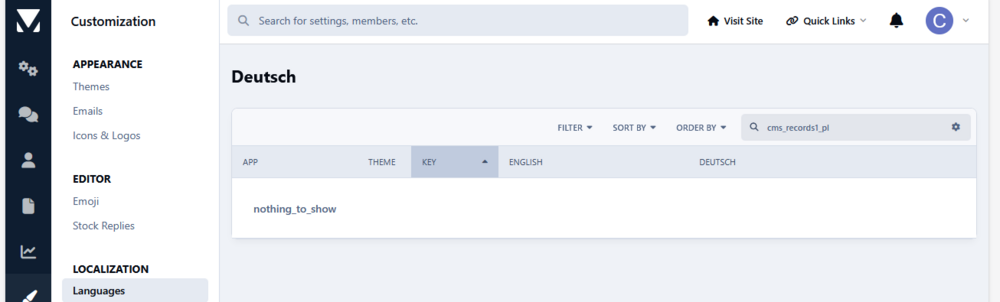
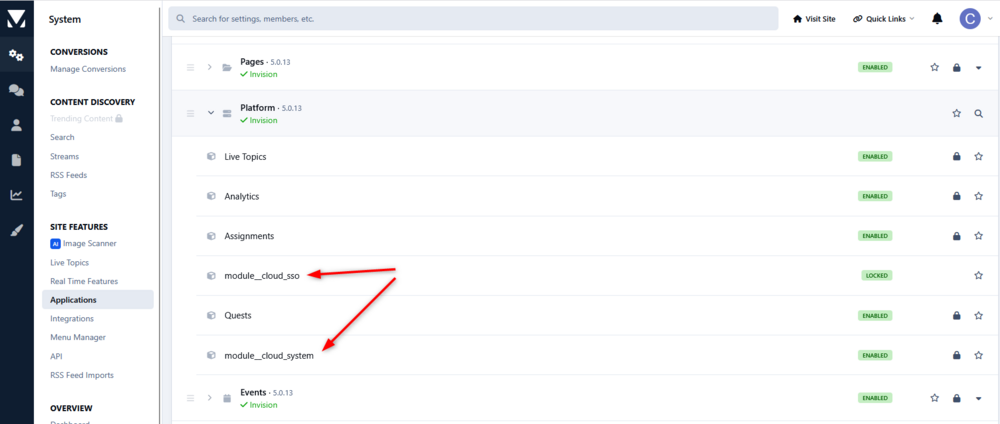
Hi. In the UI of the search dialog there is a resource key named "cms_records1_pl" which shows the text "Article", which can not be found in the editor for translations in ACP. Sees screenshots: No other search filters (cog icon) where active in the screenshot above. Also it seems like there are some resources missing in the original language files. In the Screenshot below, two of the module names are missing in the original language. These resource keys also can not be found in the translation tool.


-
Oh, I definitely missed that. Thanks! Unfortunately it does not help very much. When filtering "Out of date" it lists me 694 pages(!) of resources key out of a total of 717 pages of translated keys (which is 97%). If I do a diff on the English xml files for v4 and v5 it shows me 663 changed lines from a total of ~14000 lines (which is 5%). Those are the one I'll review. Maybe the "out of date" can help with future updates, but I'd need a way do mark all current keys to be "up to date". Otherwise it will again show like 90% as outdated i guess. Any tips on that?