


abetts
Clients
-
Joined
-
Last visited
Everything posted by abetts
-
Weirdly I've just had a user mention that the menu option on the bottom right is missing on their iPad!
-
Doh! Thanks :D
-
Hi Marc - Sorry, I've not got a prune option or I'm incredibly blind!
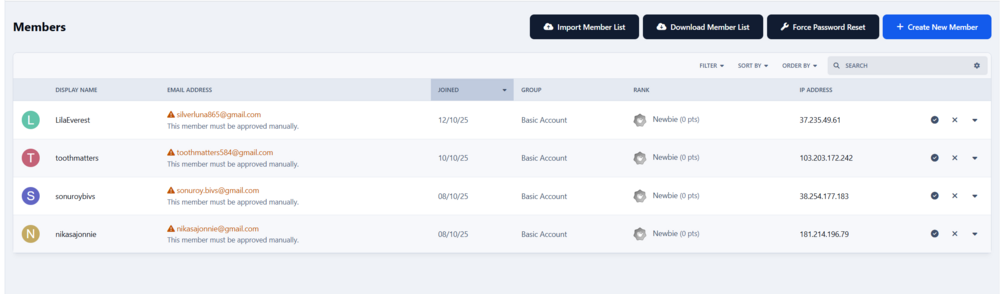
-
Thanks Marc! :)
-
If a member pastes a link, it not longer embeds and in fact, at the end of the link you can no longer add any content or even carriage return etc once you've pasted it. I've cleared the cache, not sure what else might be the issue.
-
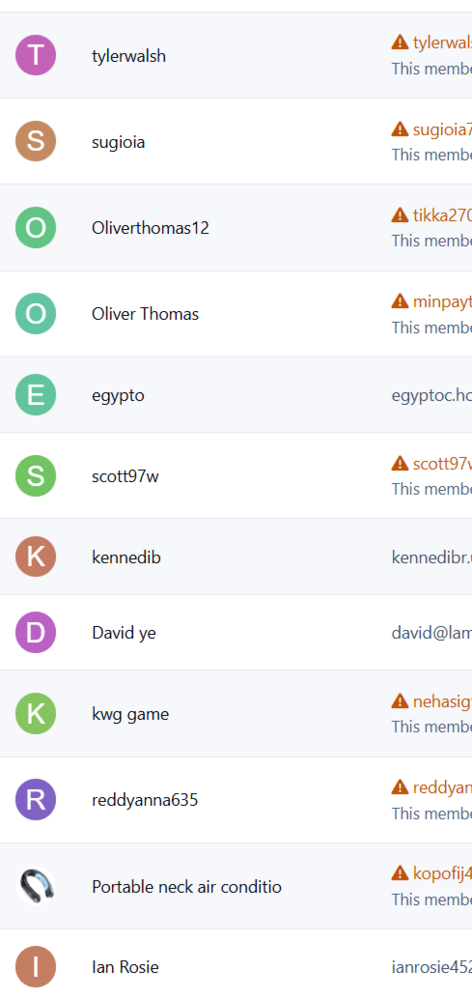
Just removing spam accounts. If I filter to validating or spammers, they still need removing one-by-one rather than all in one go!
-
Hi - Is there any chance we could have a way of selecting multiple members please? Going through pages of these one by one takes an age! Thank you!!
-
Lovely, thanks @Matt !
-
Perhaps I'm doing it wrong but can't see them on my forum yet! No background tasks currently running. Just gone to 5.0.5 - cleared system cache, turned topic summaries off then back on, looked for a widget in the page editor... And I'm not even drunk 😂

-
I'm not sure if this is just a coincidence but I just applied a patch to 5.0.1 and now only the VNC button works on the footer menu on mobile, the rest are not responding.
-
This is so good and the support fantastic I'm actually going to upgrade my Cloud account to the next level. I don't want or need any of the features but feel supporting this brilliant software is the right thing to do. Thanks Team Invision 👍 An especially big thanks to @Marc , he's awesome 😁







