


Dreadknux
Clients
-
Joined
-
Last visited
Everything posted by Dreadknux
-
Fair enough - just thought it was funny! 😄
-
New website looks great, lovely job guys. I do like the focus on the branded logos and the work you guys do with these big corporations, it definitely helps to realign expectations on the scale of business that Invision attracts with IC5 these days (instead of just looking like a hobbyist platform solution like the V4 site did). Only thing missing is official in-depth technical/developer documentation for extending the platform... which I think has been teased to be released by the IPS team ever since Beta 1 of IC5 now? 😄There really needs to be a 'cancel upgrade' function on future updates here, because I got completely blindsided by this php upgrade thing and wouldn't have hit the upgrade button if I had known about this prior... now I'm stuck unless I roll back to a backup? Pretty inconvenient...OK, thanks Marc. Any way I can cancel the upgrade process, so that my community doesn't continue to see downtime while I seek a downgrade path for my php?Is there a reason why the latest update is telling me my version of PHP is unsupported, when it is in fact newer than the recommended minimum version? Among the other issues I've been dealing with, this isn't a welcome notice tbh, especially seeings as this latest update is being listed as a serious security update. Can this be fixed please? I shouldn't have to downgrade my PHP just to meet an upgrade check...
 Sorry to pile on since it seems people are asking about what fixes it includes, does this new update also fix the issue where {resource} image theme tags break upon site upgrade? It most recently happened when I installed the hotfix Stuart mentioned above; a bunch of background images core to my community's theme design just didn't display, only working when I literally visit the image in a browser tab directly (via ACP > Themes > Resources > Right click resource image > "Open Image in New Tab"). It's been a long-running issue with this suite since early IC4, and I'm crossing all my fingers and toes that something can finally be done about it... More info in the topic below.I think herein lies the UX confusion issue I mentioned before - if the entire topic is unread from the start, what purpose does the ball/star icon serve? It should be removed entirely if the user has not visited the topic at all.The idea that has been discussed in this topic is: if you click the actual topic title link to the content, it behaves as you have set in user/admincp settings (in this case, "take me to the beginning") but if you click the blue dot/star next to the topic title, it ignores that setting and should always direct user to the latest comment since last visit (this behaviour shouldn't change no matter what is set in user/admincp settings) Some users here are saying it works as described above, but I am finding that the blue dot next to some topic titles will just take me to the beginning of the topic, rather than latest comment.This actually doesn't work at all. I have set the "When a member clicks an item link" options in both AdminCP and my own account settings to "Take me to the beginning", but when I click the blue disc icon next to a forum thread it only takes me to the very start of the topic, and NOT to the latest comment as has been discussed here. Bug report? EDIT: Actually I tested again and it works correctly for 'star' icons (as in, forum topics that I have previously posted/interacted in), but the 'disc' icon (for topics that have new content but I have not yet posted in), seems to not work. Maybe the disc icon should not appear at all if the user has not yet read that topic at all, as that can be quite confusing.I captured this on my iPhone and added it straight from there, should really be working honestly. If Invision can't see the video, happy to try and convert it to a different medium that Windows is happy with.The new menu design doesn't seem to be very intuitive when it comes to working with Tags in iOS. Scrolling around tag search results is a poor experience: ScreenRecording_10-11-2025 06-32-46_1.mp4 Otherwise, not bad!Oh I hear that, appreciate the consideration Matt! I'm thinking maybe there's a way to offer a drag/drop option in AdminCP (maybe it can work a bit like the new Menu Manager?) for admins who are SENSIBLE about button placement (and for those who aren't sensible, maybe add a limit to the number of buttons you can place on the editor row!) but just want to prioritise certain functions on the top level?I do think there is a lot of room to improve the editor in terms of admin customisation. For example, on my community (which is gaming focused), the spoiler tag is used very frequently (perhaps the most frequently) and so asking a user to find the Wrap Box, then figure out they need to hit a dropdown on that box and then select "Expandable" (which is not very clear it also means "Spoiler"), is quite inconvenient. There should be an ability for admins to allow this particular functionality to be a top-level button on the editor. Similarly, I do not quite understand the rationale for options that feel very much secondary, like Text Size and Font Color to be assigned top-level buttons, while primary functions such as Quote Boxes are tucked away in a dropdown menu. I also don't get why the Code Block is nested under the Paragraph dropdown when it makes more sense to place it under the "plus"/"+" dropdown... Just seems like the priorities in terms of editor button placement needs serious work. But I understand that every admin has a different need (although I'd be incredibly surprised to hear if 99% of communities don't use Quote Box enough for it to be handed a top-level placement), so I think a good improvement in this area would be a section in AdminCP where admins can re-arrange buttons as they see fit to best suit their community needs.I know what it said. This would be great, thanks Matt.Hopefully this feature can be included on self-hosted plans too (or at the very least, Achievements Rules can be vastly improved to accommodate for things like this). Looks good!Fantastic update, smashing it as always Ehren. Thanks for your hard work!Hi Como - I was actually referring to being able to insert a TOC within the main body content of a page, not in a Widget segment via Page Editor... unless you mean that you can now do this since a recent update? The problem we currently have is that, even though you can insert a TOC ~widget~ in the main column, it has to sit either above or below the actual main content area... and it looks weird. I'd like an implementation like Wikipedia, where the TOC sits within the main content area underneath the page's title and meta. I'm glad you found a great use for the widget though! :)Hi Matt Sorry to bump/bother on this, just wanted to see if there was any movement on this. I'm looking to upgrade my community within the next month or two, and I'd love to be able to have something to archive this content in some fashion (rather than have the data hidden/tucked away somewhere in the database).Just upgrading now, any idea what this means: I haven't modified any files in the core system, only added page templates via the AdminCP... seeing stuff like this brings me mad anxiety lol, I thought we were never going to see these kinds of notices again because of the change in how themes could be edited in the backend (I was looking forward to never having to see a "this upgrade will cause conflict with your themes" page ever again). 😄
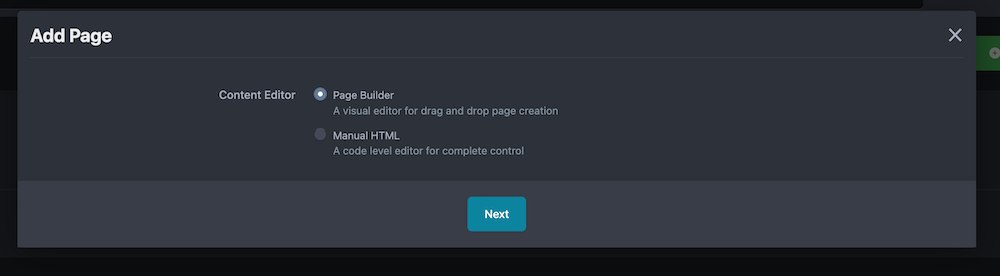
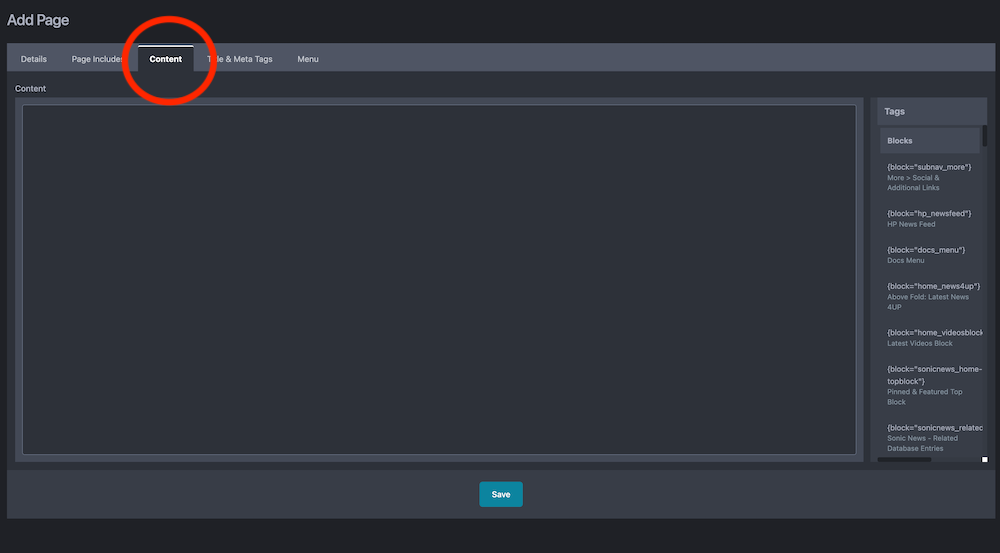
 Oh I see what the problem is - that option only appears if you click the blue "Add Page" button in AdminCP, not if you click the "+" button within a Page Folder. I'll log this as a bug in the tracker, thanks Matt.Great job as always, guys! Quick question, I saw this in the release notes: #3561: Restore HTML pages functionality for PagesBut I'm not seeing that reflected in my localhost test environment (updated to the Beta 5.0.4). Don't know if this note is referring to some other functionality that has been restored and I'm misunderstanding? ^ What I'm seeing in V5 versus... ^ The HTML functionality that exists in V4.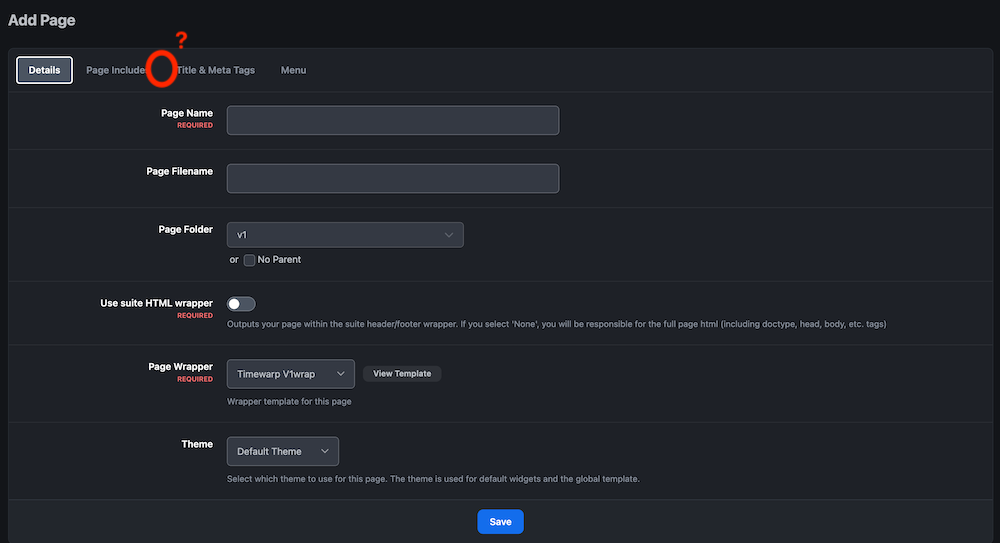
 I'll drop the "almost" if I can get a slice 🍕I broadly agree, but I'm going to be the annoying one and say that I'd likely have a need to multiple colour schemes at the very least (there are a lot of colourful characters - and lots of fans of each of those characters - in the kind of community I manage!). Also you guys have made V5 almost too good, because now I'm thinking I should offer different themes just to offer an option of sidebar/no sidebar! It's ironically made the Theme select situation a bit difficult for me, because I don't want to make 10 different colour themes * 2 for every structural/design choice (blue theme for classic design + blue theme for sidebar design for example). I'm trying to think creatively about it, and am looking at maybe using Custom CSS variables and template hooks to add a second dropdown next to the Theme select to specifically change the colour palette of the current design theme... but I'm currently not clever enough to connect the dots fully on that. Maybe in a couple months when I swot up! I personally don't get the confusion (light/dark and theme serve two separate functions now), but I appreciate that some might find it strange.I'm not sure what you mean. It does make sense to have light/dark options alongside a theme selector because different themes may have different colour schemes (and therefore different dark colour themes). Different themes may also have different design settings (things like page layouts, enabling sidebar menu etc) which you might want to offer your users. You no longer need to create an entire new theme in V5 in order to accomplish light/dark modes, it's all handled in a single theme's Theme Editor options. I believe you can choose to remove the light/dark/system options too and force just one or the other for the user, via the Theme Editor... Nothing about that seems counter-intuitive to me. In fact, it seems a bit redundant now to have multiple themes in V5 just to serve a light/dark purpose (like you had to do in V4). Just build one theme and set the light/dark options in the Theme Editor.







